Manual & Pandhuan Pangguna TOTOLINK

Pandhuan panganggo, pandhuan persiyapan, bantuan ngatasi masalah, lan informasi ndandani kanggo produk TOTOLINK.

Tips: lebokna nomer model lengkap sing dicithak ing label TOTOLINK sampeyan kanggo cocog sing paling apik.

Pandhuan TOTOLINK

Kiriman paling anyar, manual unggulan, lan manual sing ana gandhengane karo pengecer kanggo merek iki tag.

Carane njupuk sandi kanggo sambungan nirkabel?

27 Oktober 2023
How to retrieve the password for wireless connection? It is suitable for: N150RA, N300R Plus, N300RA, N300RB, N300RG, N301RA, N302R Plus, N303RB, N303RBU, N303RT Plus, N500RD, N500RDG, N505RDU, N600RD,  A1004, A2004NS, A5004NS, A6004NS Application introduction: Password can ensure your security of your wireless…
Carane mriksa alamat IP gateway saiki?

27 Oktober 2023
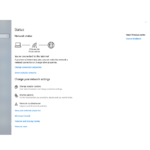
Carane mriksa alamat IP gateway saiki? Cocog kanggo: Kabeh router TOTOLINK Pambuka aplikasi: Artikel iki nggambarake komputer sistem operasi Windows sing disambungake menyang router (utawa piranti jaringan liyane) kanthi nirkabel utawa kabel, view the gateway IP…

Kepiye cara nyetel enkripsi WPA-PSK/WPA2-PSK kanthi manual?

27 Oktober 2023
How to set WPA-PSK/WPA2-PSK encryption manually? It is suitable for: N150RA, N300R Plus, N300RA, N300RB, N300RG, N301RA, N302R Plus, N303RB, N303RBU, N303RT Plus, N500RD, N500RDG, N505RDU, N600RD,  A1004, A2004NS, A5004NS, A6004NS Application introduction: Wi-Fi Protected Access (WPA) is the current most secure method…

Kepiye carane nyiyapake proteksi server DHCP kanggo router?

27 Oktober 2023
How to setup DHCP server protection for the router? It is suitable for: N150RA, N300R Plus, N300RA, N300RB, N300RG, N301RA, N302R Plus, N303RB, N303RBU, N303RT Plus, N500RD, N500RDG, N505RDU, N600RD, A1004, A2004NS, A5004NS, A6004NS Application introduction: With DHCP server protection function, TOTOLINK routers…

Kepiye carane ngatur manajemen jarak jauh?

27 Oktober 2023
How to setup remote management? It is suitable for: N150RA, N300R Plus, N300RA, N300RB, N300RG, N301RA, N302R Plus, N303RB, N303RBU, N303RT Plus, N500RD, N500RDG, N505RDU, N600RD,  A1004, A2004NS, A5004NS, A6004NS Application introduction: The Remote Management feature allows you to manage the gateway…

Kepiye carane nyiyapake WDS nganggo rong router TOTOLINK?

27 Oktober 2023
How to setup WDS by two TOTOLINK routers? It is suitable for: N150RA, N300R Plus, N300RA, N300RB, N300RG, N301RA, N302R Plus, N303RB, N303RBU, N303RT Plus, N500RD, N500RDG, N505RDU, N600RD, A1004, A2004NS, A5004NS, A6004NS Application introduction: WDS (Wireless Distribution System) provides bridge traffic between…

Kepiye cara nyetel fungsi WOL ing router?

27 Oktober 2023
How to setup WOL function on the router? It is suitable for: N150RA, N300R Plus, N300RA, N300RB, N300RG, N301RA, N302R Plus, N303RB, N303RBU, N303RT Plus, N500RD, N500RDG, N505RDU, N600RD,  A1004, A2004NS, A5004NS, A6004NS Application introduction: With WOL (Wake On Line) function, you…

Kepiye cara nyetel fungsi Wireless Bridge kanggo router?

27 Oktober 2023
Cara nyetel fungsi Wireless Bridge kanggo router? Cocok kanggo: N150RA, N300R Plus, N300RA, N300RB, N300RG, N301RA, N302R Plus, N303RB, N303RBU, N303RT Plus, N500RD, N500RDG, N505RDU, N600RD, A1004, A2004NS, A5004NS, A6004NS Pambuka aplikasi: Router TOTOLINK nyedhiyakake fungsi repeater, sing mbantu…

Carane nyiyapake DDNS ing router?

27 Oktober 2023
How to setup DDNS on the router? It is suitable for: N150RA, N300R Plus, N300RA, N300RB, N300RG, N301RA, N302R Plus, N303RB, N303RBU, N303RT Plus, N500RD, N500RDG, N505RDU, N600RD, A1004, A2004NS, A5004NS, A6004NS Application introduction:  DDNS (Dynamic Domain Name Server) is to achieve a…

Carane ngatur port forwarding?

27 Oktober 2023
How to configure port forwarding? Application introduction: By port forwarding, the data for Internet applications can pass through the firewall of the router or gateway. This article will show you how to forward ports on your router. STEP-1: Connect your computer…

Carane Nganyarke TOTOLINK Router Firmware

pandhuan • 20 Agustus 2025
Pandhuan lengkap sing rinci babagan proses langkah-langkah kanggo nganyarke perangkat kukuh ing macem-macem model router TOTOLINK, kalebu prasyarat penting lan kabar penting kanggo nganyari sing sukses.

Totolink A3300R | Router WiFi Gigabit | AC1200 | Dual Band | MU-MIMO | 4X RJ45 1000Mbps | 4 Antena Omni-Directional | Kecepatan 1167Mbps | Prosesor Dual Core 1GHz

A3300R • July 29, 2025 • Amazon
The A3300R is a dual band wireless gigabit router that meets the latest IEEE802.11ac Wave 2 standards and supports connection and communication with multiple wireless devices simultaneously. Equipped with 4 antennas, the A3300R delivers Wi-Fi speeds of up to 1167Mbps, providing faster…

Pandhuan Pangguna Kit Jaringan TOTOLINK

A3002RU-EX1200M-S808-MF • July 29, 2025 • Amazon
This user manual provides comprehensive instructions for the TOTOLINK AC1200 Gigabit MU-MIMO Router (A3002RU), EX1200M Wi-Fi Range Extender, and S808 8-Port Fast Ethernet Unmanaged Desktop Switch. Learn about setup, operation, maintenance, troubleshooting, and specifications for these networking devices.

Pandhuan Pangguna Router TOTOLINK LR350 4G LTE

LR350 • June 18, 2025 • Amazon
Comprehensive instruction manual for the TOTOLINK LR350 4G LTE Router, covering setup, operation, maintenance, and troubleshooting. Learn how to connect to the internet via SIM card or Ethernet, configure network settings, and optimize performance.