


kanca Smart Plug Mini

katrangan produk
Friend' Smart Plug Mini minangka adaptor sing dikontrol saka jarak jauh sing cerdas.
Smart Plug Mini ngawasi konsumsi daya lan ngidini pangguna nguripake lan mateni piranti apa wae saka sak ndonya - utawa saka kursi.
Smart Plug Mini kasedhiya ing macem-macem versi.
Cegahan
- Aja mbusak label produk amarga ngemot informasi penting.
- Aja ngindhari utawa mateni mbukak maksimum kanthi maksimal, supaya urip dawa kanggo Smart Plug.
- Ati-ati supaya ora ana cairan sing bisa mlebu ing Smart Plug amarga bisa ngrusak peralatan kasebut.
- Yen piranti digunakake minangka sinyal amplifier, mangga pasang piranti ing antarane piranti tengah lan sensor.
Miwiti
- Sambungake Smart Plug Mini menyang stopkontak.
- Smart Plug Mini saiki bakal miwiti telusuran (nganti 15 menit) kanggo gabung karo jaringan Zigbee.
- Priksa manawa jaringan Zigbee mbukak kanggo nggabungake piranti lan bakal nampa Smart Plug Mini.
- Nalika Smart Plug Mini nggoleki jaringan, tombol LED sumunar abang.
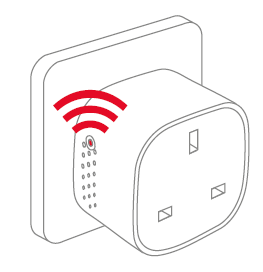
CATETAN: Pencet tombol nguripake Smart Plug Mini. Lampu LED wiwit sumunar abang lan ijo bebarengan. Iki bisa nyebabake werna katon minangka oranye/kuning, nalika piranti lagi nggoleki jaringan. - Nalika tombol LED mandheg sumunar, Smart Plug Mini wis sukses gabung karo jaringan Zigbee.
Panggonan
- Selehake Smart Plug ing njero ruangan kanthi suhu antara 0-50°C.
- Yen piranti digunakake minangka sinyal amplifier, mangga pasang piranti ing antarane piranti tengah lan sensor.
Ngreset
Reset dibutuhake yen sampeyan pengin nyambungake Smart Plug Mini menyang gateway liyane, yen sampeyan kudu ngreset pabrik kanggo mbusak prilaku ora normal, utawa yen sampeyan kudu ngreset ndhaptar accumulative lan log.
LANGKAH kanggo reset
- Sambungake Smart Plug Mini menyang stopkontak.
- Pencet terus tombol ing piranti.
- Tahan tombol nganti LED abang sumunar kanthi terus, banjur culake tombol kasebut.

- Sawise releasing tombol, LED abang bakal tetep kanggo 2-5 detik. Sajrone wektu kasebut, piranti kasebut ora kudu dipateni utawa dicopot.
Mode
SEARCHING GATEWAY MODE
- LED abang sumunar saben detik

MODE NORMAL
LED Hijau tegese output Smart Plug aktif (relay urip). Relay bisa diaktifake lan dipateni kanthi meksa tombol LED.
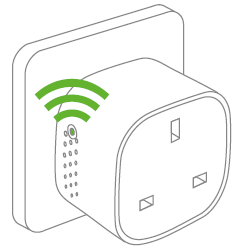
MODE MATI
Nalika ora ana lampu ing tombol LED, tegese relay dipateni (ora ana output). Relay bisa diaktifake lan dipateni kanthi meksa tombol LED.
golek kesalahan
• Ing cilik saka Gagal daya, piranti bakal mulihake dhewe menyang status on/off sadurunge daya mati.
• Ing cilik saka sinyal ala utawa banget, ngganti lokasi Smart Plug Mini utawa gateway Panjenengan.
• Yen panelusuran gateway wis entek wektu, penet cendhak tombol LED bakal miwiti maneh.
Informasi liyane
• Smart Plug Mini dirating kanggo 10 A mbukak terus-terusan, lan 16 A (~ 3500 W) mbukak wektu cendhak.
• Iku bakal kanthi otomatis ngalih mati yen mbukak ngluwihi 16 A utawa suhu internal nemu dhuwur banget.
• Ing cilik saka Gagal daya, piranti bakal mulihake dhewe menyang status on/off sadurunge daya mati.
Pembuangan
Buwang produk kanthi bener ing pungkasan umur. Iki minangka sampah elektronik sing kudu didaur ulang.
Sertifikasi CE
Tandha CE sing ditempelake ing produk iki negesake tundhuk karo Arahan Eropa sing ditrapake kanggo produk kasebut lan, utamane, tundhuk karo standar lan spesifikasi sing harmonis.
MATUR NUWUN KARO PITUTUR
• Petunjuk Peralatan Radio (RED) 2014/53 / EU
• Low Voltage Directive (2014/35/EU)
• Arahan RoHS 2015/863 / EU amandemen 2011/65 / EU
Sertifikasi liyane
Zigbee Home Automation 1.2 wis disertifikasi
Kabeh hak dilindhungi undhang-undhang.
bawahan ora tanggung jawab kanggo kesalahan, sing bisa uga katon ing pandhuan iki. Salajengipun, pandhita nduweni hak kanggo ngowahi piranti keras, piranti lunak, lan / utawa spesifikasi sing rinci ing kene kapan wae tanpa ana kabar, lan pandhita ora nggawe komitmen kanggo nganyari informasi sing ana ing kene. Kabeh merek dagang sing kacathet ing kene duweke dhewe-dhewe.
Dokumen / Sumber Daya
 | Smart Plug Mini |
Referensi
- frient - sensor, weker, plug pinter - care ngarep lan keamananwww.friend.com
- Manual panggunamanual.tools
The socket SH-P01 stopped working after about a year of use. Does not start despite resetting. The LED remains completely dark. Also the same thing happened with SH-P01E about 2 years ago.
Replaced with new SH-P01 sockets. Load Max230VAC/ 1A. The new sockets work flawlessly in the same WiFi network. The devices have a CE mark, but not from an inspection body
nomer?
Pistorasia SH-P01 lakkasi toimimasta noin vuoden käytön jälkeen. Ei käynnisty resetoinnista huolimatta. LED pysyy täysin pimeänä. Myös sama tapahtui SH-P01E noin 2-vuotta sitten.
Korvattu uusilla SH-P01 pistorasioilla. Kuomitus Max230VAC/ 1A. Uudet pistorasiat toimivat samassa WiFi-verkossa moitteettomasti. Laitteissa on CE-merkintä, mutta ei tarkastuslaitoksen
numeroa ?
Replaced with new SH-P01 sockets. Load Max230VAC/ 1A. The new sockets work flawlessly in the same WiFi network. The devices have a CE mark, but not from an inspection body
nomer?
Pistorasia SH-P01 lakkasi toimimasta noin vuoden käytön jälkeen. Ei käynnisty resetoinnista huolimatta. LED pysyy täysin pimeänä. Myös sama tapahtui SH-P01E noin 2-vuotta sitten.
Korvattu uusilla SH-P01 pistorasioilla. Kuomitus Max230VAC/ 1A. Uudet pistorasiat toimivat samassa WiFi-verkossa moitteettomasti. Laitteissa on CE-merkintä, mutta ei tarkastuslaitoksen
numeroa ?
Why has my Smart Plug Mini stopped working with a dark LED, and why is there no inspection body number next to the CE mark?
Based on the frient Smart Plug Mini manual, if the LED remains completely dark and the device does not respond to a factory reset, it likely indicates a hardware failure or a triggered safety cutoff. Please note the following regarding your SH-P01 model:
Since your new units work on the same network with the same 1A load, and the old units remain unresponsive, we recommend contacting frient support or your retailer for warranty claims, as the manual does not provide further repair steps for a non-responsive LED.
Read the full Q&A page