📘 Datanet manuals • Free online PDFs
Datanet logo

Datanet Manuals & User Guides

Datanet specializes in enterprise mobility software, providing barcode scanning and stocktaking applications like EzyScan for rugged mobile computers.

Tip: include the full model number printed on your Datanet label for the best match.

About Datanet manuals on Manuals.plus

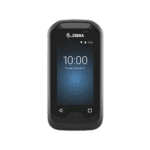
Datanet is a provider of software solutions designed for enterprise mobility and inventory management. The brand creates specialized applications such as EzyScan lan Barcode Manager, which are optimized for use on rugged mobile computers like the Zebra EC30 and TC26.

These tools assist businesses in performing accurate stocktakes, verifying barcode data, and managing inventory records efficiently. Datanet applications typically leverage the built-in hardware scanners of enterprise devices to ensure rapid and precise data capture.

Datanet manuals

Manual paling anyar saka manuals+ curated kanggo merek iki.

dAtAnet EC30 EzyScan Mobile Application Guide User

3 April 2023
Pandhuan Pangguna Aplikasi Seluler EC30 EzyScan Pambuka Aplikasi seluler EC30 Erzincan™ wis digawe kanggo nyedhiyakake pangguna kanthi cara sing prasaja kanggo ngetung lan verifikasi jumlah stok, contone…

datanet TC26 EzyScan Mobile Application User Guide

3 April 2023
Aplikasi Seluler TC26 EzyScan datanet Informasi Produk TC26 EzyScanTM TC26 EzyScanTM minangka aplikasi seluler sing dirancang kanggo nyedhiyakake cara sing gampang kanggo ngetung lan verifikasi jumlah stok kanggo pangguna.…

Pandhuan pangguna EzyScan Datanet TC26

Pandhuan pangguna
Pandhuan pangguna kanggo aplikasi seluler Datanet TC26 EzyScan, kanthi rinci babagan cara ngetung lan verifikasi jumlah saham nggunakake pindai barcode lan transfer data menyang komputer.

Datanet support FAQ

Pitakonan umum babagan manual, registrasi, lan dhukungan kanggo merek iki.

  • How do I transfer data from the Datanet EzyScan app to a computer?

    Connect your mobile device to a PC using a USB cable. On the device, swipe down the notification bar, tap the USB option, and select 'File Transfer'. Navigate to the Internal Shared Storage > Download > EzyScan folder on your PC to retrieve the CSV file.

  • What does the Barcode Compare function do?

    The Barcode Compare function allows you to scan two barcodes sequentially to determine if they match. This feature is useful for verifying stock accuracy.

  • How do I enable duplicate scanning in Barcode Manager?

    Go to the application settings and check the 'Allow Duplicates' box. This allows the same barcode to be scanned and recorded multiple times in a single session.

  • What devices are Datanet apps compatible with?

    Datanet applications like EzyScan are designed for enterprise mobile computers with built-in scanners, such as the Zebra EC30 and TC26 series.