
Produk Overview
The DIERYA DK68 is a 60% compact mechanical keyboard designed for versatility and performance. It features triple-mode connectivity, allowing seamless switching between Bluetooth 5.0, 2.4GHz wireless, and USB-C wired connections. Equipped with clicky blue mechanical switches and vibrant RGB backlighting, it offers a responsive and customizable typing experience for both gaming and office use.

Figure 1: DIERYA DK68 Wireless Mechanical Keyboard showcasindesain sing ringkes lan cahya RGB.
Isi Paket
Priksa manawa kabeh item ana ing paket kasebut:
- Keyboard Mekanik Nirkabel DIERYA DK68
- Kabel USB-C menyang USB-A
- Penarik Keycap Kab
- Panampa USB 2.4GHz (disimpen ing kompartemen mburi keyboard)
- Manual pangguna (dokumen iki)
Setup lan Konektivitas
The DK68 keyboard supports three connection modes: USB-C wired, 2.4GHz wireless, and Bluetooth 5.0. Choose the mode that best suits your needs.
1. Mode Kabel USB-C
- Sambungake kabel USB-C sing kasedhiya menyang port USB-C keyboard.
- Sambungake ujung kabel USB-A menyang port USB sing kasedhiya ing komputer.
- Papan tombol bakal dikenali kanthi otomatis lan siap digunakake.
2. Mode Nirkabel 2.4GHz
- Goleki panrima USB 2.4GHz ing kompartemen ing mburi keyboard.
- Copot panrima lan copot menyang port USB sing kasedhiya ing komputer.
- Turn on the keyboard using the switch located on the back.
- Keyboard kudune nyambung kanthi otomatis menyang panrima. Yen ora, pencet Fn + G (labeled '2.4G' on the key) to activate 2.4GHz pairing mode.

Figure 2: Triple-mode connectivity options including 2.4GHz wireless.
3. Mode Bluetooth 5.0
Keyboard iki bisa nyambung menyang nganti telung piranti Bluetooth.
- Turn on the keyboard using the switch on the back.
- Pencet terus Fn+Z (labeled 'BT1'), Fn + X (labeled 'BT2'), or Fn + C (labeled 'BT3') for 3-5 seconds until the corresponding key's backlight flashes rapidly. This indicates pairing mode.
- On your device (PC, laptop, tablet, phone), enable Bluetooth and search for "DIERYA DK68".
- Pilih keyboard sing arep dipasangake. Lampu latar tombol bakal mandheg kedhip-kedhip sawise disambungake.
- Kanggo ngalih ing antarane piranti Bluetooth sing dipasangake, cukup pencet Fn + Z/X/C.

Figure 3: Bluetooth connectivity for multiple devices.
Instruksi Operasi
Kontrol Lampu Latar RGB
The DK68 features 20 built-in RGB lighting effects and 16.8 million customizable colors. Use the following key combinations to control the lighting:
- Fn + Backspace: Turn backlighting On/Off.
- Fn + Ngalih: Switch light colors.
- Fn + Enter: Switch light modes (20 dynamic RGB modes).
- Fn + Panah munggah: Tambah padhang.
- Fn + Panah Mudhun: Kurangi padhange.
- Fn + Panah Ngiwa: Ngurangi kacepetan cahya.
- Fn + Panah Kanan: Nambah kacepetan cahya.

Figure 4: RGB lighting control key combinations for the DK68 keyboard.
Key Customization and Macros
The DIERYA DK68 supports full key anti-ghosting and N-Key Rollover (NKRO) for accurate input. For advanced customization, including key remapping, macro programming, and additional lighting effects, dedicated software is available. Please refer to the official DIERYA websitus kanggo unduhan lan pandhuan piranti lunak.

Figure 5: Full N-Key Rollover and software customization capabilities.
Saklar Biru Mekanik
The keyboard is equipped with clicky blue mechanical switches, providing a distinct tactile bump and an audible click with each keystroke. These switches are ideal for users who prefer clear feedback and a satisfying typing experience. They feature a medium 60gf actuation force (±15gf) and 2.3mm travel (±0.6mm), with a lifespan of 50 million clicks.

Gambar 6: Rincian view of mechanical blue switches and their specifications.
Pangopènan
Manajemen baterei
The keyboard is powered by a 3000mAh lithium battery. To charge, connect the keyboard via the USB-C cable to a power source. The keyboard can be used while charging.
- Usage Time (Backlighting On): Nganti 12 jam.
- Usage Time (Backlighting Off): Nganti 333 jam.
- Mode Turu Otomatis: The keyboard enters auto-sleep mode after 3 minutes of inactivity to conserve power.
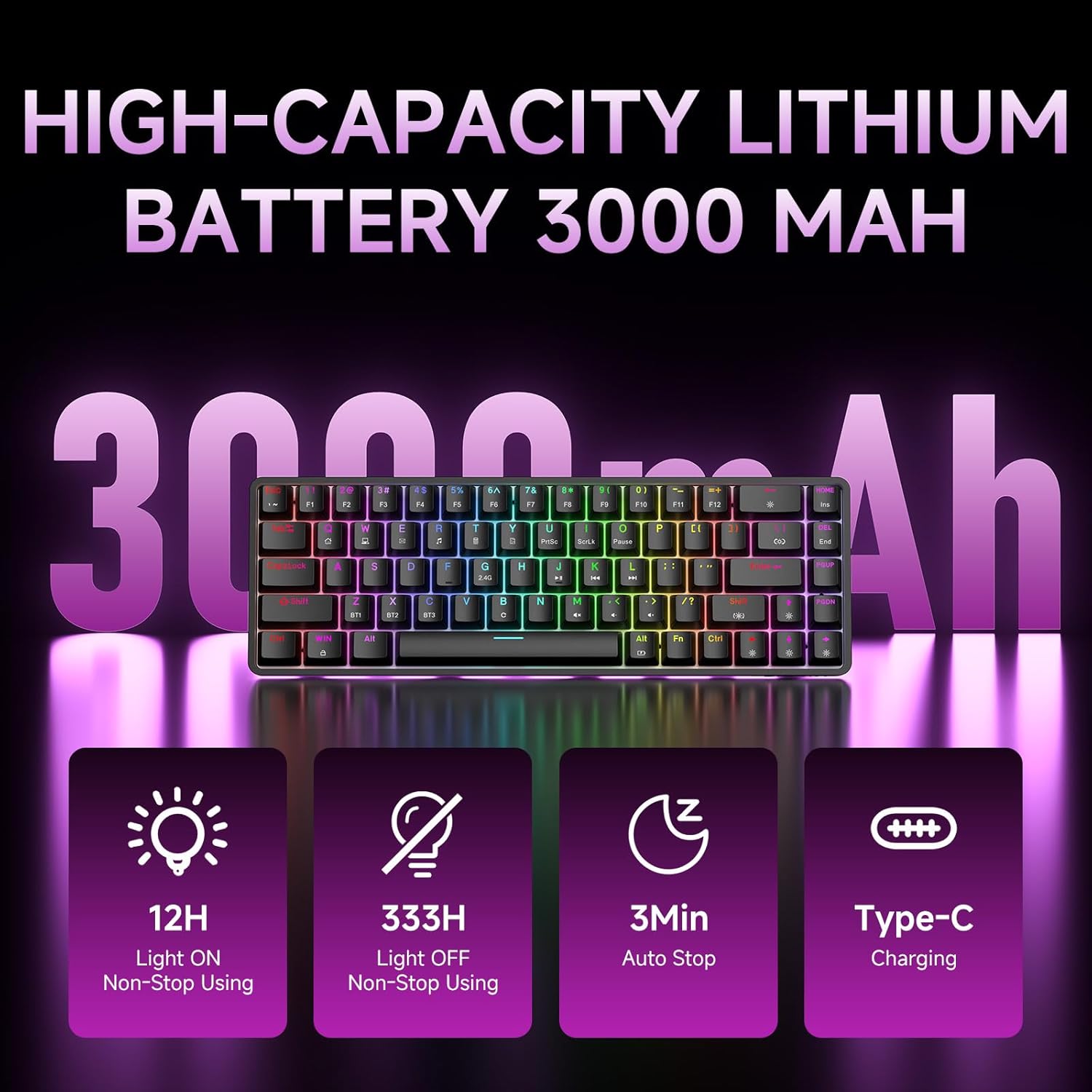
Figure 7: Battery capacity and power-saving features of the DK68.
Reresik lan Care
- Use the provided keycap puller to carefully remove keycaps for cleaning.
- Resiki permukaan keyboard nganggo kain alus,amp kain. Ngindhari kelembapan sing berlebihan.
- Aja nggunakake bahan kimia sing atos utawa bahan pembersih kasar.
- Priksa manawa keyboard dipateni sadurunge ngresiki.
Ngatasi masalah
- Keyboard ora nanggapi:
- Check the power switch on the back of the keyboard.
- Ensure the correct connection mode (wired, 2.4GHz, or Bluetooth) is selected.
- Kanggo 2.4GHz, priksa manawa panrima USB wis dipasang kanthi aman.
- Kanggo Bluetooth, priksa manawa keyboard wis dipasangake lan dipilih ing piranti sampeyan. Coba pasangake maneh yen perlu.
- If using wired mode, try a different USB port or cable.
- Lampu latar ora bisa digunakake:
- Pencet Fn + Backspace to toggle the backlighting.
- Check battery level; low battery may disable backlighting.
- Tombol ora ndhaptar:
- Priksa manawa keyboard wis disambungake lan diuripake kanthi bener.
- If specific keys are not working, try removing and re-seating their keycaps.
Spesifikasi
| Fitur | Rincian |
|---|---|
| Nomer Model | DK68 |
| Teknologi Konektivitas | Nirkabel 2.4GHz, Bluetooth 5.0, Kabel USB-C |
| Tipe Ngalih | Clicky Blue Mechanical Switches |
| Tata letak tombol | 68 Tombol (60% Tata Letak) |
| Lampu mburi | RGB (16.8 Yuta Werna, 20 Efek) |
| Kapasitas baterei | Polimer Lithium 3000mAh |
| Piranti sing kompatibel | Konsol Game, Laptop, PC, Tablet |
| Anti-Ghosting | Full Key Anti-Ghosting & NKRO |
| Bahan | Plastik |
| Bobot Barang | 1.76 pon (kira-kira 800g) |
| Ukuran Paket | 14.33 x 4.37 x 1.73 inci |

Figure 8: Keyboard dimensions and compact 68-key layout.
Warranty lan Dhukungan
For warranty information and technical support, please refer to the documentation included with your product or visit the official DIERYA website. Amazon's return policy for this product is 30 days from the date of receipt.