Pambuka
The MONSGEEK M1 V5 TMR is a high-performance mechanical gaming keyboard featuring rapid trigger technology, an aluminum chassis, and customizable magnetic switches. This manual provides instructions for setup, operation, maintenance, and troubleshooting to ensure optimal performance and longevity of your keyboard.

Image: The MONSGEEK M1 V5 TMR keyboard, showcasing its black gradient keycaps and compact layout.
Setup
1. Unboxing lan Inspeksi Awal
Carefully remove the keyboard and any included accessories from the packaging. Inspect the product for any visible damage or missing components before proceeding.
2. Konektivitas
- Mode Kabel: Connect the keyboard to your computer using the provided USB-C cable. The keyboard will be powered and functional immediately.
- Mode Nirkabel 2.4G: Insert the 2.4G USB receiver into an available USB port on your computer. Locate the physical connectivity switch, typically found under the Caps Lock key, and set it to the wireless position. Then, press the function key combination FN + U on the keyboard to activate 2.4G wireless mode.
3. Instalasi piranti lunak
To unlock the full customization potential of your MONSGEEK M1 V5 TMR keyboard, download and install the official MONSGEEK software from the manufacturer's website. This software is essential for configuring rapid trigger settings, DKS, Toggle Key, Mod-Tap, and ARGB lighting effects.
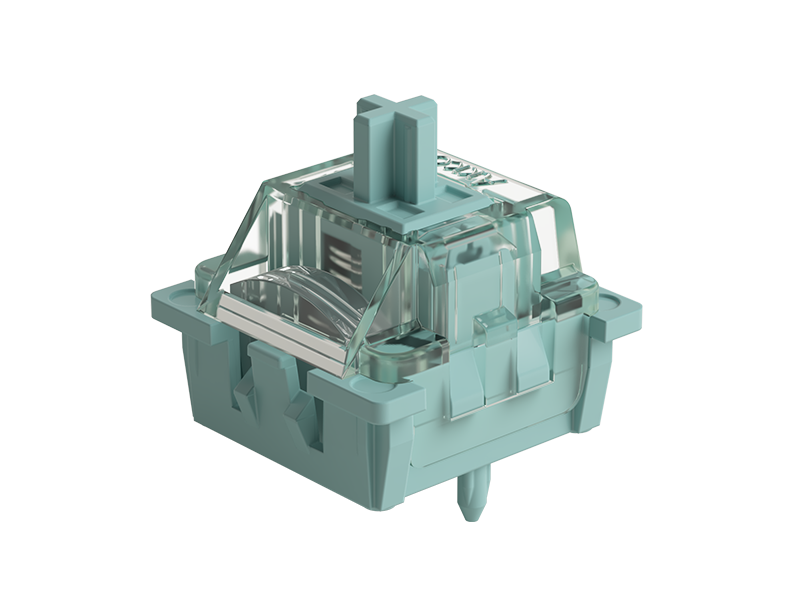
Image: Screenshot of the MONSGEEK keyboard customization software interface, showing switch settings and key definitions.
Instruksi Operasi
1. Rapid Trigger (RT) Adjustment
The M1 V5 TMR features an ultra-precise rapid trigger system, allowing actuation distance adjustment from 0.1mm to 3.3mm in 0.01mm increments. Utilize the MONSGEEK software to fine-tune these settings for individual keys or groups of keys. This enables faster key resets and improved response times, particularly beneficial for competitive gaming.

Gambar: A close-up view illustrating the 0.01mm precision adjustment for rapid trigger actuation.
2. Dynamic Key Stroke (DKS), Toggle Key, and Mod-Tap
These advanced functions can be configured through the MONSGEEK software to enhance gaming and typing efficiency. DKS allows for different actions based on key press depth, Toggle Key enables persistent states, and Mod-Tap assigns a different function when a key is tapped versus held. Refer to the software's integrated help section for detailed configuration guides.
3. Switch Compatibility
The keyboard offers cross-compatibility with both magnetic and mechanical switches. This allows users to customize specific keys, such as WASD, with magnetic switches for gaming advantages, while retaining mechanical switches for other keys to maintain a traditional typing feel. To replace switches, gently pull out the existing switch using a switch puller and insert the new compatible switch, ensuring the pins align correctly with the PCB sockets.

Image: Diagram showing the compatibility of the keyboard with various magnetic and mechanical switch types.
4. Polling Rate
The MONSGEEK M1 V5 TMR keyboard provides an 8000Hz polling rate in both wired and 2.4G wireless modes. This high polling rate ensures near-zero latency, transmitting operational data eight times faster per second compared to standard keyboards, which contributes to quicker in-game responses.
5. Lampu ARGB
The keyboard features Addressable RGB (ARGB) lighting with individually controlled LEDs. Customize the lighting effects, colors, and patterns using the MONSGEEK software to match your aesthetic preferences or gaming setup. The 500Hz refresh rate and Alpha channel integration provide smooth, dynamic lighting effects.
6. Quick Release Design
The aluminum top and bottom cases are designed for tool-free rapid assembly and disassembly. This feature simplifies customization, switch replacement, and internal maintenance, allowing for effortless modification of your keyboard.
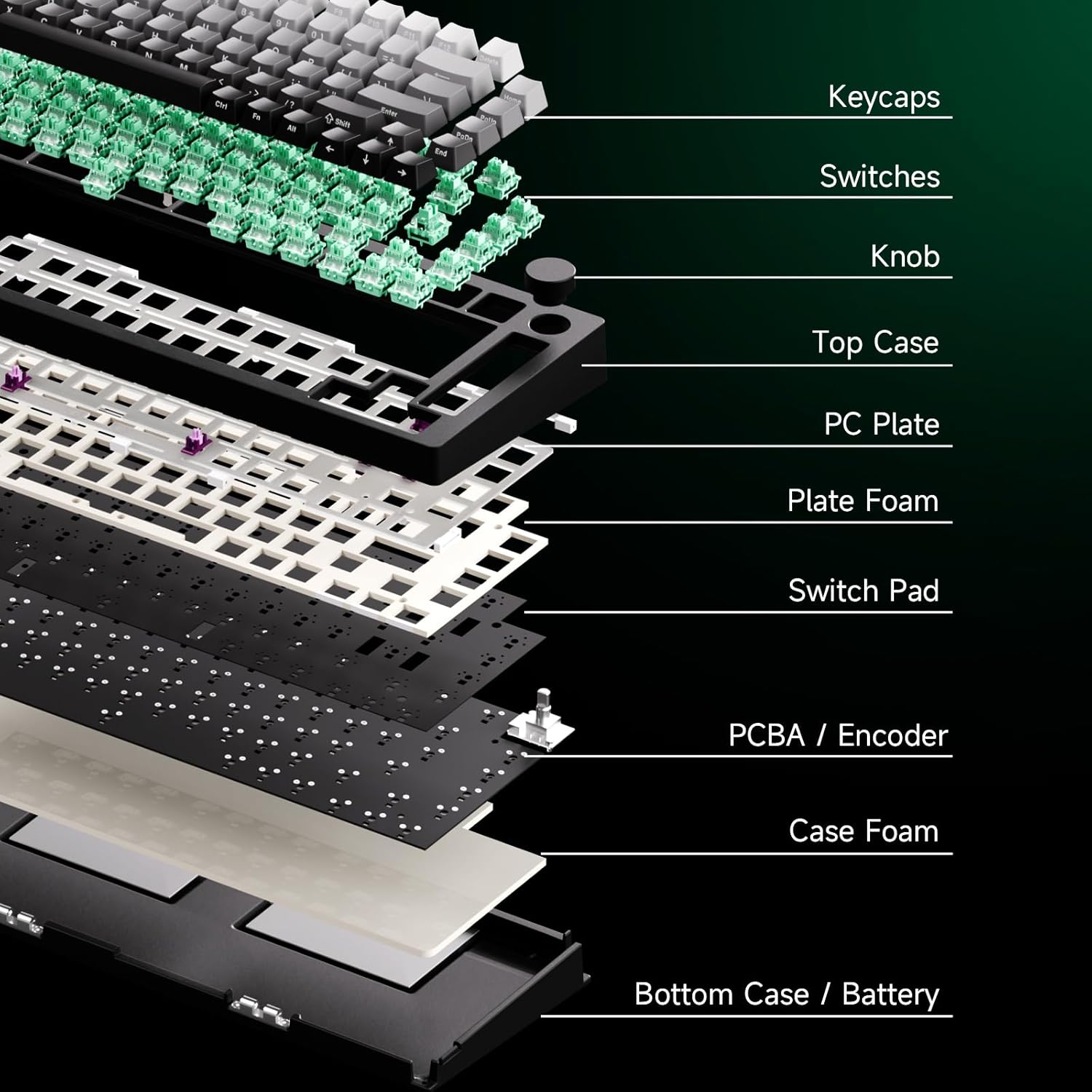
Image: An illustration detailing the ball-catch quick release mechanism for easy case disassembly.
Pangopènan
1. Reresik
- Regularly clean the keycaps and keyboard chassis with a soft, dry, lint-free cloth.
- For deeper cleaning, use a keycap puller to carefully remove the keycaps. Clean the switches and plate area with compressed air to remove dust and debris.
2. Ngalih Panggantos
If a switch malfunctions or you wish to change switch types, use a switch puller to carefully remove the existing switch. Align the pins of the new compatible magnetic or mechanical switch with the holes on the PCB and gently press it into place until it clicks securely.

Image: An exploded diagram showing the various layers of the keyboard, including keycaps, switches, plate, and PCB, illustrating the modular design.
Ngatasi masalah
- Keyboard ora nanggapi:
- Ensure the USB cable is securely connected (wired mode).
- Verify the 2.4G receiver is properly inserted and the keyboard is in 2.4G wireless mode (FN + U).
- Check the physical power/connectivity switch (under Caps Lock) is in the correct position.
- Urip maneh komputer.
- Masalah piranti lunak:
- Ensure you are using the latest version of the MONSGEEK software.
- Yen ing web-based driver is not recognized, try using the local desktop application.
- If actuation distances are not saving between profiles, consult MONSGEEK support for assistance.
- Double-Clicking or Missed Inputs:
- This can sometimes occur with magnetic switches if actuation settings are too sensitive or due to specific typing styles. Adjust the rapid trigger actuation distance in the software to a slightly higher value.
- Ensure all switches are fully seated in their sockets.
- Lampu RGB ora bisa digunakake:
- Check the RGB configuration settings within the MONSGEEK software.
- Ensure the keyboard is receiving sufficient power, especially in wireless mode.
- Konektivitas Wireless Drops:
- Ensure the 2.4G receiver is not obstructed and is within optimal range of the keyboard.
- Check for potential interference from other wireless devices operating on the same frequency.
- If the keyboard enters sleep mode and does not wake up, try disconnecting and reconnecting the wireless dongle, or switch to wired mode temporarily.
Spesifikasi
| Fitur | Rincian |
|---|---|
| Merk | MONSGEEK |
| Model | M1 V5 TMR |
| Konektivitas | Wired (USB-C), 2.4G Wireless |
| Polling Rate | 8000Hz (Kabel & Nirkabel 2.4G) |
| Tipe Ngalih | Magnetic (AstroAim Magnetic Switch), Cross-compatible with Mechanical |
| Imbuhan aktuasi | 0.1mm to 3.3mm (0.01mm precision) |
| Fitur Utama | Rapid Trigger, DKS, Toggle Key, Mod-Tap, Quick Release Aluminum Chassis, ARGB Lighting |
| Tata letak papan tombol | QWERTY |
| Piranti sing kompatibel | PC, Laptop, Tablet |
| Ukuran Paket | 14 x 6 x 0.4 inci |
| Bobot Barang | 4.4 kab |
| Werna (Varian) | Black-AstroAim Magnetic Switch |
Warranty lan Dhukungan
For detailed warranty information, technical support, or service inquiries, please visit the official MONSGEEK website or contact their customer service department directly. It is recommended to retain your proof of purchase for any warranty claims.