
FEYA M-Y10
FEYA M-Y10 Motorcycle Helmet Headset User Manual
Model: M-Y10 | Brand: FEYA
Pambuka
Thank you for choosing the FEYA M-Y10 Motorcycle Helmet Headset. This device is designed to enhance your riding experience with wireless communication, music playback, and hands-free calling. Please read this manual carefully to ensure proper use and optimal performance of your headset.
Isi Paket

This image displays the FEYA M-Y10 headset along with its accessories, including speakers, microphones, mounting clips, and charging cable.
- FEYA M-Y10 Headset Unit
- Helmet Speakers and Microphone (soft and hard mic options)
- Velcro Double-sided Tape for Speakers
- Base for Mounting (clip-style)
- Kabel Pengisian USB Type-C
- Manual pangguna (dokumen iki)
Fitur Utama
- Wireless V5.3 Technology: Supports simultaneous connection to two smartphones for stable and efficient communication.
- Intelligent Noise Cancelling: Features 40mm graphene diaphragm speakers and dual noise-cancelling microphones (DSP and 8.0 CVC) to reduce engine noise, wind noise, and traffic sounds, ensuring clear audio.
- Umur baterei luwih dawa: Equipped with a 1000mAh battery, offering up to 80 hours of music playback and 750 hours of standby time on a 2-hour charge.
- Rating tahan banyu IPX6: Designed to withstand dust, rain, fog, and snow, operating effectively in temperatures as low as -29°C (-20°F).
- Asisten Swara AI & Jawaban Otomatis: Activate Siri or other voice assistants with a short press. Automatically answers incoming calls after 10 seconds, allowing hands-free operation.
- Easy Installation & Lightweight Design: Simple to install on various helmet types. Weighs only 45g, reducing helmet burden.
Setup
1. Instalasi
The FEYA M-Y10 headset features a detachable mounting design for easy installation on most helmet types. Before installation, measure the available space inside your helmet for the speakers (speaker thickness 15.2mm / width 45mm). If space is insufficient, some internal padding modification may be required.
- Attach the clip-style base to the side of your helmet. Ensure it is securely fastened.
- Insert the headset unit into the base until it clicks into place.
- Peel off the backing from the Velcro double-sided tape and attach it to the back of the speakers.
- Carefully position the speakers inside your helmet, aligning them with your ears for optimal sound.
- Attach the microphone to a suitable position inside the helmet, ensuring it is close to your mouth for clear voice pickup. Choose between the soft mic or hard mic based on your helmet type and preference.
- Connect the speaker and microphone cables to the headset unit.

This image illustrates the detachable mounting design, highlighting how the headset unit can be easily attached and removed from its base on the helmet.
2. Ngisi daya wiwitan
Before first use, fully charge the headset. Connect the provided USB Type-C charging cable to the headset's charging port and a suitable USB power source. The charging indicator will show the charging status. A full charge takes approximately 2 hours.

This image shows the headset being charged via its Type-C port, emphasizing its 1000mAh battery and fast charging capability.
3. Nyambungake karo Smartphone
The FEYA M-Y10 uses Wireless V5.3 technology for stable connections.
- Priksa manawa headset dipateni.
- Press and hold the Power button for approximately 3 seconds until the indicator light flashes, indicating pairing mode.
- On your smartphone, enable Wireless (Bluetooth) and search for "FEYA M-Y10" (or similar device name).
- Select the device to connect. Once paired, the indicator light will change, and you may hear a confirmation tone.
- The headset can connect to two smartphones simultaneously. Repeat the pairing process for a second device if needed.

This image highlights the advanced V5.3 wireless chip, ensuring a stable and efficient connection for your devices.
Instruksi Operasi
1. Daya On / Off
- Daya On: Pencet terus tombol Daya kira-kira 3 detik nganti lampu indikator urip.
- Daya Mati: Pencet terus tombol Daya kira-kira 5 detik nganti lampu indikator mati.
2. Puter maneh Musik
- Puter / Ngaso: Short press the "M" button.
- Trek Sabanjure: Pencet cendhak tombol "+".
- Lacak sadurunge: Pencet cendhak tombol "-".
- Volume: Pencet dawa tombol "+".
- Volume mudhun: Pencet dawa tombol "-".

This image depicts a rider enjoying music through the 40mm speakers, highlighting the lossless stereo sound experience.
3. Manajemen Telpon
- Jawab Telpon: The headset will automatically answer incoming calls after 10 seconds.
- Mungkasi Telpon: Short press the "M" button during a call.
- Nolak Telpon: Long press the "M" button when a call comes in.
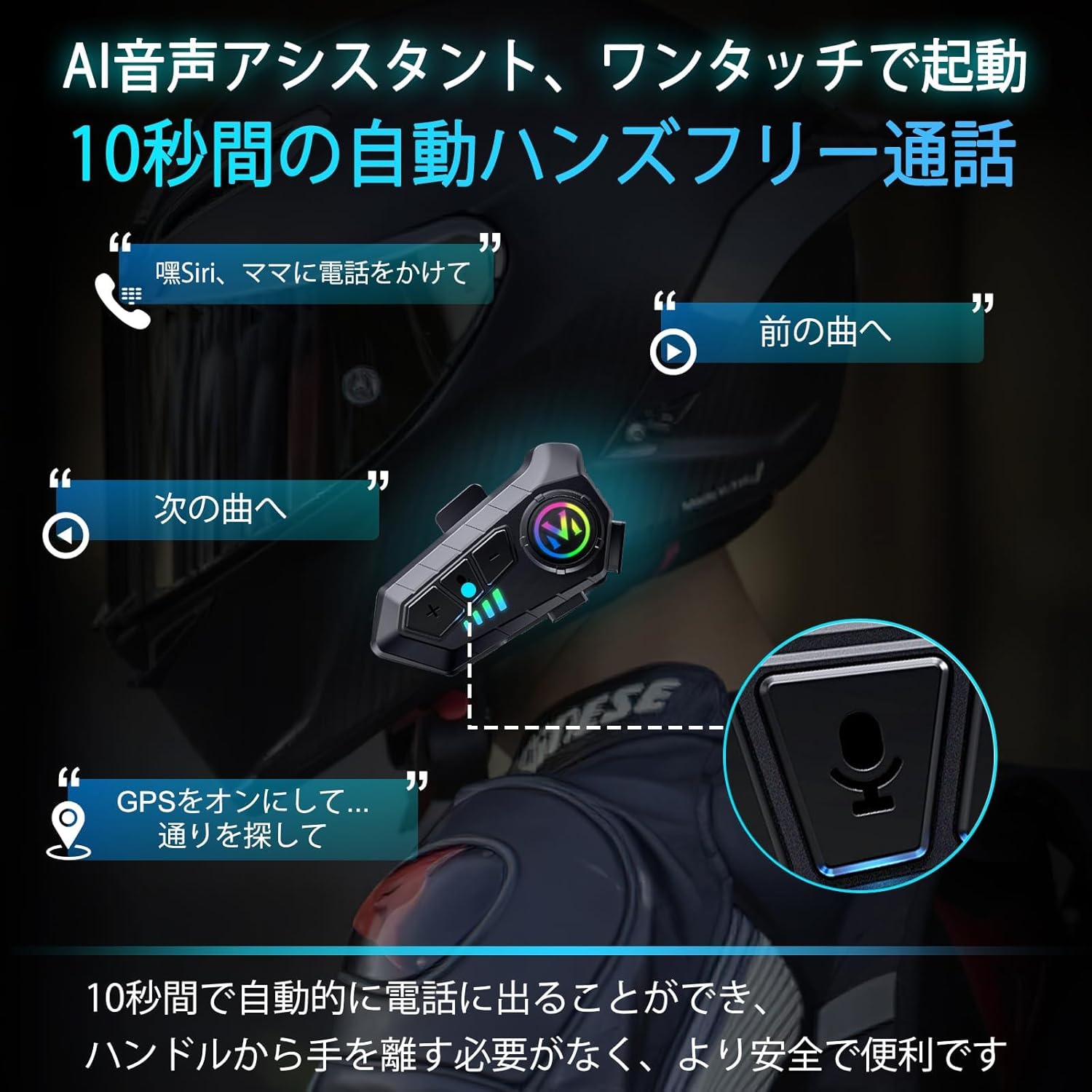
This image demonstrates the AI voice assistant and automatic call answering features, allowing riders to manage calls and navigation hands-free.
4. Aktivasi Asisten Swara
- Activate Voice Assistant (Siri/AI): Short press the Voice Control button (often the "M" button or a dedicated button, refer to product diagram if available).
5. Alih Basa
To switch the voice prompt language:
- Ensure the headset is powered on and disconnected from any smartphone.
- Double-click the "M" button to cycle through available languages.
Pangopènan
1. Ngisi daya
Charge the headset using the provided Type-C cable. A full charge takes approximately 2 hours and provides up to 80 hours of music playback or 18 months of standby time. The battery level can be displayed on your smartphone.
2. Reresik lan Panyimpenan
- Wipe the headset unit with a soft, dry cloth. Do not use harsh chemicals or abrasive cleaners.
- The headset is IPX6 waterproof, meaning it is protected against high-pressure water jets. However, avoid submerging it in water.
- Simpen headset ing panggonan sing adhem lan garing adoh saka sinar srengenge langsung lan suhu sing ekstrem.

This image demonstrates the IPX6 dust and waterproof performance of the headset, ensuring durability in various weather conditions.
Ngatasi masalah
| Masalah | Kemungkinan Penyebab | Solusi |
|---|---|---|
| Piranti ora urip. | Baterei sithik. | Isi daya headset kanthi lengkap. |
| Ora bisa dipasangake karo smartphone. | Headset not in pairing mode; smartphone Wireless (Bluetooth) off; too far from device. | Ensure headset is in pairing mode (flashing indicator). Turn on smartphone Wireless. Keep devices within 1 meter. |
| Ora ana swara utawa volume kurang. | Volume too low; speakers not positioned correctly; poor connection. | Increase volume on headset and smartphone. Adjust speaker position. Re-pair the device. |
| Kualitas telpon sing ora apik. | Microphone not positioned correctly; excessive environmental noise. | Adjust microphone closer to mouth. Ensure noise cancelling features are active. |
| Mati otomatis. | No smartphone connection for 5 minutes. | This is a power-saving feature. Reconnect to your smartphone to resume use. |
Spesifikasi
| Fitur | Rincian |
|---|---|
| Jeneng Model | M-Y10 (Internal Model: B35S) |
| Teknologi Wireless | Nirkabel V5.3 |
| Ukuran Speaker | 40 mm |
| Kapasitas baterei | 1000mAh |
| Port Pengisian | USB Tipe-C |
| Wektu Ngisi daya | Kira-kira. 2 jam |
| Wektu Muter maneh Musik | Nganti 80 jam |
| Wektu siyaga | Up to 750 hours (18 months) |
| Rating anti banyu | IPX6 |
| Kontrol swara | Active Noise Cancellation (DSP & CVC 8.0) |
| Impedansi | 32 ohm |
| Suhu operasi | Effective down to -29°C (-20°F) |
| Bobot | Kira-kira. 45g |
| Bahan | Plastik |
Warranty lan Dhukungan
FEYA products are designed for durability and performance. For warranty information, please refer to the product packaging or contact your retailer. If you encounter any issues or have questions regarding your FEYA M-Y10 headset, please contact FEYA customer support through the official website or your purchase platform for assistance.
Each product is verified with a unique code before shipment to ensure authenticity and quality.
Ask a question about this manual
Ask about setup, troubleshooting, compatibility, parts, safety, or missing instructions. Manuals+ will review the question and use this page’s manual context to help answer it.