
1. Produk Liwatview
The Merax Computer Desk is a versatile furniture piece designed for various uses, including writing, studying, working, gaming, or as a vanity. It features a unique 90-degree rotating desktop, ample storage options, and a robust construction suitable for home offices, bedrooms, or living rooms.
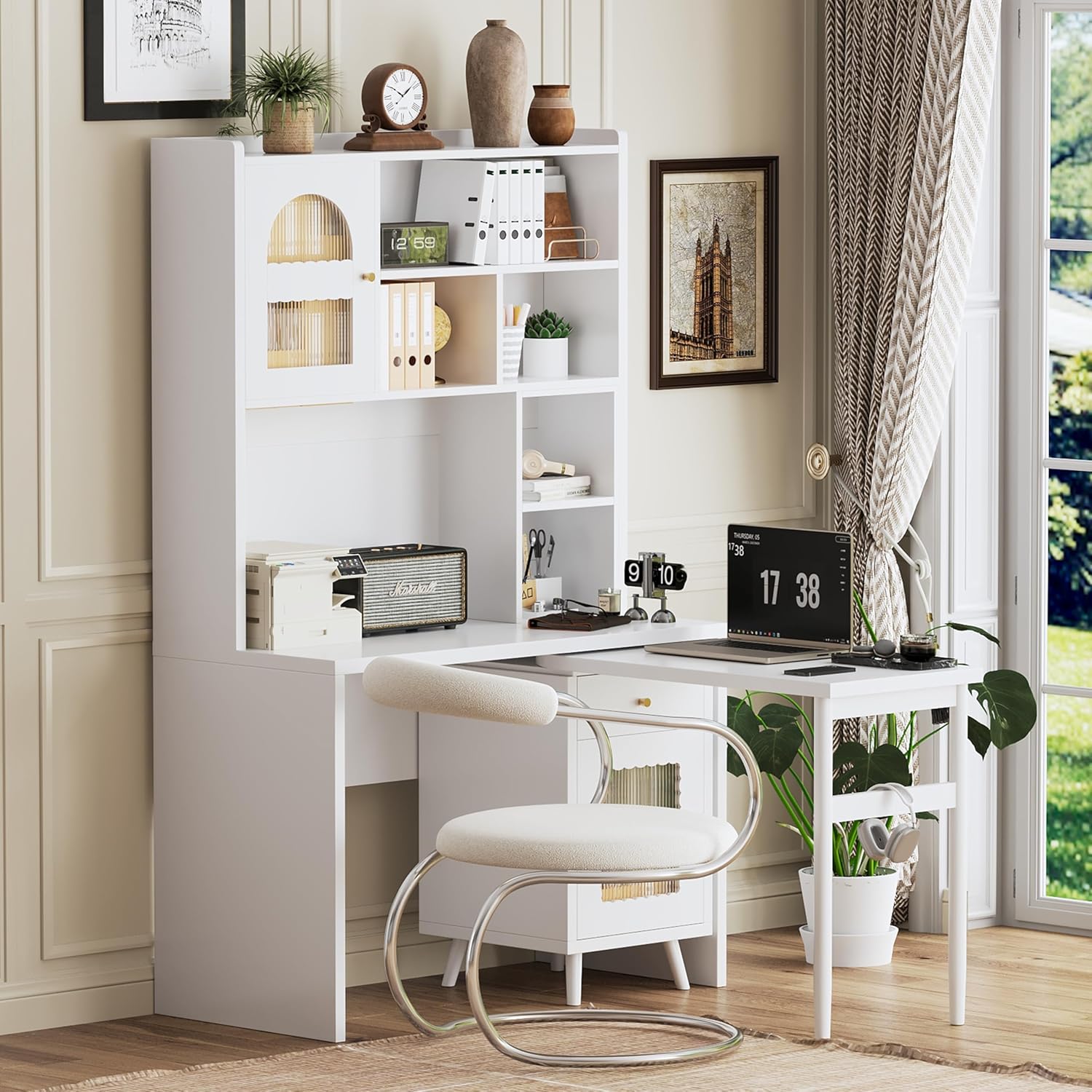
Image 1.1: Merax Computer Desk in an L-shaped setup, showcasing desain lan fungsine.
2. Informasi Safety
Mangga maca lan ngerti kabeh instruksi safety sadurunge ngrakit lan nggunakake. Gagal ngetutake instruksi kasebut bisa nyebabake ciloko utawa karusakan ing prodhuk.
- Simpen kabeh bagean cilik lan bahan kemasan adoh saka bocah-bocah.
- Ensure all screws and fasteners are securely tightened during assembly. Periodically check and re-tighten as necessary.
- Aja nglebokake rak utawa laci kanthi kakehan. Sebarake bobot kanthi rata.
- Avoid placing hot items directly on the desktop surface without protection.
- Aja ngadeg utawa lungguh ing meja.
- Use on a level surface to prevent tipping.
3. Persiyapan lan Majelis
This Merax Computer Desk is designed for straightforward assembly. All necessary tools and a detailed instruction manual are included in the package. Please follow the step-by-step instructions provided with your product for proper assembly.
3.1 Mbukak kemasan
- Kasebut kanthi teliti, mbusak kabeh komponen saka packaging.
- Priksa manawa kabeh bagean sing kadhaptar ing dhaptar bagean sing kalebu ana.
- Lay out components on a soft, clean surface to prevent scratches.
3.2 Langkah Majelis
Refer to the separate assembly manual provided in the product packaging for detailed, illustrated instructions. Ensure all connections are firm before use.

Image 3.1: Product dimensions for the Merax Computer Desk, including the main body and rotating desktop.
4. Instruksi Operasi
4.1 Rotating Desktop Functionality
The desk features a 90-degree rotating tabletop for flexible workspace adjustment. To extend the desktop, gently pull the side panel outwards. To save space, push the panel back into its compact position.
Video 4.1: Demonstration of the Merax Computer Desk's rotating desktop feature, showcasing its flexibility and space-saving design.

Image 4.1: The rotating desktop extended, providing additional workspace for a laptop and other items.
4.2 Fitur Storage
- laci: Utilize the smooth-gliding drawer for storing smaller office supplies or personal items.
- Kabinet: The two storage cabinets feature transparent glass doors, allowing visibility of contents while keeping them dust-free. These are ideal for books, files, utawa item hiasan.
- Rak mbukak: Multiple open shelves provide flexible organization for books, files, and decor, ensuring items are visible and easily accessible.

Gambar 4.2: Swaraview of the desk's storage features, highlighting the rotating top, glass-door cabinets, and open shelves.
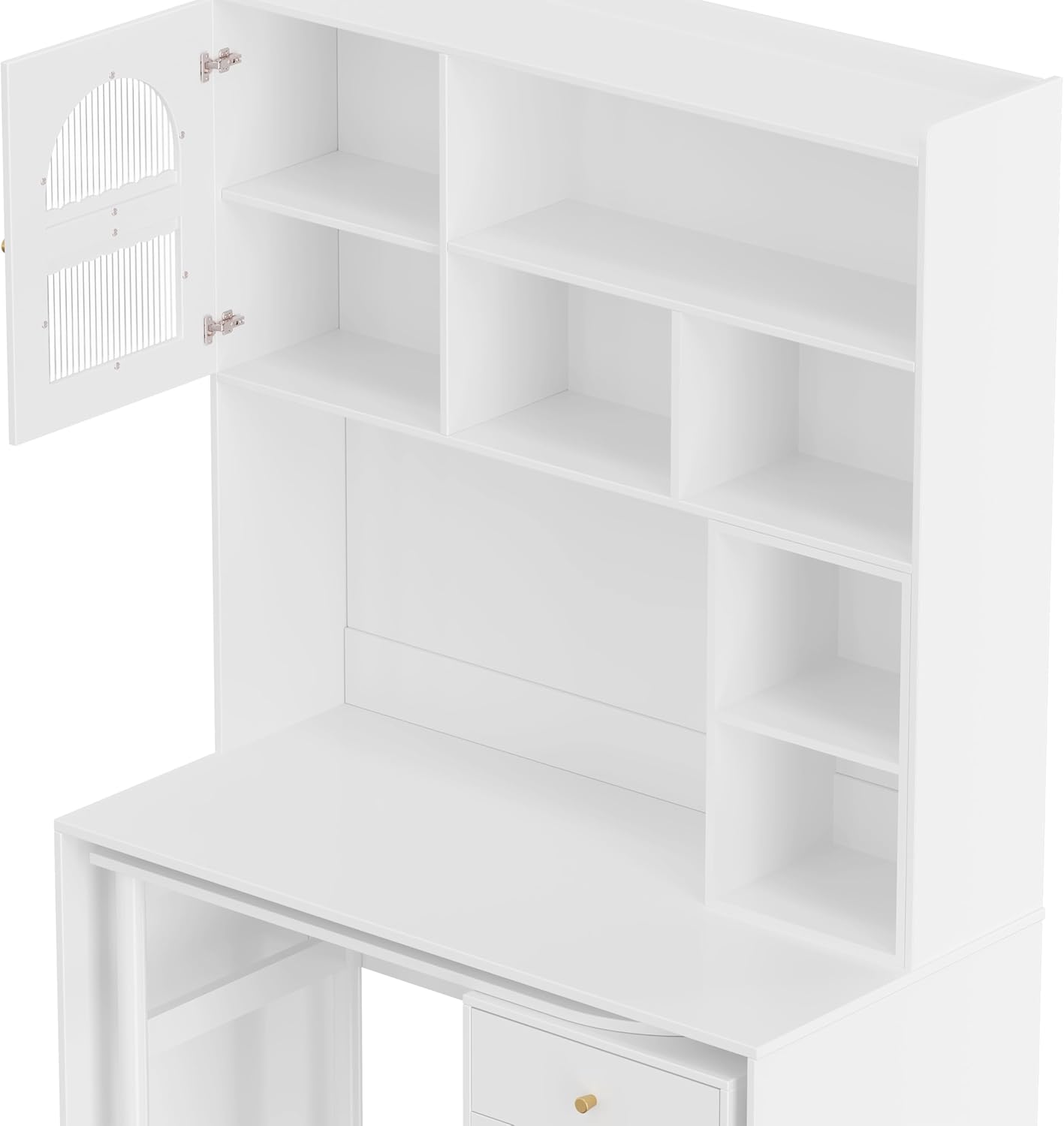
Image 4.3: A close-up of the open shelving and cabinet, demonstrating storage capacity.
4.3 Penempatan Serbaguna
The desk's design allows it to adapt to various room configurations and uses, such as a compact study, a dual-purpose living room table, a dressing table in a bedroom, or a linear design for work and makeup.
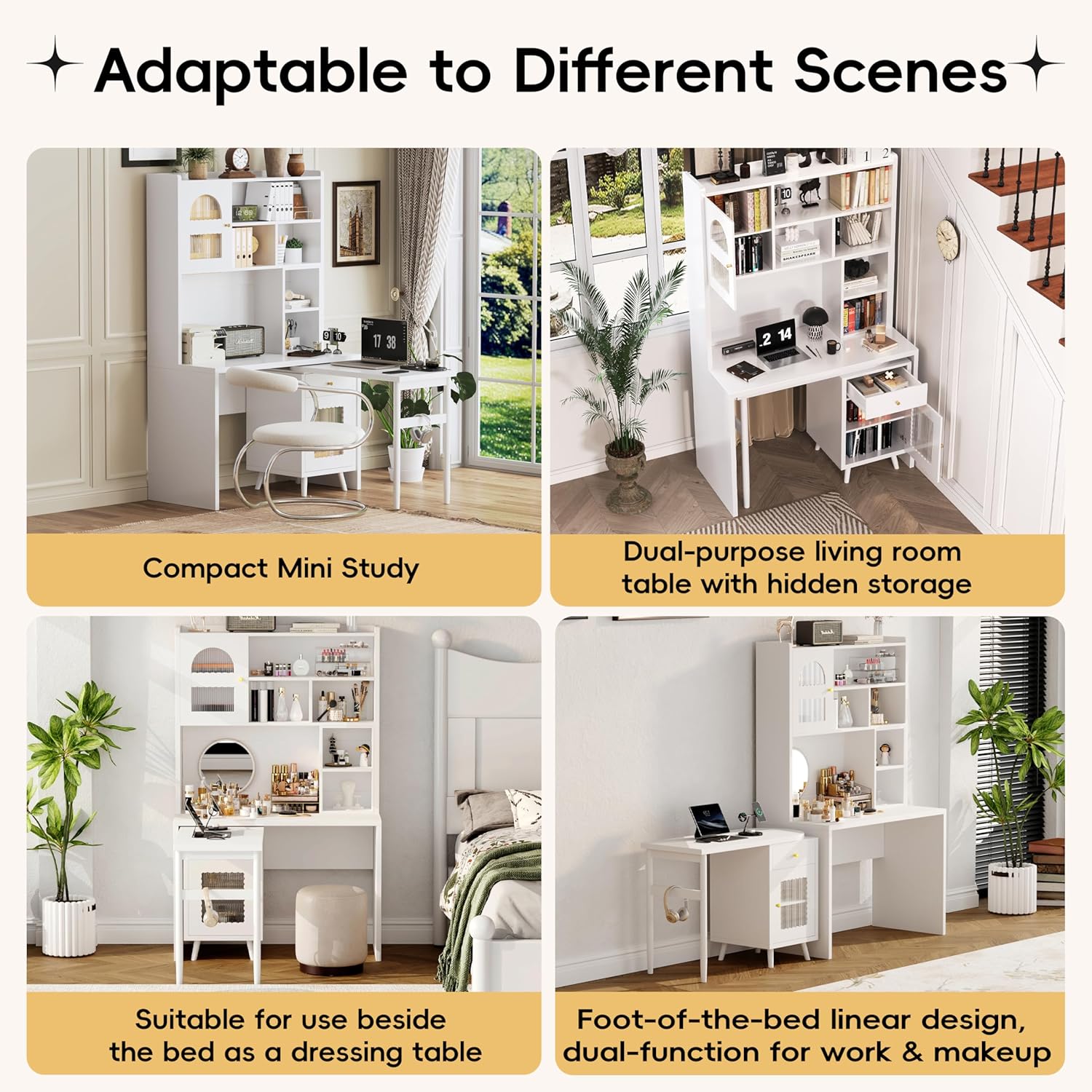
Gambar 4.4: Examples of the desk's adaptability in different environments and configurations.
5. Pangopènan
- Reresik: Ngusap lumahing kanthi alus, damp kain. Ngindhari pembersih abrasif utawa bahan kimia kasar sing bisa ngrusak finish.
- Debu: Regularly dust the desk with a dry, soft cloth.
- Kuthah: Resiki tumpahan langsung kanggo nyegah noda utawa kerusakan ing kayu sing direkayasa.
- Hardware: Priksa kanthi periodik kabeh sekrup lan pengikat kanggo mesthekake yen tetep nyenyet. Kenceng maneh yen perlu.
6. Ngatasi masalah
- Meja Wobbly: Ensure all assembly screws are tightened. Check that the desk is on a level surface. Adjust leg levelers if present.
- Tempel laci: Check for any obstructions in the drawer slides. Ensure the drawer is properly aligned on its tracks.
- Rotating Desktop Not Smooth: Inspect the rotating mechanism for any debris or loose components. Ensure the desk is not overloaded.
- Bagian sing ilang: If any parts were missing upon delivery, refer to the contact information in the Warranty & Support section.
7. Spesifikasi
| Fitur | Rincian |
|---|---|
| Merk | Merax |
| Jeneng Model | Computer Desk with 90 Degree Rotating Desktop, L Shaped Office Desk with Storage Drawer and Cabinets |
| Product Dimensions (Main Body) | 43.1 "D x 21.6" W x 70.1 "H |
| Rotating Desktop Dimensions | 39.4''P x 17.7''L x 29.2''T |
| warna | Putih |
| Bahan | Kayu Rekayasa |
| Desain Meja | Armoire Desk |
| Fitur Khusus | Adjustable, Reversible |
| Pilihan Panyimpenan | 1 drawer, 2 cabinets (with glass doors), multiple shelves |
| Majelis dibutuhake | Ya (Piranti lan pandhuan kalebu) |
| Bobot Barang | 70 pon |
8. Warranty lan Dhukungan
For warranty information or customer support, please refer to the documentation included with your purchase or contact Merax customer service directly. Contact details can typically be found on the manufacturer's websitus utawa ing panrimo tuku.
For additional assistance, you may visit the official Merax store: Merax Store on Amazon.