
1. Pambuka
Thank you for choosing the CREATE WIND CLEAR STUDIO S Ceiling Fan with Light. This manual provides essential information for the safe installation, operation, and maintenance of your new ceiling fan. Please read it thoroughly before use and retain it for future reference.
The WIND CLEAR STUDIO S is a silent ceiling fan featuring a 40W DC motor, a summer/winter function, and 6 speed settings. It includes retractable blades and an integrated LED light with 3 adjustable color temperatures. A programmable timer allows for automatic shut-off.

Image 1.1: The CREATE WIND CLEAR STUDIO S Ceiling Fan with Light, featuring a white body and light wood trim, with its remote control.
2. Pandhuan Safety
- Priksa manawa sumber daya wis pedhot sadurunge instalasi, pangopènan, utawa reresik.
- Instalasi kudu ditindakake dening tukang listrik sing mumpuni miturut peraturan kabel lokal.
- The mounting structure must be capable of supporting the weight of the fan (minimum 15 kg).
- Jaga jarak minimal 2.3 meter (7.5 kaki) saka lantai nganti bilah kipas.
- Aja nglebokake obyek menyang dalan saka lading puteran.
- Piranti iki mung kanggo panggunaan njero ruangan.
- Tansah remot kontrol saka tekan anak.
3. Isi Paket
Priksa manawa kabeh komponen wis ana lan ora rusak sadurunge nerusake instalasi. Yen ana bagean sing ilang utawa rusak, hubungi layanan pelanggan.
- Ceiling Fan Motor Unit with Integrated LED Light
- Retractable Fan Blades (3 units)
- Remote Control
- Pemasangan Bracket
- Downrods (2 lengths for adjustable height)
- Hardware Kit (screws, washers, wire nuts)
- Manual pangguna lan Pandhuan Majelis
4. Persiyapan lan Instalasi
Detailed installation instructions are provided in the separate assembly guide included with your product. Please follow those instructions carefully. This fan includes two suspension rods, allowing for flexible installation height to suit your space.
Ensure the fan is securely mounted to a ceiling joist or a suitable support structure. All electrical connections must be made correctly and safely.

Image 4.1: The ceiling fan installed in a room, demonstrating its aesthetic integration.

Gambar 4.2: Liyane view of the ceiling fan installed, highlighting its design and lighting capabilities.
5. Instruksi Operasi
Your CREATE WIND CLEAR STUDIO S fan is controlled via the included remote control. Ensure batteries are correctly inserted into the remote.
5.1 Fungsi Remote Control
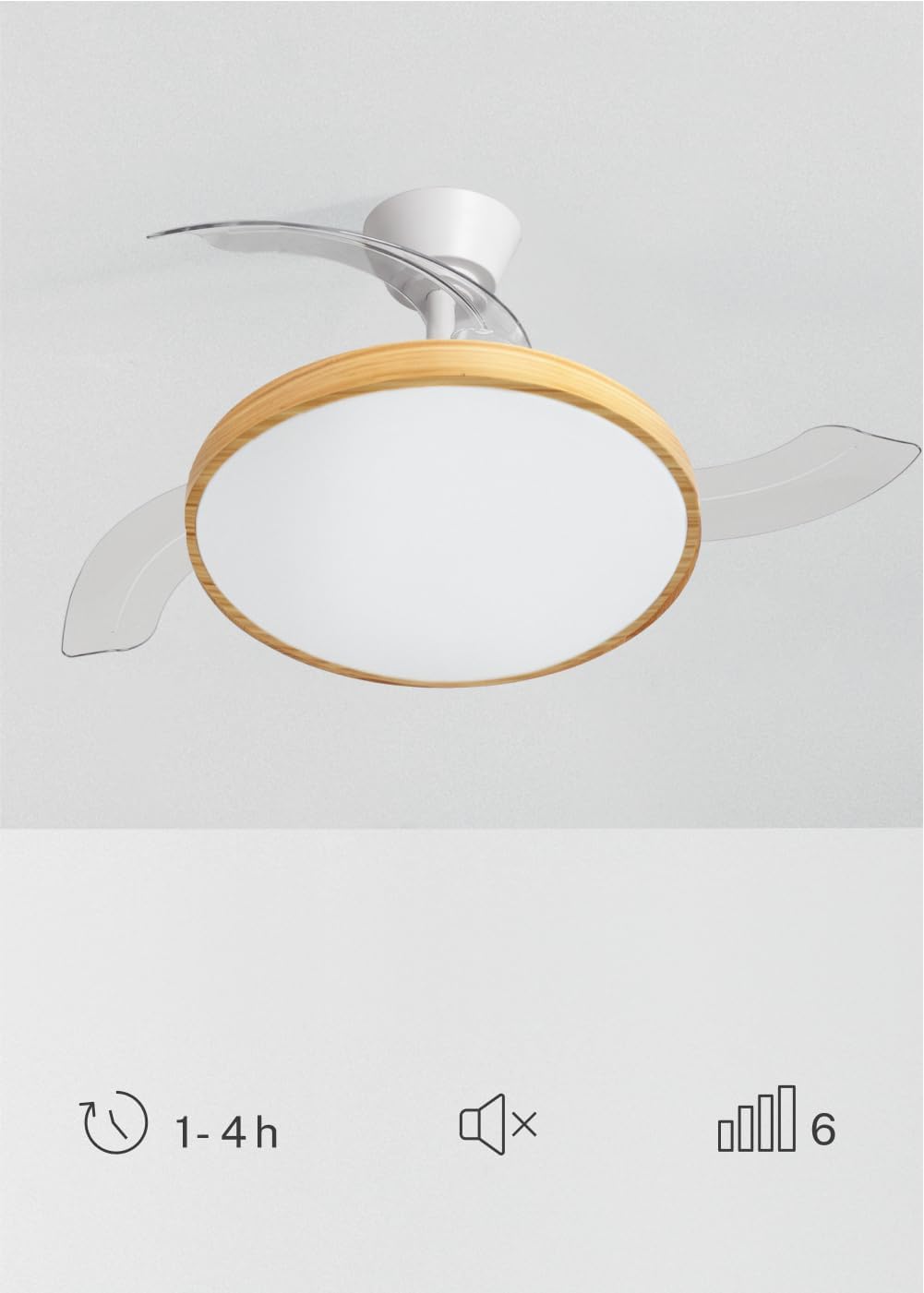
Image 5.1: The remote control for the ceiling fan, illustrating buttons for light control, fan speed adjustment (1-6), timer settings (1H, 2H, 4H), and a mute function.
- Daya On/Off: Pencet tombol daya kanggo nguripake utawa mateni kipas lan lampu.
- Kacepetan Fan: Use the speed buttons (1-6) to adjust the fan's rotation speed. There are 6 available speeds.
- Kontrol cahya: Pencet tombol lampu kanggo nguripake utawa mateni lampu LED.
- Suhu Warna Cahya: Cycle through the 3 available light color temperatures (Warm White 2700K, Natural White 3300K, Cool White 4000K) by pressing the light temperature button.
- Fungsi Timer: Set the fan to automatically turn off after 1, 2, or 4 hours using the respective timer buttons.
- Fungsi Mute: Press the mute button to silence operational beeps.
5.2 Acara Mangsa Panas/Mangsa Dingin
The fan features a reversible motor for year-round use. This function helps optimize air circulation for both cooling and heating.

Image 5.2: Diagram showing air circulation for summer mode (downward airflow for cooling) and winter mode (upward airflow to redistribute warm air).
- Mode Musim Panas (Rotasi searah jarum jam): Nggawe aliran udara mudhun, ngasilake angin adhem.
- Mode Winter (Rotasi searah jarum jam): Creates an upward airflow, circulating warm air trapped near the ceiling throughout the room.
Refer to your assembly guide for instructions on how to switch between summer and winter modes, typically via a switch on the fan body or remote control.
5.3 Light Color Temperature Adjustment
The integrated LED light offers three distinct color temperatures to suit different moods and activities.

Image 5.3: Illustration of the three adjustable light color temperatures: 2700K for warm light, 3300K for natural light, and 4000K for cool light.
- 2700K (Putih Anget): Becik kanggo istirahat lan nggawe atmosfer nyaman.
- 3300K (Natural White): Cocok kanggo cahya umum lan aktivitas saben dina.
- 4000K (Putih Adhem): Best for tasks requiring clear visibility and concentration.
6. Pangopènan
Pangopènan rutin njamin kinerja sing optimal lan ndawakake umur kipas langit-langit sampeyan.
- Reresik: Bersihake bilah kipas lan omah motor kanthi rutin nganggo kain alus,amp kain. Aja nggunakake pembersih utawa pelarut sing abrasif. Priksa manawa kipas wis dipateni lan daya wis dicopot sadurunge ngresiki.
- Pemeriksaan Blade: Priksa bilah kipas kanthi periodik kanggo ndeleng pratandha kerusakan utawa ketidakseimbangan.
- Kekencengan Sekrup: Over time, screws may loosen. Check and tighten all screws on the mounting bracket and blade attachments annually.
- Sumber cahya: The integrated LED light source is designed for long life and is generally not user-replaceable. If the light fails, contact customer support.
7. Ngatasi masalah
If you encounter issues with your fan, refer to the following common problems and solutions before contacting customer support.
| Masalah | Kemungkinan Penyebab | Solusi |
|---|---|---|
| Fan ora miwiti | Ora ana sumber daya; kabel longgar; baterei remot kontrol kurang. | Check circuit breaker; ensure all connections are secure; replace remote control batteries. |
| Cahya ora bisa | No power supply; loose wiring; LED failure. | Check power; ensure connections are secure; contact support if LED is faulty. |
| Fan wobbles banget | Loose mounting screws; unbalanced blades; incorrect installation. | Tighten all mounting screws; ensure blades are securely attached and balanced; re-check installation steps. |
| Remote kontrol ora bisa digunakake | Low or dead batteries; remote not paired (if applicable); obstruction. | Replace batteries; ensure clear line of sight to receiver; refer to assembly guide for pairing instructions. |
8. Spesifikasi
| Fitur | Rincian |
|---|---|
| Merk | NYIPTA |
| Model | WIND CLEAR STUDIO S |
| warna | Blanco Y Madera Clara (White and Light Wood) |
| Dhiameter | 91 cm |
| daya | 40 Watts (DC Motor) |
| Voltage | 240 volt |
| Jumlah Kacepetan | 6 |
| Efisiensi Energi | A kanggo G |
| Tingkat Noise | 40 desibel |
| Tipe Sumber Cahya | LED (3 Color Temperatures) |
| Metode Kontrol | Remote Control |
| Jinis Instalasi | Pasang semi-flush |
| Panggunaan njero ruangan / ruangan | njero ruangan |
| Timer | 1H, 2H, 4H |
| Fitur Khusus | Retractable Blades, Summer/Winter Function |

Image 8.1: The fan is suitable for rooms up to approximately 13 square meters.
9. Warranty lan Dhukungan
Your CREATE WIND CLEAR STUDIO S Ceiling Fan with Light comes with a manufacturer's warranty. Please refer to the warranty card included in your package for specific terms and conditions.
For technical assistance, troubleshooting beyond this manual, or to inquire about replacement parts, please contact CREATE customer support. You can find more information and contact details on the official CREATE brand store: