
1. Pambuka
Thank you for choosing the Intelbras PFL7560 Full HD Wi-Fi Projector. This projector is designed to deliver a high-quality visual and audio experience for various applications, from home cinema to business presentations. It features Full HD resolution, 8000 lumens brightness, and integrated 12W stereo speakers. This manual provides essential information for safe and efficient operation of your projector.
2. Informasi Safety
Waca kabeh instruksi safety kanthi teliti sadurunge nggunakake proyektor. Simpen manual iki kanggo referensi ing mangsa ngarep.
- Sumber Daya: Use only the power adapter provided with the projector. Ensure the voltage cocog karo sumber daya lokal.
- Ventilasi: Aja nutupi bolongan ventilasi. Priksa manawa ana papan sing cukup ing sekitar proyektor supaya aliran udarane lancar supaya ora panas banget.
- Panggonan: Selehake proyektor ing permukaan sing stabil lan rata. Aja diselehake ing sinar srengenge langsung, cedhak karo sumber panas, utawa ing lingkungan sing lembab utawa bledug.
- Proteksi mripat: Aja ndeleng langsung menyang lensa proyektor nalika lamp urip, amarga cahya padhang bisa nyebabake karusakan mripat.
- Reresik: Cabut proyektor sadurunge ngresiki. Gunakake kain alus lan garing. Aja nggunakake pembersih cair utawa aerosol.
- Layanan: Aja nyoba ndandani proyektor dhewe. Rujuk kabeh layanan menyang petugas servis sing mumpuni.
3. Isi Paket
Priksa manawa kabeh item ana ing paket kasebut:
- Intelbras PFL7560 Projector Unit
- Remote Control
- Kabel Daya
- Manual pangguna
4. Produk Liwatview
Familiarize yourself with the main components and ports of your Intelbras PFL7560 projector.
4.1. Komponen Proyektor

Image: Intelbras PFL7560 Projector with included remote control.
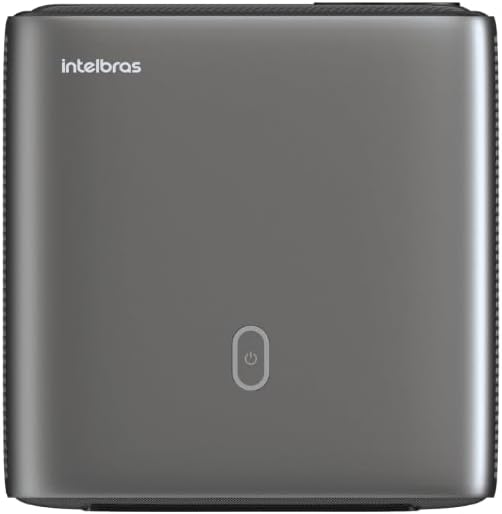
Gambar: Top view of the projector, highlighting the power button and sleek design.
4.2. Port lan Konektivitas
Proyektor nawakake macem-macem pilihan panyambungan:
- HDMI: For connecting high-definition devices such as laptops, gaming consoles, or Blu-ray players.
- USB: Kanggo nyambungake piranti panyimpenan USB kanggo muter media files langsung.
- Wi-Fi (802.11 ac/b/g/n): For wireless connectivity and screen mirroring from compatible Android devices.
- Audio Keluar: Kanggo nyambungake sistem audio eksternal utawa headphone.
5. Setup
5.1. Papan panggonan
Choose a suitable location for your projector. The PFL7560 can project images from 60 to 150 inches, making it versatile for various room sizes. Ensure the projector is placed on a stable surface and is not obstructed.
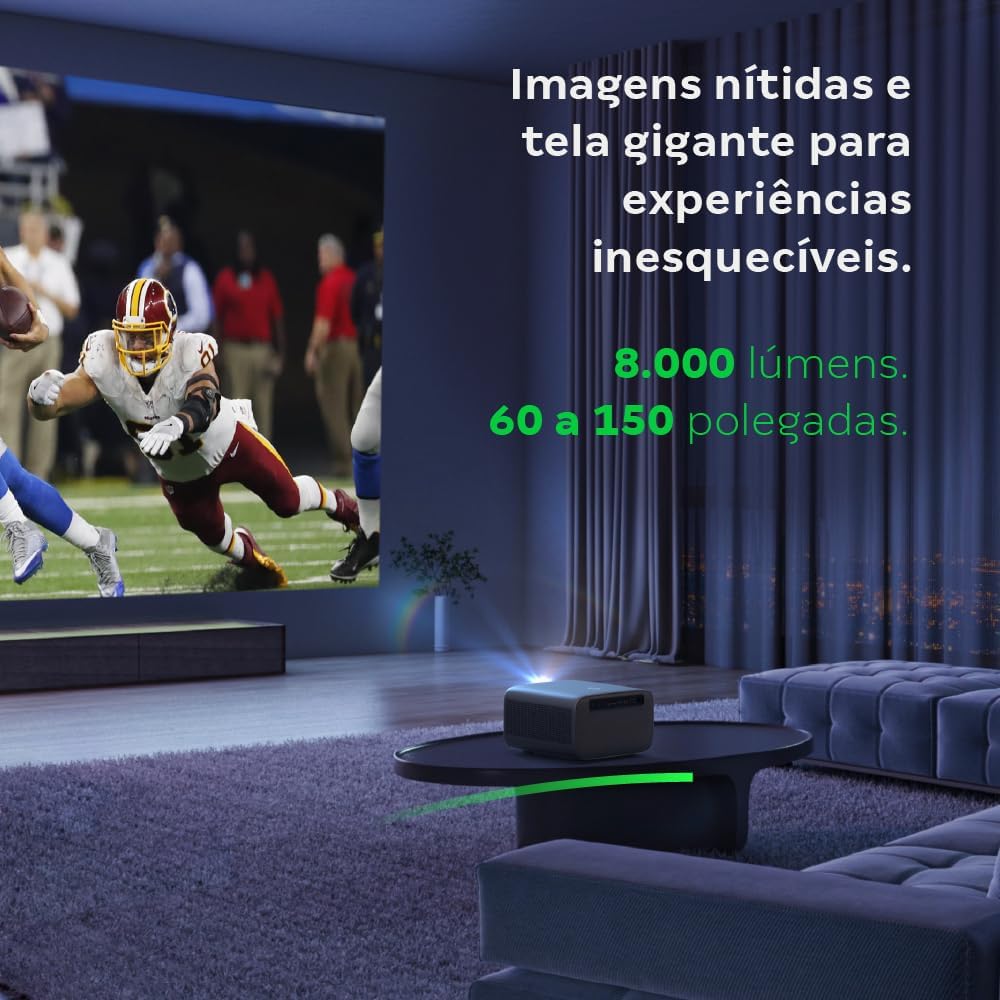
Image: The projector creating a large, clear image in a home environment, demonstrating its capability for immersive viewing.
5.2. Sambungan Daya
Connect the power cable to the projector's power input and then to a power outlet.
5.3. Daya wiwitan
Pencet tombol daya ing proyektor utawa remot kontrol kanggo nguripake piranti. Proyektor bakal miwiti urutan wiwitane.
5.4. Fokus lan Koreksi Keystone
The PFL7560 features automatic focus and keystone correction for a perfectly aligned and sharp image without manual effort. If manual adjustment is needed, refer to the on-screen display (OSD) menu.
6. Instruksi Operasi
6.1. Piranti sing Nyambung
- HDMI: Connect your device using an HDMI cable to the HDMI port on the projector. Select the corresponding HDMI input from the projector's source menu.
- USB: Insert a USB drive into the USB port. The projector's media player will typically detect the drive automatically, allowing you to browse and play files.
- Wi-Fi / Screen Mirroring: For compatible Android devices, enable screen mirroring on your device and select the projector from the available devices. Ensure both devices are connected to the same Wi-Fi network.
6.2. Output Audio
The projector is equipped with two integrated 12W speakers, providing clear and immersive audio. For external audio, connect speakers or headphones to the audio output port.

Image: Detail of the projector's integrated 12W speakers, designed for powerful and clear sound.
7. Pangopènan
7.1. Ngresiki Lensa
Gunakna kain alus lan ora ana serabut sing dirancang khusus kanggo lensa optik kanggo ngusap lensa proyektor kanthi alon-alon. Aja nggunakake bahan abrasif utawa bahan kimia sing atos.
7.2. Reresik Badan Proyektor
Wipe the exterior of the projector with a soft, dry cloth. Do not use liquid or spray cleaners directly on the unit.
7.3. LED Light Source Longevity
The Intelbras PFL7560 uses an LED light source with a lifespan of up to 30,000 hours, ensuring long-term use and consistent performance without significant brightness degradation.
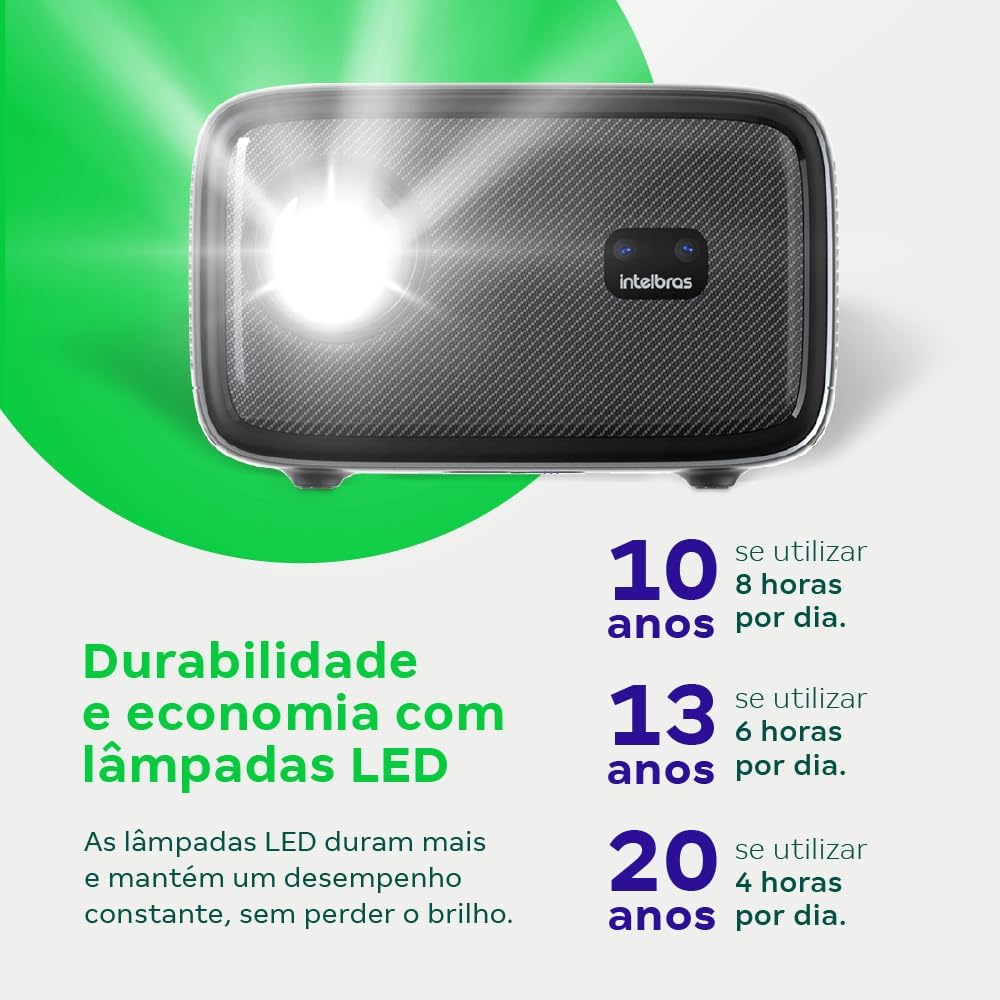
Image: An infographic illustrating the extended durability and economic benefits of the LED lamp, lasting up to 30,000 hours.
8. Ngatasi masalah
Yen sampeyan nemoni masalah karo proyektor, waca masalah lan solusi umum ing ngisor iki:
- Ora ana gambar: Ensure the power cable is securely connected and the projector is turned on. Check the input source selection to match your connected device.
- Gambar kabur: Adjust the focus. If the image is distorted, check for automatic keystone correction or adjust it manually via the settings menu.
- Ora Swara: Verify the volume level on both the projector and the connected device. Ensure external speakers are properly connected if used, or that the internal speakers are enabled.
- Masalah konektivitas: For Wi-Fi or screen mirroring, ensure both the projector and your device are on the same network. Restart both devices if necessary.
- Overheating: Ensure the projector's ventilation openings are not blocked. Turn off the projector and allow it to cool down if it feels excessively hot.
9. Spesifikasi
| Fitur | Spesifikasi |
|---|---|
| Merk | Intelbras |
| Jeneng Model | PFL 7560 |
| Teknologi Konektivitas | Wi-Fi |
| Fitur Khusus | Wi-Fi Siap |
| Resolusi Tampilan | 1920 x 1080 (Full HD) |
| Resolusi Native | 1920 x 1080 |
| Resolusi Tampilan maksimum | 1920 x 1080 |
| Tipe Tampilan | LCD |
| padhang | 8000 lumen |
| Piranti sing kompatibel | Laptop, Smartphone, Tablet |
| Urip Operasi Sumber Cahya | 30000 Jam |
| Antarmuka Hardware | 802.11 ac/b/g/n |
| Video Encoding | H.264, H.265 |
| Dianjurake Efesus | Bioskop Ngarep |
| Audio | 2 x Speaker Terpadu 12W |
10. Warranty lan Dhukungan
For warranty information, technical support, or service requests, please refer to the official Intelbras websitus utawa hubungi layanan pelanggan langsung. Simpen kuitansi tuku minangka bukti tuku kanggo klaim garansi.