
1. Instruksi Safety Penting
Please read all instructions carefully before using your Akitas V10A Cordless Vacuum Cleaner. Retain this manual for future reference.
- Piranti iki mung kanggo panggunaan kluwarga. Aja nggunakake njobo utawa ing lumahing udan.
- Aja ngidini bocah ngoperasikake penyedot debu. Pengawasan sing cedhak perlu nalika digunakake ing cedhak bocah.
- Aja njupuk cairan sing gampang kobong utawa gampang kobong, kayata bensin, utawa digunakake ing papan sing ana.
- Aja njupuk barang sing kobong utawa ngrokok, kayata rokok, korek api, utawa awu panas.
- Aja nggunakake tanpa cangkir bledug lan / utawa saringan ing panggonane.
- Turn off the appliance before connecting or disconnecting the motorized brush, extension tubes, or other accessories.
- Gunakake mung kaya sing diterangake ing manual iki. Gunakake mung lampiran sing disaranake pabrikan.
- Aja nangani pangisi daya utawa piranti nganggo tangan sing teles.
- Yen kabel pangisi daya rusak, kudu diganti dening pabrikan, agen layanan, utawa wong sing nduweni kualifikasi sing padha supaya ora ana bebaya.
- Simpen piranti ing jero ruangan ing papan sing adhem lan garing.
2. Produk Liwatview
The Akitas V10A is a versatile 2-in-1 cordless vacuum cleaner designed for efficient cleaning of various surfaces. It features a powerful motor, multiple suction modes, and a tangle-free brush with LED lighting.
Isi Paket
- Akitas V10A Handheld Cordless Vacuum Unit
- Motorized Brush Head with Green LED
- Alat Celah 2-in-1
- 2 Tabung Extension
- Wall Mount
- Pangisi daya
- Integrated HEPA Filter + 1 Extra HEPA Filter

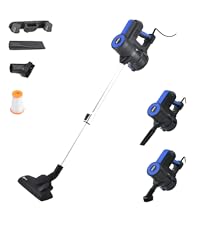
Gambar 2.1: Akitas V10A Cordless Vacuum Cleaner with all included accessories, including the main unit, motorized brush, extension tubes, crevice tool, wall mount, charger, and two HEPA filters.
Fitur Utama
- Suction kuat: 450W digital brushless BLDC motor delivers up to 45,000 Pa suction for deep cleaning.
- Long Runtime: Integrated 8-cell lithium battery provides up to 60 minutes in ECO mode, 25 minutes in Normal mode, and 10 minutes in Max mode.
- Desain entheng: Weighs 2.15 kg (full unit) and approximately 1.6 kg in handheld mode for easy maneuverability.
- Sikat tanpa kusut: Motorized turbo brush designed to prevent hair entanglement, equipped with green LED lighting to illuminate hidden dust.
- 2-in-1 Versatility: Easily converts from a stick vacuum to a handheld vacuum for various cleaning tasks.
- Filtrasi Lanjut: Features a washable HEPA filter for capturing fine dust and allergens.

Gambar 2.2: Illustration of the Akitas V10A's 450W BLDC motor, highlighting its powerful suction capability of 45,000 Pa.
Gambar 2.3: Diagram showing the 8-cell battery and its approximate runtimes: Max Mode (≤10 mins), Normal Mode (≤25 mins), Eco Mode (≤60 mins). Charging time is 4-5 hours.
Gambar 2.4: Comparison illustrating the tangle-free design of the Akitas V10A brush head, equipped with green LED lights to reveal hidden dirt on floors.
3. Persiyapan lan Majelis
3.1 Ngrakit vakum
- Pasang Extension Tube: Insert one end of an extension tube into the main handheld vacuum unit until it clicks securely into place.
- Pasang Kepala Sikat Bermotor: Connect the motorized brush head to the other end of the extension tube. Ensure it clicks firmly.
- Kanggo Gunakake Genggam: To use as a handheld vacuum, attach the desired accessory (e.g., 2-in-1 crevice tool) directly to the main handheld unit.

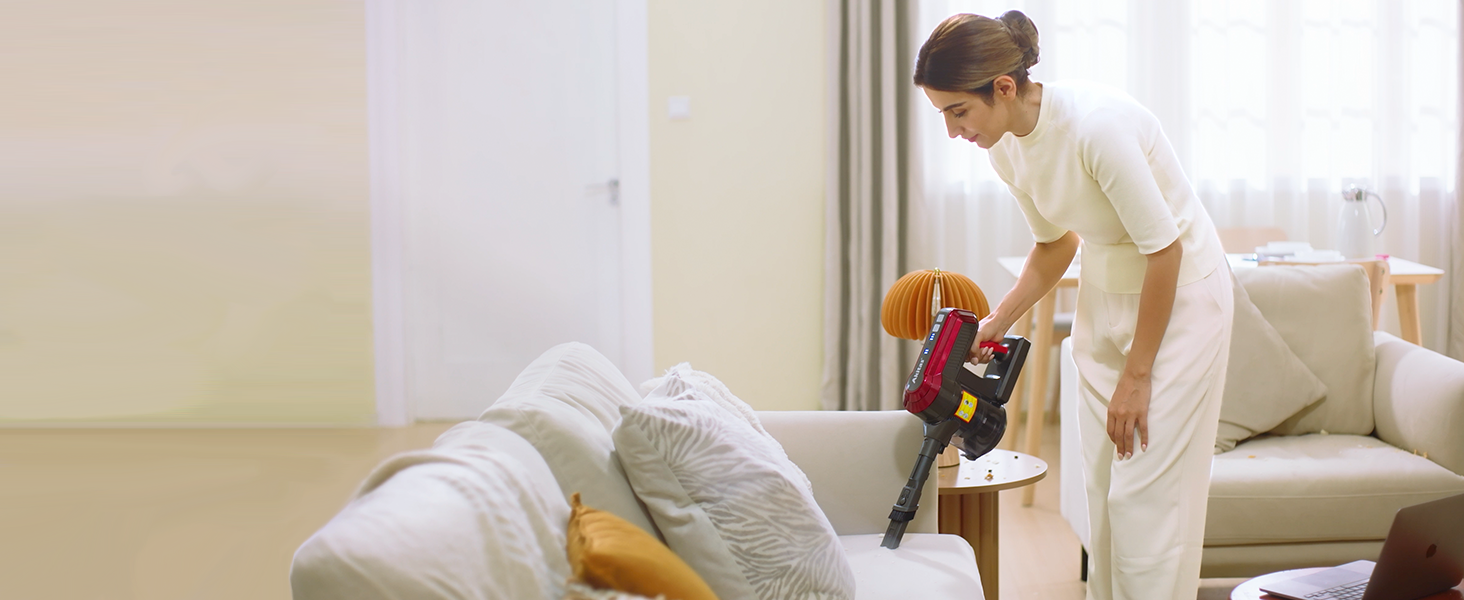
Gambar 3.1: The Akitas V10A in handheld configuration, demonstrating its lightweight design (approx. 1.6 kg) for easy overhead cleaning.
3.2 Ngisi daya baterei
Before first use, fully charge the vacuum cleaner for 4-5 hours.
- Sambungake pangisi daya menyang stopkontak.
- Plug the charging cable into the charging port on the main handheld unit.
- The battery indicator lights will show the charging status. Once fully charged, the lights will indicate completion.
3.3 Nginstal Wall Mount
Dudukan ing tembok sing kalebu ngidini panyimpenan lan pangisi daya sing trep.
- Pilih panggonan sing cocog ing cedhak stopkontak.
- Tandhani titik pengeboran kanggo dudukan tembok.
- Ngebor bolongan lan masang colokan tembok (yen perlu).
- Pasangake dudukan tembok ing tembok nganggo sekrup.
- Gantungake penyedot debu ing tembok kanggo panyimpenan lan pangisi daya.
Gambar 3.2: Swaraview of the Akitas V10A components, including the wall mount and charger, demonstrating how the vacuum can be stored and charged.
4. Instruksi Operasi
4.1 Powering On / Off lan Mode nyedhot
- Daya On: Press the power button on the handle to turn on the vacuum cleaner. It will start in ECO mode.
- Change Suction Mode: Press the mode button to cycle through ECO, Normal, and Max suction modes.
- Daya Mati: Pencet maneh tombol daya kanggo mateni vakum luwih resik.
4.2 Nggunakake Vakum
The Akitas V10A can be used in two main configurations:
- Vakum Stik: Ideal for cleaning floors (carpets, hard floors) with the motorized brush head and extension tubes. The green LED lights on the brush head will illuminate dust and debris.
- Handheld Vakum: Perfect for cleaning furniture, car interiors, stairs, and tight spaces. Attach the 2-in-1 crevice tool directly to the main unit for these tasks.

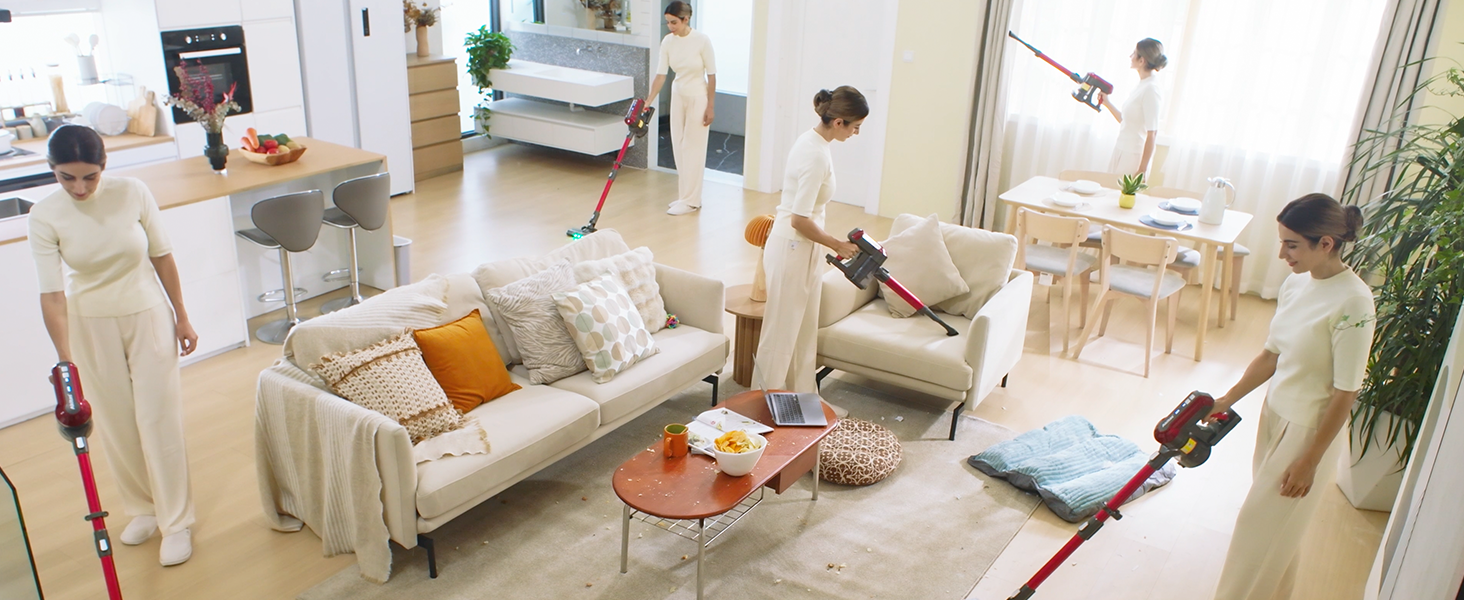
Gambar 4.1: The Akitas V10A demonstrating its versatility for cleaning various areas of a home, including floors, upholstery, and high-reach spots.
5. Pangopènan
Pangopènan reguler njamin kinerja optimal lan ndawakake umur panyedot vakum.
5.1 Ngosongake Tong Sampah
Kosongake wadhah sampah saben sawise digunakake utawa nalika garis isi MAX wis tekan.
- Priksa manawa vakum dipateni.
- Locate the dustbin release button, usually near the bottom of the main unit.
- Pencet tombol kanggo mbukak tutup wadhah sampah lan ngosongake isine menyang wadhah sampah.
- Tutup tutup wadhah sampah kanthi kenceng.

Gambar 5.1: A user demonstrating the one-handed dustbin emptying feature of the Akitas V10A, showing debris falling into a waste bin.
5.2 Reresik Filter HEPA
The HEPA filter should be cleaned regularly (e.g., monthly, depending on usage) and replaced every 3-6 months.
- Puter lan tarik kanggo njupuk wadhah sampah saka unit utama.
- Copot filter HEPA saka wadhah sampah.
- Tutul panyaring alon-alon kanggo mbusak bledug sing kenthel.
- Rinse the filter under cold running water until the water runs clear. Do not use detergent.
- Allow the filter to air dry completely for at least 24 hours before reinserting. Do not use a dryer or direct heat.
- Pasang maneh filter lan wadhah sampah, banjur pasang maneh menyang unit utama.
5.3 Reresik Roll Brush
Although designed to be tangle-free, occasional cleaning of the brush roll may be necessary.
- Priksa manawa vakum wis dipateni lan dicopot saka tabung ekstensi.
- Locate the release tab on the side of the motorized brush head.
- Bukak tutup lan copot gulungan sikat.
- Gunakake gunting utawa sikat kanggo mbusak rambut utawa lebu sing kusut.
- Lebokake maneh gulungan sikat lan tutup tutup kanthi aman.
6. Ngatasi masalah
If you encounter issues with your Akitas V10A, refer to the following table:
| Masalah | Kemungkinan Penyebab | Solusi |
|---|---|---|
| Vakum ora urip | Baterei ora diisi Tombol daya ora ditekan kanthi bener | Ngisi daya baterei kanthi lengkap Priksa manawa tombol daya ditekan kanthi kuat |
| Daya nyedhot kurang | Tong sampah kebak Filter wis clogged Selang/nozzle mampet | Kosongake tong sampah Ngresiki utawa ngganti saringan HEPA Check and clear any blockages in the hose or brush head |
| Gulung sikat ora muter | Gulungan sikat kusut Brush head is blocked Sirah sikat ora dipasang kanthi bener | Clean hair/debris from brush roll Check for obstructions in the brush head Ensure brush head is securely connected |
| Runtime baterei cendhak | Batere durung diisi daya lengkap Operating in Max mode frequently Degradasi baterei | Ensure battery is fully charged (4-5 hours) Use ECO or Normal mode for longer runtime Contact customer support if battery life significantly decreases over time |
7. Spesifikasi
| Fitur | Spesifikasi |
|---|---|
| Merk | Akitas |
| Model | V10A |
| Daya Motor | 450W BLDC Digital Motor |
| Daya Nyedhot | Nganti 45,000 Pa |
| Voltage | 30 volt |
| Jinis baterei | 8-cell Lithium Battery |
| Runtime (ECO/Normal/Max) | Up to 60 min / 25 min / 10 min |
| Wektu Ngisi daya | 4-5 jam |
| Bobot Barang | 2.15 kg |
| Ukuran (L x W x H) | 28 x 15 x 117 cm |
| Jinis Filter | Filter HEPA sing bisa dicuci |
| Fitur Khusus | Motorized Brush, LED Headlight, Tangle-Free, Cordless |
| Rekomendasi lumahing | Kabeh Lantai |
8. Warranty lan Dhukungan
Akitas products are manufactured to high-quality standards. For information regarding warranty coverage, please refer to the warranty card included with your purchase or visit the official Akitas websitus.
If you require technical assistance, have questions about your product, or need to order replacement parts, please contact Akitas Customer Support. Contact details can typically be found on the product packaging, the official Akitas websitus, utawa liwat pengecer sampeyan.
When contacting support, please have your product model (V10A) and purchase information readily available.