
1. Pambuka
This manual provides detailed instructions for the installation, operation, and maintenance of your Olvy 10.26-inch Wireless CarPlay & Android Auto Display. Please read this manual thoroughly before using the device to ensure proper functionality and safety. This device is designed to enhance your driving experience with seamless smartphone integration, navigation, and entertainment features.
2. Fitur Produk
- Konektivitas nirkabel: Supports Wireless Apple CarPlay and Android Auto for hands-free operation.
- Large Touchscreen: 10.26-inch Full HD display for clear visibility and responsive interaction.
- mburi View Dhukungan kamera: Integrates with a rear view camera for enhanced parking safety.
- Fungsi Mirror Link: Allows mirroring of smartphone content (Android Cast & AirPlay iOS) to the display.
- Kontrol swara: Compatible with Siri and Google Assistant for voice-activated commands.
- Pilihan Output Audio Pirang-pirang: Connects via Bluetooth, AUX, FM Transmitter, or built-in speakers.
- Navigasi GPS: GPS terintegrasi kanggo navigasi sing bisa dipercaya.
- Puter maneh Multimedia: Supports online and offline music/video playback.
- Pengisian USB: Extra USB port for phone charging during CarPlay use.
- Kompatibilitas ekstensif: Works with various car brands.
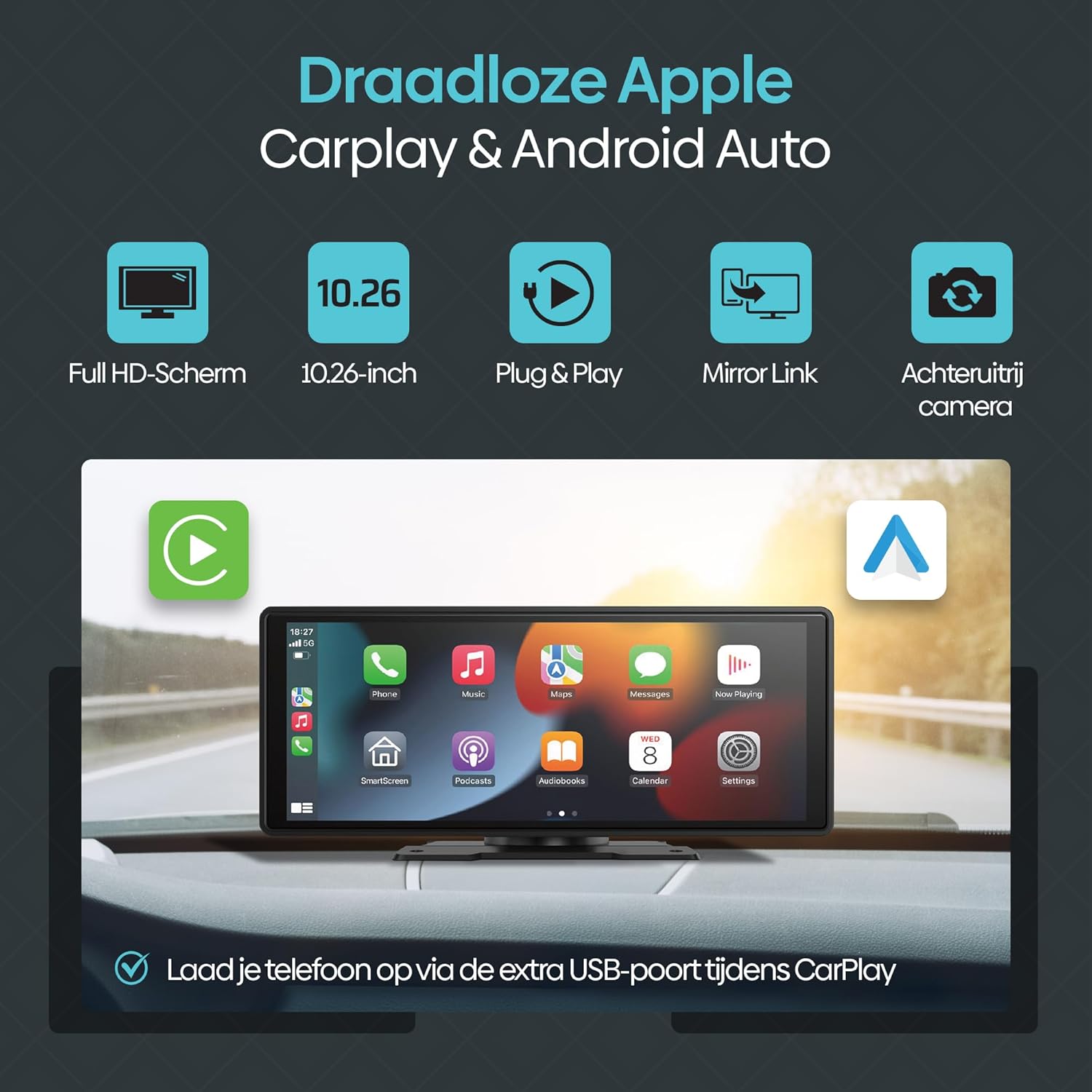
Gambar 2.1: Overview of Olvy CarPlay Display key features including Full HD screen, 10.26-inch size, plug & play functionality, mirror link, rear view camera support, and USB charging.

Figure 2.2: The display supports voice control and GPS navigation, showing common app icons for a safer driving experience.

Figure 2.3: Key benefits of the Olvy CarPlay Display, highlighting its full touchscreen, screen projection capabilities, easy installation, media playback, integrated navigation and entertainment, included 64GB SD card and rear camera, and combined CarPlay with charging functionality.
3. Apa ing Box
The Olvy CarPlay Display package includes the following components:
- Olvy 10.26-inch Touchscreen Display
- mburi View kamera
- Power Cord (for cigarette lighter connection)
- Mount Piala Ngisap
- Kertu SD 64GB
- Kabel AUX 3m Kab
- Self-adhesive Mount
- Manual pangguna
- Luxe Packaging Box

Figure 3.1: All components included in the Olvy CarPlay Display package.
4. Persiyapan lan Instalasi
The Olvy CarPlay Display offers flexible installation options to suit your vehicle's interior.
4.1 Pasang Tampilan
You can choose between a suction cup mount or a self-adhesive mount. Ensure the mounting surface is clean and dry for optimal adhesion. Position the display to ensure clear visibility without obstructing your view saka dalan.

Figure 4.1: Various ways to install the Olvy CarPlay Display in a vehicle.
4.2 Sambungan Daya
Connect the provided power cord to the display and plug the other end into your vehicle's cigarette lighter socket. The device is designed for easy plug-and-play operation.
4.3 Mburi View Pemasangan Kamera (Opsional)
If using the rear view camera, connect it to the designated input on the display. For automatic activation, the camera typically needs to be wired to your vehicle's reverse lights. Refer to the camera's specific instructions for detailed wiring.
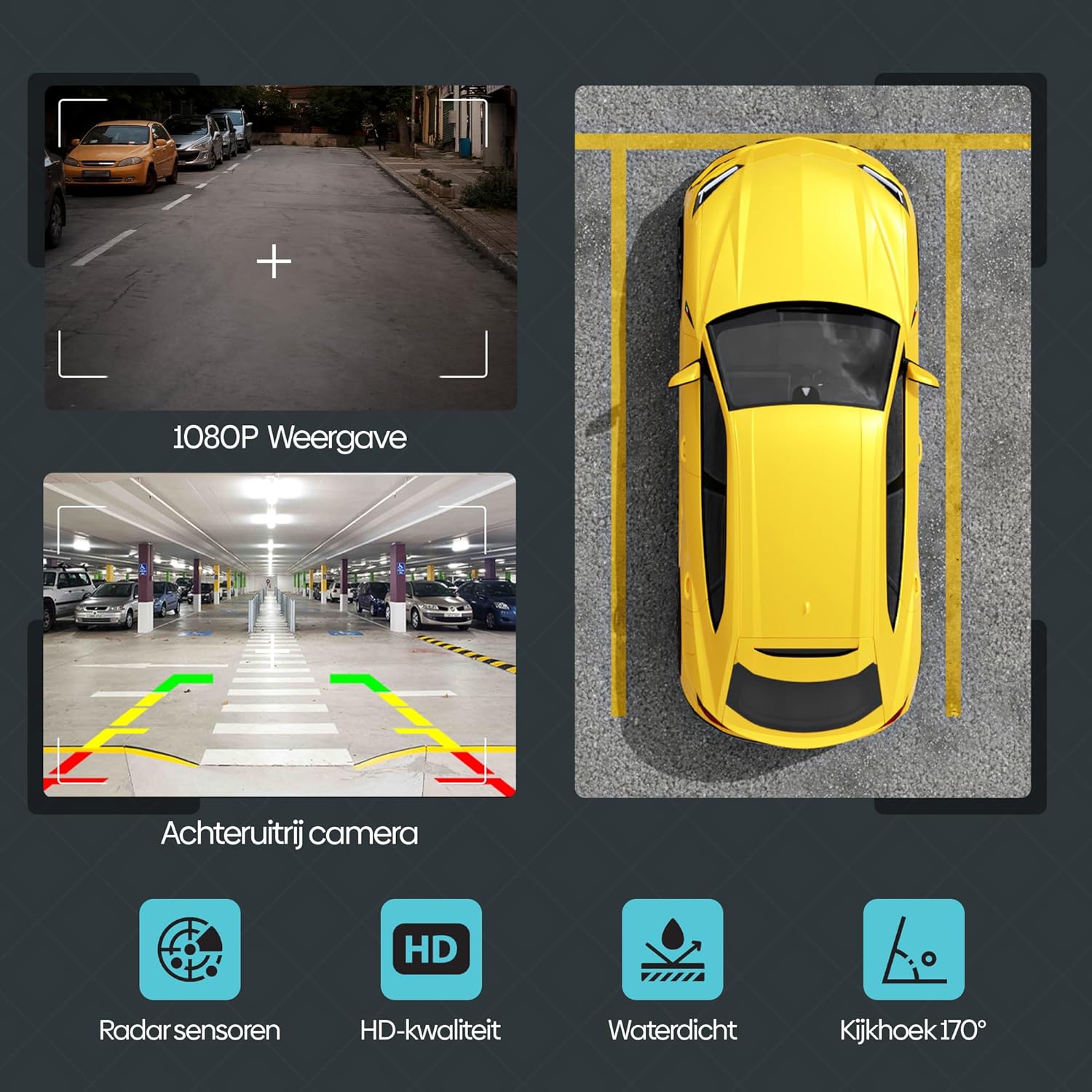
Gambar 4.2: Mburi view camera features, including 1080P display, radar sensors, HD quality, waterproofing, and a 170-degree viewing amba
5. Instruksi Operasi
5.1 CarPlay Nirkabel & Android Auto
Kanggo nyambungake smartphone sampeyan kanthi nirkabel:
- Priksa manawa Bluetooth lan Wi-Fi diaktifake ing smartphone sampeyan.
- On the Olvy display, navigate to the CarPlay or Android Auto option.
- Nggoleki the display's Bluetooth name (e.g., "SML-BT") on your phone and pair.
- Confirm the pairing on both devices. The display will automatically connect to CarPlay or Android Auto.
5.2 Kontrol Swara Pinter
Utilize voice commands for navigation, calls, and music playback. Activate your phone's voice assistant (Siri for iOS, Google Assistant for Android) and speak your commands. This feature promotes hands-free and safe driving.
5.3 Wireless Mirror Link (Android Cast & AirPlay iOS)
This feature allows you to mirror your smartphone's screen directly onto the Olvy display. This is ideal for passengers to view videos or other content from a connected phone.

Figure 5.1: Streaming content from a smartphone to the Olvy display using Android Cast or AirPlay iOS.
5.4 Pilihan Output Audio
The display supports four methods for audio output:
- Speaker internal: Audio plays directly from the display's integrated speakers.
- Bluetooth: Connect to your car's Bluetooth system for audio output.
- Pemancar FM: Transmit audio to your car's FM radio by tuning both devices to the same frequency.
- Sambungan AUX: Use the provided 3m AUX cable to connect the display to your car's AUX input.
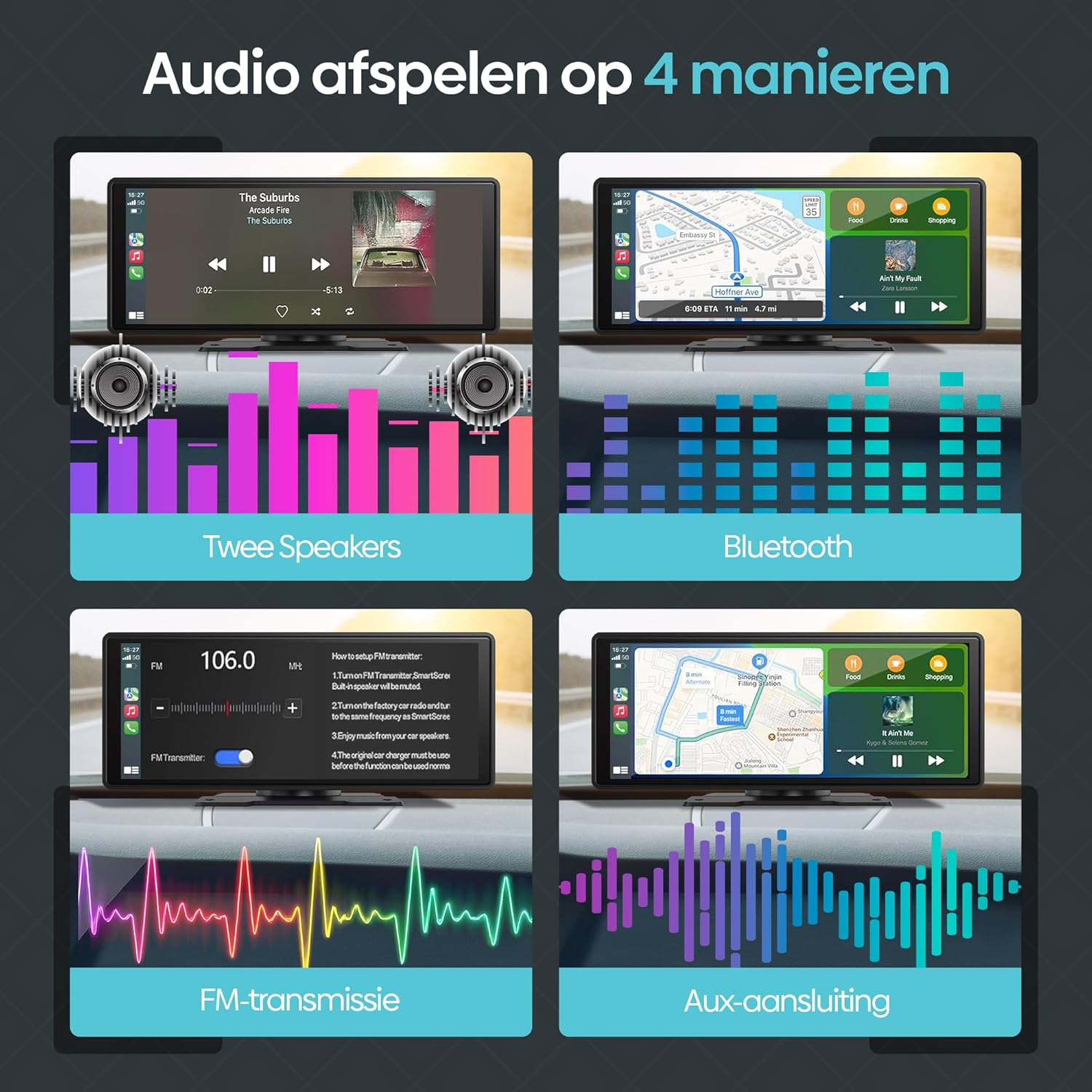
Figure 5.2: Illustration of the four available audio output methods.
5.5 Setelan lan Kustomisasi
The settings menu allows you to personalize your display experience:
- Swara: Adjust equalizer settings (Jazz, Classic, Rock, Pop, Flat) and loudness.
- Setelan Tampilan: Control brightness, contrast, and saturation.
- Wallpaper: Choose from various pre-installed wallpapers.
- ScreenSave: Configure screen saver parameters.
- Setelan dhasar: Access options like built-in speaker control, reverse mute, touch calibration, and factory reset.
- Jam: Nyetel setelan wektu lan tanggal.
- Basa: Pilih basa sing disenengi.
6. Ngatasi masalah
If you encounter issues with your Olvy CarPlay Display, refer to the following common solutions:
- Ora Daya: Ensure the power cord is securely connected to both the display and the car's cigarette lighter. Check the car's fuse for the cigarette lighter socket.
- Masalah Koneksi Bluetooth/Wi-Fi: Restart both the display and your smartphone. Ensure no other devices are interfering with the connection. Forget and re-pair the device in your phone's Bluetooth settings.
- Ora Ana Audio: Verify your selected audio output method (Bluetooth, AUX, FM Transmitter, or built-in speakers) is correctly configured. If using FM Transmitter, ensure the frequency matches your car radio. Check volume levels on both the display and your car stereo.
- Layar tutul ora responsif: Try restarting the device. If the issue persists, perform a touch calibration from the 'Basic Setup' menu.
- mburi View Kamera ora ditampilake: Check all camera connections. Ensure the camera is receiving power and is correctly wired to the reverse lights if automatic activation is desired.
- CarPlay/Android Auto Ora Bisa Diluncurake: Ensure your smartphone's operating system is up to date and compatible. Try connecting with a different USB cable if using a wired connection (though this device primarily supports wireless).
If problems persist, contact Olvy customer support for further assistance.
7. Spesifikasi
- Ukuran produk (L x W x H): 24 x 9 x 9 cm; 1.19 kg
- Produsen: Olvy
- Jeneng Model: CarPlay Scherm Draadloze (Wireless CarPlay Screen)
- Jenis Layanan Kendaraan: mobil
- Ukuran Layar: 10.26 inchi
- Fitur khusus: Smart Multimedia, GPS Navigation, Multi-brand Compatibility, Android Auto, Apple CarPlay, Wireless Connectivity, Integrated Bluetooth and Wi-Fi
- Teknologi konektivitas: Bluetooth
- Jinis Peta: Eropah
- Komponen sing kalebu: CarPlay (main unit)
- Mode Output Audio: Stereo
- Jinis Layar Tutul: Kapasitif
- Tipe Kendaraan sing Kompatibel: mobil
- Human Input: Layar tutul
- Piranti sing kompatibel: Smartphone, Television, Game Consoles, Personal Computer
- Metode Kontrol: Tutul
- Baterei kalebu: Ora
- Supported Satellite Navigation System: GPS
- Jumlah Unit: 1 Total
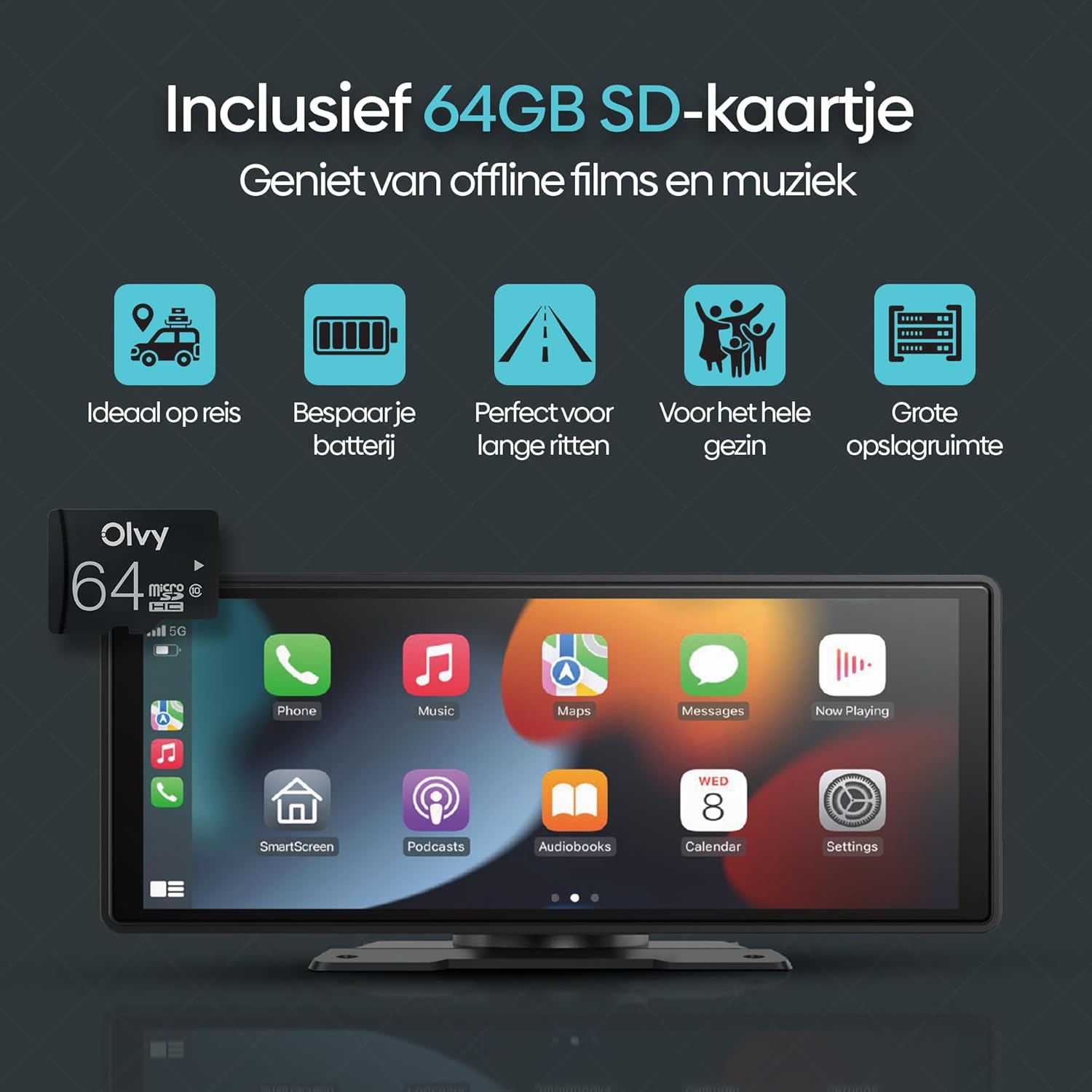
Figure 7.1: Screen size comparison, illustrating the optimal 10.26-inch format for an improved driving experience.
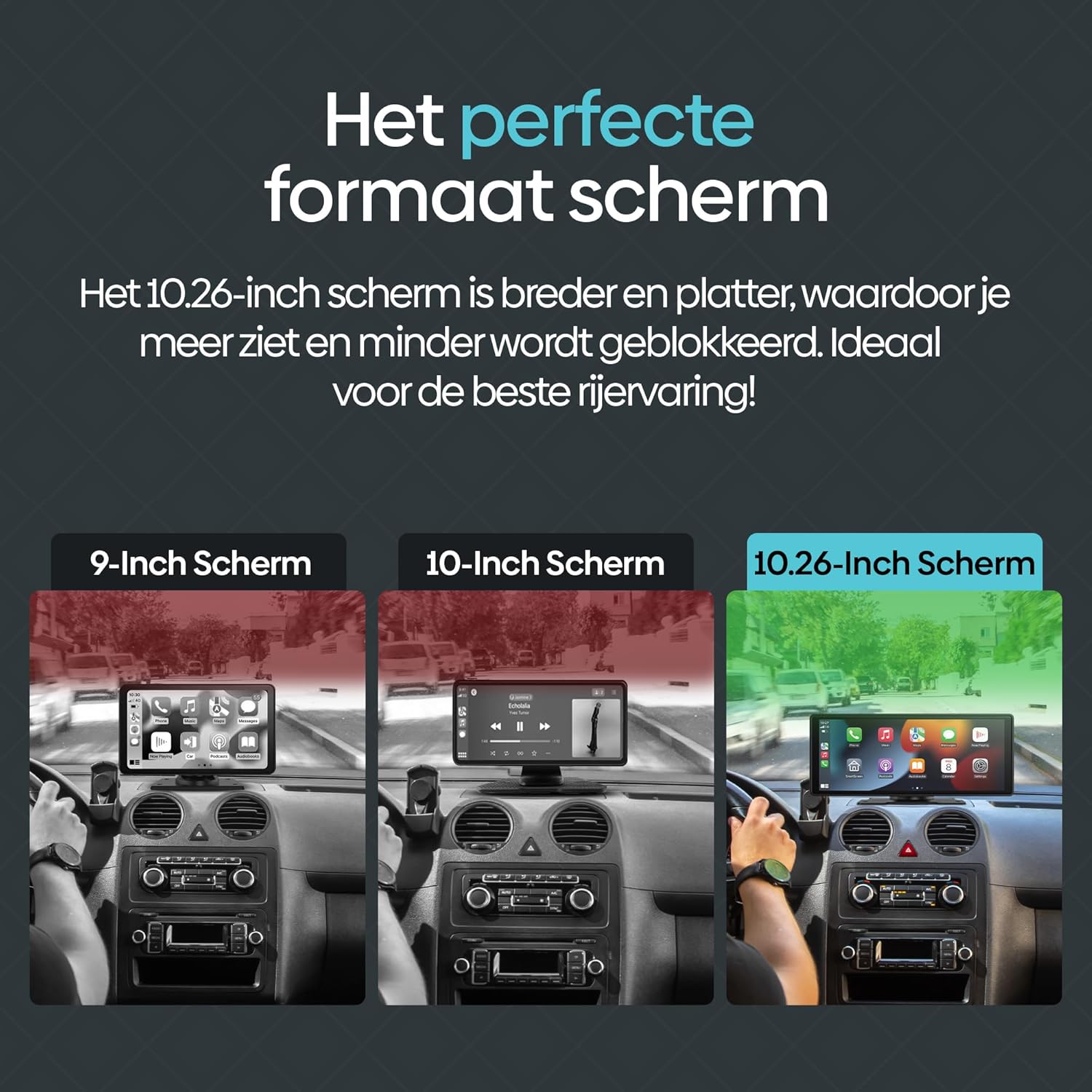
Figure 7.2: The included 64GB SD card allows for offline media playback, enhancing convenience during travel.
8. Pangopènan
To ensure the longevity and optimal performance of your Olvy CarPlay Display, follow these maintenance guidelines:
- Reresik: Use a soft, dry cloth to clean the screen and exterior. Avoid abrasive cleaners or solvents that could damage the display.
- Suhu: Avoid exposing the device to extreme temperatures, both hot and cold, as this can affect its performance and lifespan.
- Manajemen Kabel: Ensure all cables are neatly routed and secured to prevent damage or interference with driving controls.
- Nganyari piranti lunak: Periodically check for any available software updates from Olvy to ensure you have the latest features and bug fixes.
9. Warranty lan Dhukungan
The Olvy CarPlay Display comes with a manufacturer's warranty. Please refer to the warranty information provided in your product packaging for details on coverage and duration. For technical support, troubleshooting assistance, or warranty claims, please contact Olvy customer service through their official websitus utawa informasi kontak sing kasedhiya ing dokumentasi produk sampeyan.
Deskripsi Garansi: 1 (This typically refers to a 1-year warranty, but please confirm with the manufacturer's official documentation).