
Pambuka
This manual provides comprehensive instructions for the TKOWTB MK321U Programmable Macro Mini Keyboard. Please read this manual carefully before using the product to ensure proper operation and to maximize its functionality. This device is designed to enhance your computing experience through customizable key functions for various applications, including gaming, multimedia control, and office tasks.
Fitur produk
- Tombol sing bisa diprogram: Customize button functions for keyboard, mouse, multimedia, character strings, game functions, and macro definitions.
- Switch Mekanik: Features strong tactile feedback and crisp sound for a comfortable typing experience.
- Desain ergonomis: Button curves are designed for comfortable use.
- Bantalan Anti-selip: Equipped with anti-slip pads on the bottom to prevent movement during use.
- Aplikasi Wide: Suitable for various uses including office work, gaming, and multimedia control.
- Kompatibilitas Sistem: Key definition setting software is system-based and can be used across various operating systems after initial setup.
Isi Paket
Mangga priksa isi paket nalika unboxing. Yen ana barang sing ilang utawa rusak, hubungi dhukungan pelanggan.
- 1 x TKOWTB MK321U Mini Keyboard
- 1 x Kabel USB (Tipe-C)

Image: The TKOWTB MK321U Mini Keyboard shown with its included USB cable. The keyboard features three large, white mechanical keys and a Type-C port for connection.
Pandhuan Setup
- Sambungake Keyboard: Insert the Type-C end of the provided USB cable into the port on the mini keyboard.
- Nyambung menyang Komputer: Colokake pucuk kabel USB-A standar menyang port USB sing kasedhiya ing komputer sampeyan.
- Instalasi driver: The keyboard is typically plug-and-play. Your operating system should automatically detect and install the necessary drivers.
- Software Installation (for Programming): To customize key functions, you will need to download and install the dedicated key definition setting software from the manufacturer's official website. (Note: For Linux or macOS users, initial setup and programming must be done on a compatible system, then the device can be used on your preferred OS.)

Gambar: A close-up view of the TKOWTB MK321U Mini Keyboard's ports, showing the Type-C input and an adjacent switch. This illustrates where to connect the USB cable for power and data transfer.
Instruksi Operasi
Operasi dhasar
Once connected, the mini keyboard will function according to its default settings or previously programmed configurations. Pressing a key will execute its assigned function.
Programming Key Functions
The primary feature of the MK321U is its programmability. Follow these steps to customize key functions:
- Ngundhuh piranti lunak: Obtain the key definition setting software from the official TKOWTB websitus.
- Instal Piranti Lunak: Tindakake pandhuan ing layar kanggo nginstal piranti lunak ing komputer sampeyan.
- Bukak Software: Open the installed programming software.
- Sambungake Keyboard: Ensure your MK321U keyboard is connected to the computer. The software should detect the device.
- Pilih Kunci: Ing antarmuka piranti lunak, pilih tombol sing pengin diprogram.
- Assign Function: Choose from the available function types:
- Fungsi Keyboard: Assign standard keyboard keys (e.g., A, Ctrl, Shift, Enter).
- Fungsi Tikus: Assign mouse clicks (left, right, middle), scroll up/down, etc.
- Fungsi Multimedia: Assign media controls (e.g., Play/Pause, Volume Up/Down, Mute).
- Character String Function: Assign a sequence of characters to be typed with a single press.
- Game Function: Assign specific game commands.
- Macro Definition Function: Record and assign a complex sequence of key presses and delays.
- Simpen Konfigurasi: After assigning functions, save the configuration to the keyboard's onboard memory. This allows the settings to persist even when connected to different computers without the software.

Image: The TKOWTB MK321U Mini Keyboard with graphical overlays indicating its key features: good-quality material, multifunctional use, and ease of use. A prominent note highlights that all keys are programmable.

Image: A hand interacting with the TKOWTB MK321U Mini Keyboard, emphasizing its standard as a mini keyboard. Icons illustrate its sensitive switches, smooth linear typing experience, and lower sound profile.
Pangopènan
Proper maintenance ensures the longevity and optimal performance of your mini keyboard.
- Reresik: Gunakake kain sing alus lan garing kanggo ngusap permukaan keyboard. Kanggo rereget wangkal, rada dampen kain karo banyu utawa solusi reresik entheng. Ngindhari kelembapan sing berlebihan.
- Nyegah Cairan: Do not spill liquids directly onto the keyboard. If liquid contact occurs, immediately disconnect the keyboard and allow it to dry completely before reconnecting.
- Panyimpenan: Simpen keyboard ing papan sing adhem lan garing adoh saka sinar srengenge langsung lan suhu sing ekstrem.
- Nangani kanthi ati-ati: Aja nyelehake utawa nyebabake keyboard kena pengaruh sing kuat.
Ngatasi masalah
If you encounter issues with your TKOWTB MK321U, refer to the following common problems and solutions:
- Keyboard ora nanggapi:
- Priksa manawa kabel USB disambungake kanthi aman menyang keyboard lan komputer.
- Coba sambungake keyboard menyang port USB liyane ing komputer.
- Tes keyboard ing komputer liyane kanggo ngilangi masalah khusus sistem.
- Wiwiti maneh komputer.
- Keys Not Performing Assigned Functions:
- Verify that the key definition setting software was used to save the configuration to the keyboard.
- Priksa manawa piranti lunak wis paling anyar.
- If using on Linux or macOS, confirm that the programming was done on a compatible Windows system first.
- Try resetting the keyboard to factory defaults via the software and reprogram the keys.
- Piranti Lunak Ora Ndeteksi Keyboard:
- Make sure the keyboard is properly connected via USB.
- Close and reopen the programming software.
- Reinstall the programming software.
- Check your computer's device manager to see if the keyboard is recognized.
Spesifikasi
| Merk | TKOWTB |
| Jeneng Model | MK321U (500757523) |
| warna | Putih |
| Bahan | Plastik |
| Dimensi produk | 3.15 x 2.36 x 1.57 inci (8 x 6 x 4 cm) |
| Bobot Barang | 2.47 ons (70 gram) |
| Konektivitas | USB Tipe-C |
| Programmability | All keys programmable via dedicated software |

Image: A close-up of the TKOWTB MK321U Mini Keyboard next to a laptop, highlighting its Type-C charging port and rechargeable design, indicating modern connectivity and power options.

Image: A collage showing the TKOWTB MK321U Mini Keyboard being used in different environments: an office setting, a laboratory, and a gaming setup, demonstrating its wide scope of application.
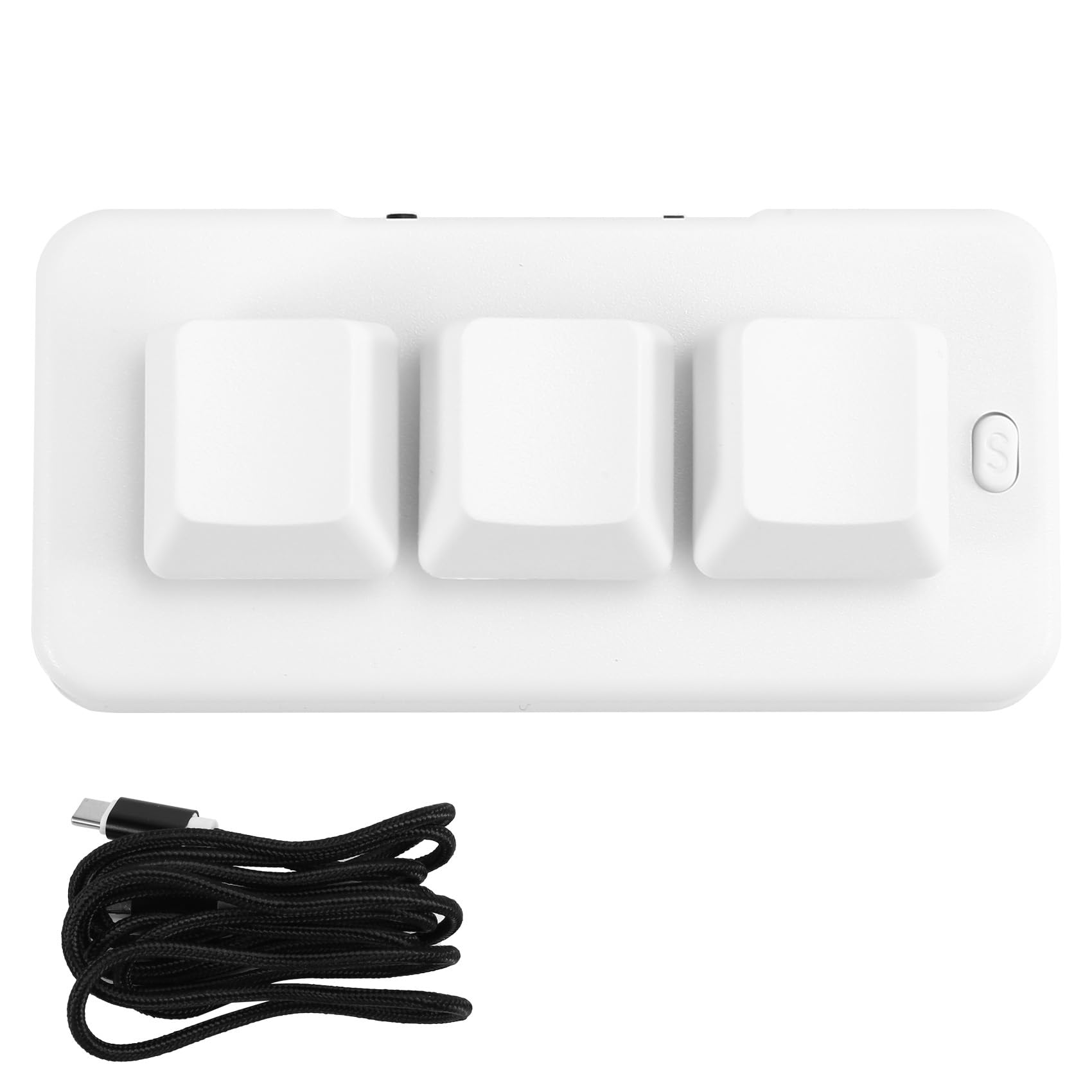
Image: A person placing the TKOWTB MK321U Mini Keyboard into a small carrying pouch, illustrating its compact and portable design, making it easy to transport.
Warranty lan Dhukungan
For warranty information, please refer to the documentation included with your purchase or visit the official TKOWTB website. Support resources, including FAQs and contact information, can also be found on the manufacturer's websitus.
Produsen: TKOWTB
Websitus: TKOWTB Official Page (via Amazon)