
1. Pambuka
The BoxWave SlimKeys Bluetooth Keyboard is designed for portable use, offering a comfortable typing experience with its chiclet-style keys. This manual provides instructions for setting up, operating, maintaining, and troubleshooting your keyboard.
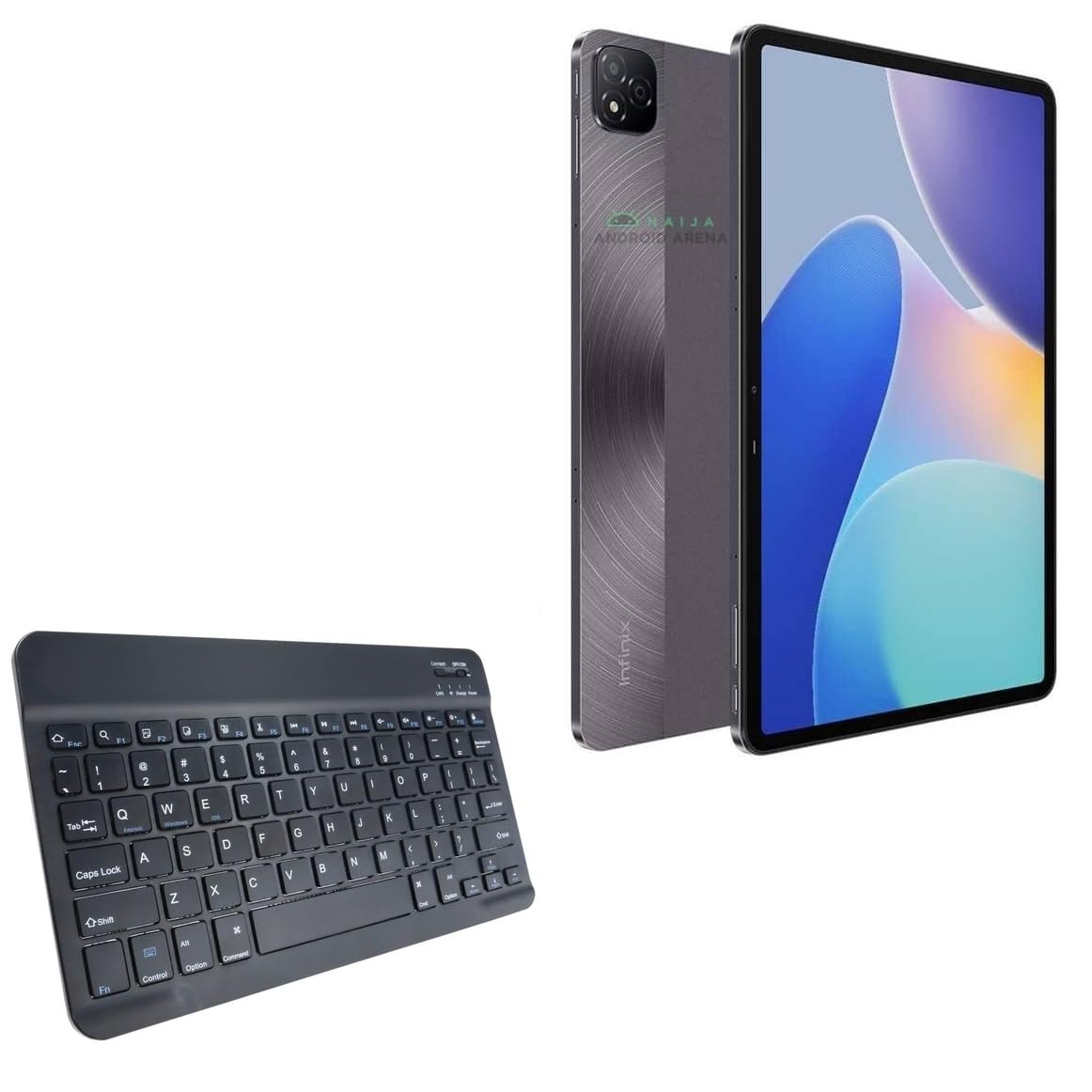
Gambar 1.1: Ndhuwur mudhun view of the BoxWave SlimKeys Bluetooth Keyboard.
2. Isi Paket
Mangga dipriksa paket kanggo item ing ngisor iki:
- BoxWave SlimKeys Bluetooth Keyboard
- Kabel Pengisian Daya (USB)
- Manual pangguna (dokumen iki)
3. Setup
3.1 Ngisi daya Keyboard
Before initial use, fully charge the keyboard. Connect the provided USB charging cable to the keyboard's charging port and to a USB power source. The charging indicator light will illuminate during charging and turn off when fully charged.

Image 3.1: The keyboard connected to its charging cable.
To conserve battery life, use the built-in ON/OFF switch when the keyboard is not in use. The keyboard features an energy-efficient Bluetooth 3.0 design to reduce power drain.
3.2 Masangake karo Piranti
- Ensure the keyboard is charged and powered on using the ON/OFF switch located on the top right.
- Tekan ing Nyambung button on the keyboard. The Bluetooth indicator light will begin to flash, indicating it is in pairing mode.
- On your device (e.g., Infinix Xpad, tablet, smartphone, computer), navigate to the Bluetooth settings.
- Aktifake Bluetooth ing piranti lan telusuri piranti sing kasedhiya.
- Pilih"SlimKeys Keyboard" or a similar name from the list of found devices.
- Follow any on-screen prompts to complete the pairing process. A successful connection will be indicated by the Bluetooth light on the keyboard turning solid or off, depending on the model.
The SlimKeys keyboard utilizes Bluetooth 3.0 for quick and reliable pairing across various operating systems, including Android, Windows, and iOS.
4. Operasi
4.1 Panggunaan Umum
The SlimKeys Bluetooth Keyboard provides a full QWERTY layout with chiclet-style keys for comfortable and efficient typing. Its compact and lightweight design makes it suitable for travel and on-the-go productivity.

Image 4.1: User typing on the SlimKeys Bluetooth Keyboard.
4.2 Specialized Function Keys
The keyboard includes specialized function keys (F1-F12) that provide quick access to common commands. These functions may vary slightly depending on your device's operating system.

Gambar 4.2: Swaraview of specialized function keys.
- Esc (Home): Returns to home screen.
- F1 (Search): Opens search function.
- F2 (Select All): Selects all content.
- F3 (Copy): Copies selected content.
- F4 (Paste): Pastes copied content.
- F5 (Cut): Cuts selected content.
- F6 (Skip Back): Skips to previous track.
- F7 (Play/Pause): Muter utawa ngaso media.
- F8 (Skip Forward): Skips to next track.
- F9 (Volume Down): Decreases volume.
- F10 (Volume Up): Increases volume.
- F11 (Brightness Down): Decreases screen brightness.
- F12 (Brightness Up): Increases screen brightness.
- Delete (Lock): Locks the device.
To activate these functions, press the corresponding F-key. Some functions may require pressing the Fn key simultaneously, depending on your device's operating system and settings.
5. Pangopènan
- Reresik: Gunakake kain sing alus, garing, tanpa serat kanggo ngresiki keyboard. Kanggo rereget wangkal, rada dampen the cloth with water or a mild electronics cleaner. Avoid excessive moisture.
- Panyimpenan: When not in use for extended periods, store the keyboard in a cool, dry place. Ensure the keyboard is powered off to preserve battery life.
- Perawatan baterei: Aja kerep ngisi daya batere nganti kebak. Isi daya keyboard kanthi rutin, sanajan ora digunakake terus-terusan, kanggo njaga kesehatan batere.
- Nyegah Cairan: Keep the keyboard away from liquids to prevent damage to internal components.
- Ngindhari Suhu Ekstrim: Do not expose the keyboard to extreme heat or cold, as this can affect battery performance and overall functionality.
6. Ngatasi masalah
6.1 Keyboard Ora Nyambung/Nyambung
- Priksa Daya: Pesthekake keyboard diuripake lan nduweni daya baterei sing cukup.
- Re-enable Bluetooth: Pateni banjur uripake Bluetooth ing piranti sampeyan.
- pasangan maneh: Go to your device's Bluetooth settings, forget or unpair the "SlimKeys Keyboard" if it's listed, then repeat the pairing steps (Section 3.2).
- Jarak: Ensure the keyboard is within the effective range of your device (typically up to 10 meters or 33 feet).
- gangguan: Pindhah adoh saka piranti nirkabel liyane sing bisa nyebabake gangguan.
- Wiwiti maneh piranti: Restart both your device and the keyboard.
6.2 Tombol Ora Nanggapi
- Tingkat baterei: Check if the keyboard battery is low. Charge the keyboard if necessary.
- Sambungan: Verify that the keyboard is still connected via Bluetooth to your device.
- Tombol resik: Priksa manawa ora ana lebu sing ana ing sangisore kunci.
- Wiwiti maneh: Pateni keyboard lan urip maneh.
6.3 Lag or Delayed Input
- Tingkat baterei: Low battery can sometimes affect performance.
- Jarak/Gangguan: Reduce distance to the device and minimize potential interference sources.
- Device Performance: Ensure your connected device is not under heavy load, which could affect Bluetooth responsiveness.
7. Spesifikasi
| Jeneng Model | SlimKeys Bluetooth Keyboard |
| Konektivitas | Bluetooth 3.0 |
| Kompatibilitas | Android, Windows, iOS devices (e.g., Infinix Xpad) |
| Ukuran (Approx.) | 9.5 inci (Jembar) x 5.75 inci (Dhuwur) x 0.2 inci (Dhuwur) |
| Bobot | 8.6 ons (kira-kira 244 gram) |
| Jinis baterei | Spesifik Produk (kalebu) |
| Urip baterei | Up to 30 days (active use), 6 months (standby) |
| Produsen | BoxWave |
| ASIN | B0DFZ2S7C4 |

Image 7.1: Approximate dimensions of the SlimKeys Bluetooth Keyboard.
8. Warranty lan Dhukungan
For warranty information and technical support, please refer to the documentation included with your purchase or visit the official BoxWave website. You may also contact BoxWave customer service directly for assistance.
Manufacturer: BoxWave
Kanggo pitulung luwih lengkap, bukak: www.boxwave.com