
FEELLE HI-S226-PW
FEELLE Solar Charger Power Bank User Manual
Model: HI-S226-PW | Brand: FEELLE
Pambuka
This manual provides detailed instructions for the safe and efficient use of your FEELLE 27000mAh Solar Charger Power Bank. Designed for portability and versatility, this power bank offers multiple charging options, including solar, wired, and wireless, making it ideal for various environments and needs.

Image: The FEELLE Solar Charger Power Bank, showcasing its main unit with a wireless charging pad and four foldable solar panels.
Fitur produk
- Pengisian Daya 22.5W Ultra Cepet: Equipped with QC 4.0 and PD 4.0 technologies for rapid charging of compatible devices.
- Pengisian Nirkabel 15W: Provides convenient cable-free charging for Qi-enabled devices.
- Panel Surya Terpadu: Features 4 high-efficiency solar panels (up to 6W) for emergency or supplemental charging via sunlight.
- Pengisian Multi-Piranti: Includes 1 USB-A port (22.5W output) and 2 USB-C IN/OUT ports, allowing up to 4 devices to charge simultaneously.
- Baterei Kapasitas Dhuwur: A 27,000mAh battery provides multiple charges for smartphones, tablets, and other portable electronics.
- Real-Time LED Display: Digital display shows the power bank's charge status.
- Senter LED sing dibangun: Features Standard, SOS, and Strobe modes for illumination and emergency signaling.
- Desain awet: Constructed to be waterproof, dustproof, and shockproof for outdoor use.
Isi Paket
Mangga dipriksa paket kanggo item ing ngisor iki:
- FEELLE Solar Charger Power Bank (Model: HI-S226-PW)
- Kabel Pengisian USB-C
- Manual pangguna
Setup
Ngisi daya wiwitan
Before first use, fully charge the power bank using a wall adapter via the USB-C input port. This ensures optimal battery performance and calibration of the digital display.
- Connect the provided USB-C cable to one of the USB-C IN/OUT ports on the power bank.
- Sambungake ujung kabel liyane menyang adaptor tembok USB sing kompatibel (ora klebu).
- The LED digital display will show the charging progress. Charge until it reaches 100%.
Understanding the LED Display
Layar digital nyedhiyakake persentase baterei wektu nyatatage. When charging, the percentage will increase. When discharging (charging a device), the percentage will decrease. Indicators for wireless charging and solar charging may also appear on the display.

Image: The digital LED display on the power bank, indicating battery percentage lan status pangisian daya.
Instruksi Operasi
Charging Devices via Cable (Wired Charging)
The power bank supports fast charging via its USB-A and USB-C ports.
- Connect your device's charging cable to the appropriate port on the power bank (USB-A or USB-C).
- Sambungake ujung kabel liyane menyang piranti sampeyan.
- Bank daya bakal kanthi otomatis miwiti ngisi daya piranti.

Image: The power bank connected to a smartphone via a USB-C cable, illustrating its 22.5W fast charging capability.
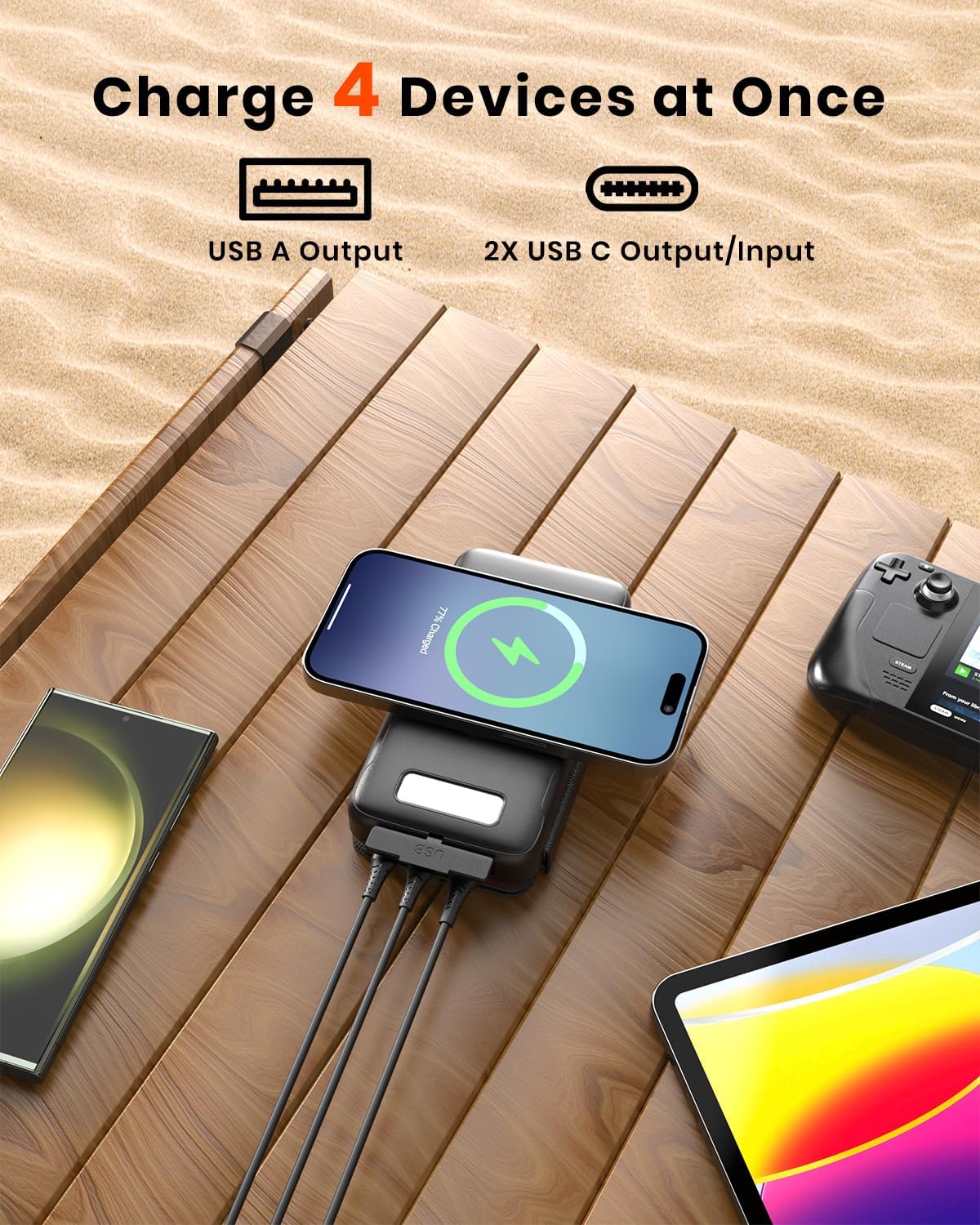
Image: The power bank charging multiple devices simultaneously, highlighting its USB-A and USB-C ports.
Wireless Charging
For devices that support Qi wireless charging:
- Place your Qi-enabled device directly onto the wireless charging pad located on the power bank.
- Priksa manawa piranti dipusatake ing pad kanggo pangisi daya sing optimal.
- The power bank will automatically detect and begin wirelessly charging your device.
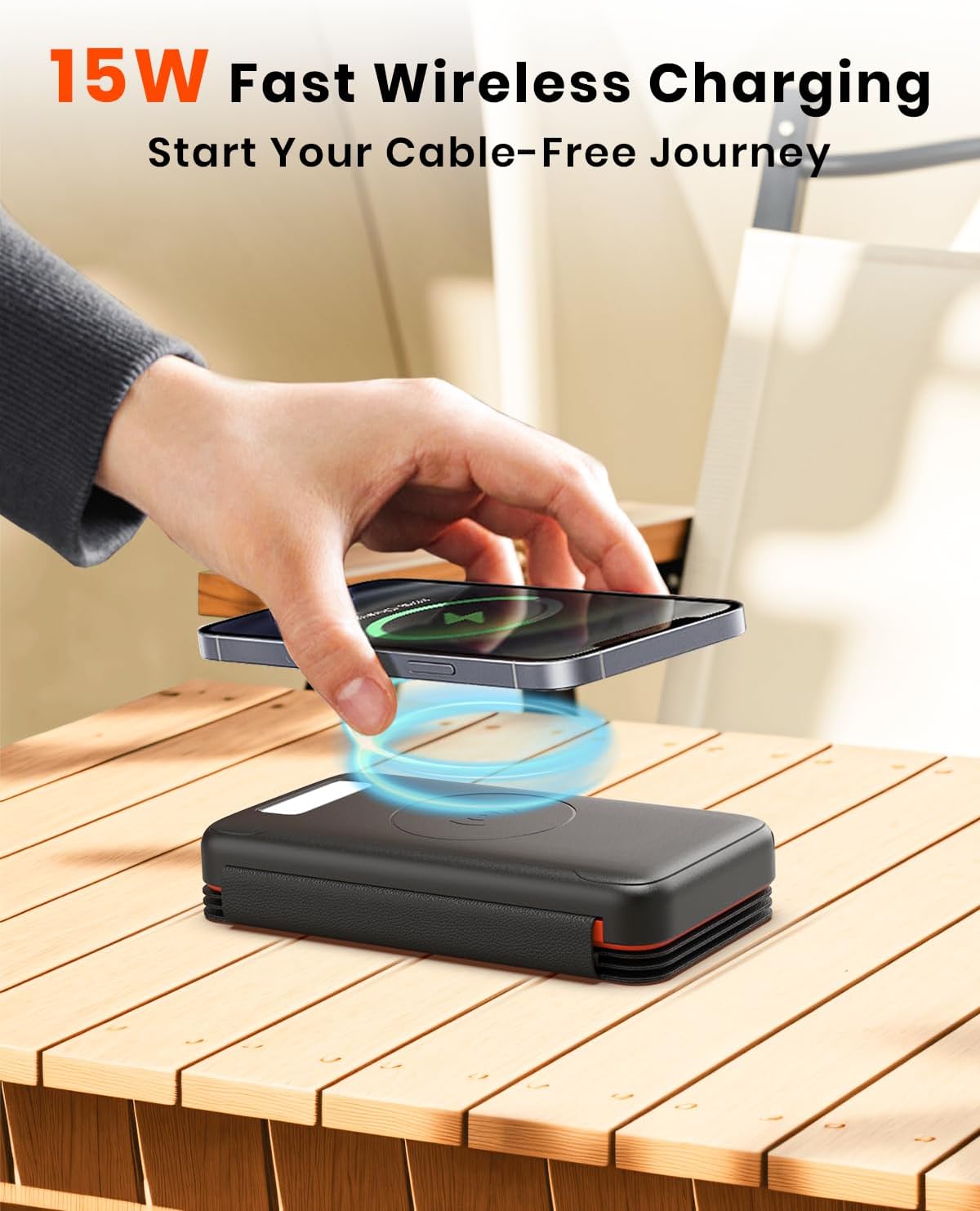
Image: A smartphone being placed on the power bank's wireless charging pad, demonstrating cable-free charging.
Pengisian Solar
The solar panels are designed for emergency power and supplemental charging, not as a primary charging method due to varying sunlight conditions and efficiency. For fastest charging, use a wall adapter.
- Unfold the solar panels and place them in direct sunlight.
- Ensure the panels are facing the sun directly for maximum efficiency.
- The solar charging indicator on the LED display will illuminate when charging via solar power.

Image: The power bank's solar panels unfolded and exposed to sunlight in an outdoor setting, demonstrating versatile solar charging.
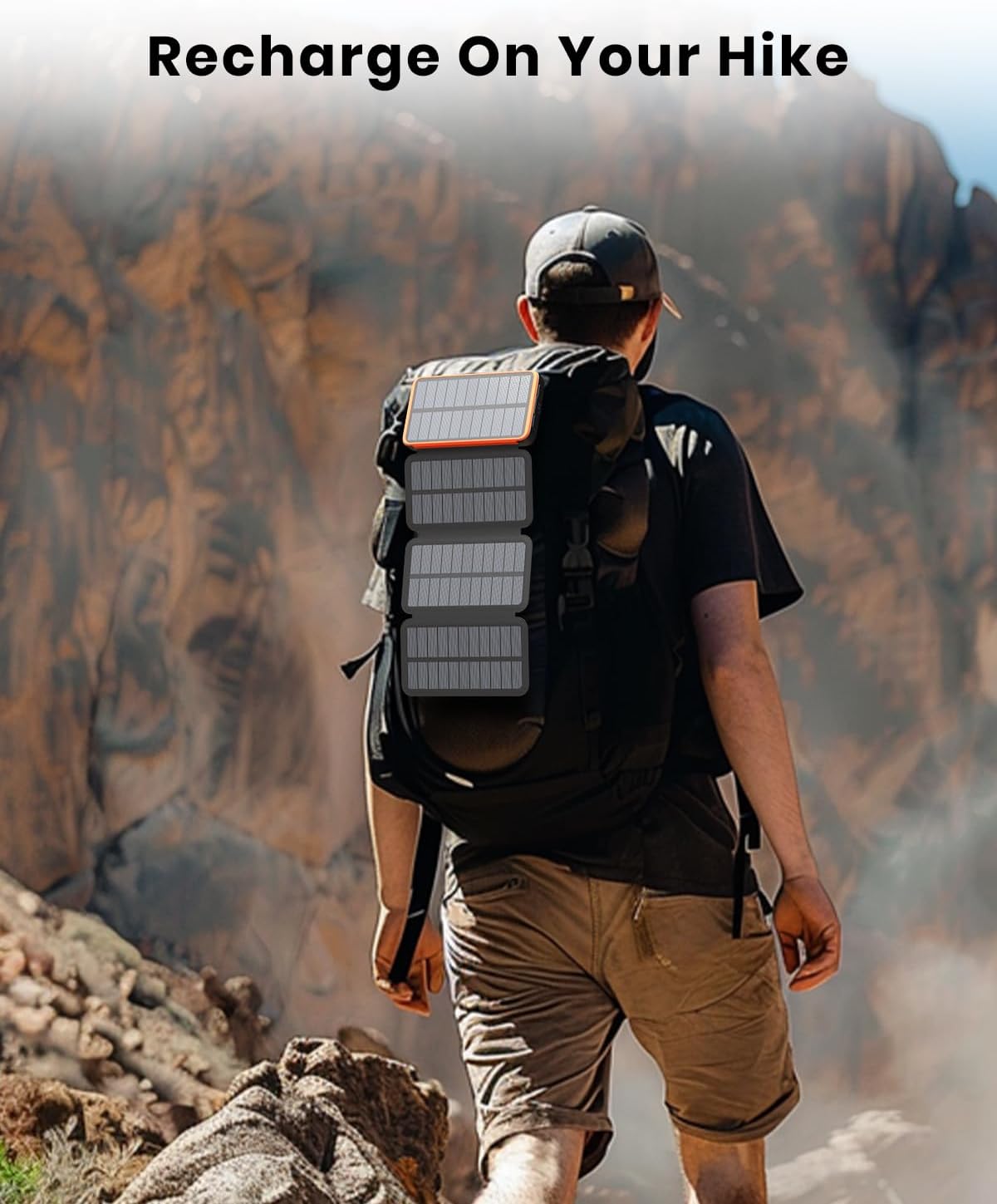
Image: The power bank attached to a backpack during a hike, illustrating its use for recharging on the go via solar power.
Nggunakake Senter LED
The power bank features a multi-mode LED flashlight.
- Nguripake / mateni: Pencet terus tombol daya kira-kira 3 detik.
- Kanggo mode siklus: Once the flashlight is on, short press the power button to switch between Standard, SOS, and Strobe modes.
Image: The power bank's LED flashlight in operation, demonstrating its three modes for various situations.
Pangopènan
- Keep the power bank away from extreme temperatures, direct heat, and moisture.
- Avoid dropping or subjecting the device to strong impacts, despite its shockproof design.
- Ngresiki lumahing nganggo kain sing alus lan garing. Aja nggunakake bahan kimia sing atos utawa bahan abrasif.
- For long-term storage, charge the power bank to about 50-70% and store in a cool, dry place. Recharge every 3-6 months to maintain battery health.
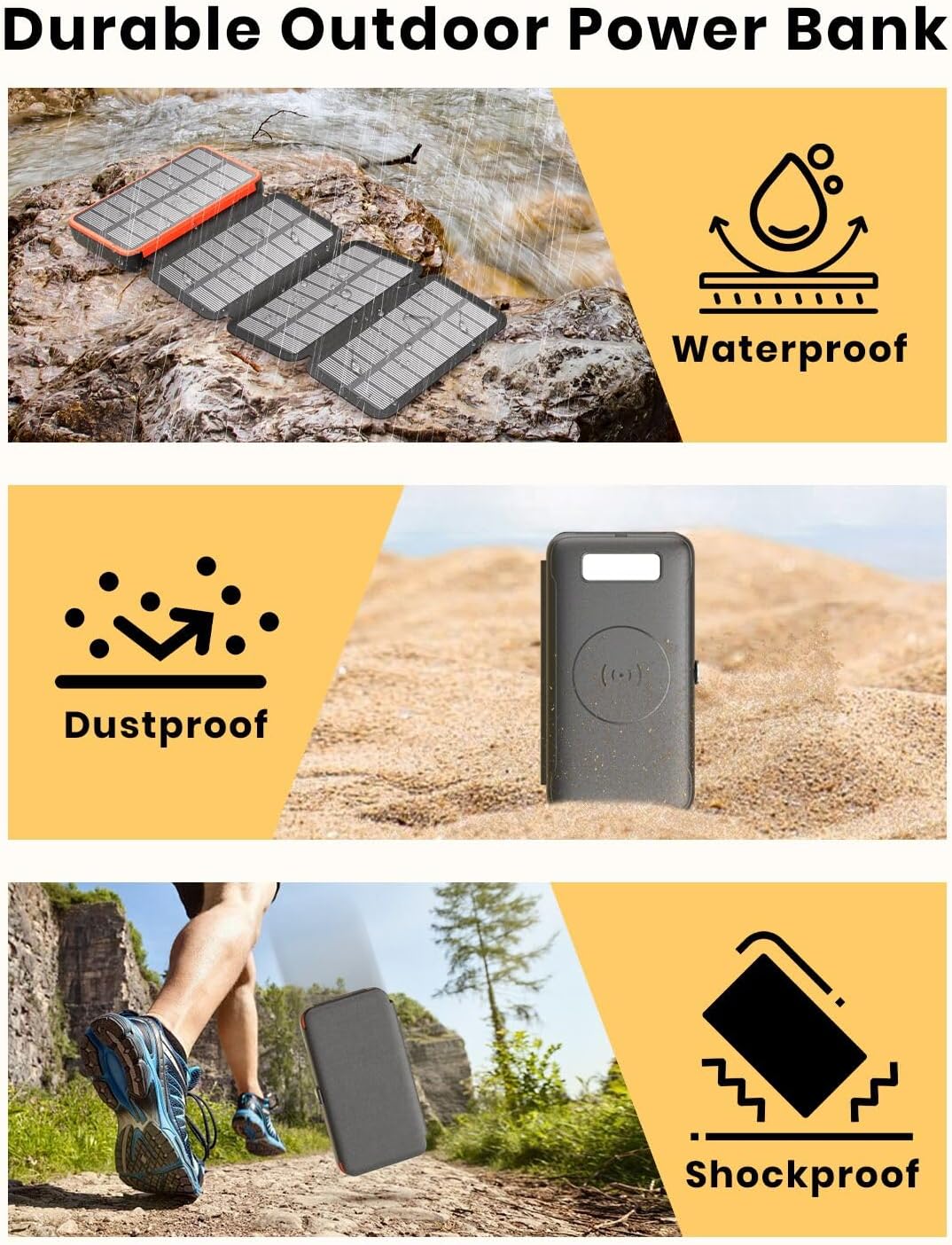
Image: Visual representation of the power bank's waterproof, dustproof, and shockproof features, highlighting its robust design for outdoor use.
Ngatasi masalah
| Masalah | Kemungkinan Penyebab | Solusi |
|---|---|---|
| Power bank ora ngisi daya | Cable or adapter issue; power bank fully charged; solar panels not in direct sunlight. | Check cable and adapter; ensure power bank is not already at 100%; reposition solar panels in direct sunlight. |
| Piranti ora ngisi daya saka bank daya | Power bank battery low; incorrect cable/port; device not Qi-compatible (for wireless); device not properly aligned on wireless pad. | Recharge power bank; use correct cable/port; ensure device supports Qi wireless charging; reposition device on wireless pad. |
| Ngisi daya solar alon | Insufficient sunlight; panels not clean; solar charging is supplemental. | Ensure direct, strong sunlight; clean panels; use wall adapter for faster charging. |
| Senter ora bisa | Power bank battery low; incorrect button press. | Recharge power bank; press and hold power button for 3 seconds to activate. |
Spesifikasi
| Fitur | Rincian |
|---|---|
| Nomer Model | HI-S226-PW |
| Kapasitas baterei | 27000mAh |
| Output Kabel | 22.5W (USB-A, USB-C) |
| Output Nirkabel | 15W (Maks.) |
| Tenaga Panel Surya | 6W (Puncak) |
| ukuran | 6.14 x 3.34 x 1.37 inci |
| Bobot Barang | 1.06 kab |
| Tipe Konektor | USB Tipe C, USB Tipe A |
| Fitur Khusus | LED Digital Display, PD 4.0 & QC 3.0, 4 Solar Panels, Flashlight (Standard, SOS, Strobe), Waterproof, Dustproof, Shockproof |
Warranty lan Dhukungan
For warranty information and customer support, please refer to the product packaging or contact FEELLE customer service directly. Keep your purchase receipt for warranty claims.
Ask a question about this manual
Ask about setup, troubleshooting, compatibility, parts, safety, or missing instructions. Manuals+ will review the question and use this page’s manual context to help answer it.