
1. Pambuka
Thank you for choosing the PRIXTON Multisport DV800 Action Camera. This manual provides essential information for setting up, operating, and maintaining your device. Please read it thoroughly before use to ensure optimal performance and longevity of your camera.
2. Isi Paket
Priksa manawa kabeh item ing ngisor iki kalebu ing paket sampeyan:
- PRIXTON Multisport DV800 Action Camera
- Kasus anti banyu
- Baterei sing bisa diisi ulang
- Kabel USB
- Gunung Sepeda
- Klip
- Adaptor Pemasangan Kab
- Three Helmet Mounts
- Strap/Bandage
- Perekat 3M Kab
- Manual pangguna

Image: The PRIXTON DV800 Action Camera and its various accessories, including mounts, cables, and the waterproof case.
3. Produk Liwatview
The PRIXTON DV800 features a compact design with dual screens for versatile shooting and monitoring. It is designed for capturing high-quality video and photos in various environments.
Fitur utama:
- Layar ganda: Front screen for selfies and a rear screen for camera control.
- Resolusi Video 5K: Up to 5K at 30 frames per second (FPS).
- 24 MP Photo Resolution: High-quality still images.
- 6-AXIS EIS Optical Stabilizer: For smooth and stable footage.
- anti banyu: Up to 30 meters with the included waterproof case.
- Konektivitas: Built-in Wi-Fi for mobile app control and content transfer.
- Panyimpenan: Supports MicroSD cards up to 128 GB.

Image: The PRIXTON DV800 Action Camera, showcasing its dual-screen capability and the waterproof housing, alongside several mounting accessories.
4. Setup
4.1. Instalasi baterei
- Goleki kompartemen baterei ing kamera.
- Bukak tutup kompartemen.
- Pasang baterei sing bisa diisi ulang, priksa polaritas sing bener.
- Nutup tutup kompartemen baterei kanthi aman.
4.2. Selipan Card MicroSD
A MicroSD card (up to 128 GB, not included) is required to store recordings and photos.
- Goleki slot kertu MicroSD ing sisih kamera.
- Gently insert the MicroSD card with the contacts facing the correct direction until it clicks into place.
- Kanggo nyopot, pencet kertu mlebu nganti metu.
4.3. Masang kasus anti banyu
For underwater use or protection against impacts, place the camera inside the waterproof case.
- Bukak kait ing wadhah tahan banyu.
- Selehake kamera kanthi ati-ati ing jero koper, priksa manawa pas.
- Close the latch firmly to seal the case. Ensure no debris is caught in the seal.
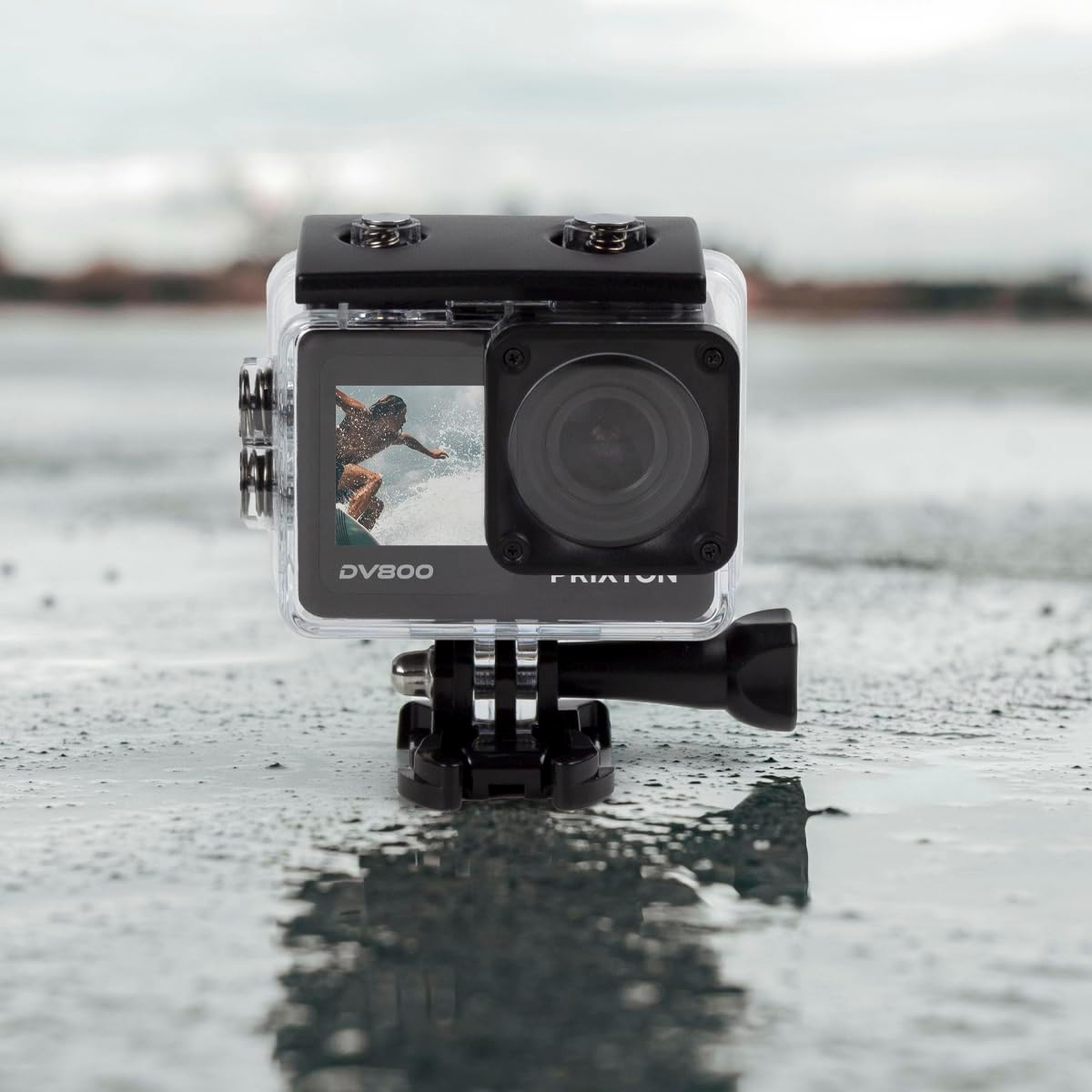
Image: The PRIXTON DV800 Action Camera securely housed within its waterproof casing, ready for use in aquatic environments.
5. Instruksi Operasi
5.1. Daya On / Off
- Kanggo Power On: Pencet terus tombol Daya/Mode sawetara detik nganti layar murup.
- Kanggo mateni: Pencet terus tombol Daya/Mode maneh nganti layar mati.
5.2. Pilihan Mode
Pencet tombol Daya/Mode bola-bali kanggo muter liwat macem-macem mode: Video, Foto, Puter maneh, lan Setelan.
5.3. Ngrekam Video
- Ngalih menyang Mode Video.
- Press the Shutter/OK button to start recording. A red indicator light will flash.
- Pencet tombol Rana/OK maneh kanggo mandheg ngrekam. Lampu indikator bakal mandheg kedhip-kedhip.
5.4. Njupuk Foto
- Ngalih menyang Mode Foto.
- Bingkai gambar sampeyan nggunakake layar.
- Pencet tombol Rana/OK kanggo njupuk foto.
5.5. Wi-Fi Connectivity and Mobile App
The camera can connect to your mobile device via Wi-Fi using the "XDV PRO" application.
- Download and install the "XDV PRO" app on your smartphone or tablet.
- On the camera, navigate to the settings menu and enable Wi-Fi.
- Ing piranti seluler, sambung menyang jaringan Wi-Fi kamera (SSID lan sandhi bakal ditampilake ing layar kamera).
- Open the "XDV PRO" app to control the camera, view urip footage, lan transfer files.

Image: A close-up of the PRIXTON DV800 Action Camera's rear screen, showing its 5K Ultra HD capability and Wi-Fi connectivity.
5.6. Nggunakake minangka Webcam
Sambungake kamera menyang komputer liwat USB supaya bisa digunakake minangka webcam
- Sambungake kamera menyang komputer nggunakake kabel USB sing kasedhiya.
- Select the 'PC Camera' or 'Webcam' option on the camera's screen if prompted.
- Komputer sampeyan kudu ngenali kamera minangka a webcam, which can then be selected in video conferencing applications.
6. Pangopènan
6.1. Reresik
- Use a soft, lint-free cloth to clean the camera lens and screens.
- For the waterproof case, rinse with fresh water after saltwater use and allow it to air dry.
- Aja nggunakake bahan kimia sing atos utawa bahan abrasif.
6.2. Baterei Care
- Isi batere sadurunge digunakake sadurunge.
- Aja mbabarake baterei ing suhu sing ekstrem.
- Yen nyimpen kamera nganti suwe, copot baterei.
6.3. Panyimpenan
Store the camera in a cool, dry place away from direct sunlight and dust when not in use.
7. Ngatasi masalah
- Kamera ora urip: Priksa manawa baterei wis diisi daya lan dipasang kanthi bener.
- Masalah rekaman: Check if the MicroSD card is inserted correctly and has sufficient free space. Format the card if necessary (this will erase all data).
- Masalah sambungan Wi-Fi: Ensure Wi-Fi is enabled on the camera and your mobile device. Restart both devices if issues persist.
- Kualitas gambar/video kurang apik: Clean the lens. Ensure adequate lighting. Check resolution settings.
8. Spesifikasi
| Jeneng Model | DV800 |
| Merk | PRIXTON |
| Resolusi Jupuk Video | 5K |
| Teknologi Sensor Foto | Liyane |
| Tipe Memori Flash | MicroSD (nganti 128GB) |
| Format Jupuk Video | MOV |
| Format Audio sing Didhukung | MP4 |
| Teknologi Konektivitas | Wi-Fi |
| warna | ireng |
| Tipe Camcorder | Kamera Tindakan |
| Urip baterei | Kira-kira 90 menit |
9. Warranty lan Dhukungan
The PRIXTON Multisport DV800 Action Camera comes with a standard manufacturer's warranty. For detailed warranty information, technical support, or service inquiries, please refer to the warranty card included in your package or visit the official PRIXTON websitus. Simpen kuitansi tuku minangka bukti tuku kanggo klaim garansi.