
Pambuka
Thank you for choosing the JOMAA Foldable Bluetooth Keyboard. This portable, ultra-slim, and rechargeable keyboard is designed for seamless compatibility with Windows, iOS, Android, and Mac devices, offering a silent and efficient typing experience on the go. Its unique double-folding design makes it highly portable for business trips and mobile office setups.
Isi Paket
- JOMAA Foldable Bluetooth Keyboard
- Kabel Pengisian USB (Tipe-C)
- Manual pangguna (Dokumen iki)
Spesifikasi
| Fitur | Rincian |
|---|---|
| Nomer Model | 1505 |
| Konektivitas | Bluetooth |
| Piranti sing kompatibel | Laptop, Smartphone, Tablet (Windows, iOS, Android, Mac) |
| Deskripsi Keyboard | Flexible, Foldable |
| Jumlah Tombol | 64 |
| Jinis baterei | 1 baterei Lithium Ion (kalebu) |
| Bahan | Kulit Tiruan |
| Bobot Barang | 10.6, XNUMXuw |
| Ukuran Paket | 7.5 x 4.2 x 1 inci |
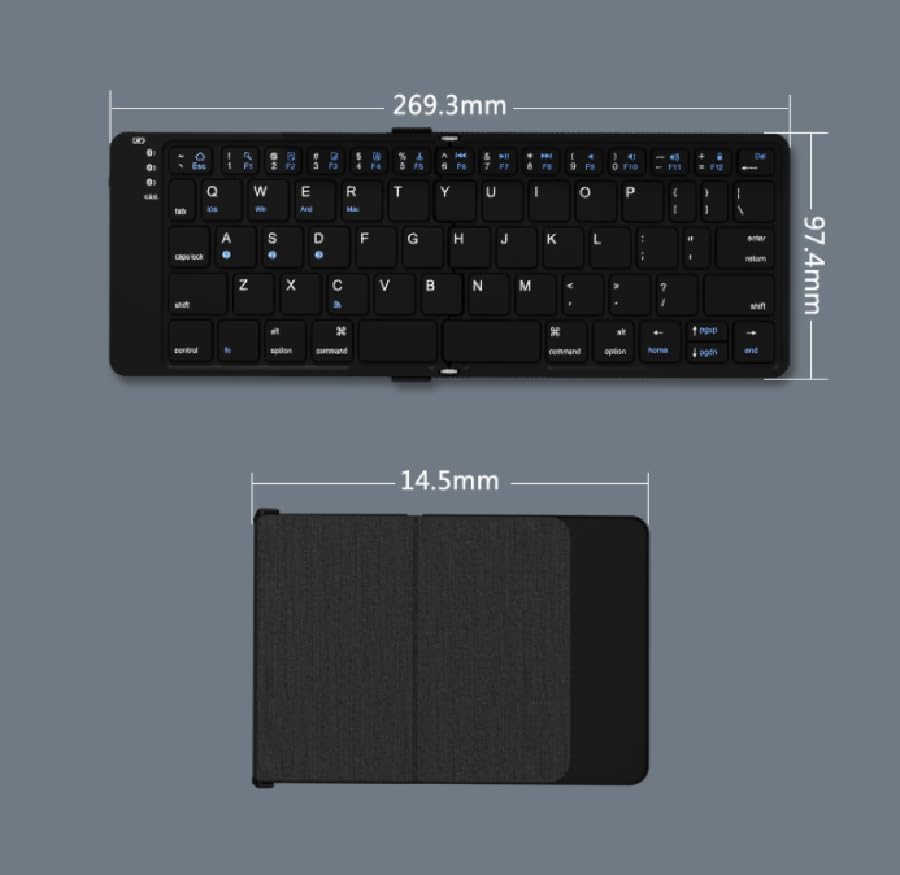
Figure 1: Keyboard dimensions when unfolded and folded.
Setup
1. Ngisi daya Keyboard
Before first use, fully charge the keyboard. Connect the provided Type-C USB cable to the keyboard's charging port and the other end to a USB power source (e.g., computer, wall adapter). The charging indicator light will illuminate. When the battery is low, a red light will flash.

Figure 2: Charging the JOMAA Foldable Bluetooth Keyboard.
2. Pasangan Bluetooth
- Daya On: Unfold the keyboard to automatically power it on.
- Ketik Mode Pasangan: Tekan ing Fn tombol bebarengan karo salah siji tombol saluran Bluetooth (Q kanggo BT1, W kanggo BT2, E for BT3) for 3-5 seconds until the corresponding Bluetooth indicator light flashes rapidly. This indicates the keyboard is in pairing mode.
- Aktifake Bluetooth ing Piranti: On your device (smartphone, tablet, laptop), go to Bluetooth settings and turn on Bluetooth.
- Pilih Keyboard: Nggoleki "Bluetooth Keyboard" or similar in the list of available devices and select it to connect.
- Konfirmasi Pasangan: Once connected, the Bluetooth indicator light on the keyboard will stop flashing and remain solid for a few seconds, then turn off. The keyboard is now paired and ready for use.

Figure 3: Bluetooth channel keys for multi-device connection.
Instruksi Operasi
Ngalih Multi-Piranti
The keyboard supports connection with up to three Bluetooth devices simultaneously. To switch between connected devices:
- Pencet Fn + Q to switch to Device 1.
- Pencet Fn + W to switch to Device 2.
- Pencet Fn + E to switch to Device 3.
Ensure the desired device's Bluetooth is active and the keyboard was previously paired with it on the selected channel.
Figure 4: Switching between multiple devices.
System Compatibility Keys
The keyboard is compatible with various operating systems. Use the following key combinations to optimize functionality for your specific OS:
- Pencet fn + A kanggo piranti iOS.
- Pencet Fn + S kanggo piranti Android.
- Pencet Fn + D kanggo piranti Windows.
- Pencet Fn + F for Mac devices.

Figure 5: System compatibility key combinations.
Special Keys and Functions
The keyboard features a standard QWERTY layout with additional function keys. Refer to the keycaps for specific symbols and functions. The scissor shaft structure ensures a soft and silent typing experience.

Figure 6: Updated key layout for smooth folding and typing.
Pangopènan
- Reresik: Gunakna kain alus lan garing kanggo ngusap permukaan keyboard. Kanggo rereget sing bandel, radaampen kain karo banyu utawa resik entheng, non-abrasive. Ngindhari kelembapan sing berlebihan.
- Panyimpenan: When not in use, fold the keyboard to protect the keys and conserve battery. Store in a cool, dry place away from direct sunlight and extreme temperatures.
- Perawatan baterei: Kanggo ngawetke daya batere, aja kerep-kerep ngisi daya keyboard. Isi daya kanthi rutin, utamane yen bakal disimpen sajrone wektu sing suwe.
- Penanganan: The keyboard features a robust magnetic folding mechanism. While designed for durability (tested over 200 times folding), avoid forceful or improper folding to prevent damage.
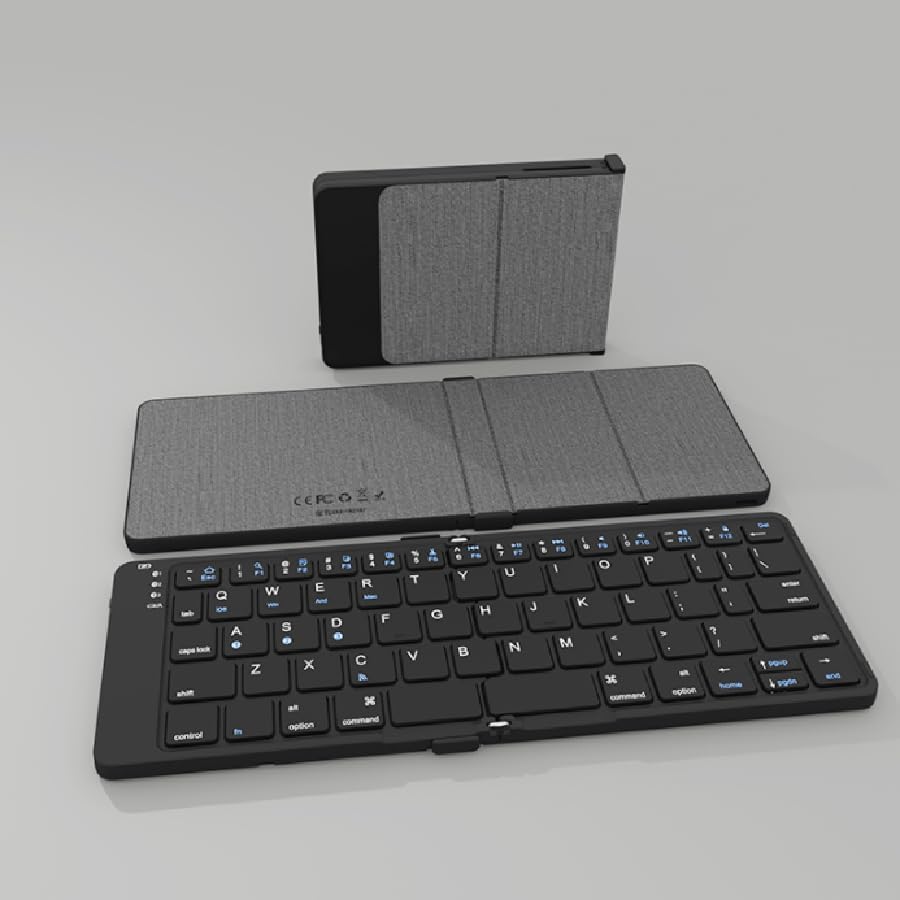
Figure 7: Magnetic folding mechanism and durability.

Figure 8: High-quality faux leather case for protection.
Ngatasi masalah
| Masalah | Kemungkinan Penyebab | Solusi |
|---|---|---|
| Keyboard ora urip. | Low battery; Keyboard not unfolded. | Charge the keyboard fully. Ensure the keyboard is fully unfolded to power on. |
| Ora bisa dipasangake karo piranti. | Papan tombol ora ana ing mode pasangan; Bluetooth piranti mati; gangguan. | Ensure keyboard is in pairing mode (flashing light). Turn on Bluetooth on your device. Move closer to the device. Try restarting both devices. |
| Keyboard kerep mateni. | Low battery; Too far from device; Interference. | Recharge the keyboard. Keep the keyboard within Bluetooth range (approx. 10 meters). Avoid strong electromagnetic interference. |
| Keys not responding correctly. | Incorrect OS mode; Software glitch. | Ensure you have selected the correct OS mode (Fn+A/S/D/F). Try unpairing and re-pairing the keyboard. |
Warranty lan Dhukungan
JOMAA products are designed for reliability and performance. For warranty information or technical support, please refer to the warranty card included with your purchase or visit the official JOMAA store on Amazon:
Visit the JOMAA Store on Amazon
For returns or replacements, please contact your seller (Vadendream) or Amazon customer service within the specified return period (typically 30 days).