
1. Pambuka lan Informasi Safety
Thank you for choosing the CREATE Warm Clear 2000W Electric Convector Heater. This manual provides essential information for the safe and efficient operation of your new appliance. Please read these instructions carefully before use and retain them for future reference.
Instruksi Keamanan Penting:
- Waca kabeh pandhuan sadurunge nggunakake pemanas iki.
- Aja nggunakake pemanas iki ing sacedhake adus, padusan, utawa kolam renang.
- Aja nggunakake pemanas iki yen wis dropped.
- Aja nggunakake yen ana tandha-tandha karusakan ing pemanas.
- Jauhi bocah sing umure kurang saka 3 taun kajaba terus-terusan diawasi.
- Bocah-bocah umur 3 taun lan kurang saka 8 taun mung kudu ngaktifake / mateni piranti kasebut yen wis diselehake utawa dipasang ing posisi operasi normal sing dikarepake lan diwenehi pengawasan utawa instruksi babagan panggunaan piranti kasebut kanthi aman lan ngerti bebaya sing ana.
- Bocah-bocah umur 3 taun lan kurang saka 8 taun ora kudu plug in, ngatur lan ngresiki piranti utawa nindakake pangopènan pangguna.
- AWAS: Sawetara bagéan prodhuk iki bisa dadi panas banget lan nyebabake kobong. Perhatian khusus kudu diwenehi ing ngendi bocah lan wong sing rentan.
- Piranti kasebut ora dimaksudake kanggo digunakake dening wong (kalebu bocah) kanthi kabisan fisik, sensori utawa mental sing suda, utawa kurang pengalaman lan kawruh, kajaba wis diwenehi pengawasan utawa instruksi babagan panggunaan piranti kasebut dening wong sing tanggung jawab kanggo safety.
- Aja nutupi pemanas. Panas banget bisa kedadeyan yen pemanas ditutupi.
- Priksa manawa kabel daya ora rusak lan diselehake adoh saka sumber panas.
- Pemanas iki dirancang mung kanggo panggunaan njero ruangan.
2. Produk Liwatview
The CREATE Warm Clear 2000W is a wall-mounted electric convector heater designed for rapid and efficient heating of spaces up to 20m². It features an X-shaped aluminum heating element, WiFi connectivity for app control, open window detection, and IP24 protection for enhanced safety.

Gambar 1: Ngarep view of the CREATE Warm Clear 2000W Electric Convector Heater. This image shows the sleek, white rectangular design of the heater, with the CREATE logo at the bottom and a small control panel visible on the right side.
3. Persiyapan lan Instalasi
3.1 Mbukak kemasan
- Kasebut kanthi teliti, mbusak mesin ingkang ndamel benter saka sawijining packaging.
- Priksani apa ana pratandha kerusakan. Yen rusak, aja digunakake lan hubungi layanan pelanggan.
- Ensure all components are present before discarding packaging materials.
3.2 Pasang Tembok
This heater is designed for wall-mounted installation. Ensure the chosen location is a flat, stable surface and allows for proper air circulation around the unit. Maintain minimum distances from walls and other objects as specified in the diagram below.

Gambar 2: Dimensions and mounting clearances for the heater. The diagram illustrates the heater's height (995 mm), width (530 mm), and depth (82 mm), along with recommended clearances for safe installation.
- Mark the desired mounting points on the wall according to the provided template or dimensions. Ensure the points are level.
- Drill holes at the marked points and insert appropriate wall plugs (if necessary, depending on wall material).
- Aman krenjang soyo tambah kanggo tembok nggunakake ngawut-awut.
- Carefully hang the convector heater onto the mounting bracket, ensuring it is securely seated.
- Ensure the heater is firmly attached to the wall and cannot be easily dislodged.
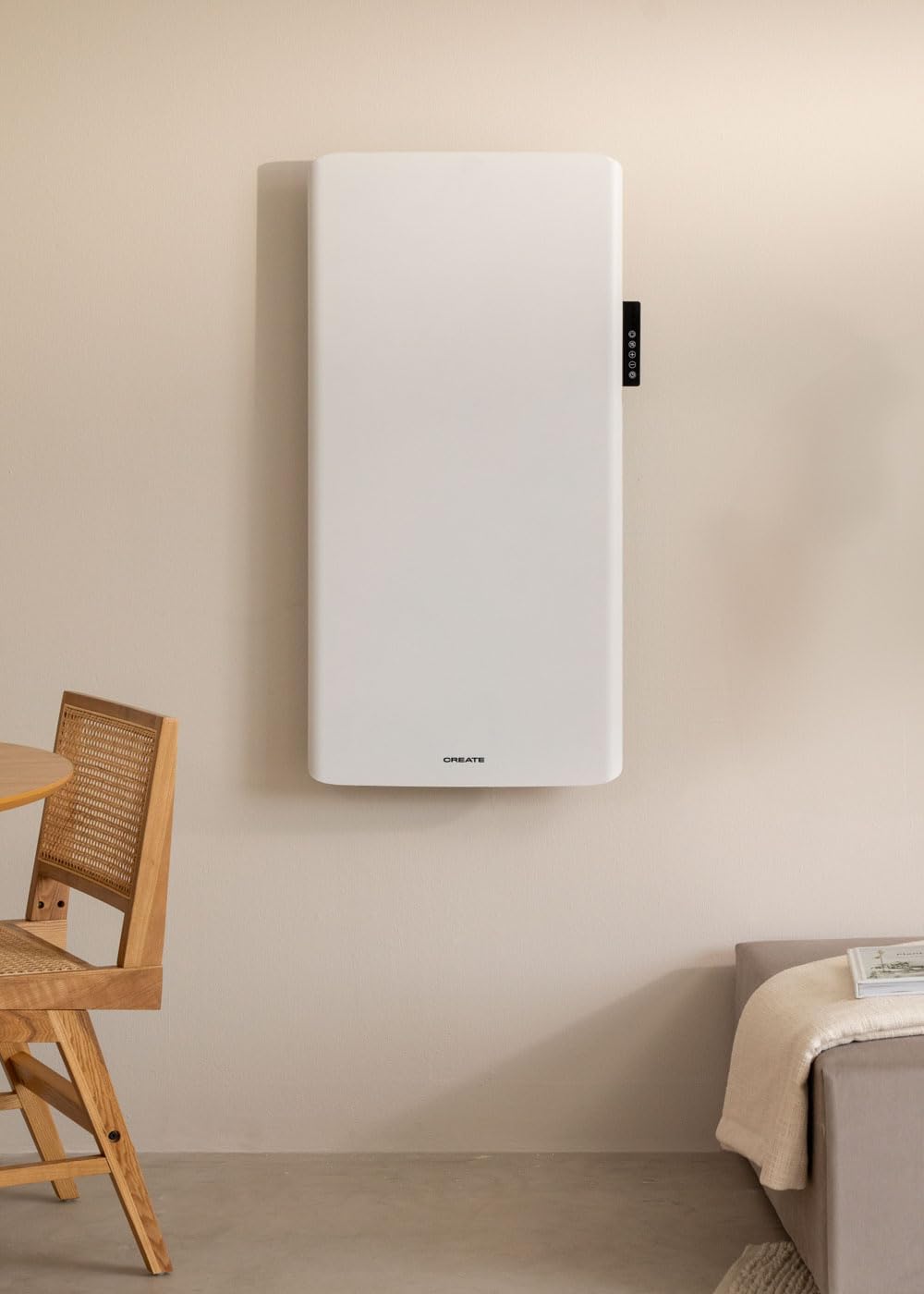
Gambar 3: The CREATE Warm Clear 2000W heater installed on a wall in a living space. This image demonstrates the heater's discreet integration into a room's decor when wall-mounted.
3.3 Sambungan Daya
Once mounted, plug the heater into a suitable 240V electrical outlet. Ensure the outlet is easily accessible and not overloaded.
4. Instruksi Operasi
4.1 Panel kontrol liwatview
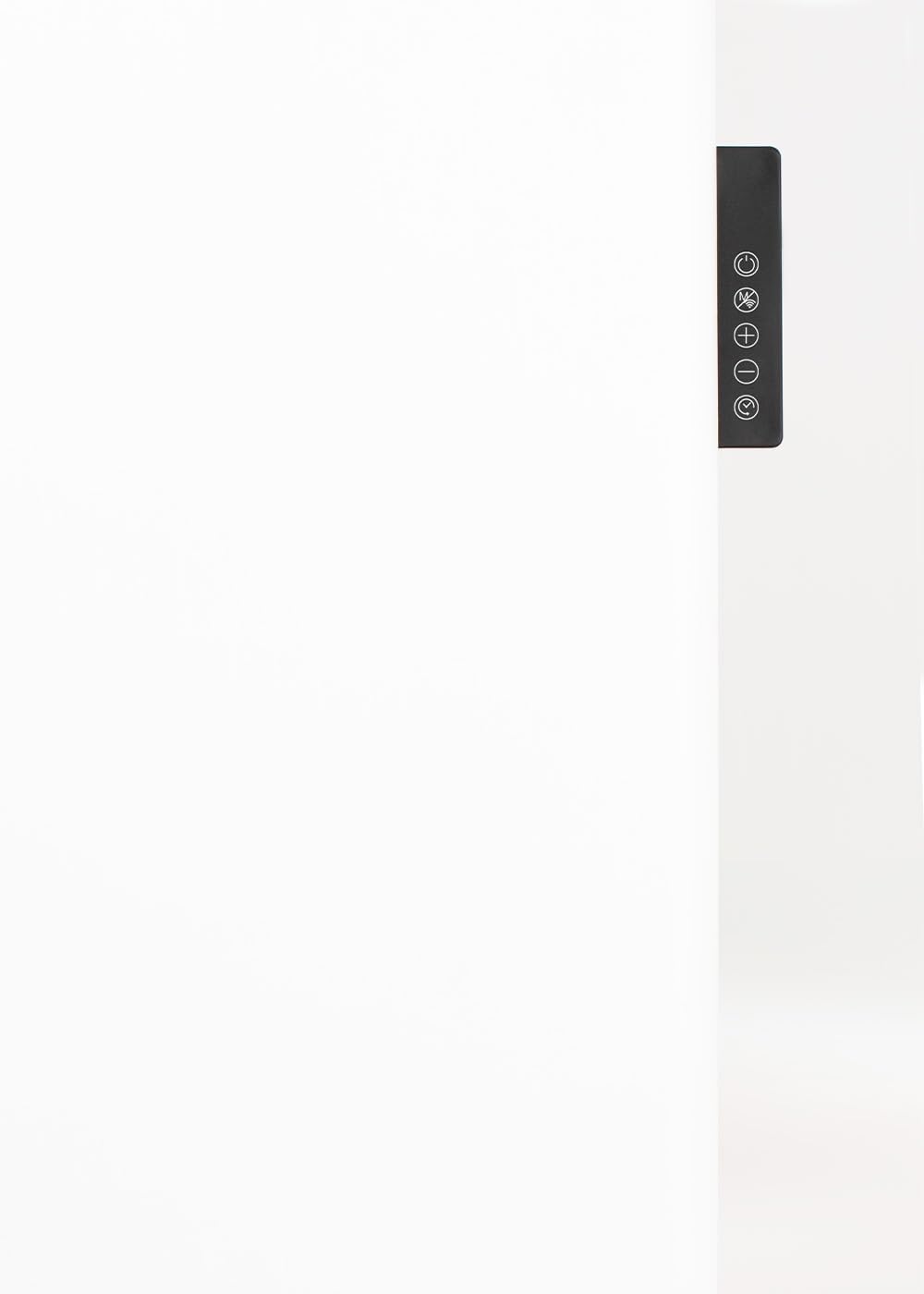
The heater can be operated using the integrated control panel located on the side of the unit or via the CREATE app.

Gambar 4: Close-up view of the heater's control panel. This image highlights the buttons for power, mode selection, temperature adjustment (+/-), and timer settings.
- Tombol Daya (⏻): Nguripake pemanas utawa OFF.
- Mode Button (☰): Cycles through different heating modes (e.g., Comfort, Eco, Anti-freeze).
- Temperature Up (+): Nambah suhu target.
- Temperature Down (-): Ngurangi suhu target.
- Tombol Timer (⏱): Sets or adjusts the operating timer.
4.2 Operasi dhasar
- Press the Power Button (⏻) to turn the heater ON. The display will show the current room temperature.
- Use the Temperature Up (+) and Temperature Down (-) buttons to set your desired temperature. The heater will automatically adjust its output to reach and maintain this temperature.
- Press the Mode Button (☰) to select a heating mode. Refer to the display for the active mode.
- To turn the heater OFF, press the Power Button (⏻) again.
4.3 WiFi Connectivity and App Control
The CREATE Warm Clear 2000W can be controlled remotely via the CREATE app on your smartphone.
- Download the 'CREATE' app from your smartphone's app store (iOS or Android).
- Ndhaptar akun utawa mlebu yen sampeyan wis duwe.
- Follow the in-app instructions to add your new heater. This typically involves putting the heater into pairing mode (refer to the heater's display or specific app instructions) and connecting it to your home WiFi network.
- Once connected, you can control the heater's power, temperature, modes, and set schedules from anywhere.
Gambar 5: A user interacting with the CREATE app on a smartphone to control the convector heater. The app interface shows temperature settings and control options.
4.4 Deteksi Jendela Mbukak
This feature helps save energy. If the heater detects a sudden drop in room temperature, indicating an open window or door, it will automatically pause heating to prevent energy waste. Heating will resume once the temperature stabilizes or the window/door is closed.
4.5 Proteksi overheating
The heater is equipped with an internal safety device that automatically switches off the unit in case of overheating. If this occurs, unplug the heater, allow it to cool down, and check for any obstructions to the air inlets or outlets before restarting.
5. Pangopènan
5.1 Reresik
- Tansah copot pemanas lan kelangan nganti rampung sadurunge ngresiki.
- Ngusap lumahing njaba kanthi alus, damp kain. Aja nggunakake pembersih abrasif utawa pelarut.
- Aja nyemplungake pemanas ing banyu utawa ngidini banyu netes menyang interior.
- Regularly clean the air inlets and outlets with a soft brush or vacuum cleaner to prevent dust buildup.
5.2 Panyimpenan
If storing the heater for an extended period, ensure it is clean and dry. Store it in its original packaging in a cool, dry place, away from direct sunlight and moisture.
6. Ngatasi masalah
If you experience issues with your heater, please consult the following table before contacting customer support.
| Masalah | Kemungkinan Penyebab | Solusi |
|---|---|---|
| Pemanas ora diuripake. | No power supply. Overheating protection activated. | Check if the plug is securely in the outlet. Check circuit breaker. Unplug, let cool for 30 minutes, then restart. |
| Pemanas ora ngasilake panas. | Temperature setting too low. Open window detected. | Increase the target temperature. Close any open windows or doors. |
| Sambungan WiFi gagal. | Incorrect WiFi password. Heater too far from router. Router issues. | Re-enter WiFi password. Move heater closer to router. Restart router. Ensure 2.4GHz WiFi network is used. |
| Swara utawa mambu sing ora biasa. | Dust buildup. Internal fault. | Unplug and clean the heater. If problem persists, discontinue use and contact support. |
7. Spesifikasi
| Fitur | Spesifikasi |
|---|---|
| Merk | NYIPTA |
| Model | WARM CLEAR 2000W |
| Wattage | 2000 Watt |
| Voltage | 240 volt |
| Bahan | Steel / ABS |
| warna | Putih |
| Ukuran (L x W x H) | 110 x 58 x 12.5 cm (kurang luwih 995 x 530 x 82 mm) |
| Bobot | 10.7 kg |
| Fitur Khusus | WiFi Connectivity, Open Window Detection |
| Rating Proteksi IP | IP24 (anti cipratan) |
| Jangkoan Area Pemanasan | Nganti 20m² |
| Faktor wangun | Dipasang ing tembok |
| Panggunaan njero ruangan / ruangan | njero ruangan |
8. Warranty lan Dhukungan
This product comes with a standard manufacturer's warranty. Please refer to the warranty card included in your product packaging for specific terms and conditions. For technical support, troubleshooting assistance beyond this manual, or warranty claims, please contact CREATE customer service through their official websitus utawa pengecer ing ngendi produk kasebut dituku.