
IZI IZI ONE+
Pandhuan Pangguna Kamera Aksi IZI ONE+
Model: IZI ONE+
Merk: IZI
Pambuka
Welcome to the IZI ONE+ Action Camera user manual. This guide provides comprehensive instructions for setting up, operating, and maintaining your new action camera. The IZI ONE+ is designed to capture your adventures in stunning 5K resolution with advanced stabilization and versatile features.
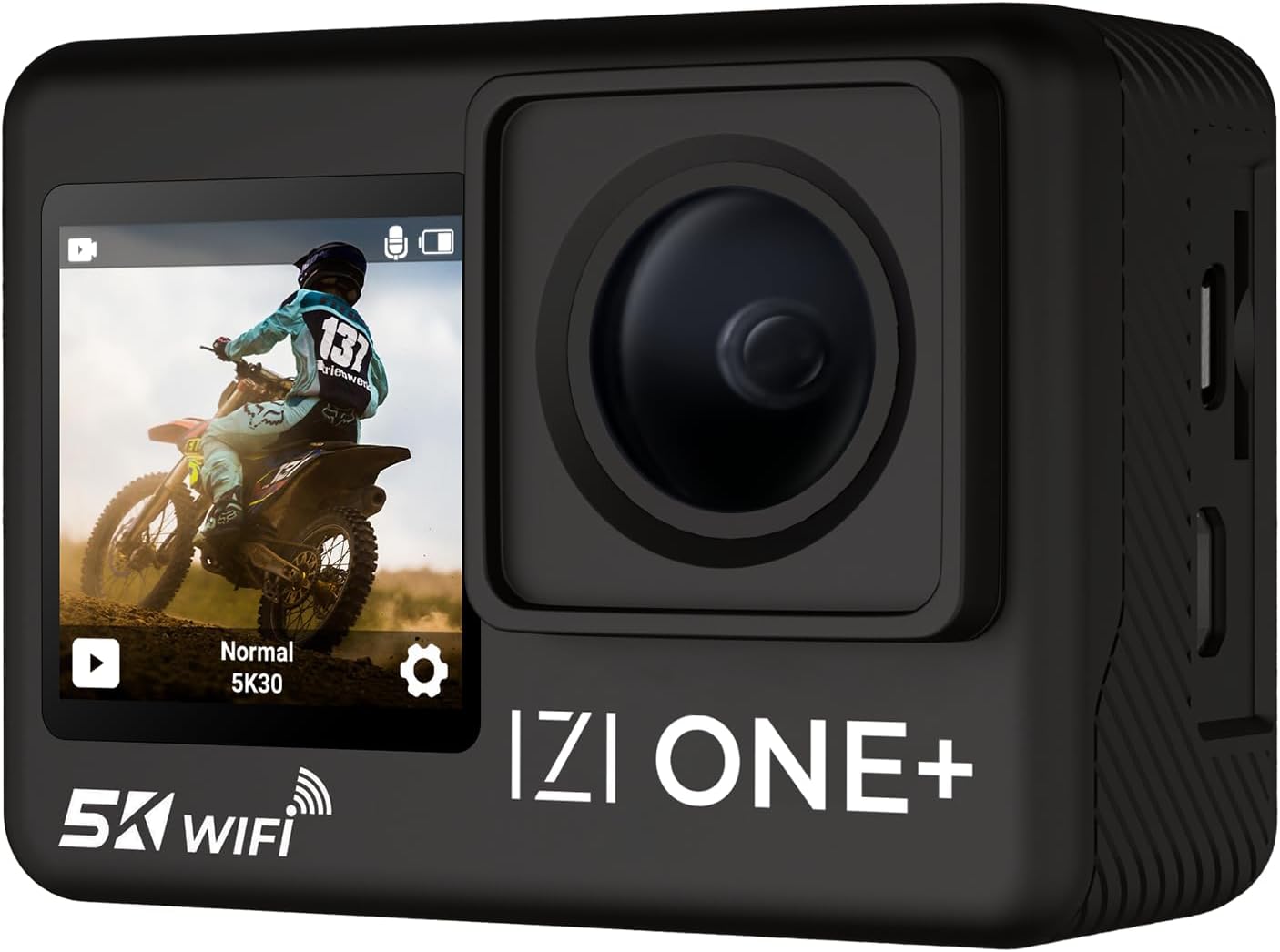
Figure 1: IZI ONE+ Action Camera
Apa ing Box
Priksa manawa kabeh barang ing ngisor iki kalebu ing paket sampeyan:
- IZI ONE+ Action Camera
- Baterei 2 x 1350mAh sing bisa diisi ulang
- Manual pangguna (dokumen iki)
- Ngangkut Kasus
- 20+ Accessories (various mounts, straps, etc.)
- Type-C Wired External Microphone
- Fast Charging Type-C Cable

Figure 2: IZI ONE+ Package Contents
Fitur Utama
- Njupuk Resolusi Dhuwur: Record stunning 5K video at 30 frames per second (FPS) and 4K video at 60 FPS. Capture high-detail photos with a 48MP sensor.
- Stabilisasi Lanjut: Equipped with 6-Axis Gyro Stabilization and Electronic Image Stabilization (EIS) for smooth, shake-free footage, even in dynamic environments.
- Layar ganda: Features a 2.0-inch FHD touch screen at the rear and a 1.3-inch HD front screen for easy framing and control, especially for vlogging and selfies.
- Desain anti banyu: The camera is waterproof up to 110 feet (30 meters) with the included waterproof housing, allowing for underwater capture.
- Dhukungan Mikrofon Eksternal: Includes a high-quality Type-C wired external microphone for professional-grade audio recording.
- Mode Pemotretan Serbaguna: Explore various creative modes including Time-lapse, Slow-motion, Burst photos, Self-timer, Loop recording, Screen saver, and White balance adjustment.
- Wide Field saka View (FOV): Features a 170° wide-angle lens to capture expansive scenes.
- Konektivitas: Built-in Wi-Fi for easy data transfer and remote control via a smartphone app.

Figure 3: High-Resolution Capabilities

Figure 4: 6-Axis Gyro EIS Stabilization

Figure 5: Dual Screen Functionality
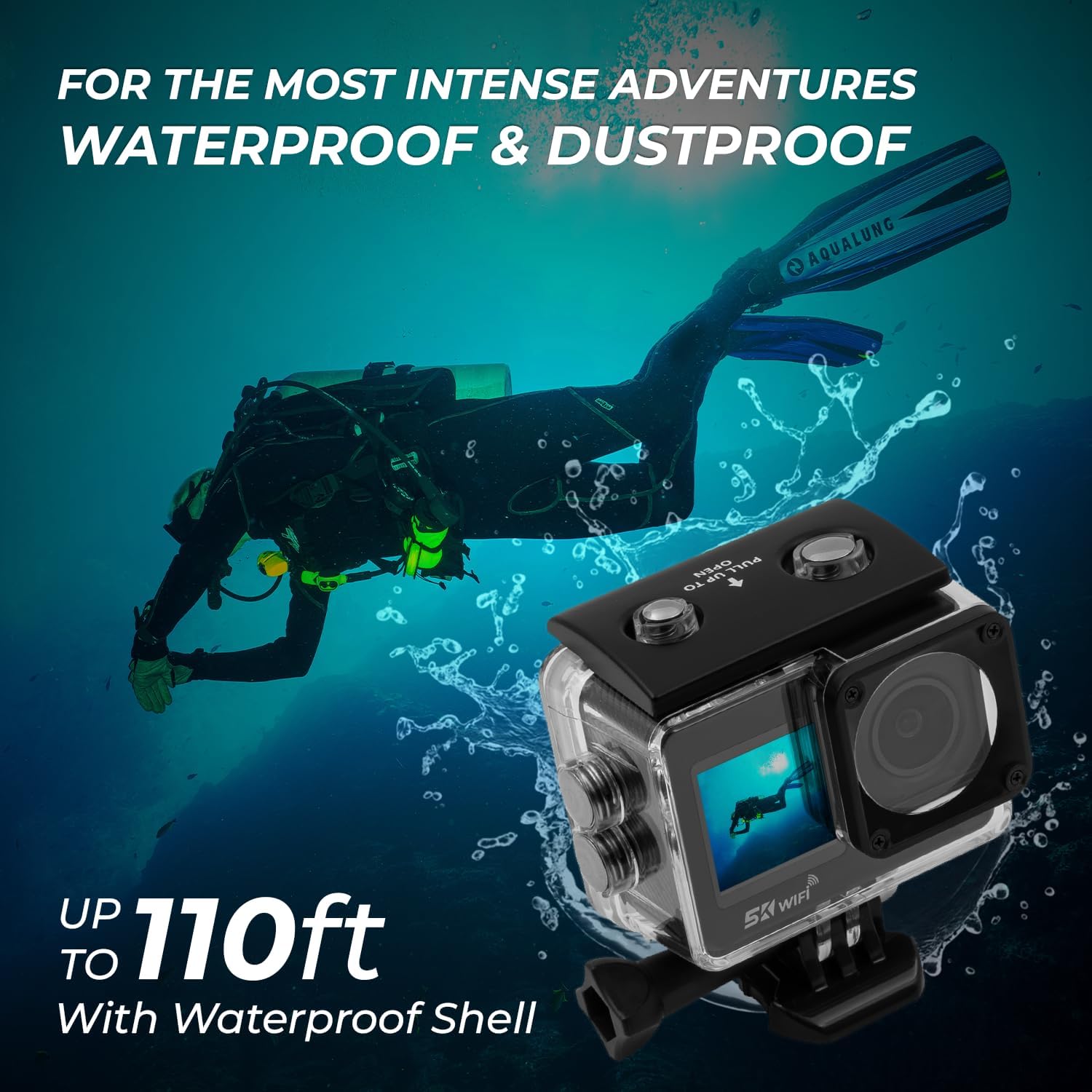
Gambar 6: Kemampuan Tahan Air

Figure 7: External Microphone Connection
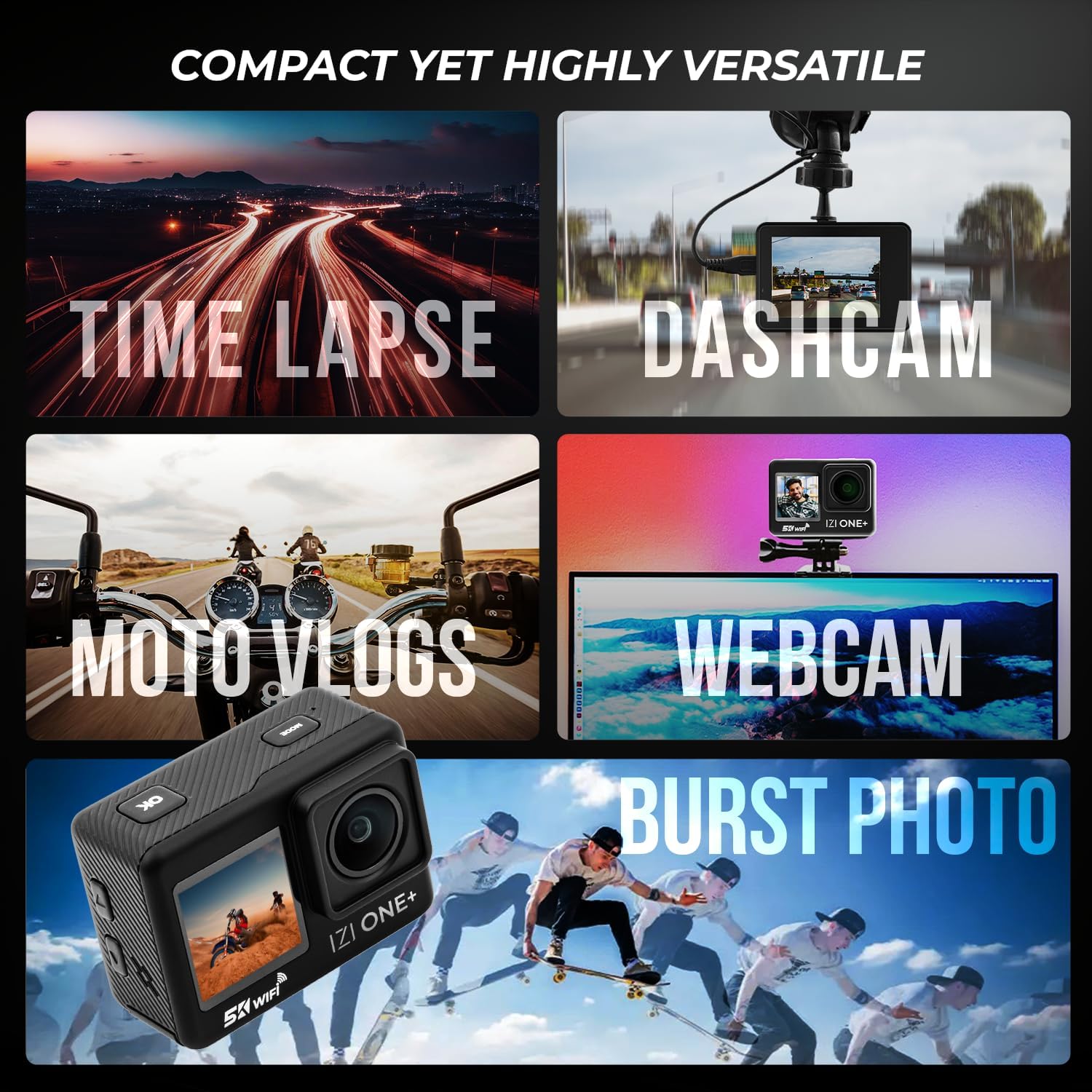
Figure 8: Versatile Shooting Modes

Figure 9: 170° Wide Angle FOV

Figure 10: Real-Time Sharing via Wi-Fi
Panuntun Setup
1. Ngisi Daya Baterei
The IZI ONE+ comes with two 1350mAh Lithium Ion batteries. For optimal performance, fully charge both batteries before first use.
- Connect the provided Type-C charging cable to the camera's Type-C port.
- Sambungake ujung kabel liyane menyang adaptor daya USB (ora klebu) utawa port USB komputer.
- Lampu indikator pangisian daya bakal murup. Lampu kasebut bakal mati utawa ganti warna sawise pangisian daya rampung.

Gambar 11: Informasi Batere
2. Nglebokake Baterei lan Kartu SD
- Goleki tutup kompartemen baterei ing sisih ngisor kamera.
- Open the cover and insert a charged 1350mAh battery, ensuring correct polarity.
- Insert a compatible SDHC flash memory card (not included) into the SD card slot until it clicks into place. Ensure the camera is off before inserting or removing the SD card.
- Nutup tutup kompartemen baterei kanthi aman.
Instruksi Operasi
1. Daya On / Off
- Kanggo nguripake, pencet terus tombol Daya/Mode nganti layar madhangi.
- To power off, press and hold the Power/Mode button until the screen turns off.
2. Ngalih Mode
Briefly press the Power/Mode button to cycle through different shooting modes (Video, Photo, Playback, Settings).
3. Recording Video / Taking Photos
- In Video mode, press the Shutter/OK button to start recording. Press again to stop.
- Ing mode Foto, pencet tombol Rana/OK kanggo njupuk foto.
4. Using Dual Screens
The 2.0-inch rear touch screen is for primary operation and playback. The 1.3-inch front screen is ideal for framing yourself when vlogging or taking selfies. You can switch between screens or use both simultaneously depending on the camera's settings.
Video 1: IZI ONE+ Action Camera Features Overview. This video demonstrates the camera's key functionalities including 5K resolution, 48MP photos, dash cam mode, EIS stabilization, multi-shooting modes, battery life, wide-angle panorama, waterproofing, dual screens, and built-in front screen for vlogging.
5. Connecting External Microphone
Plug the Type-C external microphone into the camera's Type-C port for enhanced audio quality. The camera will automatically detect the external microphone.
Pangopènan
1. Ngresiki Kamera
- Use a soft, lint-free cloth to clean the camera body and lenses.
- Kanggo rereget wangkal, rada dampen kain karo banyu. Aja nggunakake bahan kimia utawa pelarut sing atos.
- Ensure the camera is dry before storing or using, especially before closing ports or battery compartments.
2. Waterproof Housing Care
- After each use in water, rinse the waterproof housing with fresh water.
- Ngidini nganti garing nganti rampung sadurunge disimpen.
- Regularly check the O-ring seal for any debris or damage. Clean and lubricate the O-ring as needed to maintain its waterproof integrity.
Ngatasi masalah
| Masalah | Kemungkinan Penyebab | Solusi |
|---|---|---|
| Kamera ora urip. | Baterei wis entek utawa ora dipasang kanthi bener. | Ngisi daya baterei. Priksa manawa baterei dipasang kanthi polaritas sing bener. |
| Ora bisa ngrekam video / njupuk foto. | SD card is full, corrupted, or not inserted. | Insert a new/formatted SD card. Reformat the SD card (this will erase all data). |
| Footage iku goyah. | EIS/Stabilization is off or insufficient for activity. | Ensure 6-Axis Gyro Stabilization and EIS are enabled in settings. Use appropriate mounts for activity. |
| Kualitas audio sing kurang apik. | Internal mic used in noisy environment or external mic not connected properly. | Use the external microphone for clearer audio. Ensure external mic is fully plugged in. |
| Kamera mandheg. | Masalah piranti lunak utawa baterei sithik. | Copot lan pasang maneh baterei kanggo ngreset. Priksa manawa baterei wis diisi daya. Anyari firmware yen kasedhiya. |
Spesifikasi
| Fitur | Rincian |
|---|---|
| Merk | IZI |
| Nomer Model | IZI ONE+ |
| Resolusi Video | 5K@30FPS, 4K@60FPS |
| Resolusi Foto | 48 megapiksel |
| Stabilisasi | 6-Axis Gyro EIS Stabilization |
| Layar | 2.0" FHD Touch Screen (Rear), 1.3" HD Front Screen |
| Waterproof ambane | Up to 110 feet (30 meters) with housing |
| Lapangan saka View (FOV) | Sudut Wide 170° |
| Konektivitas | Wi-Fi, Type-C USB |
| Baterei | 2 x Lithium Ion 1350mAh (kalebu) |
| Panyimpenan | SDHC Flash Memory (external, not included) |
| Bobot Barang | 1.32 kab |
| Dimensi produk | 2.4 x 0.8 x 1.5 inci |
| warna | ireng |
Warranty lan Dhukungan
The IZI ONE+ Action Camera comes with a garansi 1 taun saka tanggal tuku. Garansi iki nyakup cacat manufaktur lan njamin fungsi produk kaya sing dikarepake ing panggunaan normal.
For technical support, warranty claims, or any inquiries, please refer to the contact information provided on the IZI official website or your purchase receipt. Please have your model number (IZI ONE+) and proof of purchase ready when contacting support.