
OLUMAT OL-0825
Kunci Lawang Pintar OLUMAT nganggo Gagang Manual
Model: OL-0825
1. Pambuka
Thank you for choosing the OLUMAT Smart Door Lock with Handle. This advanced keyless entry system offers multiple convenient and secure unlocking methods, including fingerprint, passcode, Fob, smartphone app, and traditional keys. With the included WiFi gateway, you can manage your lock remotely and integrate it with voice control platforms like Alexa and Google Assistant. This manual provides detailed instructions for installation, operation, maintenance, and troubleshooting to ensure optimal performance and security for your home or office.
2. Informasi Safety
- Waca kabeh instruksi kasebut kanthi teliti sadurunge instalasi lan nggunakake.
- Do not attempt to disassemble or repair the lock yourself. Refer to qualified personnel for service.
- Keep the lock away from direct water exposure and extreme temperatures.
- Priksa manawa kabeh komponen wis dipasang kanthi aman nalika instalasi supaya ora ana kerusakan.
- Regularly check battery levels and replace them as needed to avoid lockouts.
- Protect your passcodes and fingerprints from unauthorized access.
3. Isi Paket
Priksa manawa kabeh item ing ngisor iki kalebu ing paket sampeyan:
- OLUMAT Smart Door Lock (Front and Rear Panels)
- Mortise Lock Body
- Strike Plate lan Strike Box
- Mounting Screws lan Hardware
- 2 x Tombol Mekanik
- 2 x Kunci Fob
- WiFi Gateway
- Manual pangguna (dokumen iki)

Image: Complete package contents of the OLUMAT Smart Door Lock.
4. Produk Liwatview
The OLUMAT Smart Door Lock is designed for ease of use and robust security. It features a sleek design with an integrated keypad and fingerprint sensor on the exterior handle, and a secure interior handle. The system communicates wirelessly with the included WiFi gateway for remote functionality.

Gambar: Overview of the multiple unlocking methods available with the smart lock.
5. Persiyapan lan Instalasi
5.1. Sadurunge Instalasi
Priksa manawa lawang sampeyan memenuhi spesifikasi ing ngisor iki:
- Ketebalan Pintu: 1.30" - 1.97" (33mm - 50mm)
- Diameter lubang bor: 2.13" (54mm)
- Bore Hole Backset: 2.36" (60mm) utawa 2.76" (70mm)
Note: This lock may interfere with storm doors due to its size. If you have an existing deadbolt lock, please install the OLUMAT lock above it.

Image: Door dimension requirements for installation.
5.2. Langkah Instalasi
- Copot piranti lawang sing wis ana.
- Install the mortise lock body into the door edge.
- Attach the exterior handle assembly, ensuring the spindle passes through the mortise.
- Sambungake kabel saka perakitan njaba menyang perakitan interior.
- Secure the interior handle assembly to the door using the provided screws.
- Pasang pelat serang lan kothak serang ing kusen lawang.
- Insert 4 AAA batteries (not included) into the interior battery compartment.
- Test the lock's functionality with the mechanical key.

Image: Proper placement of the smart lock above an existing deadbolt.
5.3. Pandhuan Instalasi Video
Video: Official installation guide for the Olumat Smart Door Lock, demonstrating the setup process.
6. Instruksi Operasi
6.1. Cara mbukak kunci
- Kunci Fingerprint: Place your registered finger on the sensor. The lock will unlock within 0.3 seconds.
- Mbukak kunci Kode Sandhi: Enter your registered passcode on the sensitive touchscreen keypad. You can use an anti-peeping passcode by adding random digits before or after your actual code.
- Mbukak kunci aplikasi: Use the dedicated smartphone app to unlock the door remotely via the WiFi gateway.
- Fob Unlock: Present the registered Fob to the designated area on the lock.
- Mbukak Kunci: Use the mechanical key as a traditional backup method.
Image: Visual representation of various unlocking methods.
6.2. App Integration and Remote Control
The OLUMAT Smart Lock integrates with a smartphone app for comprehensive control and management. The included WiFi gateway enables remote access and voice control capabilities.
- Remote Unlock/Lock: Use the app to lock or unlock your door from anywhere.
- Manajemen pangguna: Add, modify, or delete fingerprints, passcodes, and Fobs for various users (e.g., family, guests, service providers).
- Kode Sandi Sepisan: Generate temporary passcodes for visitors, which expire after a single use or a set time.
- Akses Log: View a history of who entered and when.
- Kontrol swara: Connect your lock to Amazon Alexa or Google Assistant for hands-free operation. (Requires WiFi Gateway).
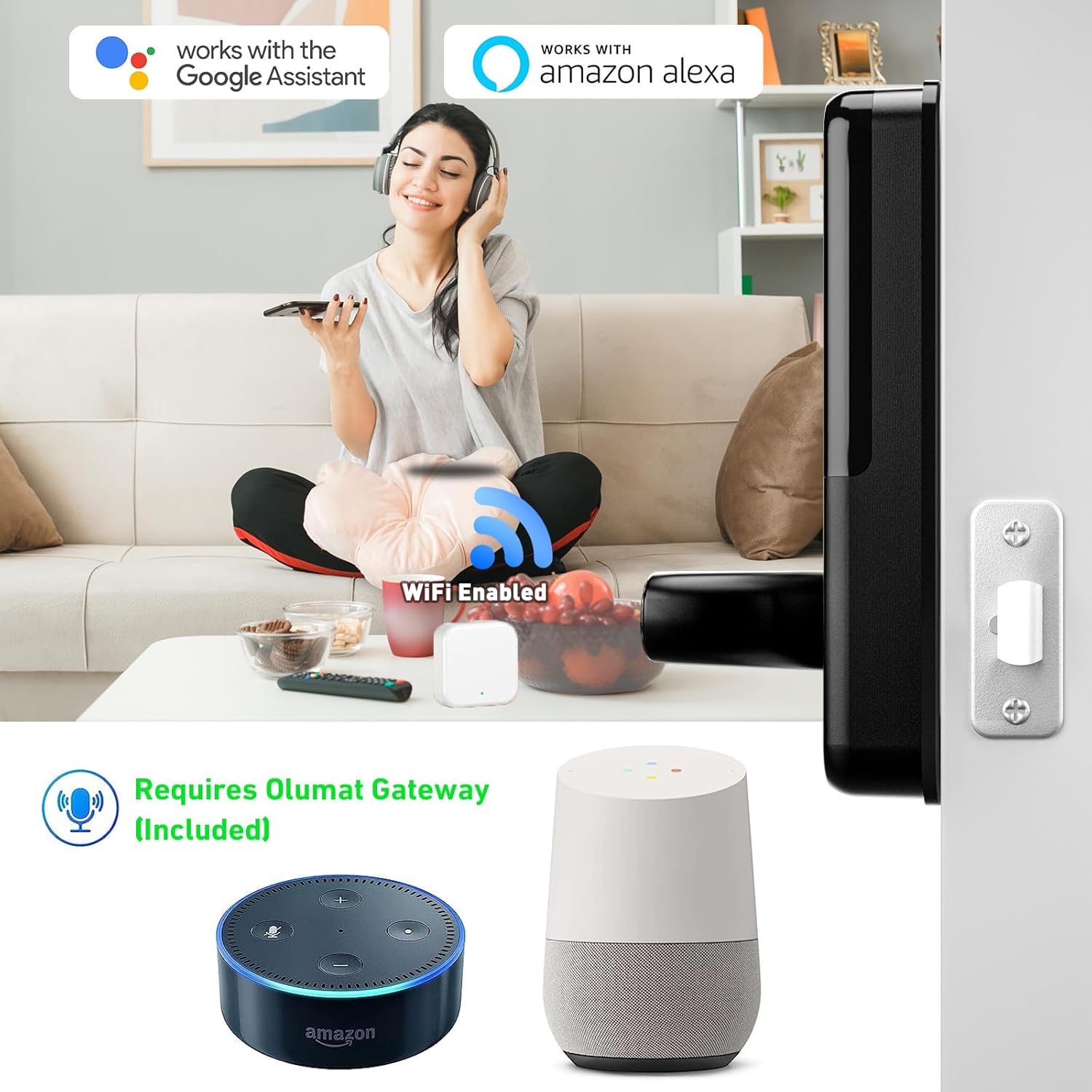
Image: Smart lock compatibility with Amazon Alexa and Google Assistant via WiFi gateway.

Image: Digital interface for managing lock settings and users.

Gambar: Example of generating and using a one-time passcode for temporary access.
6.3. Enhanced Safety Features
- Ngunci otomatis: The lock can be set to automatically lock after a specified period.
- Weker Anti Maling: Five consecutive incorrect password entries will trigger an alarm, enhancing security.
7. Pangopènan
- Reresik: Wipe the lock surface with a soft, dry cloth. Avoid abrasive cleaners or solvents.
- Panggantos baterei: When the battery low warning appears, replace all four AAA batteries promptly. Do not mix old and new batteries.
- Lubrication: Do not lubricate the lock cylinder or internal mechanisms with oil-based lubricants.
8. Ngatasi masalah
| Jeksa Agung bisa ngetokake | Kemungkinan Penyebab | Solusi |
|---|---|---|
| Kunci ora nanggapi. | Baterei mati. | Replace all four AAA batteries. |
| Fingerprint ora dikenali. | Finger dirty/wet, sensor dirty, unregistered fingerprint. | Resiki driji lan sensor. Registrasi maneh bekas driji yen perlu. |
| Kode sandhi ora bisa digunakake. | Incorrect code, anti-peeping feature misunderstood. | Ensure correct passcode entry. Understand anti-peeping passcode usage. |
| Mbukak kunci jarak jauh ora bisa digunakake. | WiFi gateway disconnected, internet issue, app not connected. | Check WiFi gateway connection and internet. Reconnect app to lock. |
| Alarm triggered frequently. | Repeated incorrect entries. | Ensure users know correct access methods. |
9. Spesifikasi
| Fitur | Rincian |
|---|---|
| Merk | OLUMAT |
| Nomer Model | OL-0825 |
| Tipe Kunci | Papan tombol |
| Fitur Khusus | Fingerprint, Keyless |
| Bahan | seng |
| Ukuran (L x W x H) | 7.1 x 2.8 x 1.2 inci |
| Bobot Barang | 4.29 kab |
| Protokol Konektivitas | Wi-Fi |
| Tipe Kontrol | Amazon Alexa, Asisten Google |
| Sumber Daya | Baterei (Ora Klebu) |
| Dianjurake Efesus | Home, Office, Store, Rental Houses |
10. Warranty lan Dhukungan
The OLUMAT Smart Door Lock comes with a 1-year warranty from the date of purchase. This warranty covers manufacturing defects and ensures the product functions as intended under normal use.
For any questions, technical support, or warranty claims, please contact OLUMAT customer service. Your feedback and inquiries are important to us.
Informasi Kontak:
Please refer to the contact details provided on the product packaging or the official OLUMAT websitus kanggo informasi dhukungan paling anyar.