
Nettech AP1868AL
Universal Replacement Remote for Apple TV
Model: AP1868AL
Brand: Nettech
1. Pambuka
This manual provides comprehensive instructions for the setup, operation, and maintenance of your new Nettech Universal Replacement Remote, model AP1868AL. This remote is designed to be compatible with various Apple TV models, offering a convenient and functional alternative to your original remote.

Figure 1: Nettech AP1868AL Universal Remote and its compatibility with various Apple TV remote designs.
2. Informasi Safety
- Tansah remot kontrol saka tekan anak.
- Do not expose the remote to direct sunlight, heat sources, or extreme temperatures.
- Aja nyelehake utawa tundhuk remot kanggo impact kuwat.
- Aja nyoba mbongkar utawa ngowahi remot kontrol.
- Buang baterei sing digunakake miturut peraturan lokal.
3. Isi Paket
- 1 x Nettech Universal Replacement Remote (AP1868AL)
- Note: 2 AAA batteries are required and not included in the package.
4. Produk Liwatview
The Nettech AP1868AL remote is an Infrared (IR) remote designed for ease of use with Apple TV devices. It features dedicated buttons for navigation, playback, volume control, and TV power functions.

Gambar 2: Tata Letak lan Fungsi Tombol.
- Tombol daya: Turns the TV on/off (requires manual programming for TV).
- Ring navigasi: Up, Down, Left, Right for menu navigation.
- Pilih Tombol: Confirms selections (center of navigation ring).
- Tombol Menu: Returns to the previous screen or main menu.
- TV/Home Button: Accesses the TV app or Home screen (HD & 4K versions).
- Tombol Puter/Ngaso: Ngontrol puter maneh media.
- Volume munggah/mudhun: Ngatur volume.
- Tombol Bisu: Mute / unmute audio.
5. Setup
5.1. Instalasi baterei
The remote requires two AAA 1.5V dry cell batteries. Open the battery compartment cover on the back of the remote, insert the batteries ensuring correct polarity (+ and -), and close the cover securely.
5.2. Initial Pairing with Apple TV
This remote is designed for immediate use without complex programming. Simply insert new batteries, and it should function directly with your Apple TV. If it does not work immediately, follow these steps to pair:
- Point the Nettech remote directly towards your Apple TV device.
- Pencet terus loro Menu tombol lan Ngiwa navigation button simultaneously for approximately 6 seconds until the pairing is complete.
For visual guidance on pairing, please refer to the product video if available.
5.3. Kompatibilitas
This universal remote is compatible with the following Apple TV models:
- Apple TV 4K: A2169 (2nd Gen), A1842 (1st Gen)
- Apple TV HD: A1625 (4th Gen)
- Older Apple TV Models: A1427 (3rd Gen), A1469 (3rd Gen), A1378 (2nd Gen), A1218 (1st Gen)

Figure 3: Remote compatibility with various Apple TV models.
5.4. TV Control Function (Power Key)
The Power key on this remote can control the power of certain TV brands. This function requires manual programming for your specific TV. It is compatible with:
- Samsung
- LG
- Sony
- Westinghouse
- Insignia
- Vizio
- Toshiba
Note: This function is ora compatible with any ROKU TV.
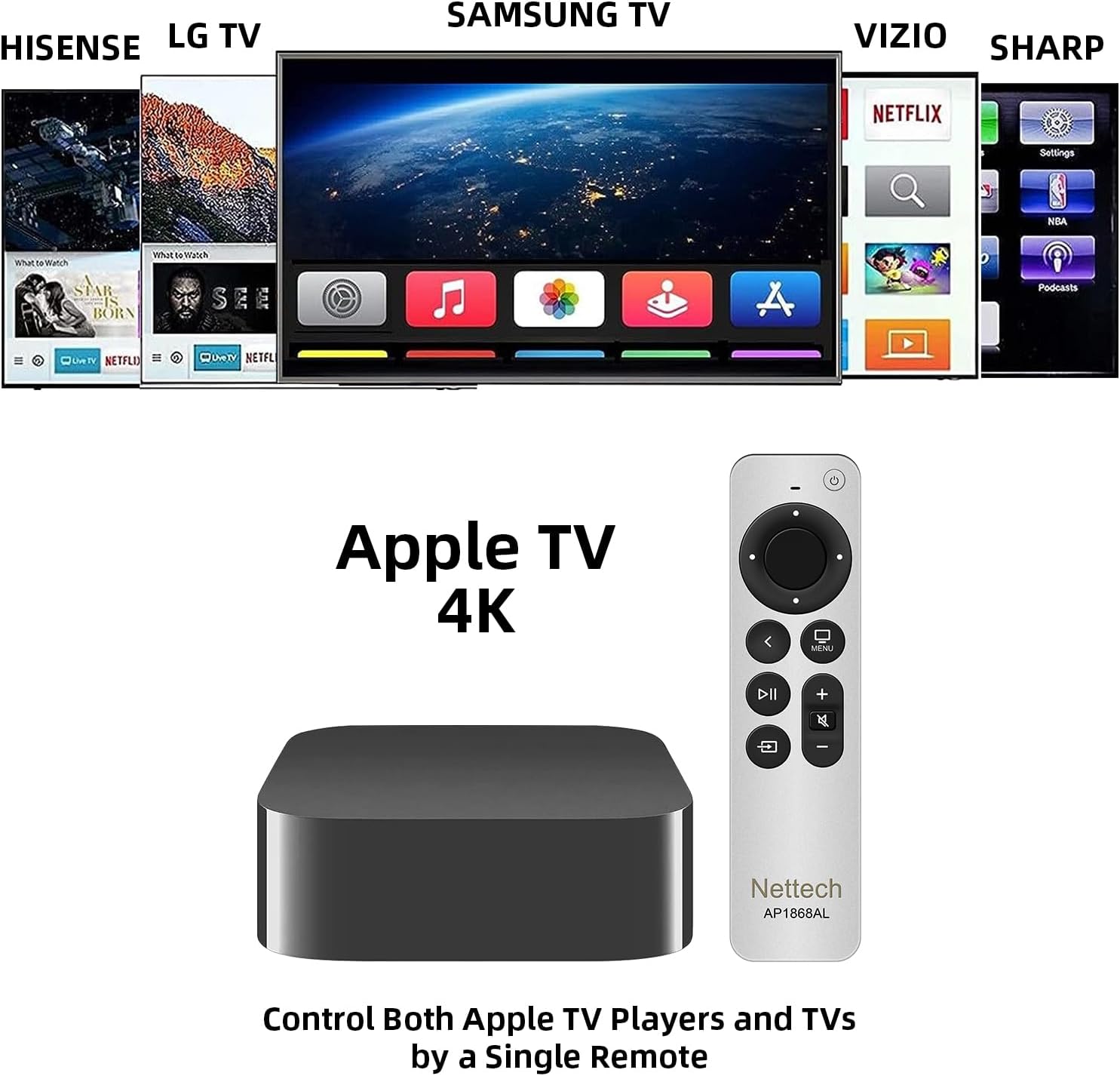
Figure 4: Remote controlling both Apple TV and various TV brands.
6. Instruksi Operasi
6.1. Pandhu arah dhasar
Gunakake ing Ring Pandhu arah to move through menus and select items. Press the center button of the ring to confirm your selection. The Play / Ngaso button controls media playback.
6.2. Volume and Mute Control
Setel volume nggunakake Volume + lan Volume - buttons. The dedicated bisu button allows you to quickly silence or restore audio, a feature not present on all older Apple TV remotes.
6.3. TV/Home Button Functionality
Ing TV/Home button provides quick access to the Apple TV app or the Home screen, depending on your Apple TV model (HD & 4K versions). Press and hold this button to access the Control Center.

Figure 5: The Versatile Home Button functionality.
6.4. Using Multiple Remotes
This Nettech remote can be used in conjunction with your original Apple TV remote, allowing you to have two functional remotes for your device simultaneously.
7. Pangopènan
- Ngresiki remot nganggo kain sing alus lan garing. Aja nggunakake pembersih abrasif utawa pelarut.
- Yen remot ora bakal digunakake kanggo wektu lengkap, copot baterei kanggo nyegah bocor.
8. Ngatasi masalah
- Remote ora nanggapi: Ensure fresh AAA batteries are correctly installed. Re-attempt the pairing process (Section 5.2).
- Power key not controlling TV: Verify your TV brand is listed as compatible (Section 5.4). Ensure you have manually programmed the power key for your specific TV model.
- Fungsi winates: This is an IR remote and does ora support Siri voice control or touchpad functions. Line-of-sight to the Apple TV is required.
9. Spesifikasi
| Fitur | Rincian |
|---|---|
| Dimensi produk | 7 x 5 x 0.5 inci |
| Bobot Barang | 1.76, XNUMXuw |
| Baterei dibutuhake | 2 baterei AAA (ora klebu) |
| Fitur Khusus | Ergonomic, Pre Programmed |
| warna | Putih / Perak |
| Jumlah Max Piranti sing Didhukung | 2 (Apple TV + TV Power) |
| Piranti sing kompatibel | Apple TV (various generations), Select TV Brands |
10. Warranty lan Dhukungan
This Nettech Universal Replacement Remote comes with a garansi 30 dina saka tanggal tuku.
If you have any questions, concerns, or require assistance with your remote, please do not hesitate to contact us. We are committed to helping you resolve any issues you may encounter.
Dokumen sing gegandhengan - AP1868AL
 |
Ntera Streaming TV: Pandhuan Aplikasi & Setelan Amazon Fire TV Stick 4K Celect Miwiti Ntera Streaming TV nggunakake Amazon Fire TV Stick 4K. Pandhuan iki nyedhiyakake pandhuan langkah demi langkah kanggo persiyapan, nyambung menyang WiFi, nginstal aplikasi Celect Communications, lan navigasi fitur-fiturnya. |
 |
Sideclick Universal Remote Attachment for Apple TV: Setup and Programming Guide Sinau carane nyiyapake, program, lan nggunakake lampiran remot universal Sideclick kanthi gampang kanggo Apple TV 4K (Generasi 2). Kalebu instruksi langkah-langkah lan tips kanggo integrasi sing lancar. |
 |
AlterG VIA-Gen 3 Series Anti-Gravity Treadmill User Manual Manual pangguna iki menehi instruksi lengkap kanggo operasi, nyetel, lan njaga AlterG VIA-Gen 3 Series Anti-Gravity Treadmill. Iki kalebu pancegahan safety, indikasi panggunaan, lan spesifikasi teknis kanggo peralatan rehabilitasi lan fitness sing canggih iki. |
 |
Manual Pamilik Honda Fit 2013 - Pandhuan Komprehensif kanggo Operasi lan Fitur Manual pemilik resmi kanggo Honda Fit 2013. Pandhuan iki nyedhiyakake informasi rinci babagan operasi kendaraan, fitur safety, kontrol, sistem audio, nyopir, pangopènan, lan ngatasi masalah kanggo Honda Fit sampeyan. |
 |
Apple Universal Dock Pandhuan Pangguna Sinau carane nggunakake Apple Universal Dock karo iPhone lan iPod kanggo ngisi daya, sinkronisasi, output audio, lan tampilan video. Kalebu instruksi persiyapan lan panuntun remot kontrol. |
 |
Case Keyboard iPad karo Touchpad - Pandhuan pangguna Pandhuan pangguna kanggo kasus keyboard iPad slim karo touchpad, kompatibel karo iPad 9th/8th/7th Gen 10.2" lan iPad Air 3rd/Pro 10.5". Sinau carane ngetik mode pasangan lan nggunakake obahe navigasi. |
Ask a question about this manual
Ask about setup, troubleshooting, compatibility, parts, safety, or missing instructions. Manuals+ will review the question and use this page’s manual context to help answer it.