
1. Pambuka
This user manual provides detailed instructions for the installation, operation, and maintenance of your Rettru 4K Wireless WiFi Camera, Model Q18. Please read this manual thoroughly before using the product to ensure proper functionality and safety. This camera is designed for indoor and outdoor surveillance, offering high-resolution video and advanced detection features.
2. Isi Paket
Priksa manawa kabeh item ing ngisor iki kalebu ing paket sampeyan. Yen ana barang sing ilang utawa rusak, hubungi dhukungan pelanggan.
- 1 x Rettru Q18 Camera
- 1 x Dhasar Magnetik
- 1 x Micro SD Card Reader
- 1 x Kabel USB
- 1 x Manual pangguna
3. Produk Liwatview
The Rettru Q18 camera is a compact and versatile surveillance device. It features a 4K (2560x1440) resolution lens, a 160-degree wide-angle view, and an 1800mAh built-in battery for extended operation. Its small size allows for discreet placement.
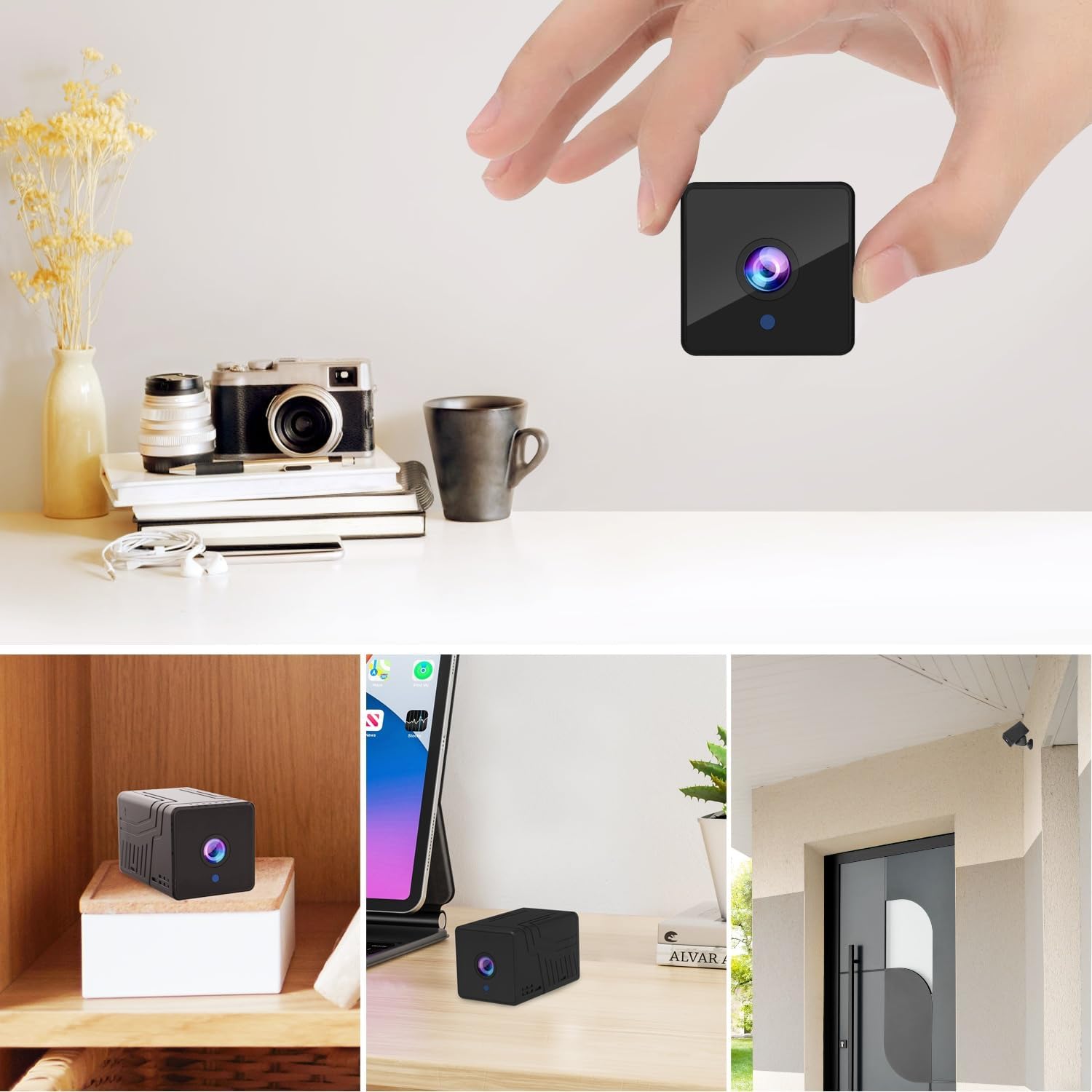
Gambar 3.1: Ngarep view of the Rettru Q18 camera with its magnetic base. This image highlights the compact design and the lens of the camera.

Gambar 3.2: The Rettru Q18 camera shown in different indoor and outdoor settings, demonstrating its small size and ease of concealment. The image illustrates its "Super Tiny, Easy to Hide" characteristic.
4. Instruksi persiyapan
4.1 Ngisi daya wiwitan
Before first use, fully charge the camera using the provided USB cable and a standard 5V USB power adapter (not included). The built-in 1800mAh battery provides approximately 6 hours of continuous recording or up to 100 days of standby time.

Gambar 4.1: Graphic illustrating the 1800mAh battery capacity of the Rettru Q18 camera, highlighting its 6-hour continuous recording and 100-day ultra-long standby capabilities.
4.2 Ngundhuh lan Sambungan Aplikasi
To operate the camera and access its features, you need to download the "V380 Pro" application on your smartphone.
- Download App: Nggoleki "V380 Pro" in your smartphone's app store (Google Play Store for Android or Apple App Store for iOS) and install it.
- Ngaktifake Kamera: Turn on the Rettru Q18 camera. Refer to the camera's physical buttons for power control.
- Nyambung menyang Wi-Fi: Tindakake pandhuan ing app kanggo nyambungake kamera menyang jaringan Wi-Fi omah. Cathetan: The camera only supports 2.4GHz Wi-Fi networks. Ensure your router is configured for 2.4GHz or has a mixed mode enabled.
- Urip View: Once connected, you can access the live video feed and control the camera through the V380 Pro app.
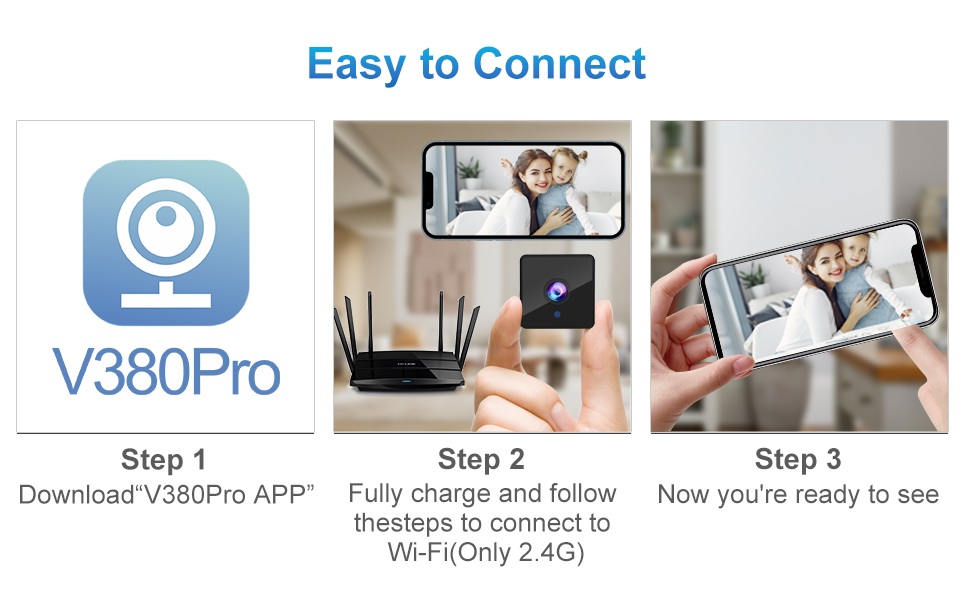
Gambar 4.2: Visual guide for connecting the Rettru Q18 camera using the V380 Pro app, showing steps for app download, charging, and Wi-Fi connection.
5. Instruksi Operasi
5.1 Pemantauan Video Langsung
Open the V380 Pro app on your smartphone. Select your camera from the device list to view the live 2K Ultra HD video feed. You can pan, tilt, and zoom digitally within the app if supported by the camera's software.
5.2 Rekaman lan Panyimpenan
The camera supports local storage via a Micro SD card (up to 128GB). Insert the Micro SD card into the designated slot on the camera. The camera will automatically begin recording based on your settings (e.g., continuous recording, motion-activated recording). Recorded video files are in AVI format. Cathetan: Due to Amazon's policy, recorded videos do not include audio.
5.3 Wawasan Wengi
The Rettru Q18 camera is equipped with 8 straw hat 940nm infrared lights for automatic night vision. The IR-CUT feature ensures clear black and white video in low-light conditions, with a night vision range of up to 28 feet. The camera automatically switches between day and night modes.
Gambar 5.1: Comparison of day and night vision capabilities of the Rettru Q18 camera, showing automatic IR ON/OFF and enhanced night vision up to 26ft.
5.4 Deteksi Gerakan lan Tandha
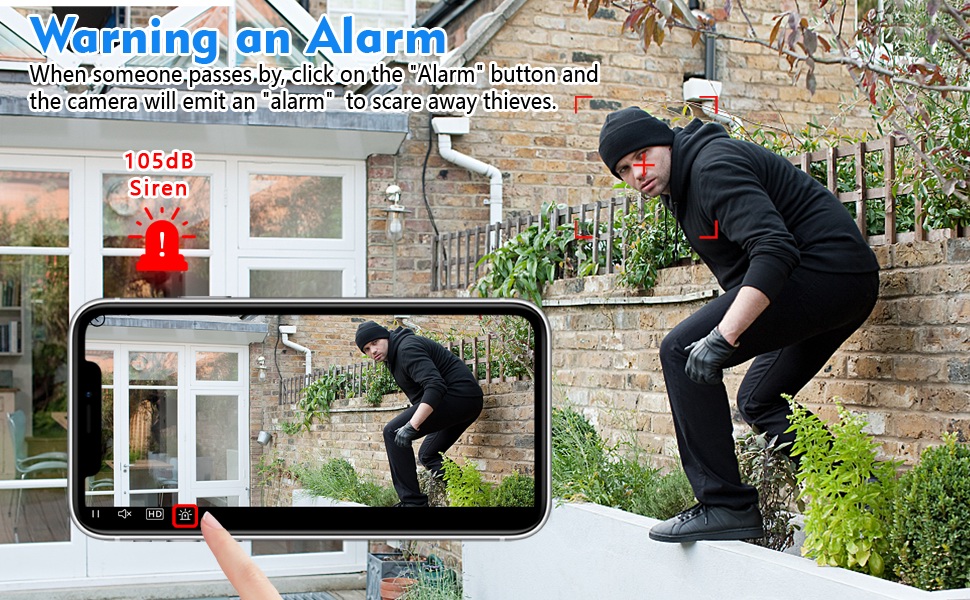
The camera features AI Human Detection, which can distinguish human movement from other motions, reducing false alarms. When motion is detected, the camera can send alert notifications to your smartphone via the V380 Pro app. You can also activate a built-in 105dB siren through the app to deter intruders.
Gambar 5.2: Illustration of the camera's alarm function, showing a user activating a 105dB siren via the app to deter a potential intruder.
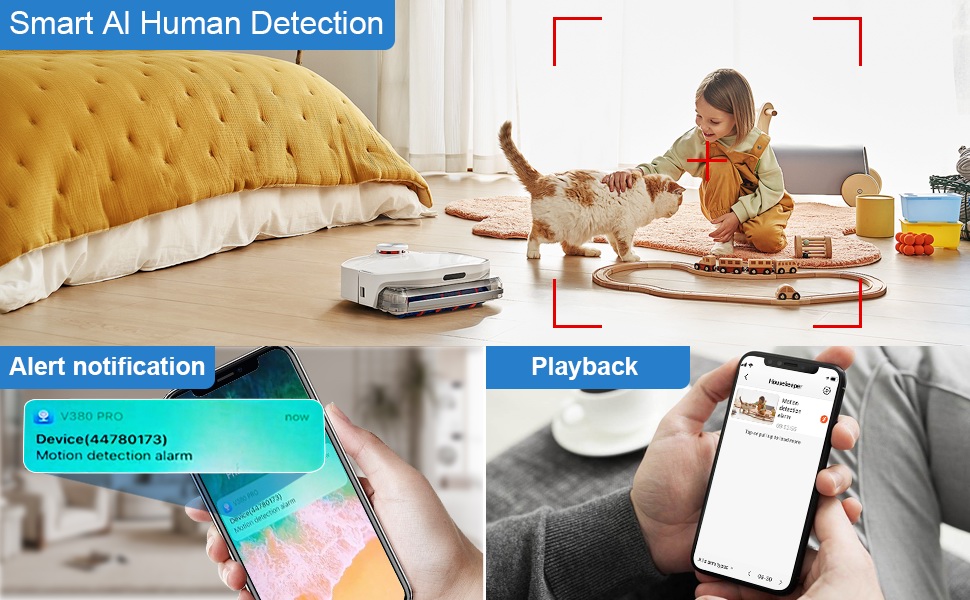
Gambar 5.3: Depiction of the Smart AI Human Detection feature, showing how the camera identifies human movement and sends alert notifications to the V380 Pro app.
5.5 Komunikasi Rong Arah
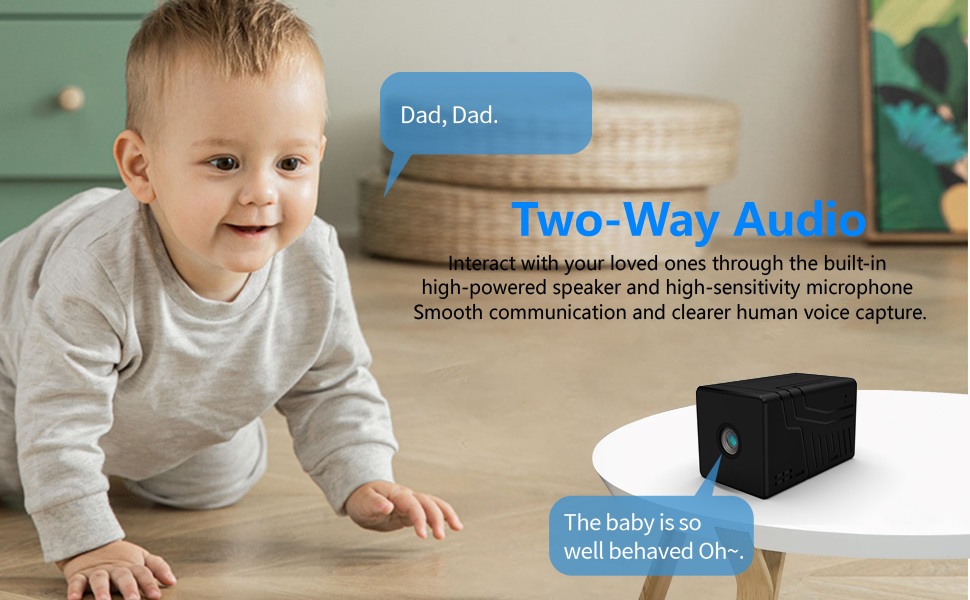
The camera supports two-way communication through its built-in high-powered speaker and high-sensitivity microphone. This allows you to interact with individuals near the camera via the V380 Pro app. Please note that while two-way communication is supported, recorded video files do not contain audio.

Gambar 5.4: An image illustrating the two-way audio capability of the Rettru Q18 camera, showing communication between a parent and a child.
6. Fitur Utama
- Resolusi Ultra HD 2K: Records video at 2560x1440 (5 Megapixels) for clear and detailed footage.
- jembar Viewing Angle: 160-degree lens captures a broad area.
- Urip baterei dawa: Equipped with an 1800mAh dual lithium battery, offering up to 6 hours of continuous recording or 100 days of standby.
- Enhanced Night Vision: Automatic IR-CUT with 940nm infrared lights provides clear night vision up to 28 feet without a visible red glow.
- Deteksi Manungsa AI: Intelligent motion detection reduces false alarms by focusing on human shapes.
- Instant Alerts & Siren: Receive smartphone notifications upon motion detection and activate a 105dB siren remotely.
- Komunikasi rong arah: Speak and listen through the camera via the V380 Pro app (recorded video is without audio).
- Panyimpenan Lokal: Ndhukung kertu Micro SD nganti 128GB kanggo panyimpenan video.
- Desain kompak: Small and lightweight, suitable for discreet placement indoors or outdoors (IP65 rated).
- Konektivitas Wi-Fi: Connects to 2.4GHz Wi-Fi networks for remote access.
7. Pangopènan
7.1 Ngresiki Kamera
To maintain optimal performance, regularly clean the camera lens and body. Use a soft, dry cloth to wipe away dust and smudges. For stubborn dirt on the lens, use a lens cleaning solution specifically designed for optical surfaces. Avoid using harsh chemicals or abrasive materials.
7.2 Perawatan Baterai
To prolong battery life, avoid exposing the camera to extreme temperatures. If storing the camera for an extended period, ensure it is partially charged (around 50%) and recharge it every few months to prevent deep discharge.
7.3 Nganyari Firmware
Periodically check the V380 Pro app for available firmware updates. Keeping your camera's firmware up-to-date ensures you have the latest features, security enhancements, and bug fixes.
8. Ngatasi masalah
| Masalah | Solusi sing mungkin |
|---|---|
| Kamera ora urip. | Ensure the camera is fully charged. Connect it to a power source using the USB cable and check if the charging indicator light is on. |
| Ora bisa nyambung menyang Wi-Fi. |
|
| Kualitas video sing kurang apik utawa lag. |
|
| Tandha deteksi gerakan ora ditampa. |
|
| Kertu SD ora bisa direkam. |
|
9. Spesifikasi
| Fitur | Rincian |
|---|---|
| Nomer Model | Q18 |
| Resolusi Jupuk Video | 2K (2560x1440) |
| Resolusi Isih Efektif | 5 MP |
| Viewing Angle | 160 derajat |
| Protokol Konektivitas | Wi-Fi (mung 2.4GHz) |
| Tipe Kontrol | Aplikasi V380 Pro |
| Sumber Daya | Didukung Baterei (Lithium Ion 1800mAh) |
| Urip baterei | Approx. 6 hours continuous recording, 100 days standby |
| Range Wawasan Wengi | Nganti 28 Kaki |
| Panyimpenan | Kartu Micro SD (nganti 128GB, ora kalebu) |
| Format Jupuk Video | AVI |
| Jinis Tandha | Motion Only (AI Human Detection) |
| Rating Proteksi Internasional | IP65 |
| Bobot Barang | 75 gram (2.65 ons) |
| Dimensi produk | 21.6 x 13.3 x 13.3 inches (packaging dimensions, actual camera is smaller) |
| Produsen | Rettru |
10. Informasi Safety
- Do not expose the camera to extreme temperatures, direct sunlight for prolonged periods, or excessive moisture.
- Gunakake mung kabel USB sing kasedhiya kanggo ngisi daya.
- Keep the camera and its accessories out of reach of children and pets.
- Aja nyoba mbongkar utawa ngowahi kamera. Iki bakal mbatalake garansi lan bisa nyebabake karusakan.
- Priksa manawa kamera dipasang kanthi aman supaya ora tiba.
- Respect privacy laws and regulations when using surveillance equipment.
11. Warranty lan Dhukungan
For warranty information or technical support, please refer to the contact details provided with your purchase or visit the official Rettru websitus. Simpen kuitansi tuku minangka bukti tuku kanggo klaim garansi.