
1. Pambuka
This manual provides essential information for the safe installation, operation, and maintenance of your CREATE WIND CLEAR Ceiling Fan. Please read these instructions thoroughly before installation and retain them for future reference.
The CREATE WIND CLEAR Ceiling Fan is a quiet ceiling fan featuring a 40W DC brushless motor and a winter-summer reversal function. Its compact and versatile design includes retractable blades. It is suitable for small to medium-sized rooms and bedrooms, offering a built-in LED light with three adjustable color temperatures. The fan body is constructed from steel, and the blades are made of ABS. It provides 6 speed settings and a programmable timer up to 8 hours, all controllable via the included remote control and WiFi connectivity.
2. Pandhuan Safety
- Tansah pedhot daya ing pemutus sirkuit utama sadurunge masang, pangopènan, utawa ngresiki.
- Instalasi kudu ditindakake dening tukang listrik sing mumpuni miturut kabeh kode listrik lokal lan nasional.
- Ensure the mounting structure can support the weight of the fan (refer to specifications for weight).
- Aja nglebokake obyek menyang dalan bilah kipas.
- Priksa manawa kabeh sambungan aman lan terisolasi kanthi bener.
- Piranti iki ora dimaksudake kanggo digunakake dening wong (kalebu bocah-bocah) sing kurang kemampuan fisik, sensori utawa mental, utawa kurang pengalaman lan kawruh, kajaba wis diwenehi pengawasan utawa instruksi babagan panggunaan piranti kasebut dening wong sing tanggung jawab kanggo safety.
3. Klebu Komponen
Priksa manawa kabeh komponen wis ana sadurunge miwiti instalasi:
- CREATE WIND CLEAR Ceiling Fan Unit
- Remote Control
- Batere kanggo Remote Control
- Mounting Hardware (screws, brackets, etc. - specific items may vary)
- Instruksi Manual
For a visual reference of the product and its components, please see the image below:

4. Persiyapan lan Instalasi
Professional installation is highly recommended for this ceiling fan. Ensure the power supply is disconnected before starting any installation work.
4.1 Instalasi Fisik
- Pemasangan Bracket: Securely attach the mounting bracket to a ceiling joist or a suitable electrical junction box rated for fan support.
- Wiring: Connect the fan's electrical wires to the household wiring according to the wiring diagram provided in the full installation guide (not included in this summary). Ensure proper grounding.
- Majelis Fan: Carefully lift and attach the fan motor assembly to the mounting bracket.
- Instalasi Blade: The fan features retractable blades that deploy automatically when the fan operates. No manual blade installation is typically required after the main unit is mounted.
- Instalasi Light Kit: Attach the LED light kit to the fan housing as per the detailed instructions.
Refer to the following images for visual guidance on the fan's appearance and dimensions:


4.2 Setelan WiFi
The fan supports WiFi connectivity for control via a smartphone application. Refer to the specific instructions provided with the fan for pairing the device with your home WiFi network and the CREATE smart home app.
5. Instruksi Operasi
Your CREATE WIND CLEAR Ceiling Fan can be operated using the included remote control or via the dedicated smartphone application.
5.1 Fungsi Remote Control
- Daya On/Off: Pencet tombol daya kanggo nguripake utawa mateni kipas lan lampu.
- Kacepetan Fan: Adjust between 6 fan speeds using the designated speed buttons.
- Kontrol cahya: Turn the LED light on/off and cycle through three adjustable color temperatures (warm, neutral, cold).
- Timer: Set the fan to turn off automatically after 1, 2, 4, or 8 hours.
- Mode mangsa/panas: Switch between forward (summer) and reverse (winter) rotation modes.

5.2 Mode Mangsa Dingin lan Panas
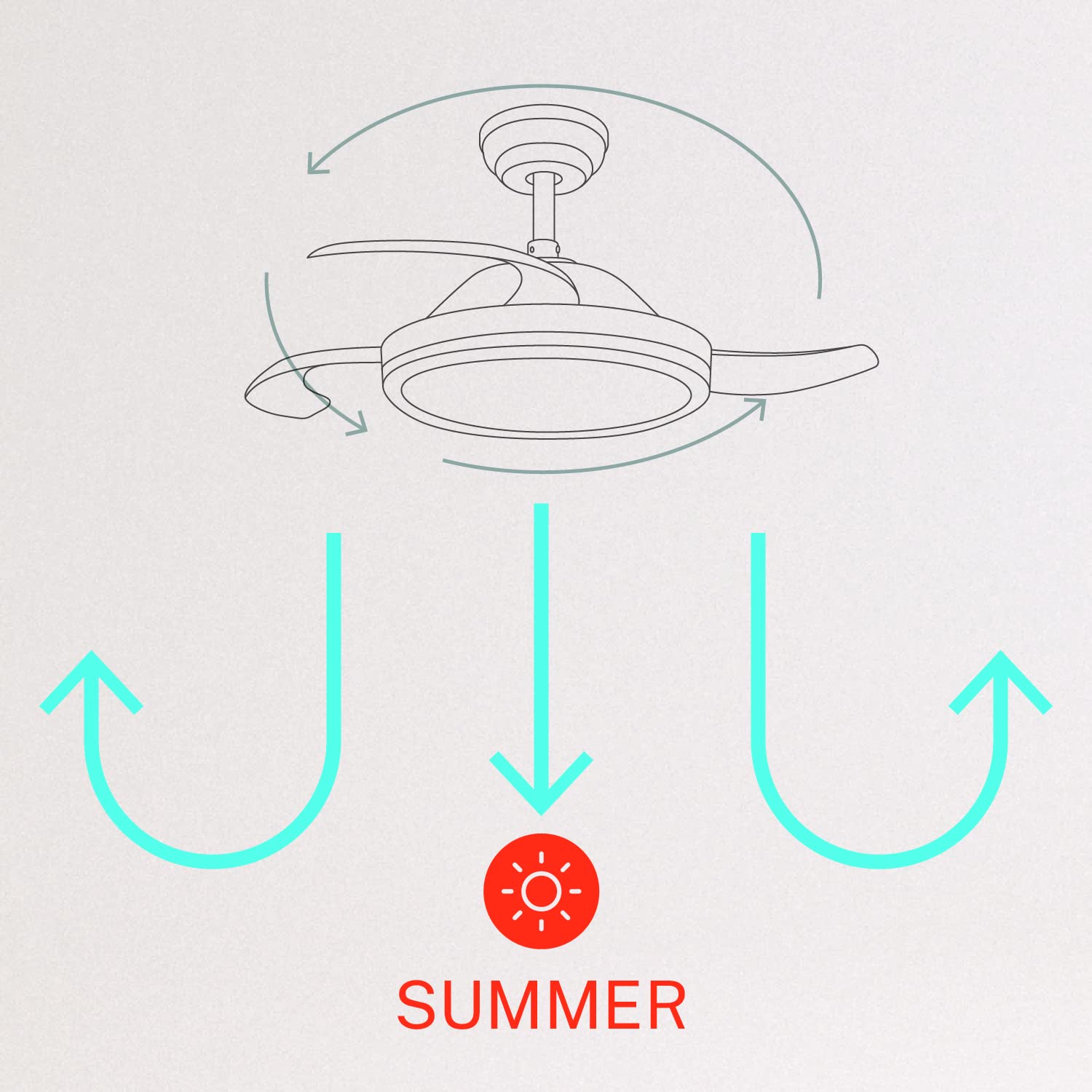
Penggemar nduweni motor sing bisa dibalikake kanggo ngoptimalake sirkulasi udara kanggo macem-macem musim:
- Mode Musim Panas (Rotasi searah jarum jam): Bilah kipas muter ngelawan arah jarum jam, ndorong udara mudhun kanggo nggawe angin adhem.
- Mode Winter (Rotasi searah jarum jam): Bilah kipas muter searah jarum jam, narik udara munggah kanggo nyebarake udara anget sing kejebak cedhak langit-langit, mbantu nyebarake panas kanthi luwih rata.

6. Pangopènan
Pangopènan reguler njamin kinerja optimal lan umur dawa kipas langit-langit.
- Reresik: Resiki bilah kipas lan omah motor kanthi periodik nganggo lap alus,amp kain. Aja nggunakake pembersih utawa pelarut sing abrasif. Priksa manawa kipas wis dipateni lan daya wis dicopot sadurunge ngresiki.
- Sekrup pengencang: Check all mounting screws and blade attachment screws annually to ensure they are properly tightened.
- Sumber cahya: The LED light source is integrated. If it requires service, contact qualified personnel.
7. Ngatasi masalah
Yen sampeyan nemoni masalah karo penggemar, waca masalah lan solusi umum ing ngisor iki:
| Masalah | Kemungkinan Penyebab | Solusi |
|---|---|---|
| Fan ora miwiti | No power supply; Loose wiring; Remote control battery depleted | Check circuit breaker; Verify all wiring connections; Replace remote control battery. |
| Fan goyang | Loose mounting screws; Unbalanced blades | Ensure mounting bracket and fan assembly screws are tight; Check for any obstructions to blade movement. |
| Cahya ora bisa | Loose wiring; LED module fault | Check light kit wiring connections; Contact customer support if LED module is faulty. |
| Remote kontrol ora bisa digunakake | Depleted battery; Remote not paired | Replace remote control battery; Refer to pairing instructions in the full manual. |
| WiFi control issues | Poor WiFi signal; Incorrect app setup | Ensure strong WiFi signal; Reconfigure WiFi connection in the app. |
8. Spesifikasi
| Fitur | Rincian |
|---|---|
| Merk | NYIPTA |
| Nomer Model | 120760_254772 |
| warna | Putih |
| Desain Kipas Angin Listrik | Kipas langit-langit |
| Sumber Daya | Kabel Listrik Kab |
| Gaya | With WiFi |
| Dimensi produk | 107D x 107W x 39H Sentimeter |
| Jinis Kamar | kamar turu |
| Fitur Khusus | Timer |
| Dianjurake Efesus | Ventilasi |
| Wattage | 40 Watt |
| Klebu Komponen | Remote, Battery |
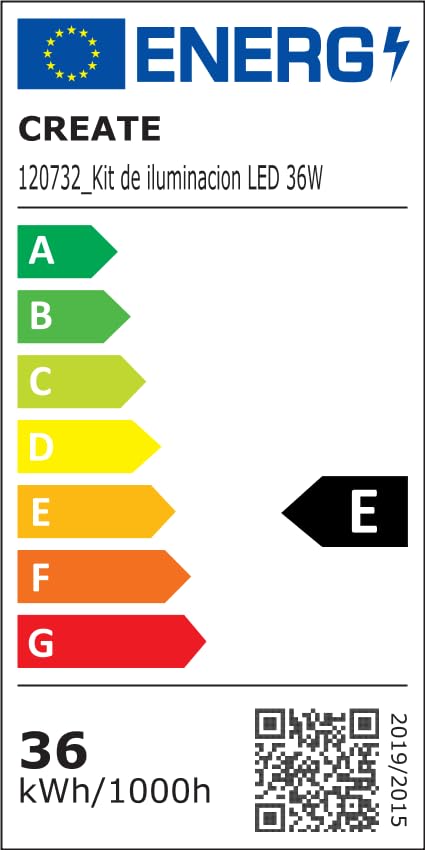
For detailed product data and energy efficiency information, please refer to the following documents:

9. Warranty lan Dhukungan
For warranty information, technical support, or service inquiries, please contact CREATE customer service or refer to the official CREATE websitus. Simpen kuitansi tuku minangka bukti tuku.