
Pambuka
Thank you for choosing the Merax Luggage Set. This manual provides essential information for the proper setup, operation, maintenance, and troubleshooting of your new luggage. Please read these instructions carefully to ensure optimal performance and longevity of your product.
Fitur produk
- Bahan ABS awet: Constructed from lightweight and robust ABS material, offering strong resistance to stress, high and low temperatures, and impact.
- Reinforced Corner Guards: Built-in reinforced corner guards provide additional protection and minimize damage.
- Interior sing wiyar: Large storage capacity with a fully lined interior and zippered compartments to keep your belongings organized.
- Ngalahake sing trep: Fitur low-profile top and side handles for easy handling.
- Kunci sing Disetujoni TSA: Integrated TSA-approved combination lock allows customs inspection without damaging the lock, enhancing security.
- Rodha Pemintal 360°: Multi-directional silent spinner wheels rotate 360 degrees for smooth maneuverability.
- UV-Radiation Protection: Protective anti-aging feature with built-in UV-radiation protection for long-lasting usage.
Setup
Mbukak kemasan lan Inspeksi Awal
Your Merax Luggage Set is designed to nest within each other for efficient storage. Carefully remove each piece from the packaging. Inspect all components for any signs of damage. If any part is damaged or missing, please contact customer support.
Nyetel Kunci Kombinasi TSA
- Kombinasi wiwitan disetel dadi 0-0-0.
- With the lock set to 0-0-0, push the reset button (a small button usually located next to the dials) with a pen or pointed object until you hear a click.
- Set your desired 3-digit combination by turning the dials.
- Push the tab or lever to the side (where you would normally open the lock) until you hear a click. This will set your new combination.
- Test your new combination to ensure it works correctly before scrambling the dials.

Image: Close-up of the TSA combination lock on the Merax luggage.
Nyetel Nangani Teleskopik
The telescopic handle can be adjusted to multiple heights for comfortable maneuvering. Press the button on top of the handle and pull up or push down to adjust. Release the button to lock the handle in place.
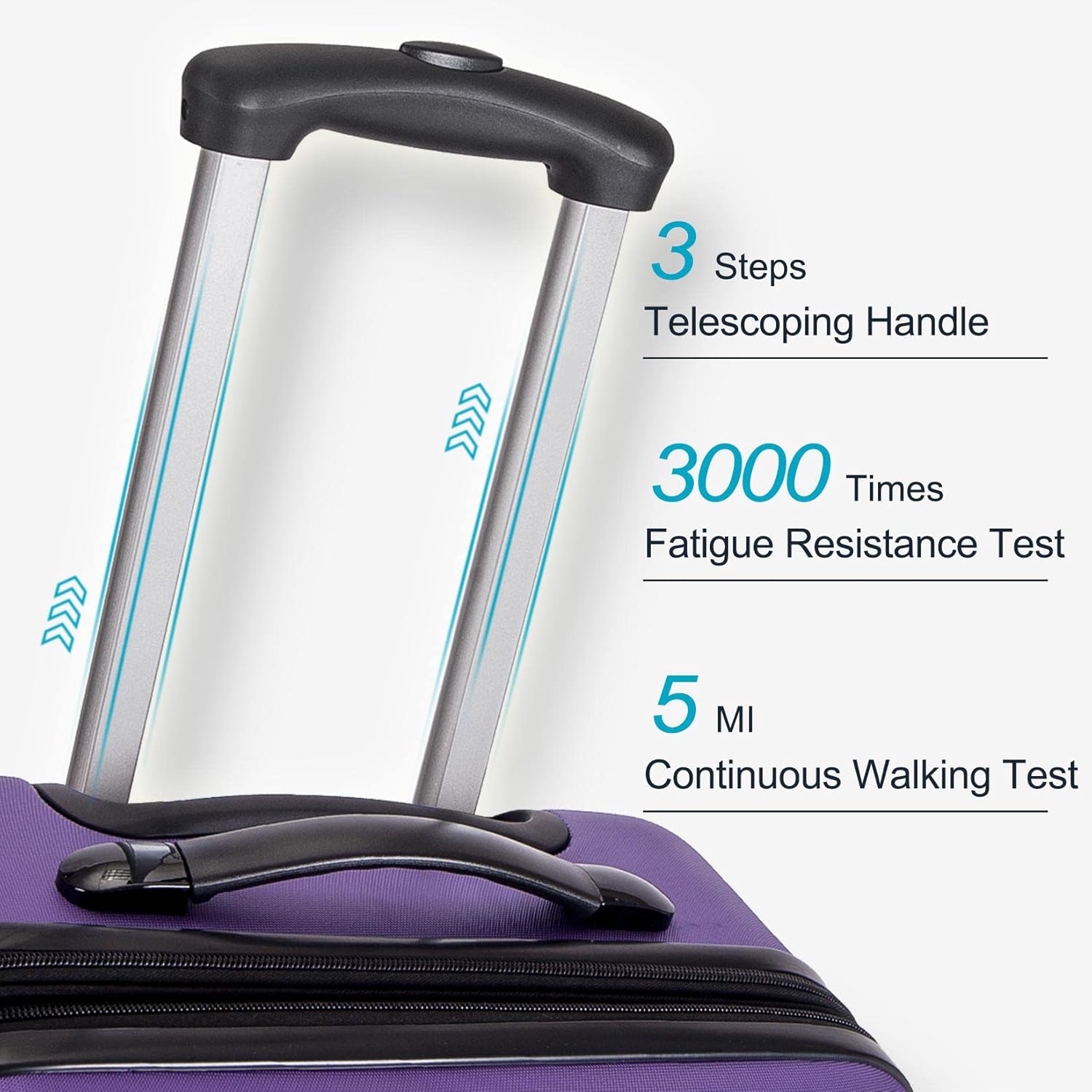
Image: Telescopic handle extended, highlighting its multi-step adjustment and durability testing.
Ngoperasikake Bagasi Sampeyan
Nggunakake Roda Spinner
The Merax Luggage features multi-directional 360° spinner wheels. This allows for effortless gliding in any direction, reducing strain on your arm and shoulder. Push or pull the luggage from any side for smooth movement.

Gambar: Detil view of the 360° spinner wheels and their features.
Packing and Interior Organization
Utilize the fully lined interior and zippered compartments to separate and organize your items. The garment straps help secure clothing and prevent shifting during transit.

Gambar: Interior view of the luggage, demonstrating its organizational features.
Expanding Your Luggage (if applicable)
Some Merax luggage models feature an expandable zipper. To expand, simply unzip the expansion zipper located around the perimeter of the suitcase. This provides additional packing capacity.
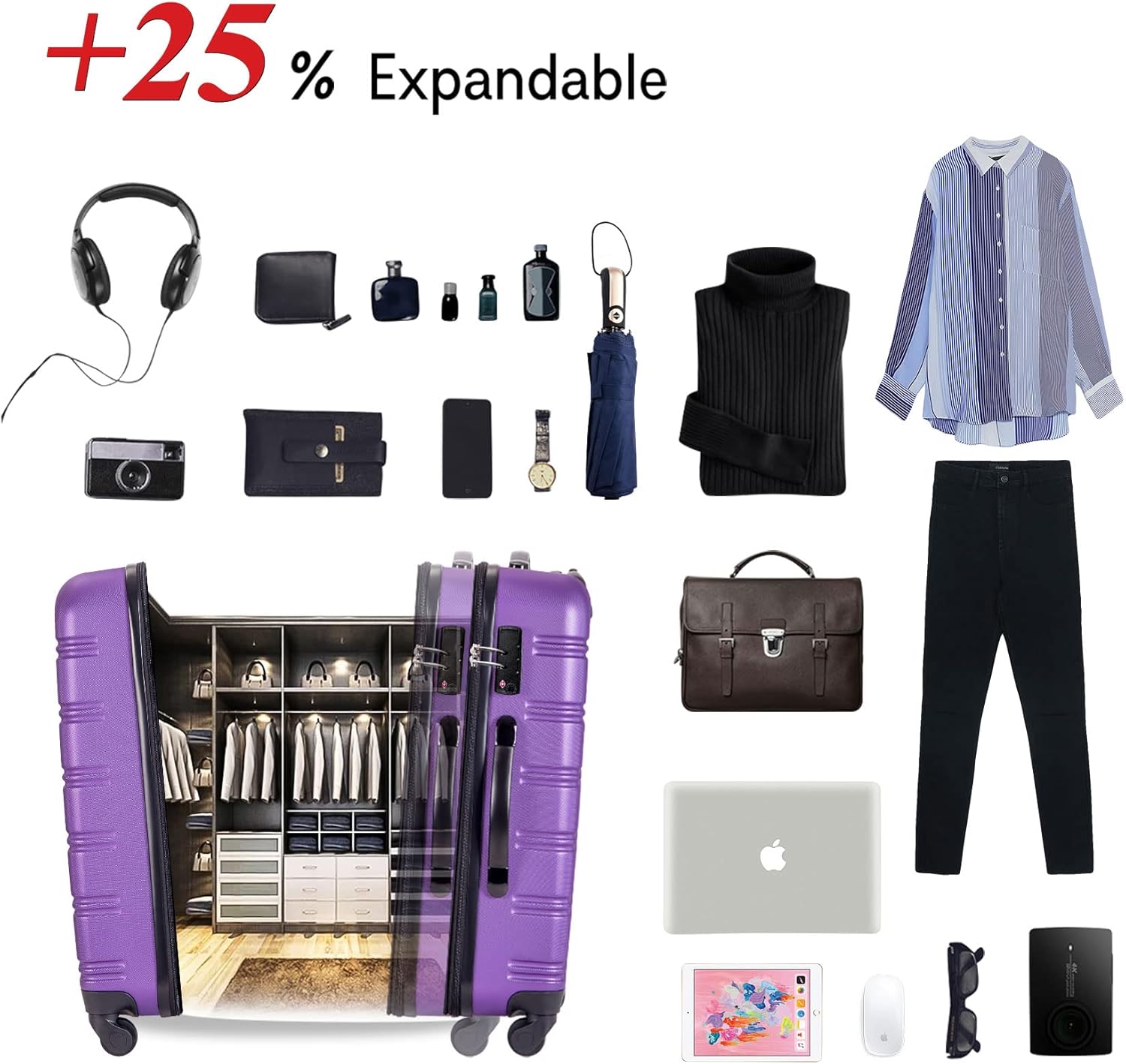
Image: The luggage expanded, showing increased capacity.
Pangopènan
Reresik
To clean the hard case exterior, wipe with a soft cloth dampened with mild soap and water. Avoid abrasive cleaners or solvents that could damage the finish. For the interior, vacuum or wipe with a damp kain kaya sing dibutuhake.
Perawatan Roda lan Gagang
Regularly check the spinner wheels for any debris or hair that might impede smooth movement. Clean as necessary. Ensure the telescopic handle extends and retracts smoothly. Do not force the handle if it gets stuck.
Panyimpenan
Store your luggage in a cool, dry place away from direct sunlight to preserve the UV-radiation protection and material integrity. The nested design allows for compact storage of the entire set.
Ngatasi masalah
- Gagang Teleskopik Macet: Ensure the release button is fully depressed. Check for any obstructions in the handle mechanism. Do not apply excessive force.
- Stiff Wheels: Clean any debris from around the wheels. A small amount of silicone-based lubricant can be applied to the wheel axles if needed.
- Lock Issues: If you forget your combination, you may need to contact Merax customer support for assistance. Do not attempt to force the lock open as this may damage it.
- Kerusakan Resleting: Ensure the zipper teeth are aligned. If a zipper is stuck, try applying a small amount of lubricant (like graphite from a pencil) to the teeth.
Spesifikasi
| Fitur | Rincian |
|---|---|
| Dimensi produk | 20.47 x 12.6 x 30.71 inci |
| Bobot Barang | 19.8 pounds (total for set) / 9 Kilograms |
| Departemen | Unisex |
| Produsen | Merax |
| Nomer Model Item | PP188015EAA |

Image: Detailed size specifications for each luggage piece in the set.
Produk Overview Video
Video: Resmi rampungview of the Merax Luggage Sets, demonstrating key features and design.
Warranty lan Dhukungan
For any problems or inquiries regarding your Merax Luggage Set, please feel free to contact Merax customer support. Refer to your purchase documentation for specific warranty details and contact information.