
ORIA Bluetooth Receiver 5.0 User Manual
Model: Bluetooth Receiver 5.0
1. Pambuka
The ORIA Bluetooth Receiver 5.0 is a versatile audio adapter designed to add Bluetooth functionality to non-Bluetooth devices. It supports both receiving (RX) and transmitting (TX) modes, allowing you to wirelessly stream audio from your smartphone to a car stereo or speaker, or from your TV to Bluetooth headphones. Featuring Bluetooth 5.0 technology and CVC noise reduction, it provides stable connections and clear audio quality for music and hands-free calls.
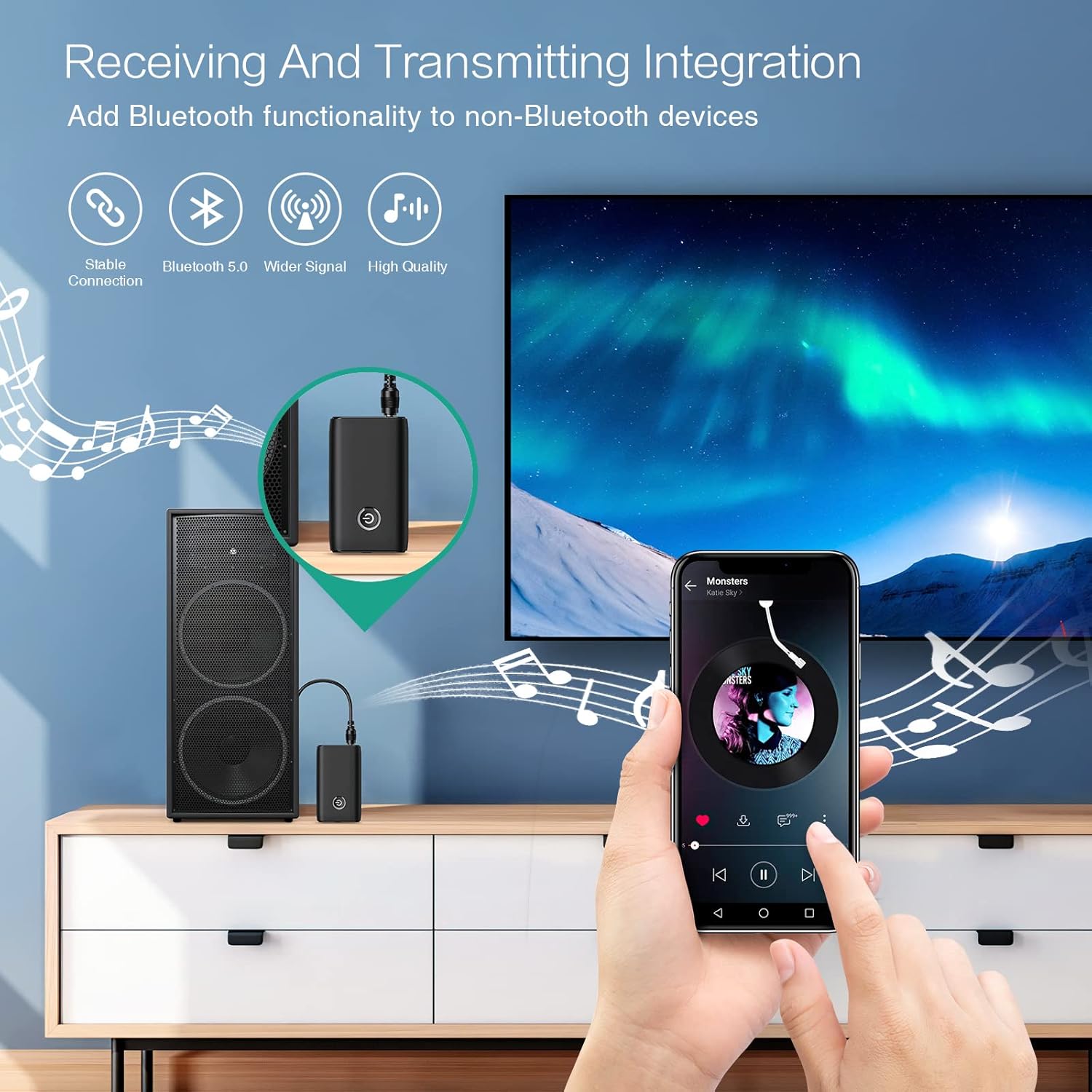
Figure 1.1: The ORIA Bluetooth Receiver 5.0 integrating with various audio systems, showcasing its dual receiving and transmitting functions.
2. Isi Paket
Mangga dipriksa paket kanggo item ing ngisor iki:
- ORIA Bluetooth Receiver 5.0 Unit
- Kabel Audio 3.5mm Kab
- Kabel Pengisian USB (Tipe-C)
- Manual pangguna

Figure 2.1: All items included in the ORIA Bluetooth Receiver 5.0 package.
3. Produk Liwatview
Familiarize yourself with the device's components and indicators:

Figure 3.1: Detailed diagram of the ORIA Bluetooth Receiver 5.0, highlighting its ports, buttons, and LED indicator meanings.
- Port Audio 3.5mm: Connects to audio input/output devices.
- Port Pengisian USB Mikro: Kanggo ngisi daya piranti.
- Ngalih RX/TX: Ngalih ing antarane mode Receiver (RX) lan Transmitter (TX).
- Tombol multi-fungsi: Uripake/matikake, puter/jeda, njawab/mutusake telpon.
- Connection Indicator Light:
- Red & Blue flashing: Pairing State
- Red flashing: Low Battery Warning
- Blue solid: Connected
4. Fitur
- Bluetooth 5.0: Provides a stable wireless connection up to 10 meters for music streaming and audio calls.
- Intelligent Noise Reduction (CVC): Enhances audio clarity by reducing background noise, supporting A2DP, AVRCP, HFP, HSP protocols.
- Dual Mode (TX/RX): Converts non-Bluetooth devices into Bluetooth-enabled devices for both transmitting and receiving audio.
- Urip baterei dawa: Up to 8 hours of play/talk time, 60 days standby, with a 2-hour full charge time.
- Pengisian USB: Allows use while charging without interrupting calls or music.
- Operasi sing gampang: Simple one-button control for power, play/pause, and call management.
- Desain portabel: Small and lightweight for convenient transport and use anywhere.
5. Persiyapan lan Operasi
5.1 Ngisi daya piranti
Before first use, fully charge the device. Connect the provided USB charging cable to the Micro USB Charging Port on the receiver and the other end to a USB power source (e.g., car charger, wall adapter, computer USB port). The indicator light will show charging status.

Figure 5.1: Battery life and charging duration of the ORIA Bluetooth Receiver 5.0.
5.2 Switching Between Receiver (RX) and Transmitter (TX) Modes
The device features a physical switch to change between RX and TX modes. penting: Always power off the device before switching modes to ensure proper functionality.

Figure 5.2: Instructions for switching between Transmitter (TX) and Receiver (RX) modes.
5.3 Setelan Mode Panrima (RX)
Use RX mode to receive audio from a Bluetooth-enabled device (e.g., smartphone, tablet) and play it through a non-Bluetooth audio system (e.g., car stereo, home speaker, wired headphones).
- Switch to RX: Ensure the device is powered off, then slide the switch to the "RX" position.
- Sambungake menyang Sistem Audio: Plug one end of the 3.5mm audio cable into the receiver's 3.5mm Audio Port and the other end into the AUX input of your car stereo, home speaker, or wired headphones.
- Daya On: Press and hold the Multi-function Button to power on the receiver. The indicator light will flash red and blue, indicating pairing mode.
- Pasangake karo Telpon: On your smartphone or other Bluetooth device, enable Bluetooth and search for "ORIA-B6" (or similar name). Select it to pair. Once connected, the indicator light will turn solid blue.
- Play Music: Start playing audio on your paired device. The sound will now be transmitted wirelessly to your connected audio system.

Figure 5.3: Easy setup steps for Receiver (RX) mode, typically used in a car.
5.4 Setelan Mode Pemancar (TX)
Use TX mode to transmit audio from a non-Bluetooth device (e.g., TV, PC, MP3 player) to a Bluetooth-enabled audio output (e.g., Bluetooth headphones, Bluetooth speaker).
- Switch to TX: Ensure the device is powered off, then slide the switch to the "TX" position.
- Sambungake menyang Sumber Audio: Plug one end of the 3.5mm audio cable into the receiver's 3.5mm Audio Port and the other end into the audio output (e.g., headphone jack) of your TV, PC, or MP3 player.
- Daya On: Press and hold the Multi-function Button to power on the transmitter. The indicator light will flash red and blue, indicating pairing mode.
- Pair with Bluetooth Headphones/Speaker: Put your Bluetooth headphones or speaker into pairing mode. The receiver will automatically search for and connect to nearby Bluetooth audio devices. Once connected, the indicator light will turn solid blue.
- Seneng Audio: Play audio from your connected source device. The sound will now be transmitted wirelessly to your Bluetooth headphones or speaker.

Figure 5.4: Easy setup steps for Transmitter (TX) mode, typically used with a TV.
5.5 Kompatibilitas Universal
The ORIA Bluetooth Receiver 5.0 is designed for broad compatibility with various devices in both TX and RX modes.
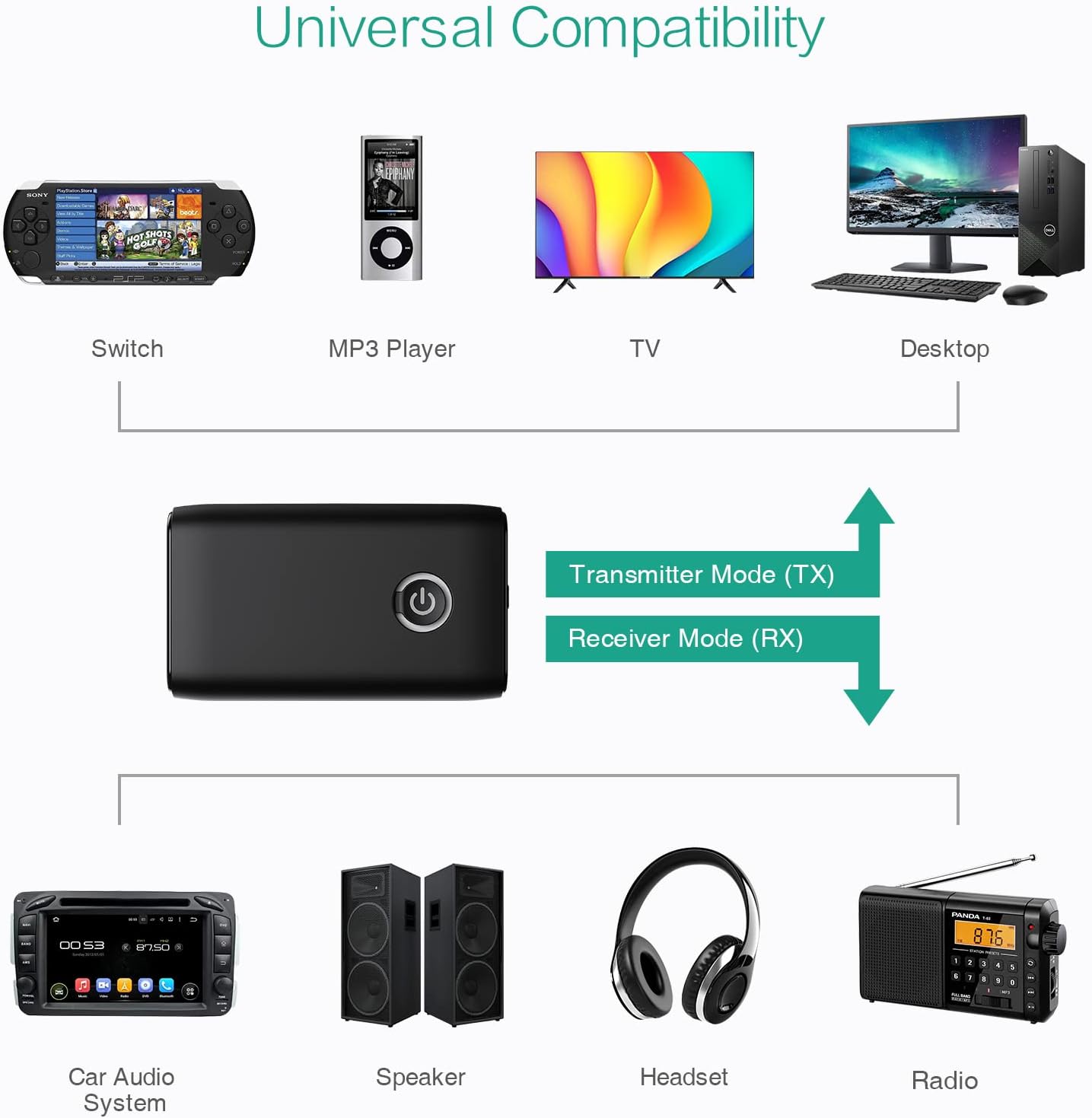
Gambar 5.5: Kelamples of devices compatible with the ORIA Bluetooth Receiver 5.0 in both TX and RX modes.
6. Instruksi Operasi
6.1 Kontrol Puter Musik
- Puter / Ngaso: Pencet cepet Tombol Multi-fungsi.
- Trek Sabanjure: (Functionality may vary depending on connected device and mode. Typically controlled via the source device.)
- Lacak sadurunge: (Functionality may vary depending on connected device and mode. Typically controlled via the source device.)
- Kontrol Volume: Adjust volume directly on your paired device (smartphone, TV, etc.) or the connected audio system.
6.2 Nelpon Tanpa Genggam (Mode RX Mung)
When in Receiver (RX) mode and paired with a smartphone:
- Jawab Telpon: Pencet sedhela Tombol Multi-fungsi nalika ana telpon mlebu.
- Mungkasi Telpon: Pencet sedhela Tombol Multi-fungsi nalika nelpon.
- Nolak Telpon: Press and hold the Multi-function Button for 2 seconds when a call comes in.
- Nelpon maneh nomer pungkasan: Pencet kaping pindho Tombol Multifungsi.
7. Pangopènan
- Jaga piranti tetep garing. Aja nganti kena lembab utawa cairan.
- Aja nyoba mbongkar utawa ngowahi piranti kasebut. Iki bakal mbatalake garansi.
- Resik piranti nganggo kain sing alus lan garing. Aja nggunakake bahan kimia sing atos utawa pembersih abrasif.
- Simpen piranti ing panggonan sing adhem lan garing yen ora digunakake kanggo wektu sing suwe.
8. Ngatasi masalah
If you encounter issues with your ORIA Bluetooth Receiver 5.0, please refer to the following common solutions:
| Masalah | Solusi |
|---|---|
| Piranti ora urip. | Ensure the device is fully charged. Connect it to a power source using the USB charging cable. |
| Ora bisa dipasangake karo piranti Bluetooth. |
|
| Ora ana audio utawa kualitas audio sing ora apik. |
|
| Piranti kerep pedhot sambungan. |
|
9. Spesifikasi
| Fitur | Rincian |
|---|---|
| Merk | ORIA |
| Teknologi Konektivitas | Bluetooth, USB |
| Standar Komunikasi Nirkabel | Bluetooth 5.0 |
| Sumber Daya | Baterei Powered, Kabel Listrik |
| Fitur Khusus | Bluetooth Receiver, Portable |
| Jinis Instalasi | Plug In |
| Antarmuka Hardware | Bluetooth, USB |
| Pengurangan Noise | Teknologi CVC |
| Battery Life (Play/Talk) | Nganti 8 jam |
| Wektu siyaga | 60 dina |
| Wektu Ngisi daya | Kurang luwih 2 jam |
10. Warranty lan Dhukungan
This ORIA Bluetooth Receiver 5.0 comes with a garansi 1 taun saka tanggal tuku.
If you experience any problems with the product's use or function, or if the product is defective or damaged, please contact the seller directly for assistance. They will provide support and solutions to resolve your issue.


