
1. Pambuka
Thank you for choosing the LDNIO SCW1050 WiFi Smart Plug. This manual provides essential information for the safe and efficient use of your smart plug. Please read it thoroughly before installation and operation, and retain it for future reference.
2. Produk Liwatview
The LDNIO SCW1050 is a smart electric plug designed to integrate seamlessly into your smart home ecosystem. It features WiFi connectivity for remote control, a timing function for scheduled operations, and multiple safety protections. Its fire-resistant polycarbonate structure ensures durability and safety.
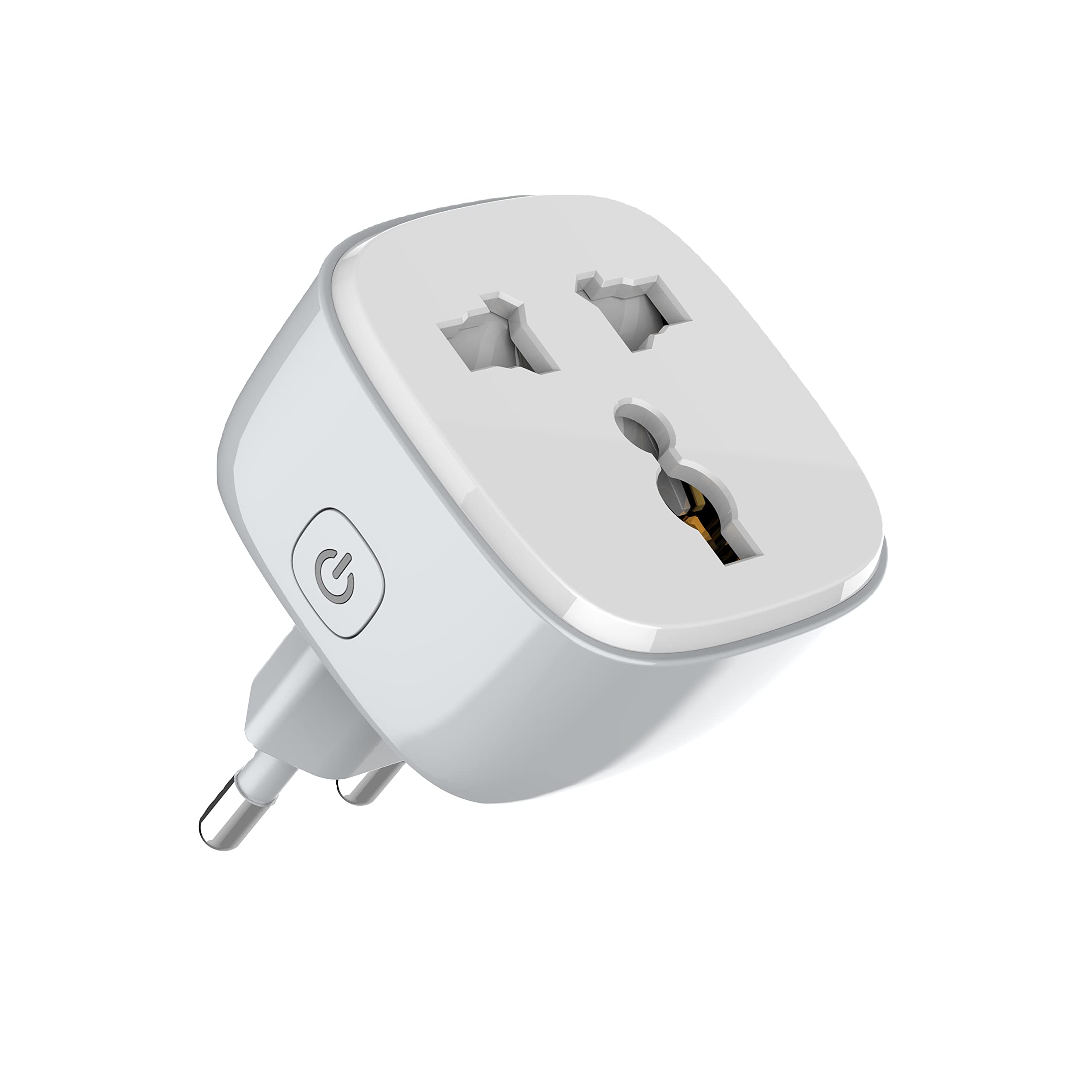
Gambar 1: Ngarep view of the LDNIO SCW1050 WiFi Smart Plug.

Gambar 2: Angled view of the LDNIO SCW1050 WiFi Smart Plug, highlighting its compact design.
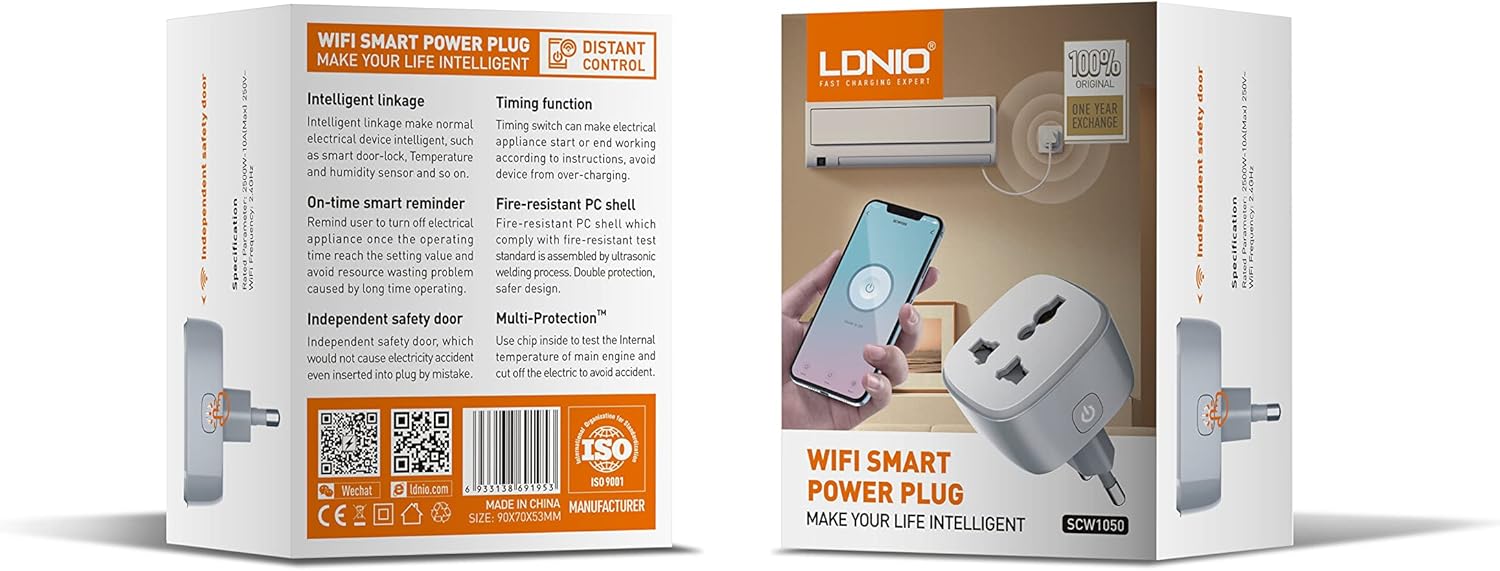
Figure 3: Product packaging illustrating key features such as intelligent linkage, timing function, on-time smart reminder, independent safety door, fire-resistant PC shell, and multi-protection. For more information, visit www.siyoteam.com.
3. Informasi Safety
- Aja mbongkar utawa ngowahi piranti kasebut.
- Priksa manawa plug wis dipasang kanthi lengkap menyang soket tembok.
- Do not overload the smart plug beyond its rated capacity (2500W, 10A).
- Supaya piranti adoh saka banyu, Kelembapan, lan suhu dhuwur.
- Produk iki mung kanggo panggunaan njero ruangan.
- If the device is damaged, discontinue use immediately and contact support.
4. Setup
4.1 Sambungan wiwitan
- Plug the LDNIO SCW1050 Smart Plug into a standard wall outlet.
- Ensure the indicator light on the smart plug is blinking, indicating it is in pairing mode. If not, press and hold the power button for 5-10 seconds until it blinks rapidly.
4.2 Instalasi lan Masangake Aplikasi
- Download the compatible smart home application (e.g., Tuya Smart or Smart Life app) from your mobile device's app store.
- Ndhaptar utawa mlebu menyang akun ing app.
- Tutul lambang "+" utawa "Tambah Piranti" kanggo miwiti proses pasangan.
- Pilih "Stopkontak Listrik" utawa "Smart Colokan" saka dhaptar piranti.
- Follow the on-screen instructions to connect the smart plug to your 2.4GHz WiFi network. Ensure your phone is connected to the same 2.4GHz network during setup.
- Sawise kasil dipasangake, sampeyan bisa ngganti jeneng piranti lan nemtokake menyang kamar.

Figure 4: Remote control of the smart plug using a mobile application.
5. Instruksi Operasi
5.1 Kontrol Manual
Pencet tombol daya ing colokan cerdas kanggo nguripake utawa mateni piranti sing disambungake kanthi manual.
5.2 Kontrol Aplikasi
- On/Off: Tap the power icon next to the device in the app to toggle power.
- Fungsi Timing: Set schedules for the smart plug to turn on or off automatically at specific times. This is useful for managing lighting or other appliances.
- Pangeling cerdas: Configure smart reminders within the app to receive notifications or automate actions based on usage patterns or set conditions.
- Sambungan cerdas: Connect your smart plug with other smart devices or sensors to create automated scenarios (e.g., turn on a lamp when a motion sensor is triggered).
6. Pangopènan
- Kanggo ngresiki colokan cerdas, copot saka stopkontak banjur usap nganggo kain alus lan garing.
- Aja nggunakake pembersih cair utawa aerosol.
- Ajeg mriksa pratandha saka karusakan utawa nyandhang.
7. Ngatasi masalah
- Device not connecting to WiFi: Ensure your WiFi network is 2.4GHz. Check that the smart plug is within range of your router. Restart the smart plug and your router, then try pairing again.
- Kontrol app ora bisa digunakake: Verify your phone has an active internet connection. Ensure the smart plug is connected to WiFi and its indicator light is solid. Update the app to the latest version.
- Piranti ora nguripake / mateni: Check if the appliance is properly plugged into the smart plug and if the appliance itself is functional. Ensure the smart plug is receiving power.
- Prilaku lampu indikator:
- Blinking cepet: Siap kanggo pasangan.
- Kelip-kelip alon: Disconnected from WiFi.
- padat: Connected to WiFi and operating normally.
8. Spesifikasi
| Fitur | Spesifikasi |
|---|---|
| Nomer Model | SCW1050 |
| Daya Rated | 2500W |
| Rated Saiki | 10A (Maks) |
| Dinilai Voltage | 250V~ |
| Frekuensi WiFi | 2.4GHz |
| Dimensi produk | 7.62 x 5.08 x 5.08 cm |
| Bobot produk | 70g wuh |
| Bahan cangkang | Fire-resistant Polycarbonate |
9. Warranty lan Dhukungan
LDNIO offers a One Year Exchange warranty for this product, as indicated on the packaging. For technical support, warranty claims, or further inquiries, please visit the official LDNIO websitus ing www.siyoteam.com utawa hubungi distributor lokal.
You may also find additional resources and community support through the WeChat platform by scanning the QR code found on the product packaging (refer to Figure 3).