
1. Pambuka
Thank you for choosing the Severin HV 7152 Cordless 2-in-1 Stick Vacuum Cleaner. This manual provides important information regarding the safe and efficient use, maintenance, and troubleshooting of your appliance. Please read it thoroughly before first use and keep it for future reference.
The Severin HV 7152 is a versatile 2-in-1 cordless vacuum cleaner designed for general floor cleaning, quick clean-ups, car interior cleaning, and above-floor tasks like furniture and ceiling cobweb removal. It features a high-speed rotating brush with LED lighting and offers up to 40 minutes of runtime.
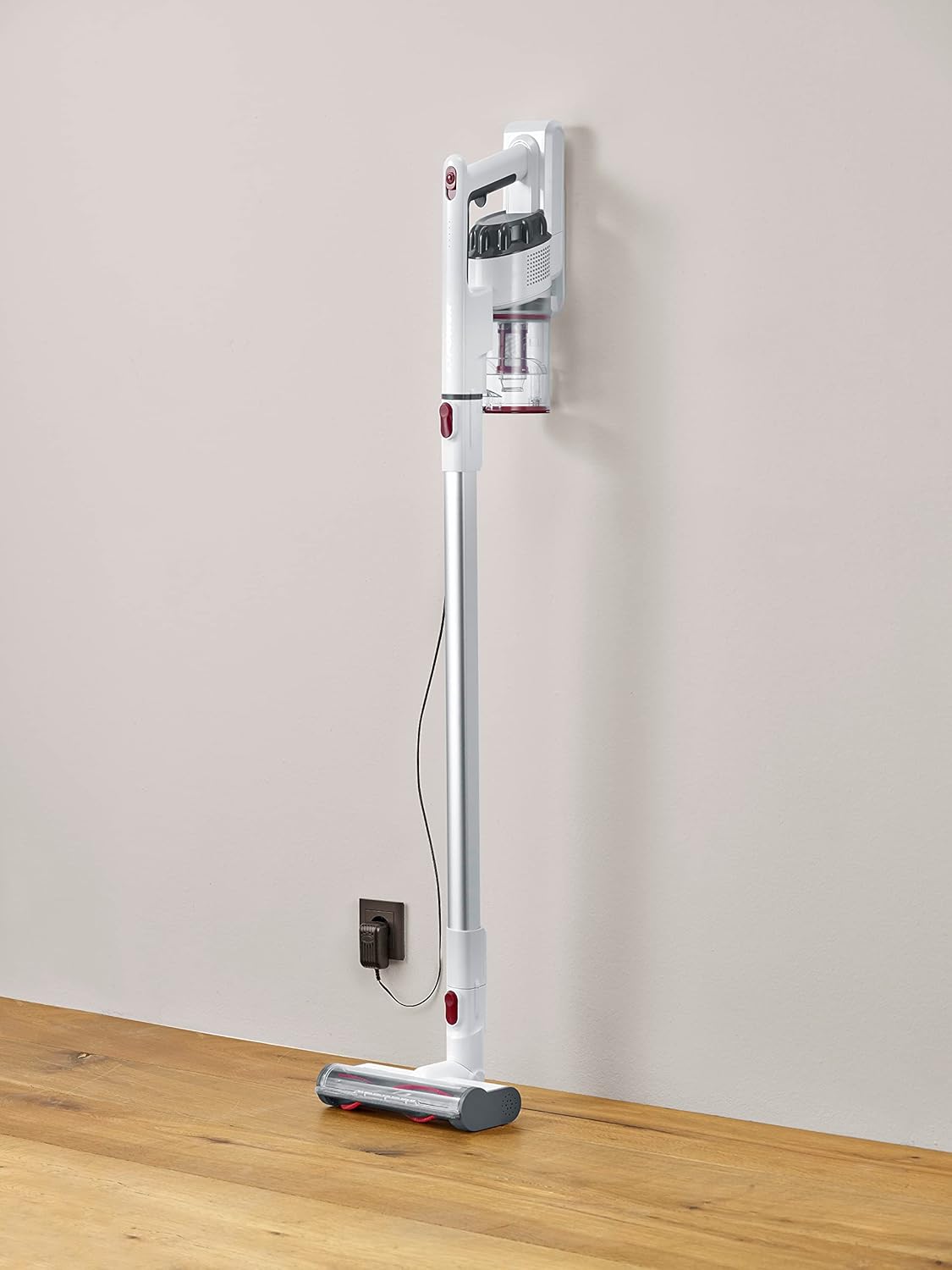
Image 1.1: The Severin HV 7152 Cordless 2-in-1 Stick Vacuum Cleaner in its upright position, charging.
2. Informasi Safety
- Waca kabeh instruksi sadurunge nggunakake piranti.
- Aja nggunakake panyedot vakum ing njaba ruangan utawa ing permukaan sing teles.
- Aja nganti bocah-bocah ngoperasikake piranti iki. Pengawasan sing rapet dibutuhake nalika digunakake cedhak karo bocah-bocah.
- Aja njupuk cairan sing gampang kobong utawa gampang kobong, kayata bensin, utawa digunakake ing papan sing ana.
- Aja njupuk barang sing kobong utawa ngrokok, kayata rokok, korek api, utawa awu panas.
- Aja nggunakake tanpa cangkir bledug lan / utawa saringan ing panggonane.
- Turn off the appliance before connecting or disconnecting the battery charger.
- Gunakake mung pangisi daya sing diwenehake dening pabrikan.
- Simpen piranti ing jero ruangan ing papan sing adhem lan garing.
3. Persiyapan lan Majelis
The Severin HV 7152 is designed for easy assembly. Follow these steps to prepare your vacuum cleaner for first use:
3.1 Mbukak kemasan lan Identifikasi Komponen
Kasebut kanthi teliti, mbusak kabeh komponen saka packaging. Priksa manawa kabeh bagean ing ngisor iki ana:
- Main unit (motor and dust container)
- Tabung ekstensi
- Sikat lantai bermotor kanthi lampu LED
- Alat celah
- Upholstery brush / 2-in-1 brush
- Wall mount (if included)
- Adaptor ngisi daya

Image 3.1: Included accessories: crevice tool and upholstery brush.
3.2 Ngisi daya wiwitan
Before first use, fully charge the battery. Connect the charging adapter to the main unit and plug it into a power outlet. The battery indicator lights will show the charging status. A full charge takes approximately 5 hours.
3.3 Ngrakit Vakum Stick
- Attach the extension tube to the main unit until it clicks into place.
- Attach the motorized floor brush to the other end of the extension tube until it clicks into place.
Your stick vacuum is now assembled. For handheld use, detach the extension tube and attach desired accessories directly to the main unit.
Video 3.2: Wis rampungview of the cordless vacuum cleaner, demonstrating its features and assembly.
4. Instruksi Operasi
The Severin HV 7152 offers flexible cleaning options with its 2-in-1 design and multiple power levels.
4.1 Power On/Off and Suction Levels
Press the power button on the main unit to turn the vacuum cleaner on. The appliance has 3 power levels. Press the power button repeatedly to cycle through the suction levels (low, medium, high). The battery level indicators will show the remaining charge.
4.2 Nggunakake minangka Vacuum Stick
For floor cleaning, use the assembled stick vacuum with the motorized floor brush. The brush features 3 LED lights to illuminate dark areas, making dirt more visible.

Image 4.1: The motorized floor brush with LED lights in action.
4.3 Nggunakake minangka Handheld Vacuum
To convert to a handheld vacuum, press the release button to detach the extension tube from the main unit. Attach the desired accessory (crevice tool or upholstery brush) directly to the main unit.

Image 4.2: Using the handheld vacuum with the crevice tool for hard-to-reach areas.
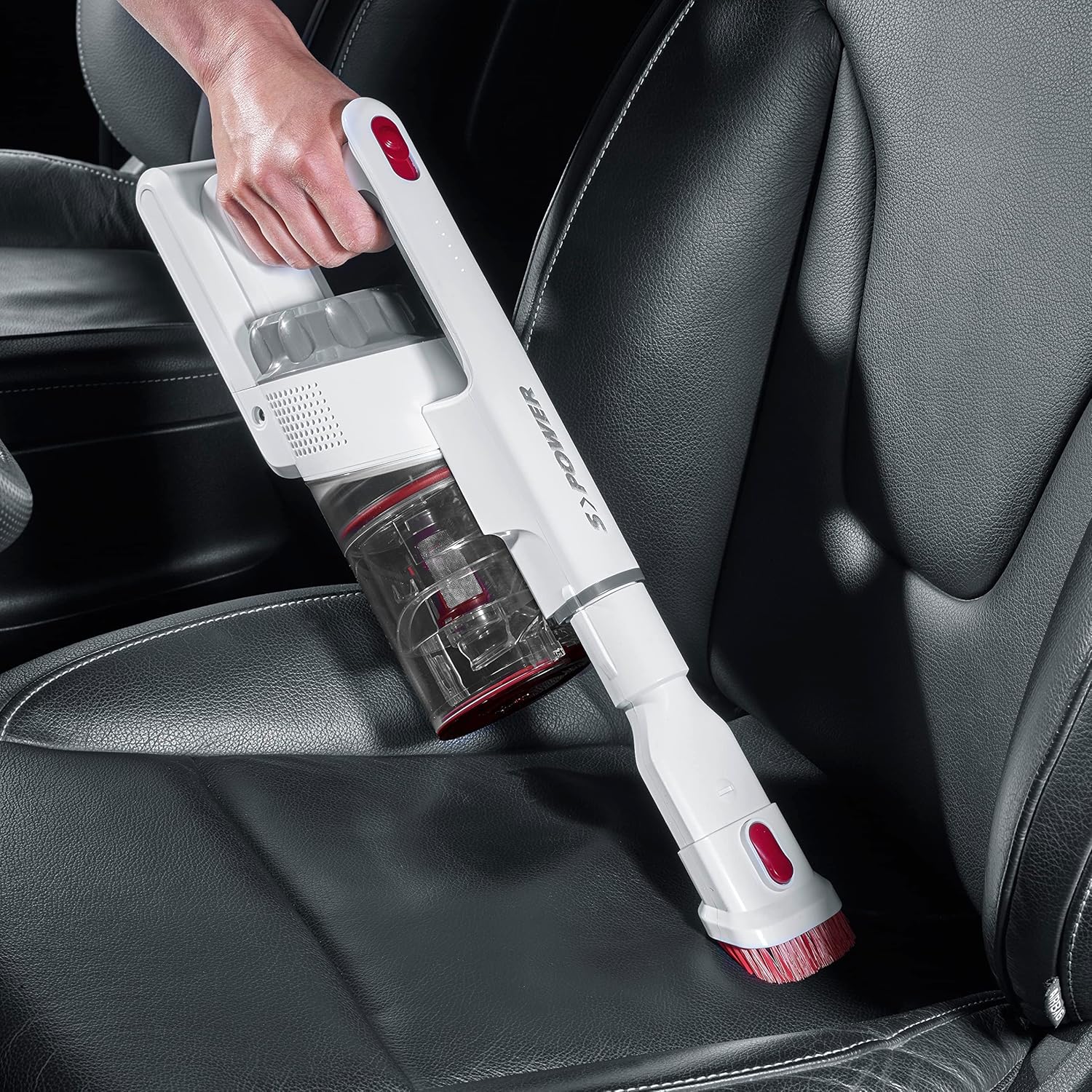
Image 4.3: Cleaning a car interior with the handheld vacuum and upholstery brush.
Video 4.4: Practical product illustration showing various uses and features of the vacuum cleaner.
5. Pangopènan
Regular maintenance ensures optimal performance and extends the lifespan of your Severin HV 7152.
5.1 Ngosongake Wadah Lebu
The dust container has a capacity of 500 ml. Empty it regularly to maintain suction power.
- Priksa manawa vacuum cleaner dipateni.
- Press the release button on the dust container to open the bottom flap and empty contents into a waste bin.

Image 5.1: Emptying the dust container.
5.2 Reresik Filter
The vacuum cleaner uses a cartridge filter. Clean the filters regularly to prevent clogging and maintain suction.
- Priksa manawa vacuum cleaner dipateni.
- Copot wadhah bledug saka unit utama.
- Twist and pull out the filter assembly from the dust container.
- Separate the individual filter components.
- Tap the filters to remove loose dust. If heavily soiled, rinse them under running water. Ensure they are completely dry before reassembling and placing back into the vacuum cleaner.

Image 5.2: Removing the filter from the dust container.
5.3 Cleaning the Rotating Brush
Priksa sikat lantai bermotor kanthi periodik kanggo nggoleki rambut utawa rereged sing kusut.
- Ensure the vacuum cleaner is turned off and disconnected from the extension tube.
- Goleki mekanisme release ing sisih sirah sikat.
- Copot roller sikat.
- Gunakna gunting utawa sikat kanggo mbusak rambut utawa serat sing kusut.
- Lebokake maneh rol sikat nganti muni klik ing panggonane.

Image 5.3: Underside of the motorized floor brush, showing the brush roller.
Video 5.4: Rincian view of product features, including maintenance aspects like filter cleaning.
6. Ngatasi masalah
If you encounter issues with your Severin HV 7152, refer to the following table for common problems and solutions.
| Masalah | Kemungkinan Penyebab | Solusi |
|---|---|---|
| Vacuum cleaner ora urip. | Baterei kosong. | Isi batere kanthi lengkap. |
| Daya nyedhot kurang. | Wadhah bledug kebak. | Kosongake wadhah bledug. |
| Daya nyedhot kurang. | Filter-filter macet. | Ngresiki utawa ngganti saringan. |
| Daya nyedhot kurang. | Rol sikat kusut. | Resik roller sikat. |
| Motorized brush does not rotate. | Brush roller is jammed or tangled. | Clean the brush roller and check for obstructions. |
| Batere ora diisi daya. | Pangisi daya ora nyambung kanthi bener. | Ensure charger is securely connected to both the vacuum and the power outlet. |
| Batere ora diisi daya. | Pangisi daya utawa baterei sing rusak. | Hubungi dhukungan pelanggan kanggo pitulung. |
7. Spesifikasi
| Fitur | Rincian |
|---|---|
| Merk | Severin |
| Jeneng Model | HV7152 |
| Nomer Model | HV 7152 |
| Fitur Khusus | tanpa tas |
| Jinis Filter | Kartrid |
| Dianjurake lumahing | Upholstery, General floor cleaning, Quick cleaning, Car interiors, Above-floor cleaning (furniture, cobwebs) |
| Sumber Daya | Baterei Powered |
| Kapasitas | 500 mililiter |
| warna | Putih |
| Tingkat Noise | 75 desibel |
| Cacahing Kacepetan/Tingkat Daya | 3 |
| Portable | ya wis |
| Panggunaan njero ruangan / ruangan | njero ruangan |
| Tipe Rampung | nggilap |
| Tanpa kabel | ya wis |
| Bobot Barang | 1.42 kg |
| Ukuran Item (L x W x H) | Ukuran 28L x 15W x 68H cm |
| Tipe Kontrol | Manual Control, Touch |
| Faktor wangun | Vakum Tongkat |
| Klebu Komponen | Nozel kresek |
| Voltage | 22.2 volt |
| Wattage | 120 Watt |
| Wektu Ngisi Baterei | 5 Jam |
| Urip baterei / Runtime | Nganti 40 Menit |
| Teknologi Konektivitas | USB |
8. Warranty lan Dhukungan
8.1 Informasi babar pisan
This Severin appliance comes with a standard manufacturer's warranty. Please refer to the warranty card included in your product packaging for specific terms, conditions, and duration. Keep your proof of purchase for any warranty claims.
8.2 Dhukungan Pelanggan
For technical assistance, spare parts, or any questions regarding your Severin HV 7152, please contact Severin customer support. Contact details can typically be found on the official Severin websitus utawa ing kemasan produk.