
SHARP YC-PS204AE-S
SHARP YC-PS204AE-S Microwave Oven User Manual
Model: YC-PS204AE-S
1. Instruksi Safety Penting
Waca kabeh instruksi kasebut kanthi teliti sadurunge nggunakake piranti. Simpen manual iki kanggo referensi ing mangsa ngarep.
Keamanan Umum
- Aja nyoba ngoperasikake oven iki kanthi lawang mbukak amarga bisa nyebabake energi gelombang mikro sing mbebayani.
- Aja nyelehake obyek ing antarane ngarep oven lan lawang utawa ngidini lemah utawa residu sing luwih resik nglumpukake ing permukaan sing nutup.
- Aja operate oven yen wis rusak. Penting banget yen lawang open ditutup kanthi bener lan ora ana karusakan ing: (1) Lawang (mlengkung), (2) Engsel lan kancing (rusak utawa ngeculake), (3) Segel lawang lan permukaan sing nutup.
- Oven kudu ora diatur utawa didandani dening sapa wae kajaba personel layanan sing mumpuni.
- Piranti iki mung kanggo panggunaan kluwarga.
- Aja nggunakake bahan kimia korosif utawa uap ing piranti iki.
- Aja nyimpen piranti iki ing njaba ruangan. Aja nggunakake produk iki cedhak banyu.
- Aja nyemplungake kabel utawa plug ing banyu.
- Tansah kabel adoh saka lumahing digawe panas.
- Aja nganti kabel digantung ing pinggir meja utawa meja.
- Kanggo nyuda resiko geni ing rongga oven:
- Aja overcook panganan.
- Copot tali tali kawat saka kertas utawa tas plastik sadurunge dilebokake ing oven.
- Yen bahan ing jero oven kudu murub, tutup lawang oven, mateni oven, lan copot kabel listrik, utawa mateni daya ing panel sekring utawa pemutus sirkuit.
Safety Listrik
- Priksa manawa sumber daya cocog karo voltage kasebut ing label rating piranti.
- Tansah plug piranti menyang stopkontak grounded.
- Do not use extension cords unless absolutely necessary and ensure they are rated for the appliance's power consumption.
- Copot alat saka stopkontak nalika ora digunakake lan sadurunge diresiki.
2. Produk Liwatview
Familiarize yourself with the components and control panel of your SHARP YC-PS204AE-S microwave oven.
Komponen
- Rongga Oven: Ruang interior ing ngendi panganan dimasak.
- Meja putar: A glass tray that rotates to ensure even cooking.
- Cincin Meja Putar: Ndhukung meja putar.
- lawang: Dilengkapi sistem interlock safety.
- Panel Kontrol: Isine tampilan, tombol, lan dial kanggo operasi.
- Lampu Interior LED: Madhangi rongga oven sajrone operasi.
Panel Kontrol lan Tampilan
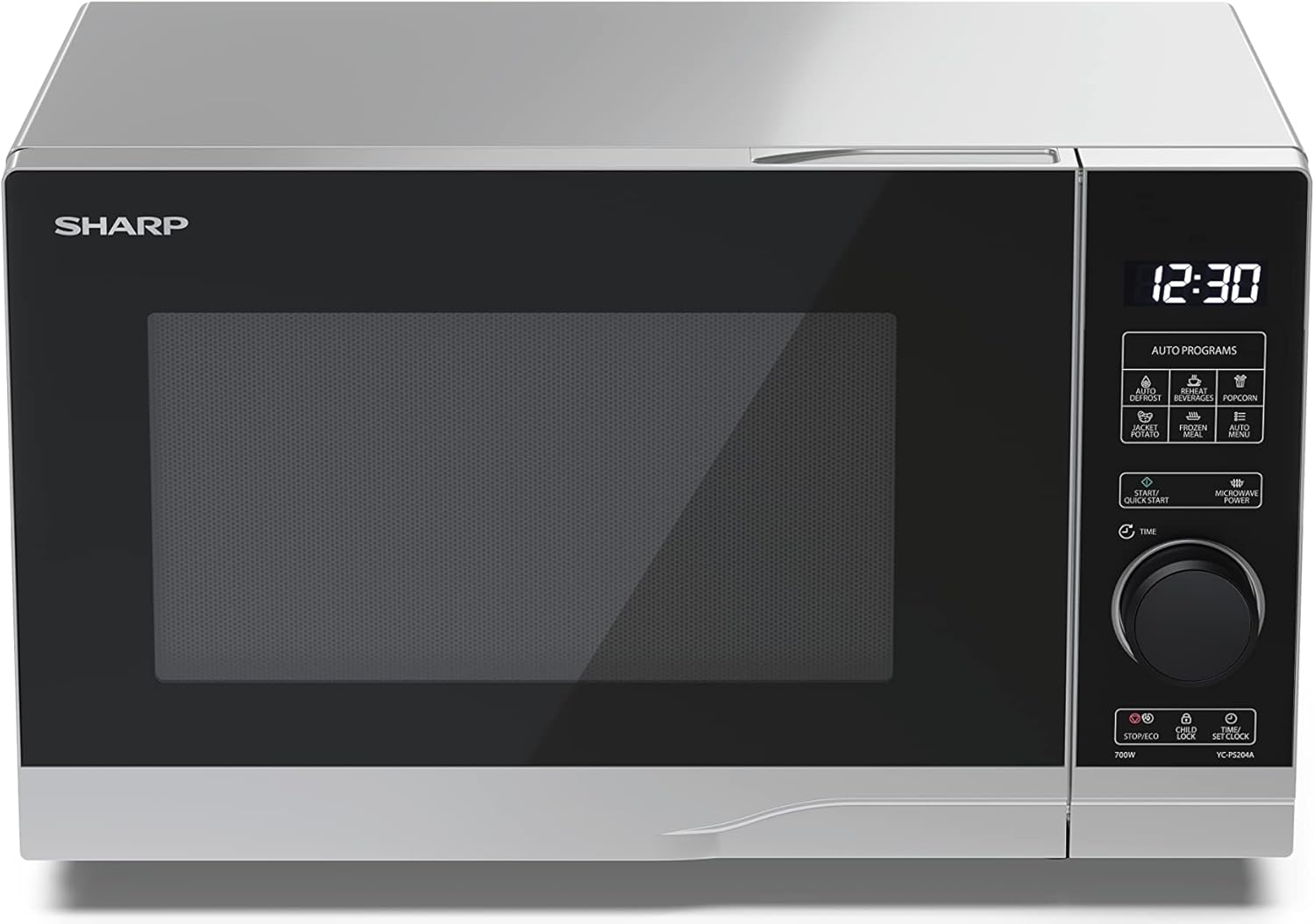
Gambar: Ngarep view of the Sharp YC-PS204AE-S microwave oven, highlighting the semi-digital control panel on the right side. The display shows "88:88" and various auto program icons are visible above the main dial.
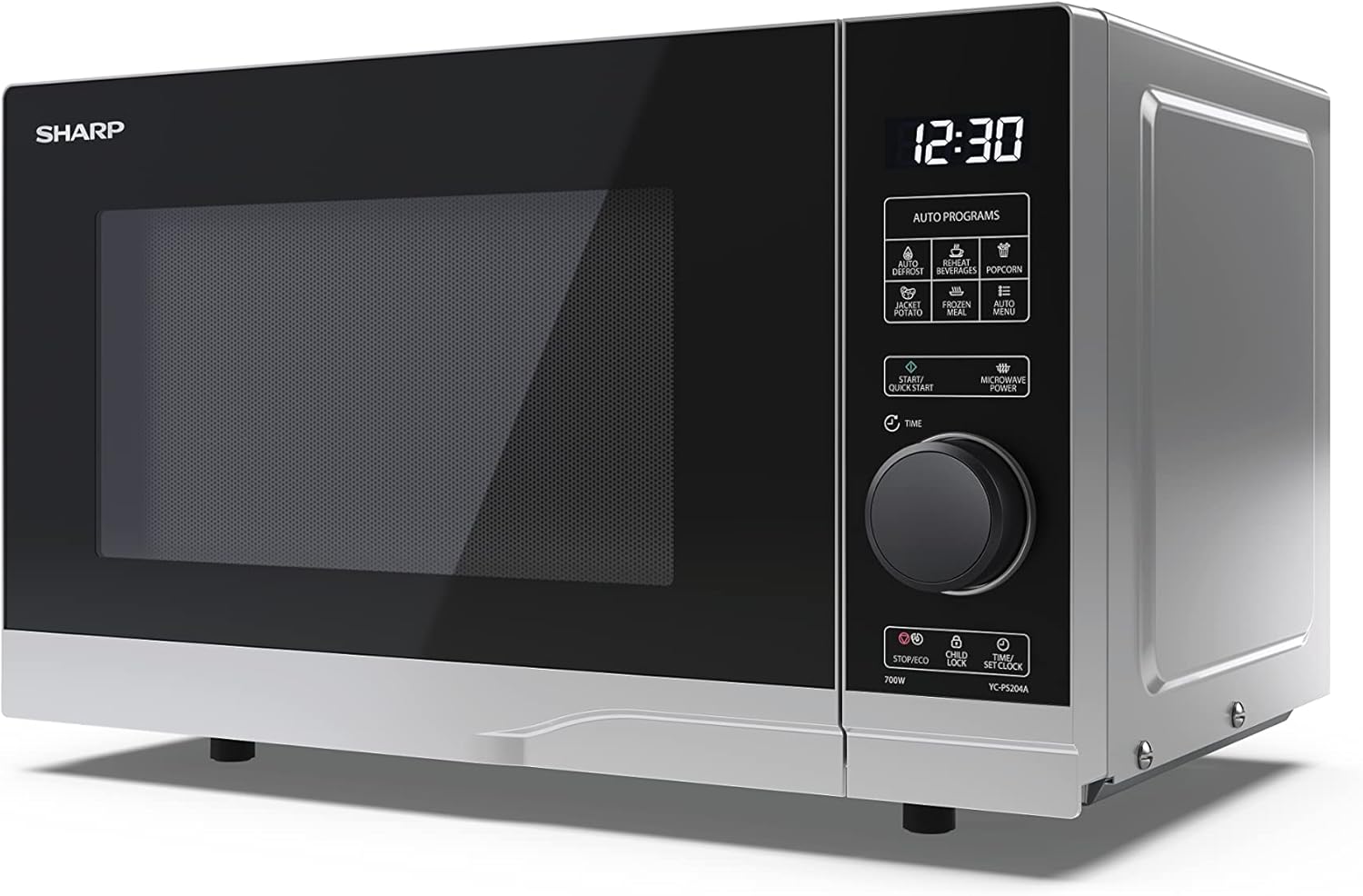
Gambar: ngarep miring view of the Sharp YC-PS204AE-S microwave, showing the sleek silver and black design. The control panel is clearly visible with its digital display and rotary knob.
The control panel features a digital display, a rotary dial for setting time and power, and several touch buttons for various functions and automatic programs.
- Tampilan: Nuduhake wektu, setelan masak, lan indikator program.
- Rotary Dial: Used to set cooking time, weight, and adjust clock.
- Program otomatis: Icons for Defrost, Reheat, Popcorn, Jacket Potato, Frozen Meal, Beverages, and Auto Menu.
- Tombol Mulai/Mulai Cepet: Miwiti masak utawa miwiti masak kanthi cepet.
- Microwave Power Button: Selects power levels.
- Stop/Eco Button: Stops cooking or activates ECO mode.
- Tombol Kunci Anak: Ngaktifake/mateni kunci bocah.
- Time/Set Clock Button: Sets the clock or adjusts time.
3. Setup
Mbukak bungkus
- Kasebut kanthi teliti, mbusak open gelombang mikro lan kabeh bahan pengepakan saka karton.
- Priksani oven apa ana kerusakan, kayata penyok utawa lawang sing ora sejajar. Aja ngoperasikake oven yen wis rusak.
- Copot film protèktif saka lumahing kabinet.
- Ensure all accessories are present: glass turntable, turntable ring, and instruction manual.

Gambar: The interior of the Sharp YC-PS204AE-S microwave oven with the door open, showing the glass turntable and the stainless steel interior. This view is useful for understanding how to place food and clean the cavity.
Panggonan
- Lebokna oven ing permukaan sing rata lan stabil sing bisa nyangga bobote lan panganan paling abot sing bisa dimasak ing kono.
- Pesthekake ventilasi sing nyukupi: ninggalake ruang paling sethithik 20 cm (8 inci) ing ndhuwur oven, 10 cm (4 inci) ing mburi, lan 5 cm (2 inci) ing saben sisih.
- Aja ngalangi bukaan ventilasi.
- Aja nyelehake oven ing cedhak sumber panas kayata radiator utawa kompor.
- Jaga oven adoh saka radio lan TV supaya ora ana gangguan.

Gambar: A diagram showing the dimensions of the Sharp YC-PS204AE-S microwave oven, with measurements for height (273 mm), width (455 mm), and depth (334 mm). This helps users ensure proper placement and ventilation space.
Setup wiwitan
- Plug the power cord into a standard grounded electrical outlet (230V, 50Hz).
- The display will show "0:00" or "12:00".
- Setelan Jam:
- Press the "Time/Set Clock" button once. The hour digits will flash.
- Turn the rotary dial to set the hour (0-23 for 24-hour format).
- Press "Time/Set Clock" again. The minute digits will flash.
- Turn the rotary dial to set the minutes (0-59).
- Press "Time/Set Clock" a third time to confirm. The clock is now set.
4. Instruksi Operasi
Masak Microwave dhasar
- Selehake panganan ing wadhah sing aman kanggo gelombang mikro ing meja putar.
- Nutup lawang oven kanthi aman.
- Press the "Microwave Power" button repeatedly to select the desired power level (e.g., P100 for 100% power, P80 for 80%, etc. There are 10 levels).
- Puter tombol rotary kanggo nyetel wektu masak (nganti 95 menit).
- Press the "Start/Quick Start" button to begin cooking.
Fungsi Mulai cepet
- Press the "Start/Quick Start" button repeatedly to cook at 100% power for 30-second intervals. Each press adds 30 seconds.
- The maximum quick start time is 10 minutes.
Fungsi Defrost
This function allows you to defrost food by weight.
- Selehake panganan beku ing meja putar.
- Press the "Defrost" button (usually indicated by a snowflake icon). The display will show "dEF1" or "dEF2" depending on the defrost mode.
- Turn the rotary dial to select the weight of the food (e.g., 100g to 2000g).
- Press "Start/Quick Start" to begin defrosting.
Automatic Programs (Auto Menu)
The microwave has 8 pre-set automatic programs for common food items.
- Press the "Auto Menu" button (often labeled with "Auto Programs" or specific icons).
- Turn the rotary dial to select the desired program (e.g., Popcorn, Potato, Pizza, Beverage, etc.). The display will show the program number (e.g., A-1, A-2).
- Press "Auto Menu" again to confirm the program.
- Turn the rotary dial to select the weight or quantity (if applicable for the program).
- Press "Start/Quick Start" to begin.
Fungsi Child Lock
To prevent unintended operation, especially by children.
- Kanggo ngaktifake: Press and hold the "Child Lock" button (often combined with "Stop/Eco") for 3 seconds. A lock icon will appear on the display.
- Kanggo mateni: Press and hold the "Child Lock" button for 3 seconds again. The lock icon will disappear.
Mode ECO
To save energy, the display can be turned off when the oven is not in use.
- Kanggo ngaktifake: In standby mode, press the "Stop/Eco" button once. The display will turn off.
- Kanggo mateni: Press any button or open the door to reactivate the display.
5. Maintenance lan Cleaning
Reresik lan pangopènan reguler bakal njamin umur dawa lan kinerja sing optimal saka oven gelombang mikro.
Reresik Interior Oven
- Tansah copot oven sadurunge ngresiki.
- Usap rongga njero sawise saben panggunaan nganggo adamp kain lan deterjen entheng.
- For stubborn stains, place a bowl of water with lemon juice inside and heat for 2-3 minutes. The steam will loosen the residue.
- Do not use abrasive cleaners or metal brushes, as they can damage the interior surface.
Cleaning the Turntable and Ring
- Meja putar kaca lan cincin meja putar bisa dicopot kanggo diresiki.
- Cuci ing banyu anget, sabun utawa ing mesin cuci piring.
- Priksa manawa wis rampung garing sadurunge dilebokake maneh ing oven.
Reresik njaba
- Ngusap lumahing njaba kanthi alus, damp kain.
- Aja nganti banyu mlebu ing bolongan ventilasi.
- Resiki lawang lan segel lawang kanthi rutin kanggo mesthekake yen nutup kanthi bener lan nyegah bocor gelombang mikro.
6. Ngatasi masalah
Yen sampeyan nemoni masalah karo oven microwave sampeyan, delengen masalah lan solusi umum ing ngisor iki.
| Masalah | Kemungkinan Penyebab | Solusi |
|---|---|---|
| Oven ora diwiwiti. | kabel daya ora kepasang ing; Fuse diunekake utawa sirkuit breaker tripped; Lawang ora ditutup kanthi bener. | Colokke menyang stopkontak; Ganti sekring utawa setel maneh pemutus sirkuit; Tutup lawang kanthi rapet. |
| Panganan ora masak kanthi rata. | Panganan ora diudhek utawa diwalik; Meja putar ora muter. | Stir or turn food halfway through cooking; Ensure turntable and ring are correctly placed and clean. |
| Sparking nang oven. | Metal or foil in the oven; Dish not microwave-safe; Food residue. | Remove any metal; Use microwave-safe dishes; Clean oven cavity thoroughly. |
| Tampilan nuduhake kode kesalahan. | Malfungsi internal. | Cabut oven sawetara menit, banjur colokke maneh. Yen kesalahan isih ana, hubungi layanan pelanggan. |
| Lampu oven ora bisa digunakake. | Bohlam perlu diganti. | Hubungi personel layanan qualified kanggo panggantos bohlam. |
If the problem persists after trying these solutions, please contact SHARP customer support.
7. Spesifikasi
Technical specifications for the SHARP YC-PS204AE-S Microwave Oven.
| Fitur | Rincian |
|---|---|
| Nomer Model | YC-PS204AE-S |
| Kapasitas | 20 Liter |
| Output Daya Microwave | 700 Watt |
| Tingkat Daya | 10 |
| Tipe Kontrol | Semi-digital |
| Ukuran Produk (W x H x D) | 45.5 cm x 27.4 cm x 33.4 cm |
| Bobot | 10.5 kg |
| warna | salaka |
| Bahan interior | Baja tahan karat |
| Diameter Turntable | 245 mm |
| Fitur Khusus | Child Lock, ECO Function, Defrost System, LED Interior Lighting, 8 Auto Programs |
| Power Supply | 230 volt |
| Klebu Komponen | 1x Microwave SHARP YC-PS204AE-S, Glass Turntable, Multilingual Operating Instructions, Warranty Card |
8. Warranty lan Dhukungan
SHARP provides a warranty for this product. Please refer to the warranty card included in the packaging for specific terms and conditions.
Dhukungan Pelanggan
For technical assistance, troubleshooting beyond this manual, or warranty claims, please contact SHARP customer service.
- Visit the official SHARP website for support contact information in your region.
- Have your model number (YC-PS204AE-S) and purchase date ready when contacting support.