
staniot H501-WiFi
Pandhuan Pangguna Sistem Alarm Omah Staniot H501-WiFi
Model: H501-WiFi | Brand: Staniot
1. Pambuka
Welcome to the Staniot H501-WiFi Home Alarm System. This comprehensive security kit is designed to provide reliable and intelligent protection for your home or office. Featuring an intuitive touch screen panel, seamless app control, and compatibility with smart home assistants, this system offers enhanced security and peace of mind. This manual will guide you through the setup, operation, and maintenance of your new security system.

Figure 1: Staniot H501-WiFi Home Alarm System components including the main panel, door/window sensors, SOS button, motion detector, and remote controls.
2. Informasi Safety Penting
Please read all safety instructions carefully before installing and operating the system. Failure to follow these instructions may result in damage to the device or personal injury.
- Ensure the system is installed in a dry environment, away from water and excessive humidity.
- Aja nyoba mbongkar utawa ndandani piranti dhewe. Waca kabeh layanan kanggo personel qualified.
- Use only the provided power adapter for the main panel.
- Keep small components and batteries out of reach of children.
- Verify that all sensors are securely mounted to prevent accidental detachment.
- Only connect to a 2.4 GHz WiFi network. 5 GHz networks are not supported.
3. Isi Paket
Upon unpacking, please verify that all items listed below are included in your package:
- 1 x Security Panel (Main Control Unit)
- 4 x Entry Sensors (Door/Window Sensors)
- 1 x SOS Button
- 2 x Remote Kontrol
- 1 x Sirene Kabel
- 1 x PIR Motion Detector
- 1 x Power Adapter for Main Panel
- Pemasangan Hardware (sekrup, bantalan perekat)
- Manual pangguna (dokumen iki)

Figure 2: Visual representation of the 10-piece alarm kit contents.
4. Pandhuan Setup
4.1. Main Panel Installation
- Daya On: Connect the provided power adapter to the main security panel and plug it into a wall outlet. The panel will power on and display the Staniot Home UI 2.0 interface.
- Sambungan Jaringan:
- On the panel, navigate to the Wi-Fi settings.
- Pilih jaringan Wi-Fi 2.4 GHz lan ketik sandhi.
- Ensure the panel is connected to the internet for app control and updates.
- Download App: Download the "Smart Life" app from your smartphone's app store (iOS App Store or Google Play Store). Register an account if you don't have one.
- Masangake karo App:
- Open the Smart Life app and follow the on-screen instructions to add a new device.
- Select "Security & Video Surveillance" -> "Alarm (Wi-Fi)".
- Follow the app's guide to connect the panel. This usually involves putting the panel into pairing mode.

Figure 3: The sleek design of the Staniot security panel, highlighting its ultra-thin profile lan port konektivitas.
4.2. Sensor and Accessory Installation
The system supports up to 200 accessories. Each accessory comes with adhesive pads or screws for easy installation.
- Entry Sensors (Door/Window):
- Mount the two parts of the entry sensor on a door or window frame, ensuring they are aligned and within 1 cm of each other when the door/window is closed.
- Use the provided adhesive or screws for secure mounting.
- Test by opening and closing the door/window; the sensor's indicator light should flash.

Figure 4: Proper placement and activation of an entry sensor.
- Detektor Gerakan PIR:
- Install the motion detector in a corner or on a wall where it can cover the desired area without obstructions. Avoid direct sunlight or heat sources.
- Mount at a height of approximately 2.2-2.4 meters (7-8 feet) for optimal detection range.
- Test by walking through the detection area; the indicator light should activate.

Figure 5: The motion detector's 110-degree detection range.
- Tombol SOS: Place the SOS button in an easily accessible location, such as a bedside table or near an exit.
- Remote Kontrol: No installation needed. Keep them handy for quick arming/disarming.
- Wired Siren: Connect the wired siren to the designated siren port on the main panel. Mount it in a visible location for maximum deterrent effect.
4.3. Adding Accessories to the System
After physical installation, you need to add each accessory to the main panel and the Smart Life app.
- On the main panel, navigate to "Menu" -> "Accessories" -> "Add Accessory".
- Trigger the accessory (e.g., open an entry sensor, wave in front of the motion detector, press the SOS button). The panel will detect and add the accessory.
- You can customize the name of each accessory in the Smart Life app for easier identification (e.g., "Front Door Sensor", "Living Room Motion").
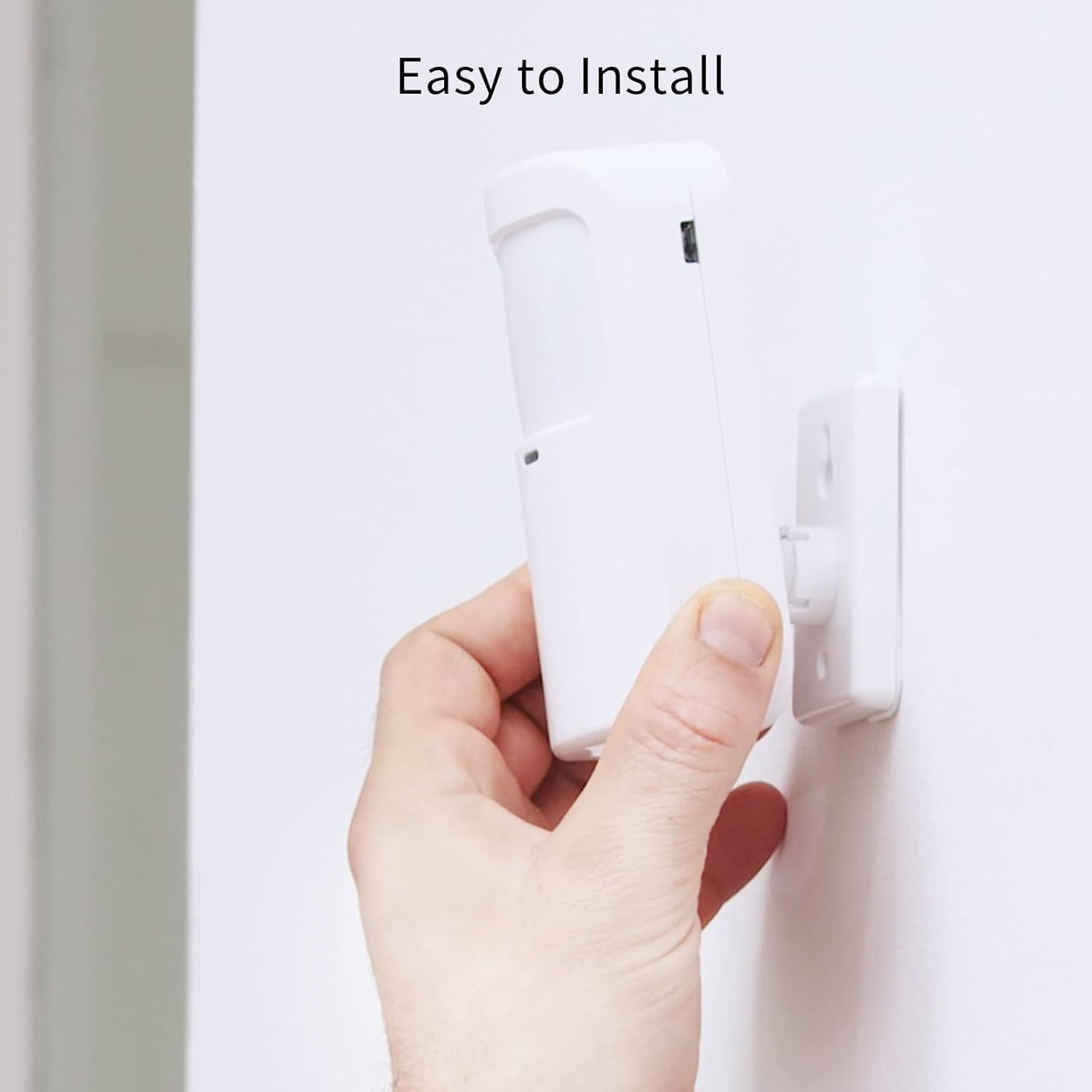
Figure 6: Simple installation process for the motion sensor.
5. Operasi Sistem Panjenengan
5.1. Nyenjaga lan Nglucuti Senjata
The Staniot system offers multiple ways to arm and disarm your security system:
- Panel Utama: Use the touch screen to select "Away Arm" (full protection), "Stay Arm" (perimeter protection, internal sensors off), or "Disarm".
- Remote Control: Press the respective buttons on the remote control for quick arming/disarming.
- Aplikasi Smart Life: Control the system remotely from your smartphone. You can set alarm modes and monitor accessory status.
- Kontrol Swara (Asisten Alexa/Google): Integrate with Amazon Alexa or Google Assistant for voice commands.
- Enable the "Smart Life" skill in your Alexa or Google Home app.
- Tautkan akun Smart Life sampeyan.
- Use commands like "Alexa, arm the security system" or "Hey Google, disarm the alarm."

Gambar 7: Integrasi kontrol swara karo Alexa lan Google Assistant.
5.2. Instant App Notifications
When an alarm is triggered, you will receive instant notifications on your smartphone via the Smart Life app. This allows you to monitor your home's security status in real-time, even when you are away.

Figure 8: Real-time alarm notifications on your mobile device.
5.3. Fungsi SOS
In case of an emergency, pressing the SOS button will immediately trigger the alarm and send alerts to pre-set emergency contacts via the app.

Figure 9: The SOS button provides immediate assistance in emergencies.
6. Pangopènan
- Panggantos baterei: Replace batteries in sensors and remote controls as needed. The Smart Life app may notify you of low battery levels.
- Reresik: Wipe the main panel and sensors with a soft, dry cloth. Avoid using abrasive cleaners or solvents.
- Firmware Updates (OTA): The system supports Over-The-Air (OTA) online upgrades. Regularly check for and install updates via the Smart Life app to ensure optimal performance and access to new features.

Figure 10: Seamless online firmware updates for continuous system improvement.
- Priksa Sistem: Periodically test all sensors and the siren to ensure they are functioning correctly.
7. Ngatasi masalah
| Masalah | Kemungkinan Penyebab | Solusi |
|---|---|---|
| Panel not connecting to Wi-Fi. | Incorrect Wi-Fi password; 5 GHz network selected; weak signal. | Double-check password. Ensure you are connecting to a 2.4 GHz network. Move panel closer to router. |
| Sensors not triggering alarm. | Sensor battery low; sensor not paired; improper installation. | Replace sensor battery. Re-pair sensor with panel. Ensure proper alignment and proximity for entry sensors. |
| Ora ana kabar aplikasi. | App permissions not granted; phone's notification settings disabled; panel not connected to internet. | Check app permissions in phone settings. Enable notifications for Smart Life app. Verify panel's internet connection. |
| Kontrol swara ora bisa digunakake. | Smart Life skill not enabled/linked; incorrect voice commands. | Ensure Smart Life skill is enabled and linked in Alexa/Google Home app. Use precise commands. |
| Siren not sounding. | Siren not connected; siren volume set too low. | Check siren connection to the main panel. Adjust siren volume settings on the panel. |
If you encounter issues not listed here, please refer to the support section or contact customer service.
8. Spesifikasi
| Fitur | Rincian |
|---|---|
| Nomer Model | H501-WiFi |
| Merk | Staniot |
| Dimensi (Panel) | Ukuran 21.59 x 16.51 x 7.37 cm (8.5 x 6.5 x 2.9 inci) |
| Bobot | 912 gram (2.01 lbs) |
| Sumber Daya | Baterei Powered (1 baterei Lithium-ion klebu) |
| Voltage | 5 volt |
| Teknologi Konektivitas | Wireless (2.4 GHz Wi-Fi only) |
| Metode Kontrol | Application, Touch Screen, Remote Control, Voice Control |
| Piranti sing kompatibel | Smartphone (Smart Life App), Amazon Alexa, Google Assistant |
| Max Accessories Supported | Nganti 200 |
| Bahan | ABS |
| Sertifikasi | CE, UKCA, FCC |
9. Warranty lan Dhukungan
9.1. Informasi babar pisan
Staniot products come with a standard manufacturer's warranty. Please refer to the warranty card included in your package or visit the official Staniot websitus kanggo syarat lan kahanan babar pisan rinci. Simpen kuitansi tuku minangka bukti tuku kanggo klaim garansi.
9.2. Dhukungan Pelanggan
For technical assistance, troubleshooting, or any questions regarding your Staniot Home Alarm System, please contact our customer support team. We are committed to providing prompt and helpful service.
- Dhukungan Online: Visit the Staniot official websitus kanggo FAQ, artikel dhukungan, lan formulir kontak.
- Dhukungan Email: Waca kemasan produk utawa resmi websitus kanggo alamat email dhukungan pelanggan.
- Dhukungan telpon: Priksa pejabat websitus web kanggo nomer dhukungan telpon sing kasedhiya lan jam operasi.
Your satisfaction is our primary goal. If you encounter any problems, please contact us first, and we will resolve the issue for you as soon as possible.
Ask a question about this manual
Ask about setup, troubleshooting, compatibility, parts, safety, or missing instructions. Manuals+ will review the question and use this page’s manual context to help answer it.