
1. Pambuka
Matur nuwun kanggo tukuasing the Heayzoki K605 Portable Digital Tuning Radio Receiver. This device combines a multi-band radio with an MP3 player, offering versatility and portability. Please read this manual carefully to ensure proper use and to maximize your enjoyment of the product.

Image: The Heayzoki K605 portable radio, highlighting its compact and lightweight design.
Fitur utama:
- Desain kompak lan portabel supaya gampang digawa.
- MP3 playback mode supporting WAV and MP3 formats.
- Memory card support for audio playback.
- FM stereo reception for improved sound clarity.
- High sensitivity and good selectivity for clear reception.
- Simple and intuitive operation, suitable for all ages.
2. Informasi Safety
To prevent damage and ensure safe operation, please observe the following precautions:
- Aja nyedhiyakake piranti menyang suhu sing ekstrem, sinar srengenge langsung, utawa kelembapan sing dhuwur.
- Aja nyelehake utawa nyebabake piranti kena pengaruh sing kuat.
- Aja mbongkar utawa nyoba ndandani piranti dhewe. Waca kabeh layanan kanggo personel qualified.
- Supaya piranti adoh saka banyu lan cairan liyane.
- Use only the specified battery and charging accessories.
- When using earphones, keep the volume at a moderate level to prevent hearing damage.
3. Isi Paket
Priksa manawa kabeh item ana ing paket kasebut:
- Heayzoki K605 Portable Radio Receiver
- Batere sing bisa diisi ulang (wis dipasang utawa kapisah)
- Kabel Pengisian USB
- Earphone
- Manual Pemilik (dokumen iki)
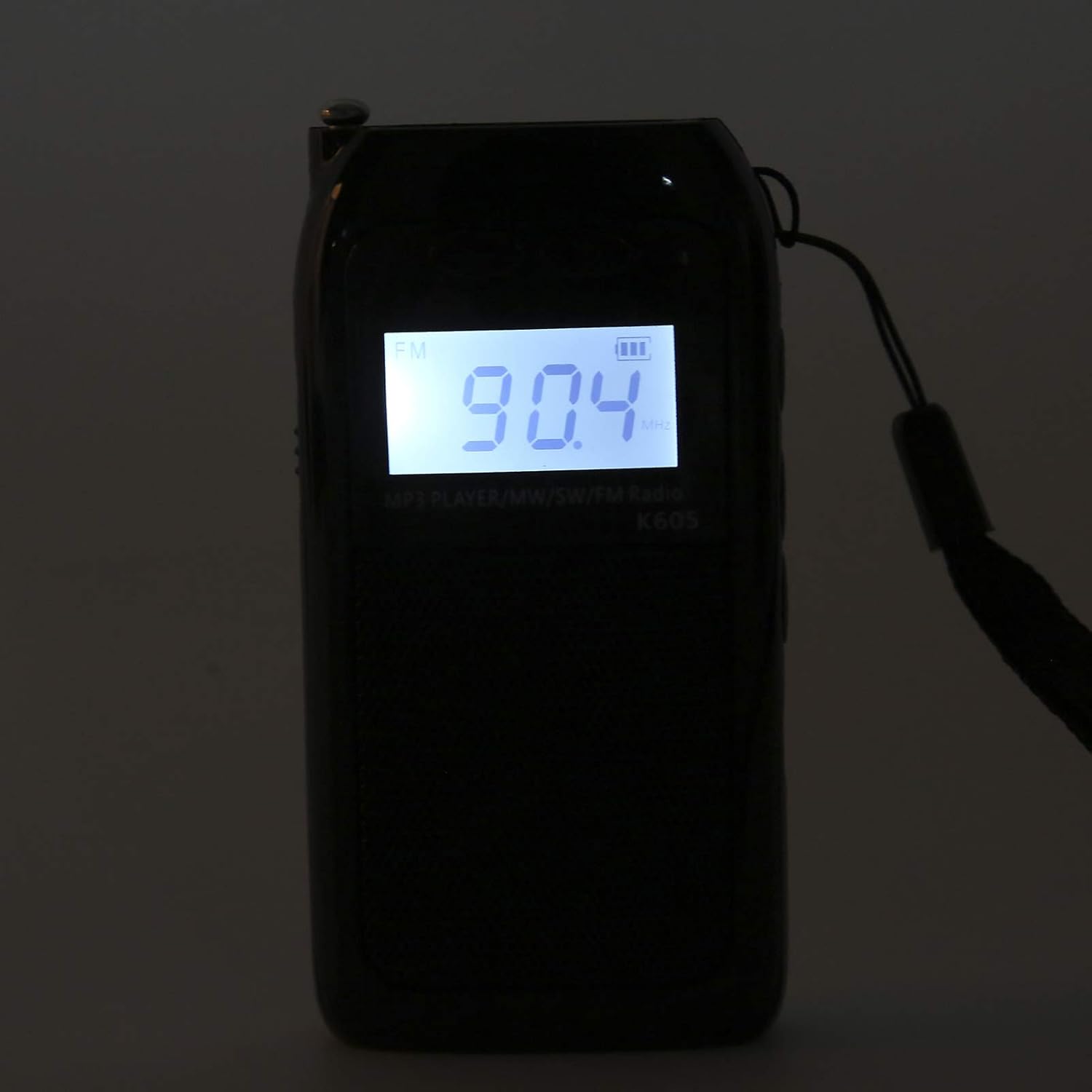
Image: The Heayzoki K605 radio displayed with its accessories, including earphones and a charging cable.
4. Produk Liwatview
Familiarize yourself with the buttons and ports of your K605 radio.

Gambar: Ngarep view of the K605 radio, highlighting the LCD screen and speaker.

Gambar: Sisih view of the K605 radio, illustrating the control buttons for tuning and volume.

Gambar: mburi view of the K605 radio, showing the battery compartment and additional ports.
Kontrol lan Port:
- Layar LCD: Shows frequency, time, battery status, and MP3 track information.
- Tombol daya: Nguripake / mateni piranti.
- Tombol Mode: Switches between FM, SW, MW radio, and MP3 player modes.
- Volume +/- Tombol: Nyetel volume audio.
- Tuning +/- Buttons: Scans or manually tunes radio frequencies; navigates MP3 tracks.
- Tombol Puter/Ngaso: Controls MP3 playback.
- Antena: Antena sing bisa ditambahi kanggo resepsi radio sing luwih apik.
- Soket Earphone (3.5mm): Kanggo ngrungokake pribadi.
- Port USB Mikro: Kanggo ngisi daya piranti.
- Slot kertu memori: For inserting a microSD card with MP3/WAV files.
5. Setup
5.1. Ngisi Daya Baterei
- Connect the small end of the USB charging cable to the Micro USB port on the radio.
- Sambungake ujung kabel pangisi daya USB sing luwih gedhe menyang adaptor daya USB (ora klebu) utawa port USB komputer.
- Indikator baterei ing layar LCD bakal nuduhake status pangisian daya.
- Sawise kebak, copot kabel pangisi daya.
5.2. Inserting a Memory Card (for MP3 Playback)
- Locate the memory card slot on the side or back of the radio.
- Gently insert a microSD card (up to 32GB, not included) with the metal contacts facing down until it clicks into place.
- To remove, push the card in slightly until it clicks out.
6. Instruksi Operasi
6.1. Daya On / Off
Pencet terus tombol daya tombol kanggo nguripake utawa mateni radio.
6.2. Milih Mode
Tekan ing Mode button repeatedly to cycle through the available modes: FM Radio, SW Radio, MW Radio, and MP3 Player.
6.3. Radio Operation (FM/SW/MW)
- Ngembangake Antena: For optimal reception, fully extend the telescopic antenna.
- Pilih Band: Tekan ing Mode button until the desired band (FM, SW, or MW) is displayed.
- Tuning otomatis: Pencet terus tombol Tuning +/- tombol kanggo mindai otomatis stasiun kasedhiya sabanjuré.
- Tuning Manual: Pencet sedhela ing Tuning +/- buttons to fine-tune the frequency step by step.
- Pangaturan volume: Gunakake ing Volume +/- tombol kanggo nyetel tingkat swara.

Image: The K605 radio with its antenna extended, ready for radio reception.
6.4. MP3 Player Operation
Ensure a memory card with MP3 or WAV files dipasang.
- Pilih Mode MP3: Tekan ing Mode button until "MP3" or similar is displayed.
- Puter / Ngaso: Tekan ing Play / Ngaso tombol kanggo miwiti utawa ngaso puter maneh.
- Lacak Sabanjure / Sadurunge: Gunakake ing Tuning +/- tombol kanggo skip menyang trek sabanjuré utawa sadurungé.
- Pangaturan volume: Gunakake ing Volume +/- tombol kanggo nyetel tingkat swara.

Image: The K605 radio in MP3 playback mode, showing the MP3 indicator on the display.
6.5. Nggunakake Earphone
Plug your 3.5mm earphones into the earphone jack for private listening. The internal speaker will automatically mute.
7. Pangopènan
7.1. Reresik
- Usap piranti nganggo gombal empuk lan garing.
- Aja nggunakake pembersih abrasif, pelarut, utawa bahan kimia sing kuwat.
7.2. Panyimpenan
- Simpen radio ing panggonan sing adhem lan garing adoh saka sinar srengenge langsung lan suhu sing ekstrem.
- If storing for an extended period, ensure the battery is partially charged and recharge it periodically to maintain battery health.
8. Ngatasi masalah
| Masalah | Kemungkinan Penyebab | Solusi |
|---|---|---|
| Ora ana daya | Baterei wis entek. | Ngisi daya baterei nggunakake kabel USB sing kasedhiya. |
| Resepsi radio sing ora apik | Antena ora ditambahi; sinyal lemah; gangguan. | Fully extend the antenna. Try repositioning the radio. Move away from electronic devices causing interference. |
| MP3 files ora muter | Memory card not inserted correctly; unsupported file format; rusak files. | Ensure the memory card is properly inserted. Verify files are in WAV or MP3 format. Try another memory card or re-format the current one. |
| No sound from speaker/earphones | Volume is too low; earphones not fully plugged in; faulty earphones. | Increase the volume. Ensure earphones are fully inserted. Test with another pair of earphones. |
9. Spesifikasi
| Fitur | Rincian |
|---|---|
| Model | K605 |
| Merk | Heyzoki |
| Band Radio Didhukung | FM, SW, MW (3-Band) |
| Range Frekuensi FM | 76-108 MHz |
| MW Frequency Range | 522-1620 KHz (9KHz) / 520-1710 KHz (10KHz) |
| Range Frekuensi SW | 4.75-21.85 MHz |
| Format Audio sing Didhukung | WAV, MP3 |
| Teknologi Konektivitas | 3.5 mm audio |
| Tipe Tampilan | LCD |
| Sumber Daya | Battery Powered (500mA 3.7V Lithium battery) |
| Speaker Daya Output Maksimum | 2 Watt |
| Bahan | Acrylonitrile Butadiene Styrene (ABS) |
| Dimensi produk | 1 x 1 x 1 cm |
| Bobot Barang | 156 XNUMXgm |
10. Informasi babar pisan
Heayzoki products are designed and manufactured to the highest quality standards. This product is covered by a limited warranty against defects in materials and workmanship for a period specified by your retailer or local laws from the original date of purchase. Please retain your proof of purchase for warranty claims. The warranty does not cover damage caused by misuse, accident, unauthorized modification, or normal wear and tear.
11. Dhukungan Pelanggan
If you encounter any issues or have questions regarding your Heayzoki K605 Portable Digital Tuning Radio Receiver that are not addressed in this manual, please contact your retailer or the Heayzoki customer support team for assistance. Please have your model number and purchase details ready when contacting support.
Kanggo informasi luwih lengkap, sampeyan bisa ngunjungi Heayzoki Store on Amazon.