
DigiKuber MT200
Pandhuan Panggunaan Jam Tangan Pintar DigiKuber EKG Pria
Model: MT200
1. Pambuka
Thank you for choosing the DigiKuber Smartwatch ECG Men. This device is designed to help you monitor your health and fitness, offering features such as ECG, PPG, heart rate, blood pressure, blood oxygen, and body temperature monitoring, alongside various sports modes and smart notifications. Please read this manual carefully to ensure proper use and optimal performance of your smartwatch.
2. Informasi Safety
- Consult your doctor before starting any new exercise program or if you have pre-existing health conditions.
- The smartwatch is not a medical device and should not be used for diagnosis, treatment, or prevention of any disease. All health data is for reference only.
- Jauhake piranti saka suhu ekstrem, sinar srengenge langsung, lan medan magnet sing kuwat.
- Aja nyoba mbongkar utawa ndandani piranti dhewe. Iki bakal mbatalake garansi.
- Avoid exposing the watch to hot water, steam, or corrosive liquids, as this may damage the device despite its IP68 rating.
3. Isi Paket
- DigiKuber Smartwatch (1 unit)
- Watch Strap (1 unit)
- USB Charging Cable (Magnetic Absorption) (1 unit)
- Manual pangguna (dokumen iki)
4. Produk Liwatview
The DigiKuber Smartwatch features a 1.43-inch AMOLED full-color touch screen, offering clear visuals and intuitive navigation. It is equipped with various sensors for health monitoring and a comfortable TPU strap.

This image shows the DigiKuber Smartwatch on a wrist, displaying the current time, step count, heart rate, and weather information. A smartphone screen in the background illustrates the detailed ECG data available through the companion application.

This diagram provides precise measurements of the smartwatch. It details the 1.43-inch AMOLED screen, the watch's diameter of 48mm, a thickness of 14mm, a 22mm strap width, and a total wristband size of 265mm, offering a clear understanding of its physical form.
5. Setup
5.1 Ngisi daya Smartwatch
Before first use, fully charge your smartwatch. Connect the magnetic charging cable to the charging points on the back of the watch and plug the USB end into a power adapter (not included) or a computer USB port. Charging typically takes about 3-4 hours.
5.2 Instalasi Aplikasi
Kanggo mbukak kunci potensial lengkap jam tangan pinter sampeyan, download lan instal SmartHealth aplikasi ing smartphone sampeyan.
- Scan the QR code in the manual (if provided with physical product) or search for "SmartHealth" in your smartphone's app store (Google Play Store for Android, Apple App Store for iOS).
- Priksa manawa smartphone sampeyan memenuhi syarat kompatibilitas: Android 4.4 lan sing luwih anyar, utawa iOS 8.2 lan sing luwih anyar.
5.3 Masangake karo Smartphone
- Aktifake Bluetooth ing smartphone sampeyan.
- Open the SmartHealth app.
- Follow the in-app instructions to search for and connect to your smartwatch (Model: DK E80 / MT200).
- Ensure the watch is close to your phone during the pairing process.
- Sawise dipasangake, jam tangan bakal nyinkronake wektu lan data karo telpon.
6. Ngoperasikake Smartwatch
6.1 Pandhu arah dhasar
The smartwatch features a full touch screen for navigation. Swipe left/right, up/down to access different functions and menus. Press the side button to return to the home screen or power on/off.
6.2 Monitoring Kesehatan
The smartwatch offers comprehensive health monitoring features. Access these functions directly from the watch or view detailed reports in the SmartHealth app.
- ECG + PPG + AI Diagnosis: Place your finger on the designated sensor area for an ECG reading. The app provides an AI-assisted diagnosis.
- Monitor Detak Jantung: Terus-terusan nglacak denyut jantung.
- Monitor tekanan darah: Ngukur tekanan getih sampeyan.
- Monitor Oksigen Darah (SpO2): Ngukur saturasi oksigen ing getih sampeyan.
- Body Temperature Measurement: Provides real-time body temperature readings.
- Monitor turu: Automatically tracks your sleep quality (deep sleep, light sleep, awake time).
- Respiratory Rate: Monitors your breathing rate.

This image focuses on the ECG monitoring feature. The smartwatch shows a real-time heart rate reading, while a connected smartphone displays a comprehensive ECG waveform report, including frequency, speed, and analytic results like 'Sinus rhythm'.
6.3 Olahraga Mode
The smartwatch supports 7 kinds of sports modes to accurately record your activity data.
- mlaku
- Cycling
- Skipping
- Basket
- Tenis Meja
- Badminton
- General Training
Select the desired sport mode before starting your activity. The watch will record data such as steps, calories burned, and distance.
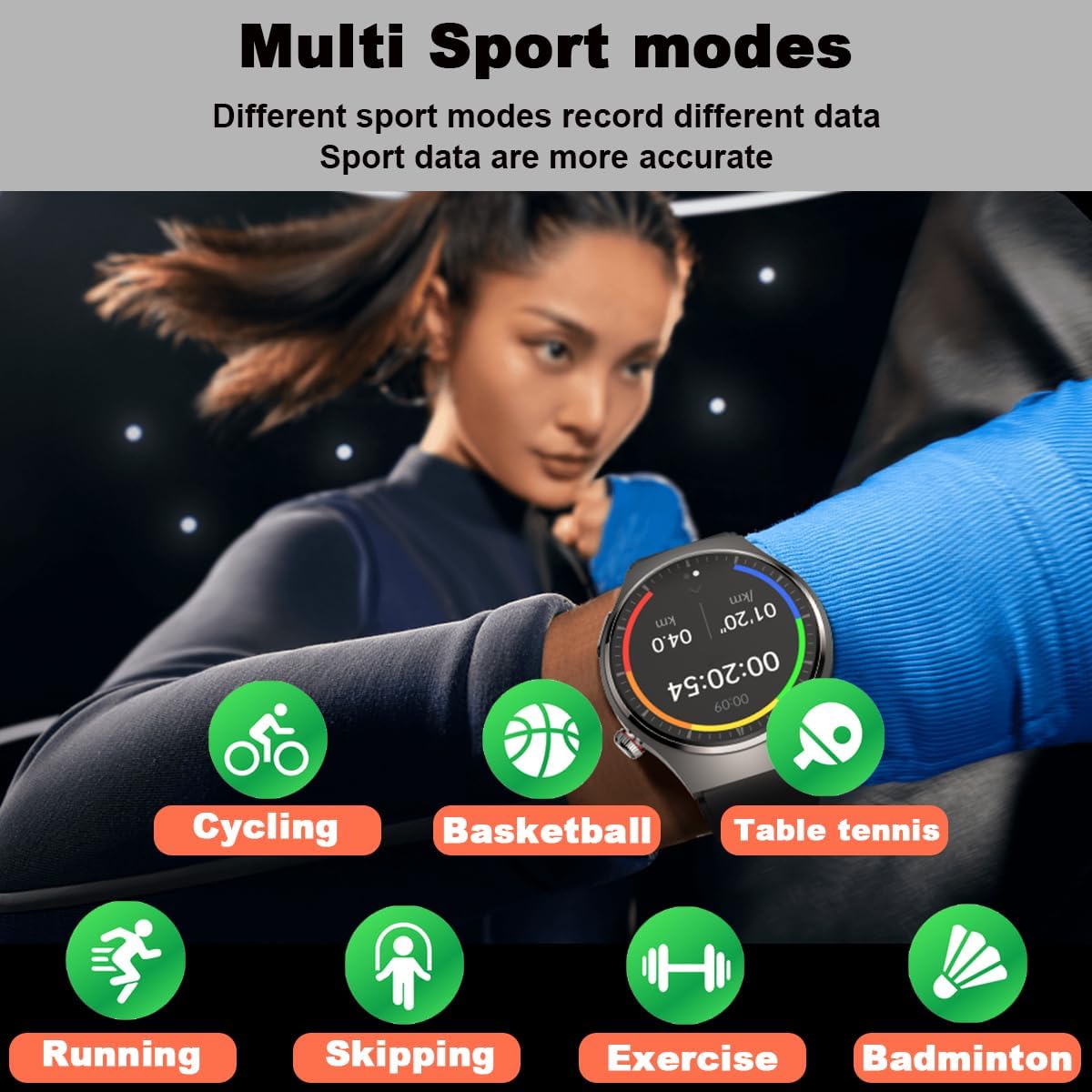
This visual highlights the multi-sport tracking capabilities of the smartwatch. A user is shown engaged in physical activity, and surrounding icons represent different sports modes the watch can track, including running, cycling, skipping, basketball, table tennis, badminton, and general exercise, each designed to record specific data for more accurate analysis.
6.4 Kabar lan Telpon
Tetep nyambung kanthi nampa kabar lan ngatur telpon langsung saka bangkekanmu.
- Kabar Pesen: Receive alerts for SMS, email, and messages from social apps (e.g., WhatsApp, WeChat, Facebook, Twitter, LinkedIn, Instagram, Skype). Enable these notifications in the SmartHealth app settings.
- Inbound Call Notification: The watch will vibrate and display caller ID for incoming calls.
- Dial & Answer Calls: With the built-in speaker and microphone, you can dial numbers and answer calls directly from the smartwatch.
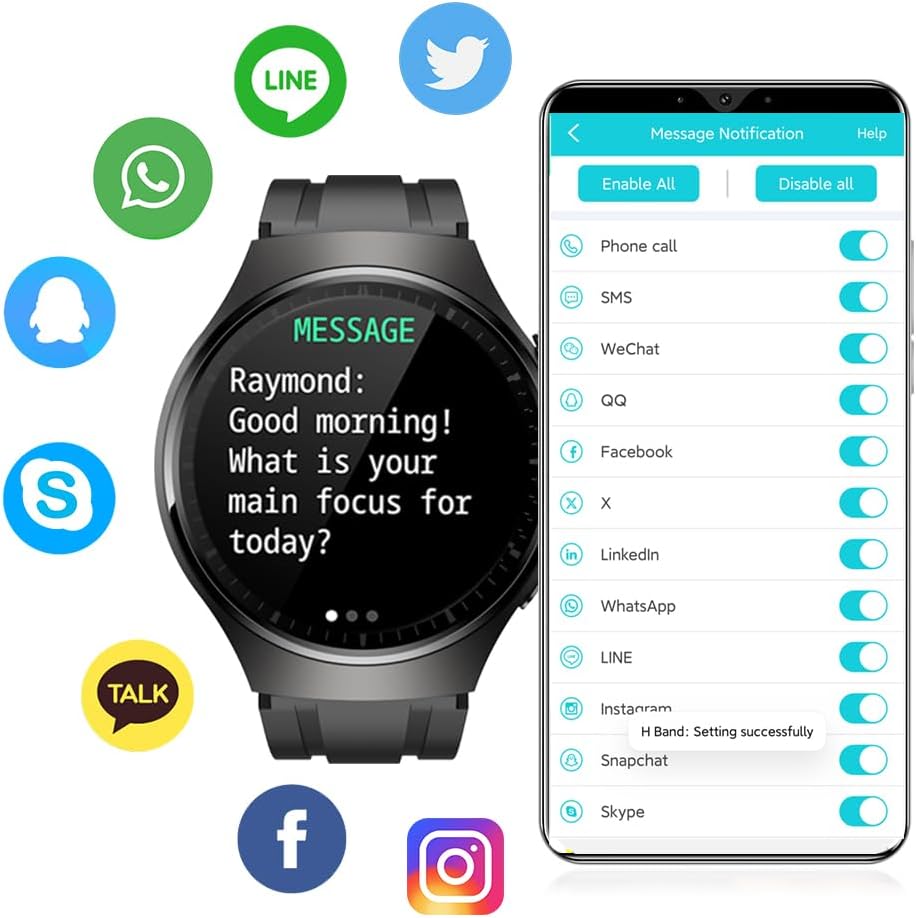
The image illustrates the smartwatch's message notification feature. The watch face displays an incoming message, and around it are logos of popular communication applications such as WhatsApp, WeChat, Facebook, Twitter, LinkedIn, and Instagram, indicating compatibility for receiving notifications from these platforms.
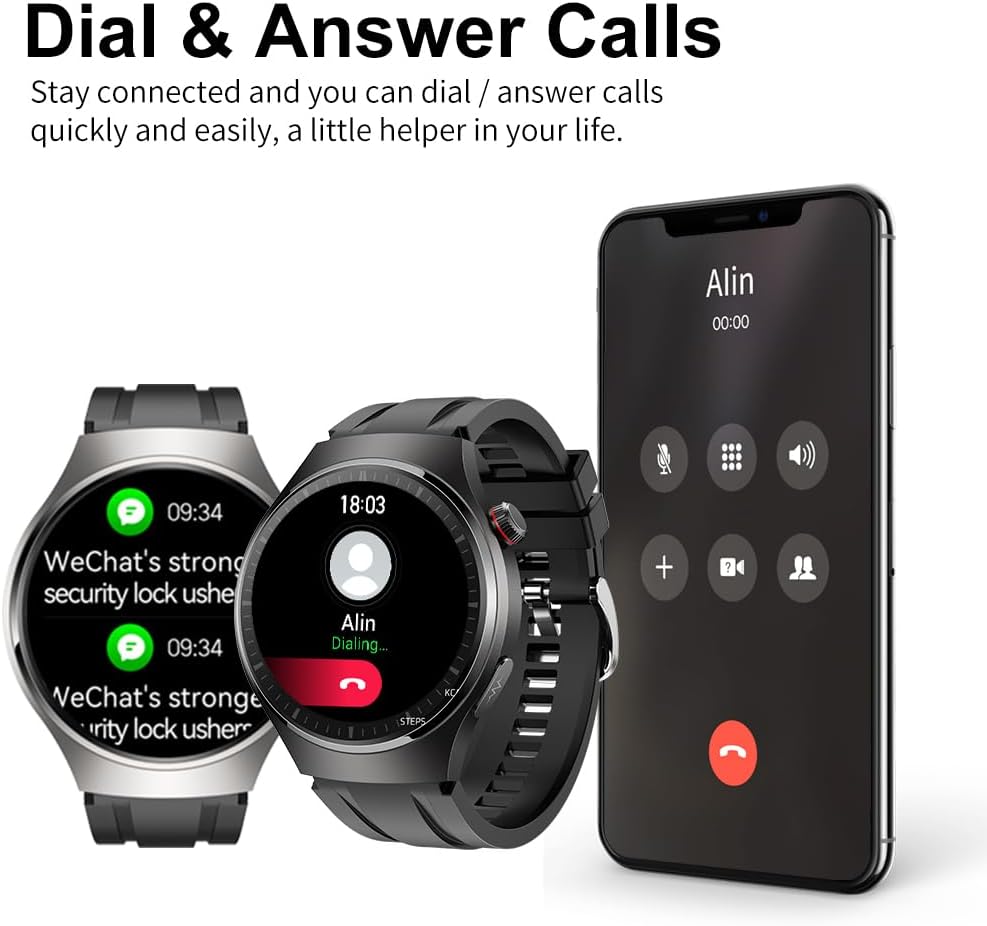
The image demonstrates the smartwatch's ability to handle calls. Two smartwatches are shown alongside a smartphone displaying an incoming call, indicating that users can dial and answer calls directly from the watch, acting as a convenient communication assistant.
6.5 Fungsi liyane
- Pedometer: Nglacak cacah langkah saben dina sampeyan.
- Penghitung kalori: Ngira-ngira kalori sing diobong adhedhasar aktivitas.
- Tampilan Jarak: Shows distance covered.
- Kontrol kamera: Kendalikan kamera ponsel sampeyan saka kadohan.
- Jam randik: A built-in stopwatch function.
- Pangeling Sedentary: Ngelingake sampeyan supaya obah sawise ora aktif.
- Latihan napas: Latihan pernapasan sing dipandu.
- Remote Care Function: Share real-time health data with family members via the app.
7. Pangopènan
7.1 Reresik
Resikna smartwatch lan tali kanthi rutin kanggo nyegah iritasi kulit lan njaga piranti supaya awet. Gunakake kain sing alus lanamp cloth to wipe the watch body and strap. Do not use harsh chemicals or abrasive materials.
7.2 Tahan banyu
The smartwatch has an IP68 water resistance rating, meaning it is protected against dust and can withstand immersion in water up to 1.5 meters for 30 minutes. It is suitable for daily use, such as hand washing or light rain. However, it is ora dianjurake for swimming, diving, hot showers, or saunas, as steam and hot water can damage the seals.

The smartwatch is depicted with water droplets on its surface, emphasizing its IP67 waterproof capability. Text overlays indicate its 1.43-inch AMOLED screen with a resolution of 466x466 pixels, ensuring clear and vibrant visuals.
7.3 Panyimpenan
When not in use for extended periods, store the smartwatch in a cool, dry place. Ensure it is fully charged before storing to preserve battery health.
8. Ngatasi masalah
- Watch ora nguripake: Priksa manawa jam tangan wis diisi daya kanthi lengkap. Sambungake menyang pangisi daya lan enteni sawetara menit sadurunge nyoba nguripake.
- Ora bisa dipasangake karo telpon:
- Priksa manawa Bluetooth diaktifake ing telpon.
- Priksa manawa jam tangan ana ing jangkauan Bluetooth (biasane 10 meter).
- Wiwiti maneh jam tangan lan telpon sampeyan.
- Check if the SmartHealth app is updated to the latest version.
- Yen wis dipasangake sadurunge, coba copot sambungane lan pasangake maneh piranti kasebut.
- Angka kesehatan sing ora akurat:
- Pesthekake yen arloji kasebut dianggo pas ing bangkekan, ora kenceng utawa longgar.
- Tansah lengen nalika pangukuran.
- Ngresiki sensor ing mburi watch.
- Note that readings can be affected by skin tone, hair, and movement.
- Notifikasi ora ditampa:
- Priksa manawa jam tangan disambungake menyang telpon liwat Bluetooth.
- Check notification permissions for the SmartHealth app in your phone's settings.
- Verify that app notifications are enabled within the SmartHealth app itself.
- Urip baterei cendhak:
- Ngurangi padhange layar.
- Pateni ngawasi detak jantung terus-terusan yen ora perlu.
- Matesi jumlah aplikasi sing ngirim kabar menyang jam tangan.
9. Spesifikasi
| Fitur | Spesifikasi |
|---|---|
| Model | MT200 (DK E80) |
| Tampilan | 1.43-inch AMOLED Full Color Touch Screen, IPS TFT 240*240 (Note: Product description states 1.3" and 240*240, while specifications state 1.43" and 466x466. Using 1.43" AMOLED 466x466 as per specifications and image.) |
| Sistem Kompatibel | Android 4.4+ / iOS 8.2+ |
| Bluetooth | 4.2BLE (Low Power) |
| Jinis baterei | baterei Li-polimer |
| Kapasitas baterei | 200mAh (Description) / 400mAh (Specifications) - Using 400mAh as per specifications. |
| Tipe Pengisian | Penyerapan Magnetik |
| Wektu Ngisi daya | Kira-kira. 3-4 jam |
| Wektu Panggunaan | 6-13 days (Description) / 5-13 days (Feature Bullet) / 7 days (Specifications) - Using 5-13 days range. |
| Wektu siyaga | 20-40 dina |
| Tingkat banyu | IP68 |
| Getaran | Speaker, Sound Dampening, Vibration |
| Bahan Kasus | Paduan Logam |
| Bahan Cangkang Ngisor | PC + ABS |
| Bahan Tali Kab | Environment Friendly TPU |
| ukuran | 245 x 43.5 x 10 mm (L x W x H) (Description) / 4.8 x 4.6 x 1.4 cm (Product Dimensions) - Using Product Dimensions. |
| Bobot | 150 g |
10. Warranty lan Dhukungan
For warranty information and customer support, please refer to the documentation provided with your purchase or contact DigiKuber customer service through their official websitus utawa platform panggonan sampeyan tuku produk kasebut. Simpen bukti tuku kanggo klaim garansi.