
1. Pambuka
Thank you for choosing the CREATE NETBOT S15 Robot Vacuum Cleaner. This manual provides essential information for the safe operation, maintenance, and troubleshooting of your device. Please read it thoroughly before first use and retain it for future reference.
Produk Overview

The image above displays the CREATE NETBOT S15 Robot Vacuum Cleaner, its dedicated remote control, and a smartphone screen showing the companion application interface. The robot is black with a textured top surface and a central green power button. The remote control features a digital display and various control buttons. The app shows a map of a cleaned area.
The NETBOT S15 is designed to simplify your cleaning routine, offering multiple cleaning modes and smart features for efficient floor maintenance.
2. Pandhuan Safety
Kanggo njamin operasi sing aman lan nyegah karusakan, tindakake langkah-langkah safety ing ngisor iki:
- Waca kabeh instruksi sadurunge nggunakake piranti.
- Aja nganti bocah-bocah ngoperasikake robot vakum. Awasi bocah-bocah lan kewan ingon nalika robot lagi mlaku.
- Ensure the charging base is placed against a wall on a hard, level surface, with adequate clear space around it.
- Jaga rambut, sandhangan longgar, driji, lan kabeh bagean awak adoh saka bukaan lan bagean obah.
- Aja njupuk barang gedhe, barang landhep, cairan, utawa barang sing kobong/ngrokok.
- Aja nggunakake robot ing lingkungan teles utawa ing lumahing teles.
- Remove power cords, small objects, and fragile items from the floor before operation to prevent entanglement or damage.
- Use only the original charger and battery provided by the manufacturer.
- Do not modify or attempt to repair the robot vacuum yourself. Contact qualified service personnel for repairs.
3. Isi Paket
Priksa manawa kabeh komponen ana ing paket kasebut:

The image shows the retail box for the CREATE NETBOT S15 Robot Vacuum Cleaner, indicating the product and its key features.
- CREATE NETBOT S15 Robot Vacuum Cleaner
- Pengisian Base
- Adaptor Daya
- Remote Control
- Dustbin (600 ml capacity)
- Tangki Banyu (kapasitas 400 ml)
- Side Brushes (2 + 2 replacements)
- HEPA Filter (1 + 1 replacement)
- Cleaning Mop (1 + 1 replacement)
- Sikat Reresik
- Jalur Magnetik
- Manual pangguna
4. Setup
4.1 Pangisi daya Base Placement

The image shows the CREATE NETBOT S15 Robot Vacuum Cleaner correctly docked on its charging station, indicating proper placement for recharging.
- Selehake dhasar pangisi daya ing tembok ing area sing mbukak.
- Ensure there is at least 1 meter (3 feet) of clear space on both sides of the charging base and 2 meters (6 feet) in front of it.
- Sambungake adaptor daya menyang pangkalan pangisi daya lan pasang menyang stopkontak tembok.
- Ensure the power indicator light on the charging base is illuminated.
4.2 Ngisi daya wiwitan

This image depicts the CREATE NETBOT S15 Robot Vacuum Cleaner positioned near its charging dock in a room, ready for or undergoing charging.
Sadurunge digunakake pisanan, isi daya robot vakum kanthi lengkap. Selehake robot ing dhasar pangisi daya, priksa manawa kontak pangisi daya wis sejajar. Lampu indikator ing robot bakal nuduhake status pangisi daya. Pangisian daya kebak biasane butuh wektu 4-5 jam.
4.3 Instalasi lan Sambungan App
The CREATE NETBOT S15 can be controlled via a smartphone application, compatible with Alexa and Google Home.
- Download the official CREATE app from your smartphone's app store.
- Ndhaptar akun lan mlebu.
- Follow the in-app instructions to add your NETBOT S15 device. This typically involves putting the robot into pairing mode and connecting it to your home Wi-Fi network.
- Once connected, you can program cleaning schedules, select cleaning modes, and monitor the robot's status from your phone.
- For voice control, link the CREATE app with your Alexa or Google Home account through their respective applications.
5. Instruksi Operasi
5.1 Mode Reresik
The NETBOT S15 offers four cleaning functions:
- Nyapu: Uses side brushes to gather debris.
- Vakum: Utilizes suction power to collect dust and dirt. Features up to 1500 Pa suction power with adjustable levels.
- Ngepel: Wipes floors with a damp cloth from the water tank.
- Wisuh: Combines sweeping, vacuuming, and mopping for comprehensive cleaning.

This image illustrates the CREATE NETBOT S15 Robot Vacuum Cleaner actively cleaning under a sofa, demonstrating its ability to reach confined spaces. Two dogs are visible in the foreground, suggesting a pet-friendly environment.
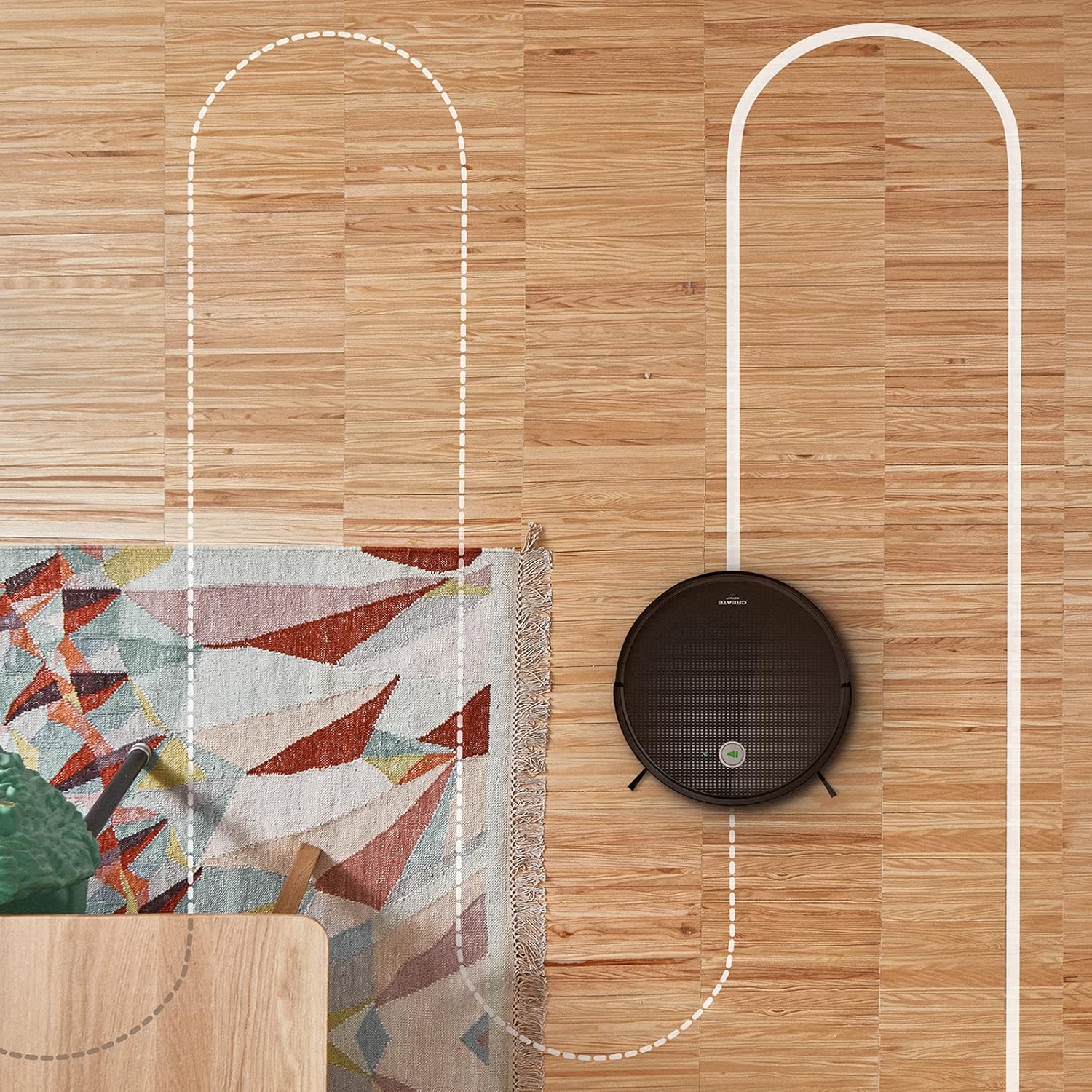
Aerial view shows the CREATE NETBOT S15 Robot Vacuum Cleaner moving across a wooden floor, with a dotted line indicating its systematic cleaning path, highlighting its gyroscopic navigation.
5.2 Nggunakake Remote Control
The included remote control allows for direct operation of the robot vacuum. Refer to the remote control diagram in your quick start guide for button functions. Common functions include:
- Miwiti / Ngaso Reresik
- Bali menyang Pangkalan Pengisian
- Directional Control (manual steering)
- Spot Cleaning
- Reresik Edge
- Setelan Jadwal
5.3 Magnetic Strip Usage
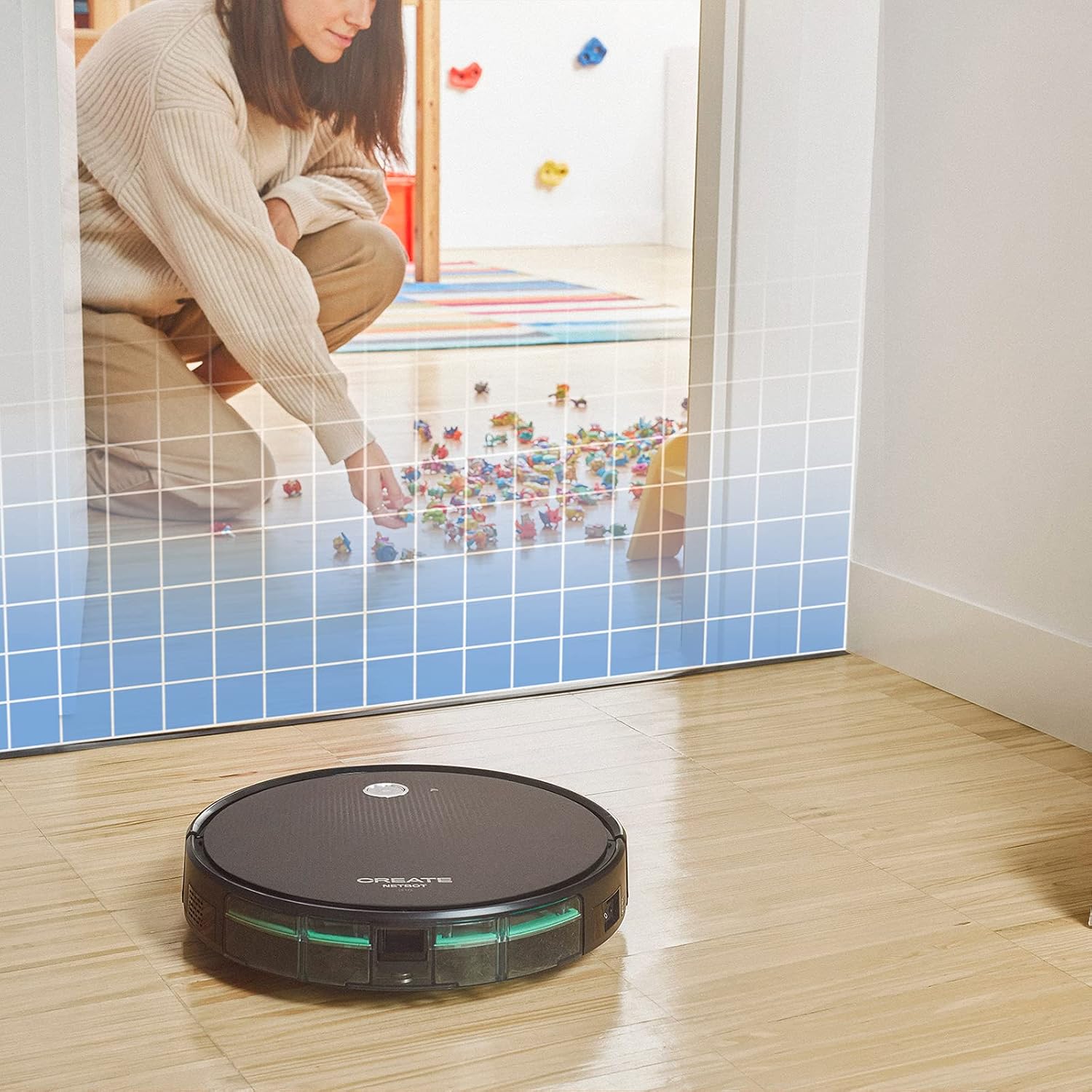
This illustration demonstrates the CREATE NETBOT S15 Robot Vacuum Cleaner approaching a virtual boundary, represented by a grid, which prevents it from entering a specific area, such as where toys are located.
Use the provided magnetic strip to create virtual boundaries that the robot will not cross. Place the strip on the floor to delimit areas where the robot should not enter, such as pet feeding zones or areas with delicate items.
5.4 Urip baterei
The NETBOT S15 is equipped with a long-lasting LG Lithium battery, providing up to 120 minutes of cleaning autonomy on a single charge, depending on the selected power mode.
6. Pangopènan
Pangopènan reguler njamin kinerja optimal lan ngluwihi umur vakum robot sampeyan.
6.1 Dustbin and Water Tank Cleaning
Empty the dustbin after each use. The 600 ml dustbin is easily removable. If using the mopping function, empty and rinse the 400 ml water tank after each use to prevent mold or odors.
6.2 Reresik sikat

A close-up view of the CREATE NETBOT S15 Robot Vacuum Cleaner's side brush, showing its design for sweeping debris into the main suction path.
- Sikat sisih: Regularly check for hair or debris entanglement. Remove and clean as needed. Replace worn brushes with the provided spares.
- sikat utama: Copot tutup sikat utama lan angkat sikat kasebut. Gunakake alat pembersih kanggo mbusak rambut lan rereged sing kusut.
6.3 Filter Cleaning / Panggantos
The robot uses a double filter system: a sponge filter and a HEPA filter. Tap the filters to remove loose dirt. Do not wash HEPA filters with water. Replace filters every 3-6 months, or more frequently with heavy use, to maintain suction performance.
6.4 Reresik Sensor
Wipe the cliff sensors (located on the bottom of the robot) and the bumper sensors (on the front) with a clean, dry cloth to ensure proper navigation and obstacle detection.
7. Ngatasi masalah
If you encounter issues with your NETBOT S15, refer to the following common problems and solutions:
| Masalah | Kemungkinan Penyebab | Solusi |
|---|---|---|
| Robot ora miwiti utawa nanggapi. | Baterei kurang; Pateni daya; Robot macet. | Isi daya robot; Priksa manawa saklar daya wis ON; Kosongake alangan apa wae. |
| kinerja reresik miskin. | Tong sampah kebak; Sikat/filter mampet; Sikat sing wis rusak. | Empty dustbin; Clean brushes and filters; Replace brushes/filters. |
| Robot ora bisa nemokake basis pangisian daya. | Basis pangisian daya macet; Robot kejauhan saka basis; Basis ora ana dayane. | Ensure clear space around base; Manually place robot closer; Check power connection to base. |
| Robot asring macet. | Cables/small objects on floor; Uneven surfaces; Dark colored carpets. | Clear floor of obstacles; Use magnetic strips for problem areas; Robot may struggle on very dark surfaces. |
| Masalah sambungan Wi-Fi. | Sandhi Wi-Fi salah; Router kelewat adoh; jaringan 5GHz. | Verify password; Move robot closer to router; Ensure connection to a 2.4GHz Wi-Fi network. |
8. Spesifikasi
Key technical specifications for the CREATE NETBOT S15 Robot Vacuum Cleaner:
- Merk: NYIPTA
- Nomer Model: Netbot S15 Kab
- warna: Black - Turquoise
- Ukuran (L x W x H): 33 x 33 x 7.5 cm
- Bobot: 3 kg
- daya: 25 Watt
- Daya nyedhot: Nganti 1500 Pa
- Tingkat Noise: 62 dB
- Jinis baterei: Lithium-ion
- Urip baterei: Nganti 120 menit
- Kapasitas tong sampah: 600 ml
- Kapasitas tangki banyu: 400 ml
- Sistem Filter: Double sponge Clean + HEPA filter
- Konektivitas: Wi-Fi, Kontrol Aplikasi
- Kompatibilitas Voice Assistant: Google Home, Alexa
- Fitur khusus: Gyroscopic navigation, Magnetic strip boundary, 4 cleaning modes (sweep, vacuum, mop, wash)
9. Warranty lan Dhukungan
For warranty information, technical support, or service inquiries, please refer to the warranty card included with your product or visit the official CREATE websitus. Simpen kuitansi tuku minangka bukti tuku.