
1. Pambuka
This manual provides essential instructions for the proper setup, operation, and maintenance of your Black Box EVNDVI01-0010 DVI-A to VGA HD15 Cable. Please read this manual thoroughly before using the product to ensure optimal performance and longevity.
2. Produk Liwatview
The Black Box EVNDVI01-0010 is a DVI-A to VGA HD15 cable designed to connect a digital DVI-A output from a source device to an analog VGA input on a display device. This cable facilitates the transmission of analog video signals, allowing compatibility between DVI-A enabled devices and traditional VGA monitors or projectors.
Fitur utama:
- Connects digital DVI-A display outputs to analog VGA device inputs.
- Supports resolutions up to 1600 x 1200.
- Features a 17-pin single link configuration for DVI-A.
- Male-to-Male connector gender.
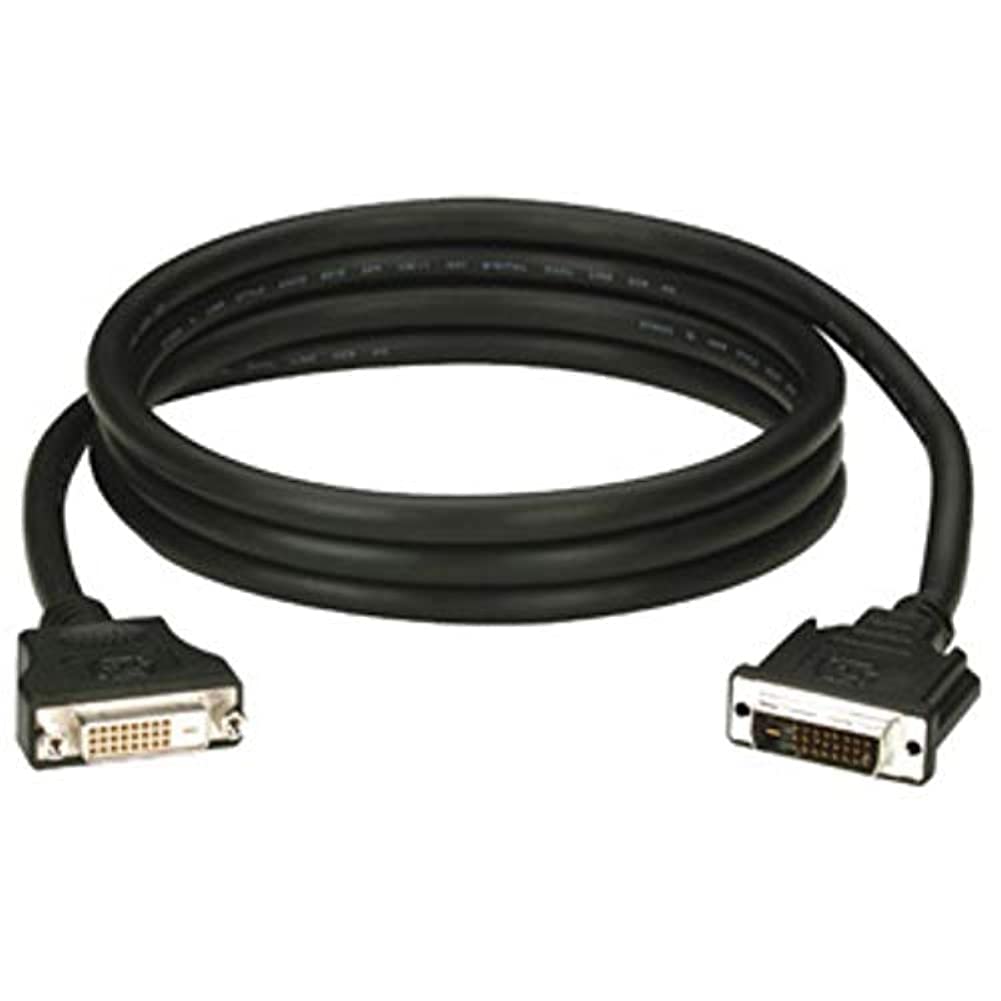
Figure 1: Black Box DVI-A to VGA HD15 Cable. This image displays the cable with its DVI-A (white) and VGA (blue) connectors, illustrating its male-to-male configuration.
3. Setup
Follow these steps to properly connect your DVI-A to VGA cable:
- Ngenali Port: Locate the DVI-A output port on your source device (e.g., computer graphics card) and the VGA input port on your display device (e.g., monitor, projector). The VGA port is typically blue.
- Connect DVI-A: Carefully insert the DVI-A connector of the cable into the DVI-A output port of your source device. Ensure the pins align correctly and gently push until it is fully seated.
- Koneksi VGA: Insert the VGA HD15 connector of the cable into the VGA input port of your display device. Tighten the thumbscrews on the VGA connector to secure the connection and prevent accidental disconnections.
- Daya On Piranti: Uripake piranti sumber lan piranti tampilan sampeyan.
- Pilih Input: On your display device, select the correct input source (e.g., 'VGA', 'PC', 'Input 1') using the display's menu or input selection button.
A proper connection should result in the display device showing the video output from the source device.
4. Ngoperasikake
Once the Black Box EVNDVI01-0010 cable is correctly connected, its operation is passive. The cable transmits the analog video signal directly from the source to the display. No additional software or drivers are required for the cable itself.
- Setelan resolusi: Ensure your source device's display settings are configured to a resolution supported by both the source and the display device, up to 1600 x 1200.
- Mode tampilan: If using a computer, you may need to configure your display mode (e.g., duplicate, extend, second screen only) through your operating system's display settings.
5. Pangopènan
To ensure the longevity and reliable performance of your Black Box DVI-A to VGA cable, follow these maintenance guidelines:
- Nangani kanthi ati-ati: Aja mlengkung kabel kanthi cetha utawa ngetrapake kekuwatan sing gedhe banget ing konektor.
- Tetep resik: Usap kabel lan konektor kanthi periodik nganggo kain alus lan garing kanggo mbusak bledug lan rereged. Aja nggunakake cairan pembersih langsung ing konektor.
- Simpen kanthi bener: When not in use, coil the cable loosely and store it in a clean, dry environment away from extreme temperatures.
- Priksa karusakan: Regularly check the cable and connectors for any signs of wear, fraying, or damage. Discontinue use if damage is observed.
6. Ngatasi masalah
If you encounter issues with your DVI-A to VGA cable, consider the following troubleshooting steps:
- Ora Ana Sinyal ing Layar:
- Priksa manawa ujung kabel loro-lorone disambungake kanthi aman.
- Priksa manawa piranti sumber lan piranti tampilan diuripake.
- Confirm the correct input source is selected on your display device.
- Test with another cable if available to rule out a faulty cable.
- Poor Picture Quality (Flickering, Distorted Image):
- Check for loose connections at both ends of the cable. Tighten VGA thumbscrews.
- Adjust the display resolution on your source device to a lower setting to see if the issue resolves.
- Ensure there are no strong electromagnetic interference sources near the cable.
- Priksa kabel kasebut kanggo kerusakan fisik.
- Warna sing salah:
- Verify the cable is fully seated and not bent or damaged.
- Check the color settings on your display device and source device.
7. Spesifikasi
| Merk | Kothak Ireng |
| Nomer Model | EVNDVI01-0010 |
| Tipe Konektor | DVI-A Male, VGA HD15 Male |
| Tipe Kabel | DVI-A to VGA |
| Didhukung Resolusi | Nganti 1600 x 1200 |
| Konektor Gender | Lanang kanggo Lanang |
| warna | Ireng, Biru |
| Bobot Barang | 0.35 Kilogram (12.3 ons) |
| Panggunaan njero ruangan / ruangan | Ing njero ruangan, njaba ruangan |
| UPC | 822088058960 |
8. Warranty lan Dhukungan
For specific warranty information regarding your Black Box EVNDVI01-0010 DVI-A to VGA HD15 Cable, please refer to the official Black Box websitus web utawa hubungi layanan pelanggan langsung. Syarat lan ketentuan garansi bisa beda-beda.
If you require technical assistance or have questions not covered in this manual, please contact Black Box customer support through their official channels.