
Pandhuan Safety Penting
Nalika nggunakake piranti listrik, pancegahan safety dhasar kudu ditindakake, kalebu ing ngisor iki:
- Waca kabeh instruksi sadurunge nggunakake piranti.
- Kanggo nyuda risiko geni, sengatan listrik, utawa ciloko marang wong, aja ngoperasikake oven nalika kosong.
- Aja panas cairan utawa panganan liyane ing wadhah sing disegel amarga bisa njeblug.
- Aja nyoba mbukak oven iki kanthi mbukak lawang amarga operasi mbukak-lawang bisa nyebabake paparan energi gelombang mikro sing mbebayani.
- Prodhuk iki ngemot bahan kimia sing dikenal ing Negara Bagian California sing nyebabake kanker lan cacat lair utawa cilaka reproduksi liyane.
Always ensure proper ventilation and placement as described in the setup section.
Produk Overview
The Oster OGZD0701 Microwave Oven is a compact 0.7 cubic foot appliance designed for countertop use. It features 700 watts of power, 10 power levels, and 6 pre-set cooking menus for various food types. The LED display includes a kitchen timer, and a child safety lock is integrated for secure operation.
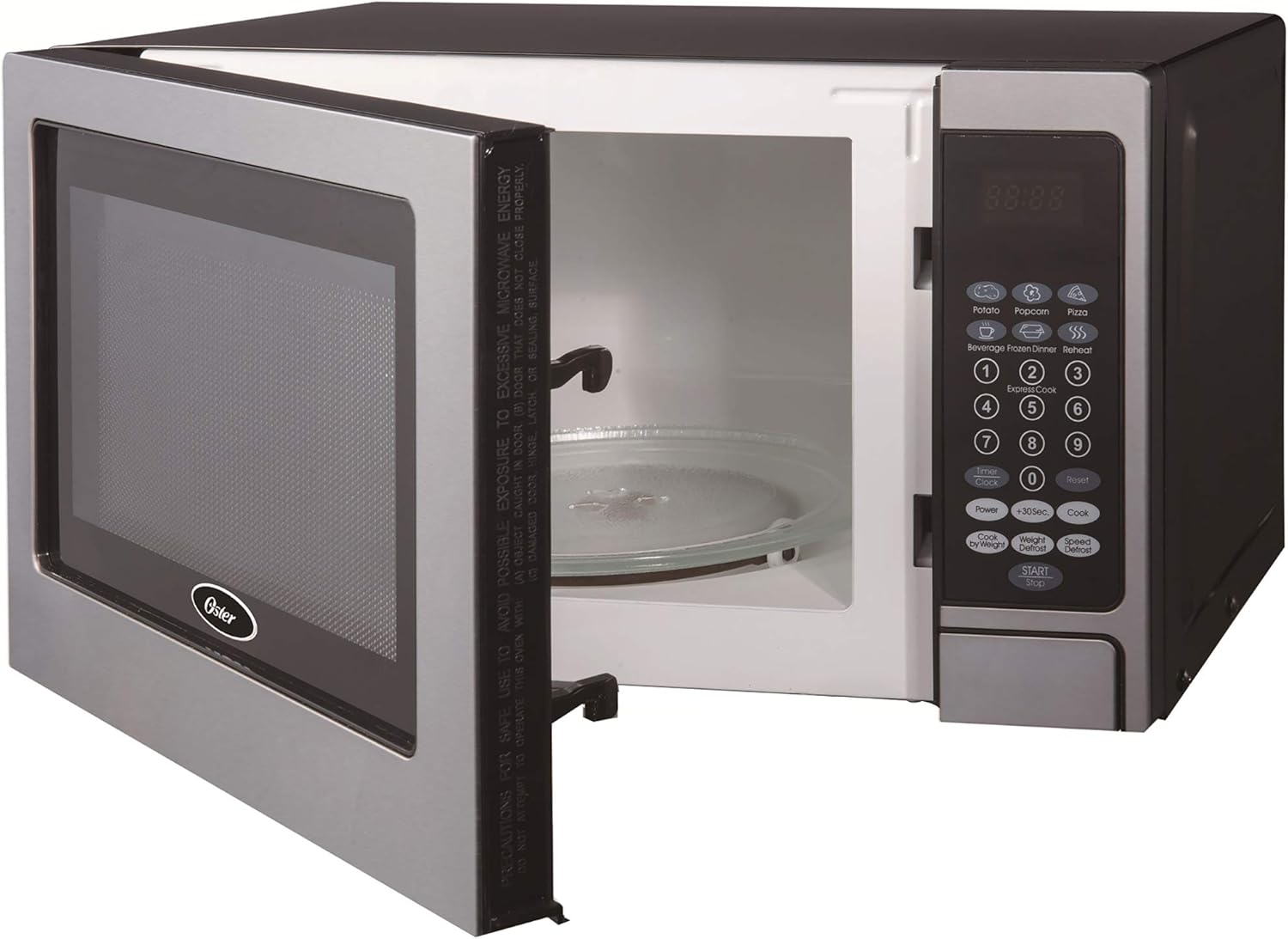
Ngarep view of the Oster OGZD0701 Microwave Oven with the door open, showing the interior cavity and control panel.
Komponen
- Rongga Oven: The interior space where food is placed for heating.
- Turntable kaca: A removable glass tray that rotates to ensure even cooking.
- Cincin Meja Putar: Supports the glass turntable and allows it to rotate.
- Panel Kontrol: Features an LED display, numeric keypad, and function buttons.
- Pintu Oven: Dilengkapi sistem kunci pengaman.
Setup
Mbukak bungkus
- Copot kabeh bahan kemasan saka njero lan njaba oven.
- Priksa oven kanggo karusakan apa wae, kayata penyok utawa lawang sing salah. Aja operate yen rusak.
- Copot film protèktif saka lumahing kabinet.
Majelis Turntable

The turntable ring, which supports the glass tray and allows it to rotate.
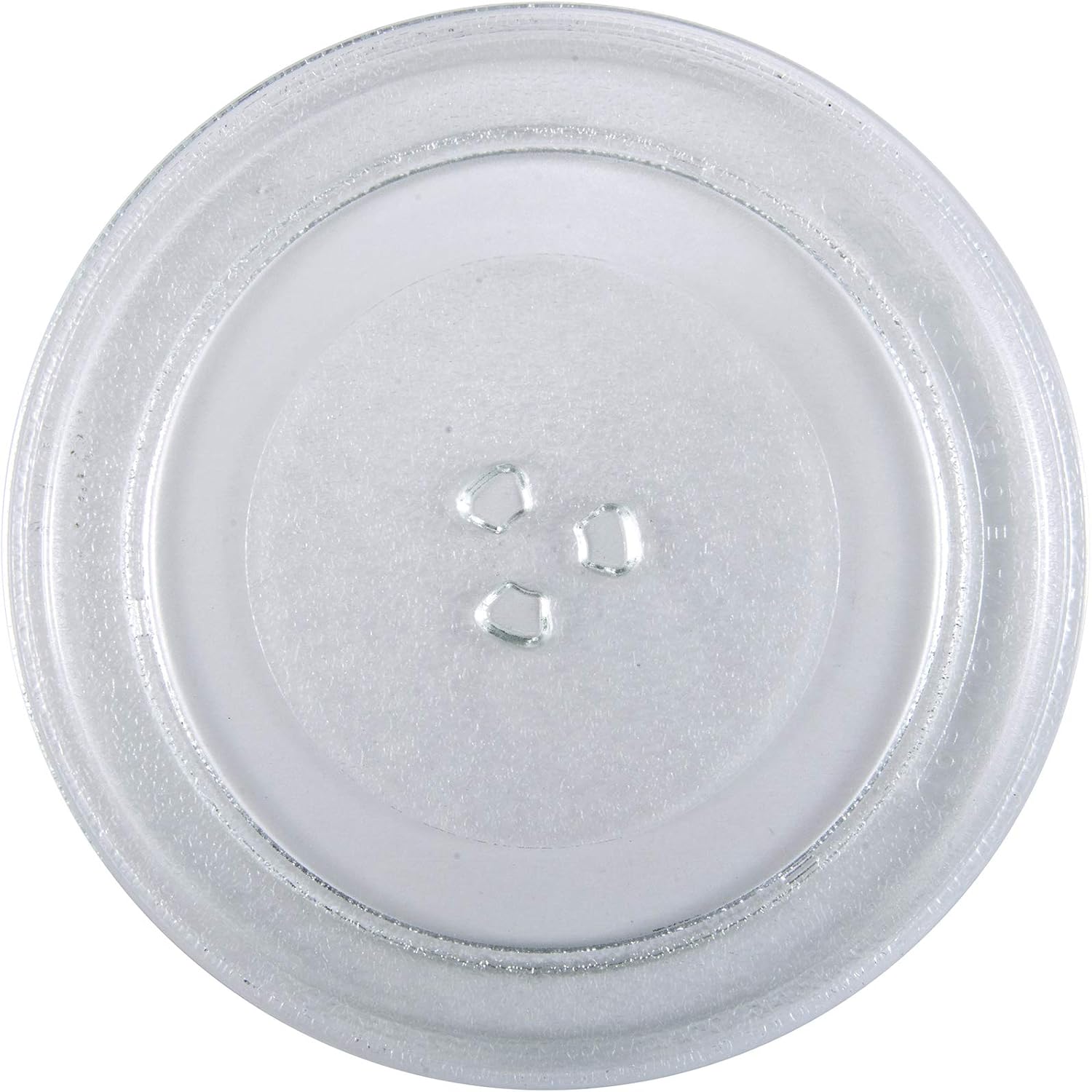
The removable glass turntable tray for even cooking.
- Selehake dering turntable kanthi aman ing lekukan bunder ing lantai oven.
- Position the glass turntable tray on top of the ring, ensuring it sits properly on the central hub.
Panggonan
- Place the oven on a flat, stable surface that can support its weight and the heaviest food item likely to be cooked.
- Ensure at least 3 inches (7.5 cm) of clearance on the top, sides, and rear for proper ventilation.
- Aja ngalangi ventilasi udara.
- Tansah oven adoh saka sumber panas lan medan magnet sing kuwat.
- Plug the oven into a dedicated 3-prong grounded outlet. Do not use extension cords.
Instruksi Operasi
Nyetel Jam
Kanggo nyetel jam:
- Press the 'CLOCK' button once.
- Gunakake pad nomer kanggo ngetik wektu saiki (contone, 12:30 kanggo 12:30 PM).
- Press the 'CLOCK' button again to confirm.
Masak Microwave dhasar
- Selehake panganan ing wadhah sing aman kanggo gelombang mikro ing meja putar kaca.
- Nutup lawang oven kanthi aman.
- Ketik wektu masak sing dikarepake nggunakake papan nomer.
- Press the 'POWER' button to adjust power level if needed (default is 100%). Use the number pad to select a power level from 1 to 10.
- Press the 'START' button to begin cooking.
Pre-set Cooking Menus
The oven includes 6 pre-set cooking menus for common foods:
- popcorn
- Kentang
- Pizza
- wedang
- Nedha bengi beku
- Panas maneh
To use a pre-set menu:
- Selehake panganan ing oven.
- Press the desired menu button (e.g., 'POPCORN').
- Press 'START' to begin. Some menus may require pressing the button multiple times to select weight or quantity.
Fungsi Defrost
The oven offers two defrost modes:
- Wektu Defrost: Press 'TIME DEFROST', enter the desired defrosting time, then press 'START'.
- Defrost bobot: Press 'WEIGHT DEFROST', enter the food's weight in pounds (e.g., 1.0 for 1 pound), then press 'START'. The oven will automatically calculate the defrosting time.
Child Lock Safety
To activate the child lock, press and hold the 'STOP/CANCEL' button for 3 seconds. The lock indicator will appear on the display. To deactivate, press and hold 'STOP/CANCEL' again for 3 seconds.
Maintenance lan Cleaning
Pembersihan Umum
- Tansah copot oven sadurunge ngresiki.
- Ngilangke njaba nganggo iklanamp kain lan sabun sing lembut. Aja nggunakake pembersih abrasive.
- Resikna rongga njero nganggo iklanamp cloth after each use to prevent food buildup. For stubborn stains, place a bowl of water with lemon slices inside and microwave for a few minutes, then wipe clean.
- Resiki segel lawang lan bagean-bagean ing sandhinge kanthi ati-ati nganggo adamp cloth to ensure proper door closure.
Perawatan Turntable
- Meja putar kaca lan cincin meja putar bisa dicopot kanggo diresiki.
- Cuci ing banyu anget, sabun utawa ing mesin cuci piring.
- Priksa manawa wis rampung garing sadurunge dilebokake maneh ing oven.
Ngatasi masalah
| Masalah | Kemungkinan Penyebab | Solusi |
|---|---|---|
| Oven ora diwiwiti | kabel daya ora kepasang ing; Lawang ora ditutup kanthi bener; Fuse diunekake utawa sirkuit breaker tripped. | Priksa manawa plug wis kuwat ing stopkontak; Nutup lawang kanthi aman; Priksa sekring kluwarga / pemutus sirkuit. |
| Panganan ora dadi panas | Wektu masak salah / tingkat daya; Lawang ora ditutup kanthi bener. | Adjust time/power; Ensure door is securely latched. |
| Meja putar ora muter | Turntable ora dipasang kanthi bener; Obstruksi ing ngisor turntable. | Re-seat glass tray and ring; Remove any debris. |
| Clock difficult to set | Unfamiliarity with control panel. | Refer to 'Setting the Clock' instructions in the Operating section. Practice the steps. |
| Start/Stop button unresponsive | Child lock activated; Internal malfunction. | Deactivate child lock (hold 'STOP/CANCEL' for 3 seconds). If issue persists, contact customer support. |
Spesifikasi
| Fitur | Rincian |
|---|---|
| Jeneng Model | OGZD0701 |
| Merk | Oster |
| Kapasitas | 0.7 Kaki Kubik |
| warna | Baja tahan karat |
| Wattage | 700 Watt |
| Tingkat Daya | 10 |
| Program masak | 6 |
| Tipe Kontrol | Tutul Pad |
| Fitur Khusus | Child Safety Lock, LED Display, Kitchen Timer |
| Jinis Instalasi | Meja |
| Bahan | Baja tahan karat |
| Tipe Sistem Defrost | Defrost otomatis |
Warranty lan Dhukungan
Informasi Garansi
This Oster OGZD0701 Microwave Oven comes with a 1-taun babar pisan winates from the date of purchase. This warranty covers defects in materials and workmanship under normal household use. It does not cover damage resulting from misuse, accident, alteration, or commercial use.
Mangga nyimpen bukti tuku kanggo claims babar pisan.
Dhukungan Pelanggan
For technical assistance, warranty service, or to inquire about replacement parts, please contact Oster customer support. Refer to the contact information provided in your product packaging or visit the official Oster websitus kanggo rincian dhukungan paling anyar.
When contacting support, please have your model number (OGZD0701) and purchase date available.