
Pambuka
Matur nuwun kanggo tukuasing the HOMCOM 31" Tilt Out Laundry Hamper. This versatile storage cabinet is designed to enhance organization in your bathroom or laundry room, offering a discreet solution for laundry and additional storage space. Please read this manual thoroughly before assembly and use to ensure proper installation and safe operation.
Informasi Safety Penting
- Waca kabeh instruksi: Priksa manawa sampeyan ngerti kabeh instruksi perakitan lan panggunaan sadurunge nerusake.
- Jauhi bocah-bocah: Small parts can be a choking hazard. Keep children and pets away during assembly.
- Gunakake ing permukaan sing rata: Assemble and place the unit on a flat, stable surface to prevent tipping.
- Aja kakehan beban: The maximum weight capacity is 66 lbs. Do not exceed this limit to prevent damage or injury.
- Pangopènan biasa: Priksa kabeh sambungan lan pengikat kanthi periodik kanggo mesthekake yen tetep kenceng.
- Ngindhari kelembapan: While designed for bathrooms, avoid prolonged exposure to excessive moisture to prevent material damage.
Isi Paket
Priksa manawa kabeh komponen wis ana lan ora rusak sadurunge miwiti perakitan. Yen ana bagean sing ilang utawa rusak, hubungi layanan pelanggan.
- Panel kabinet (ndhuwur, ngisor, sisih, mburi)
- Tilt-out door with handle
- Removable fabric hamper bag
- Piranti keras perakitan (sekrup, dowel, engsel, lan liya-liyane)
- Manual instruksi
Pandhuan Majelis
Tindakake langkah-langkah iki kanthi teliti kanggo perakitan sing bener. Disaranake supaya ana wong loro kanggo langkah-langkah tartamtu.
Langkah 1: Siapke Komponen
Unpack all components and lay them out on a clean, soft surface (e.g., a blanket or cardboard) to prevent scratches. Identify each part using the provided parts list (if included in your physical manual).

Gambar: Ngarep view of the assembled HOMCOM 31" Tilt Out Laundry Hamper.
Langkah 2: Pasang Bingkai Kabinet
Connect the side panels to the bottom and top panels using the provided hardware. Ensure all connections are secure but do not overtighten screws initially. The sturdy legs are integrated into the design, providing stability and elevation.

Gambar: Close-up view of the sturdy legs, providing elevation for the hamper.
Step 3: Install the Tilt-Out Door
Attach the tilt-out door to the cabinet frame using the designated hinges. Ensure the door opens and closes smoothly. Install the metal handle onto the door.

Gambar: Detil view of the metal handle on the tilt-out door.
Step 4: Insert the Fabric Hamper
Place the removable fabric hamper bag into the tilt-out compartment. Ensure it is properly seated and secured within the frame.

Image: The tilt-out door is open, revealing the removable fabric hamper, ready for use.
Langkah 5: Rampungake Majelis
Once all parts are assembled, gently tighten all screws. Place the cabinet in its desired location, ensuring it is stable and level. The top surface features a curved edge design.
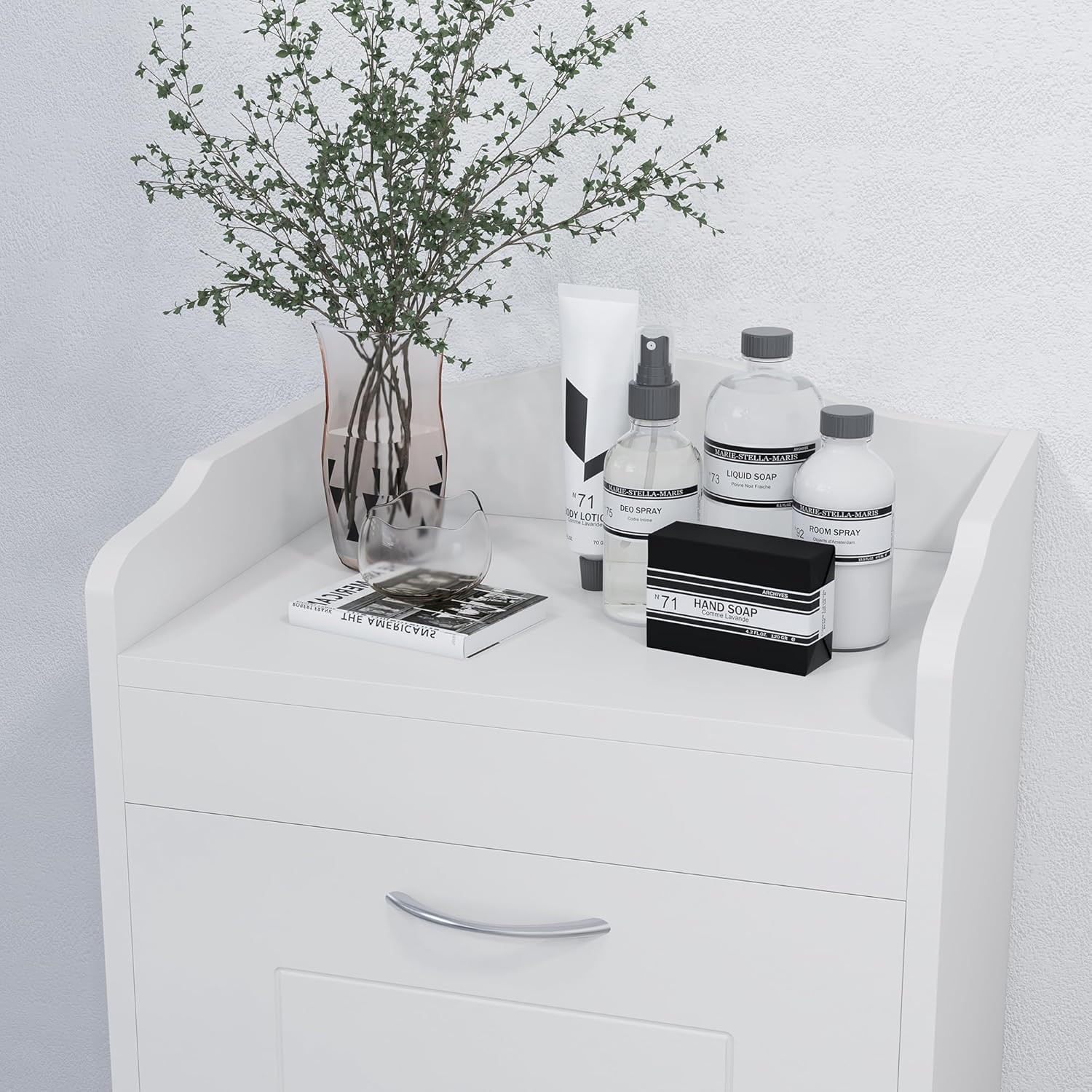
Image: The top surface of the hamper, featuring a decorative curved edge, used for additional storage.
Video Majelis
For a visual guide on assembly and features, please watch the official product video below:
Video: Official HOMCOM product video demonstrating the features and assembly of the 31" Tilt Out Laundry Hamper.
Instruksi Operasi
Using the Tilt-Out Hamper
- To deposit laundry, gently pull the handle on the front door. The door will tilt forward, revealing the fabric hamper.
- Place dirty clothes into the removable fabric bag.
- To close, push the door back into its upright position until it is securely closed.
Mbusak Hampnggih Bag
- Open the tilt-out door.
- Lift the fabric hamper bag out of its frame using its integrated handles.
- Transport the bag to your laundry area.
- After emptying, place the bag back into the frame and close the tilt-out door.

Image: A user placing laundry into the open tilt-out hamper.
Pangopènan
- Reresik Kabinet: Wipe the MDF cabinet surfaces with a damp kain. Ngindhari bahan kimia sing atos utawa pembersih abrasif.
- Cleaning the Hamper Bag: The fabric hamper bag can be spot cleaned or hand washed with mild detergent. Allow it to air dry completely before returning it to the cabinet.
- Priksa Hardware: Priksa kabeh sekrup lan sambungan kanthi periodik kanggo mesthekake yen wis kenceng. Kencengake maneh yen perlu.
- Kontrol Kelembapan: In humid environments like bathrooms, ensure adequate ventilation to prevent moisture buildup inside the cabinet.
Ngatasi masalah
- Lawang ora nutup kanthi bener: Check hinges for alignment and ensure no items are obstructing the door's path.
- Unit wobbles: Ensure the cabinet is placed on a level surface. Check and tighten all assembly screws.
- Bau sing ora nyenengake: Regularly empty and clean the fabric hamper bag. Ensure the cabinet is in a well-ventilated area.
Spesifikasi
| Fitur | Rincian |
|---|---|
| Merk | HOMCOM |
| Nomer Model | 834-118 |
| Sakabèhé Dimensi | 15.5" W x 12" D x 31" H |
| Bahan | MDF |
| warna | Putih |
| Kapasitas bobot | 66 lbs |
| Cara Instalasi | Ngadeg gratis |
| Klebu Komponen | Narik metu Basket |

Image: Dimensional diagram of the HOMCOM 31" Tilt Out Laundry Hamper.
Warranty lan Dhukungan
For warranty information or customer support, please refer to the contact details provided with your purchase documentation or visit the official HOMCOM websitus. Simpen bukti tuku kanggo klaim garansi.