
Pambuka
This manual provides essential information for the proper setup, operation, and maintenance of your RME ADI-2 Pro 2-in/4-out AD/DA Converter. The ADI-2 Pro is a versatile audio device designed for professional studio environments, offering high-end analog-to-digital and digital-to-analog conversion, a powerful headphone amplifier, and various digital connectivity options. Please read this manual thoroughly before using the device to ensure optimal performance and longevity.
Informasi Safety
Tansah tindakake pancegahan keamanan ing ngisor iki kanggo nyegah kerusakan piranti utawa ciloko kanggo awakmu dhewe:
- Aja mbabarake unit menyang udan, kelembapan, utawa suhu sing ekstrem.
- Priksa manawa ventilasi sing tepat ing saubengé unit kanggo nyegah overheating.
- Use only the specified power supply (9-15V DC, 10 Watt, center pin positive).
- Aja nyelehake barang abot ing unit kasebut.
- Aja nyoba mbukak utawa nglayani unit dhewe. Waca kabeh layanan kanggo personel qualified.
- Tansah unit adoh saka kothak Magnetik kuwat.
Isi Paket
Priksa manawa kabeh item ana ing paket kasebut:
- RME ADI-2 Pro Unit
- Unit Pasokan Daya Eksternal
- Kabel USB
- Manual pangguna (dokumen iki)
- Remote Control (yen kalebu karo varian model tartamtu)
Produk Overview: Panel mburi
The rear panel of the ADI-2 Pro provides all necessary connections for power, digital, and analog audio signals.
Gambar: Rear panel of the RME ADI-2 Pro. From left to right, it features the power input, USB 2.0 port, digital I/O section with optical SPDIF/AES-3 and a D-sub connector, analog outputs (Right and Left XLR, plus L/R 1/4" TRS), and analog inputs (Right and Left XLR).
Sambungan Panel mburi:
- Input daya: DC input for the external power supply. Requires 9-15V DC, 10 Watt, with a center pin positive configuration.
- USB 2.0: Connects the ADI-2 Pro to a computer for audio interface functionality.
- Digital I/O (SPDIF / AES-3):
- metu: Optical output for SPDIF or AES-3 digital audio.
- ing: Optical input for SPDIF or AES-3 digital audio.
- D-sub Connector: Provides additional digital I/O options, typically for AES-3 via breakout cable.
- Output analog:
- Right / Left XLR: Balanced analog audio outputs for connecting to studio monitors or other audio equipment.
- L / R (1/4" TRS): Additional balanced analog outputs, often used for alternative monitoring or routing.
- Input analog:
- Right / Left XLR: Balanced analog audio inputs for connecting microphones (with external pre-amp) or line-level sources.
Setup
- Sambungan daya: Connect the external power supply to the DC input on the rear panel and then to a power outlet.
- Koneksi USB: Connect the ADI-2 Pro to your computer using the provided USB cable.
- Instalasi driver: For Windows and macOS, download and install the latest drivers from the official RME websitus. Turuti pandhuan ing layar.
- Sambungan Audio:
- Sambungake monitor studio menyang Analog Outputs (XLR or TRS).
- Sambungake sumber audio (contone, sadurungeamplifiers, instruments) to the Analog Inputs (XLR).
- For digital audio, connect optical cables to the SPDIF/AES-3 In/Out bandar minangka needed.
- Daya wiwitan: Power on the ADI-2 Pro. The device should be recognized by your computer's operating system and audio software.
Instruksi Operasi
The RME ADI-2 Pro offers extensive functionality through its front panel controls and display. Refer to the detailed software manual for in-depth configuration options.
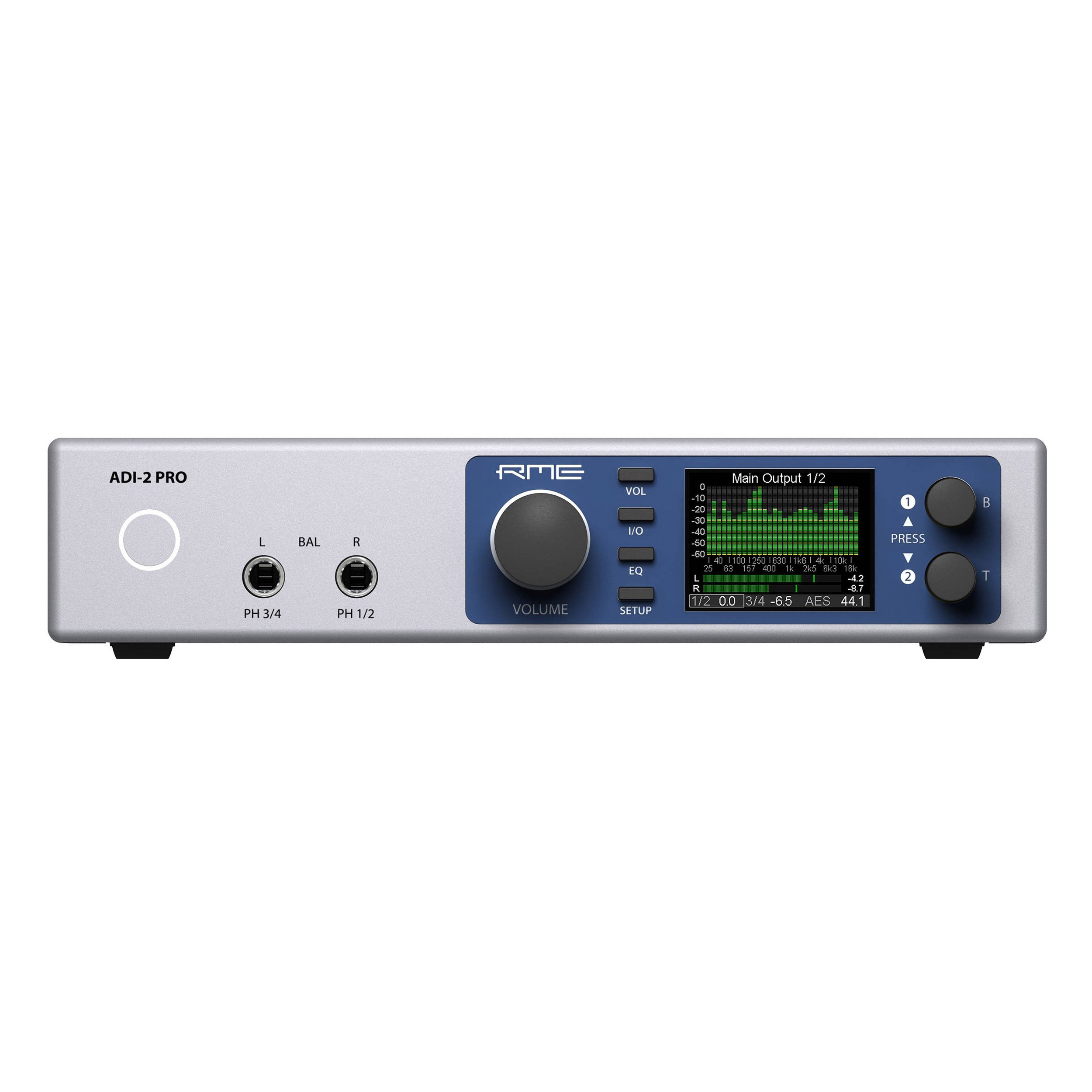
- Kontrol Panel ngarep: Use the rotary encoders and buttons on the front panel to navigate menus, adjust parameters, and select inputs/outputs.
- Tampilan: The high-resolution display provides real-time metering, settings, and status information.
- Output Headphone: The ADI-2 Pro features two high-quality headphone outputs. Adjust their volume independently via the front panel.
- Mode operasi: The device can function as a standalone AD/DA converter, a USB audio interface, a headphone amplifier, and a digital format converter. Specific modes and routing are configured through the internal menu system.
- Kontrol piranti lunak: Advanced settings and routing can be managed via the RME driver control panel on your computer.
Pangopènan
- Reresik: Gunakake gombal alus lan garing kanggo ngresiki njaba unit. Aja nggunakake pembersih cair utawa pelarut.
- Ventilasi: Priksa manawa slot ventilasi ora katutup supaya ora kepanasen.
- Nganyari Firmware: Periodically check the RME website for firmware updates to ensure optimal performance and access to new features. Follow the provided instructions carefully when updating firmware.
- Panyimpenan: Yen ora digunakake sajrone wektu sing suwe, simpen unit iki ing lingkungan sing garing lan bebas bledug.
Ngatasi masalah
- Ora Daya:
- Check the power cable connection to the unit and the wall outlet.
- Verify the power adapter is functioning correctly and matches the required specifications (9-15V DC, 10 Watt, center pin positive).
- Ora ana Output Audio:
- Ensure the correct output is selected on the ADI-2 Pro and in your computer's audio settings.
- Check all cable connections to your monitors or headphones.
- Verify volume levels on the unit and in your software.
- Ora Ana Input Audio:
- Confirm the input source is correctly connected to the ADI-2 Pro's analog or digital inputs.
- Select the correct input source on the ADI-2 Pro and in your recording software.
- Ensure any external pre-ampLampu unggun wis diuripake lan bisa digunakake.
- Piranti Ora Dikenali dening Komputer:
- Re-install the latest drivers from the RME websitus.
- Try a different USB port or USB cable.
- Restart your computer and the ADI-2 Pro.
For further assistance, consult the comprehensive RME ADI-2 Pro manual available on the RME website or contact RME technical support.
Spesifikasi
| Bobot Barang | 4.49 kab |
| Dimensi produk | 13.75 x 8.5 x 3.35 inci |
| Nomer Model | ADI2PRO |
| ASIN | B01MTWM896 |
| Tanggal Kapisan Kasedhiya | 24 Maret 2017 |
| Kebutuhan Daya | 9-15V DC, 10 Watt (Center Pin +) |
| Konektivitas | USB 2.0, Optical SPDIF/AES-3 I/O, D-sub Digital I/O, Analog XLR I/O, Analog 1/4" TRS Outputs |
Warranty lan Dhukungan
RME products are covered by a manufacturer's warranty. For specific warranty terms and conditions, please refer to the documentation included with your product or visit the official RME website. For technical support, driver downloads, and additional resources, please visit the RME support page: