
PHILIPS B003ZNL2RY
Pandhuan Pangguna Speaker Bluetooth PHILIPS nganggo Jam Weker Ganda
Model: B003ZNL2RY
Pambuka
Matur nuwun kanggo tukuasing the PHILIPS Bluetooth Speaker with Dual Alarm Clock. This device combines a high-quality stereo speaker with a versatile alarm clock, offering multiple playback modes and convenient features like a night light. Please read this manual carefully before using the product to ensure proper operation and to maximize its lifespan.
Fitur produk
- Dual Speaker Stereo: Equipped with two 52mm extra-large speakers and an independent bass diaphragm for immersive audio.
- Mirror Clock & Bluetooth Calibration: Automatic time calibration via Bluetooth, featuring a clock display and dual alarm function.
- Diverse Playback Modes: Supports Bluetooth 5.3 for stable transmission, TF card, USB flash drive, and external AUX audio input.
- Lampu wengi alus: Night mode with soft night lights to create a warm ambiance.
- Baterei Kapasitas Dhuwur: Built-in 3500mAh lithium battery providing up to 15 hours of continuous playback.
Isi Paket
Mangga dipriksa paket kanggo item ing ngisor iki:
- PHILIPS Bluetooth Speaker with Dual Alarm Clock
- Kabel Pengisian USB
- Manual pangguna
Produk Overview

Gambar 1: Ngarep view of the device, displaying the time, temperature, and various control icons for Bluetooth, TF card, AUX, and USB modes.

Gambar 2: Internal components, illustrating the dual 52mm speakers and the independent bass diaphragm for enhanced sound quality.

Gambar 3: Rear panel with input ports: TF card slot, USB port, AUX input, and DC 5V power input.
Setup
1. Ngisi daya wiwitan
Before first use, fully charge the device. Connect the provided USB charging cable to the DC 5V port on the back of the speaker and the other end to a USB power adapter (not included) or a computer USB port. The charging indicator will show the charging status.

Gambar 4: The device features a high-capacity 3500mAh battery for extended use.
2. Daya On / Off
Pencet terus tombol Tombol daya () sing dumunung ing panel ngarep kanggo nguripake utawa mateni piranti.
Instruksi Operasi
1. Wektu lan Weker Setelan
The clock automatically calibrates time when connected via Bluetooth. For manual adjustments or setting alarms:
- Setelan Wektu: When the device is on, the time is displayed. If Bluetooth is connected, the time will synchronize automatically.
- Setelan weker: Tekan ing Tombol weker () to enter alarm setting mode. Use the + lan - buttons to adjust the hour and minute. Press the Alarm button again to confirm and move to the next setting (e.g., alarm tone, volume). The device supports dual alarms.
- Fungsi Tundha: Nalika weker muni, penet tombol SNOOZE button on top of the device to activate snooze. The alarm will sound again after a set interval.
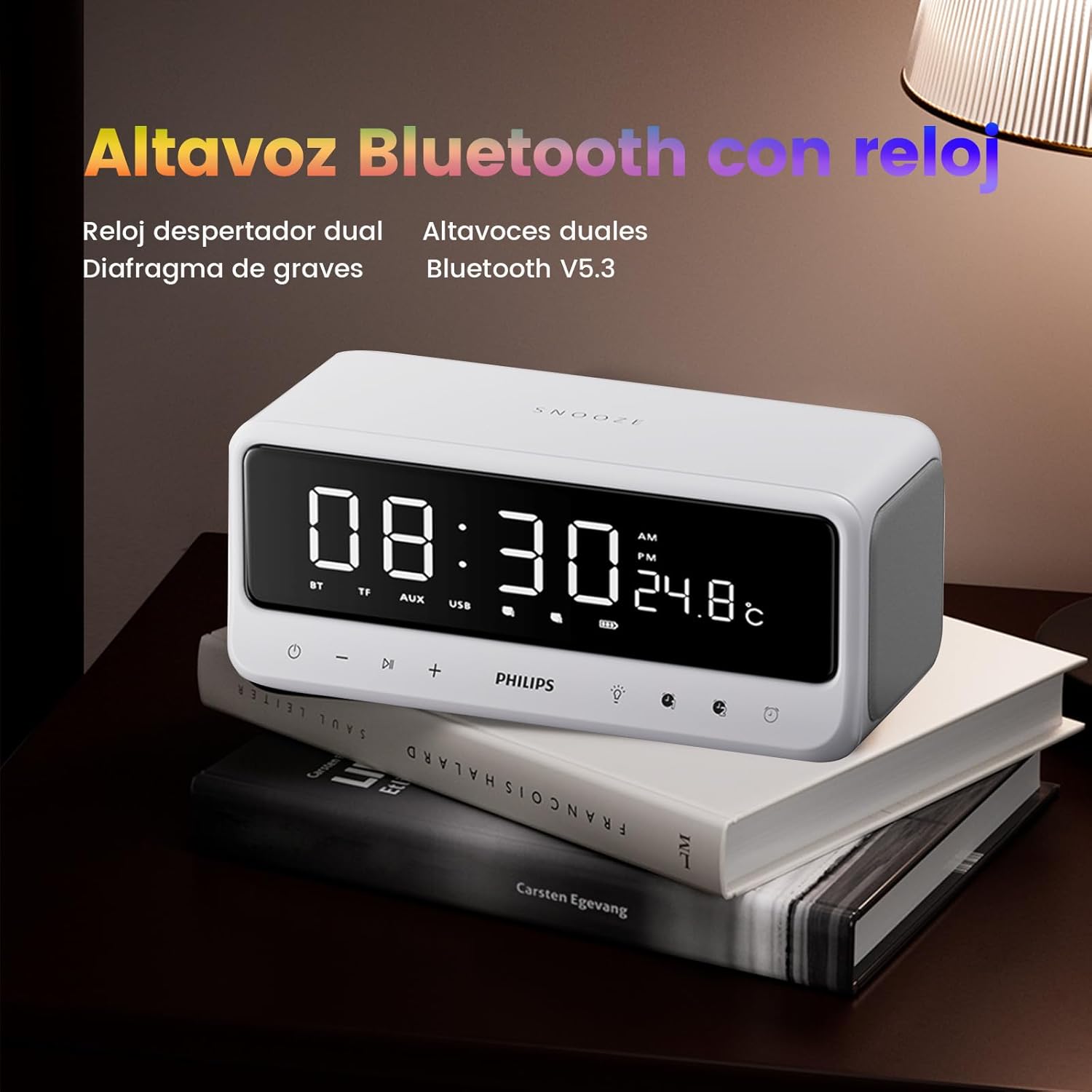
Gambar 5: The device functions as both a Bluetooth speaker and a dual alarm clock, displaying time and temperature.
2. Pasangan Bluetooth
- Priksa manawa speaker urip.
- The speaker will automatically enter Bluetooth pairing mode, indicated by a flashing BT lambang ing tampilan.
- On your mobile device, enable Bluetooth and search for "PHILIPS B003ZNL2RY" (or similar name).
- Select the device to pair. Once connected, the BT icon will stop flashing and remain solid.
3. Mode Putar Ulang
The device supports various playback sources:
- Mode Bluetooth: Sawise pasangan kasil, sampeyan bisa muter audio saka piranti sing disambungake.
- Mode Kertu TF: Insert a TF (MicroSD) card into the TF slot on the rear panel. The device will automatically switch to TF card mode and begin playing audio files.
- Mode USB: Insert a USB flash drive into the USB port on the rear panel. The device will automatically switch to USB mode and play audio files.
- Mode AUX: Connect an external audio device using a 3.5mm AUX cable to the AUX input on the rear panel. The device will switch to AUX mode.
Gambar 6: Multiple playback options including Bluetooth, USB, TF card, and AUX input.
4. Fungsi cahya wengi
Tekan ing Tombol cahya () to cycle through different night light brightness levels or to turn it off. This feature provides a soft, ambient glow suitable for bedrooms.

Gambar 7: The soft night light feature creates a calming atmosphere for sleep.
5. Kontrol Volume
Gunakake ing + lan - buttons on the front panel to adjust the volume.
6. Demonstrasi Video
Klip 1: Lan liwatview of the PHILIPS Bluetooth Speaker with Dual Alarm Clock, demonstrating its features including time display, night light, and various input options. This video highlights the product's design and functionality.
Pangopènan
- Resik piranti nganggo kain sing alus lan garing. Aja nggunakake pembersih abrasif utawa pelarut.
- Supaya piranti adoh saka banyu, Kelembapan, lan suhu nemen.
- Aja nyelehake piranti utawa kena pengaruh sing kuat.
- Simpen ing papan sing adhem lan garing yen ora digunakake kanggo wektu sing suwe.
Ngatasi masalah
| Masalah | Kemungkinan Penyebab | Solusi |
|---|---|---|
| Piranti ora urip. | Baterei kurang; Tombol daya ora ditekan cukup suwe. | Charge the device fully; Press and hold the Power button for 3-5 seconds. |
| Ora ana swara saka speaker. | Volume kekecilen; Mode sing dipilih salah; Piranti ora dipasangake (Bluetooth). | Increase volume; Ensure correct playback mode (BT, TF, USB, AUX); Re-pair Bluetooth device. |
| Pasangan Bluetooth gagal. | Device too far; Interference; Bluetooth not enabled on source device. | Move devices closer; Avoid interference; Ensure Bluetooth is enabled and visible on your device. |
| Weker ora muni. | Alarm ora disetel kanthi bener; Volume alarm kekecilen. | Verify alarm settings and ensure it is activated; Increase alarm volume. |
Spesifikasi
- Merk: PHILIPS
- Model: B003ZNL2RY
- warna: Putih
- ukuran: Ukuran 7.5 x 3.81 x 9 cm (2.95 x 1.5 x 3.54 inci)
- Bobot: 840 g (1.85 lbs)
- Bahan: Acrylonitrile Butadiene Styrene (ABS)
- Output Speaker: 10W (Dual 52mm speakers with independent bass diaphragm)
- Versi Bluetooth: 5.3
- Kapasitas baterei: 3500mAh
- Wektu Puter maneh: Nganti 15 jam (kira-kira)
- Fitur khusus: USB Port, Dual Alarm, Night Light, Snooze Function, Temperature Display
Warranty lan Dhukungan
This PHILIPS product comes with a standard manufacturer's warranty. For detailed warranty information, please refer to the warranty card included in your package or visit the official PHILIPS website. For technical support, troubleshooting assistance, or service inquiries, please contact PHILIPS customer service.
Kontak Customer Service: Please refer to the contact information provided on the PHILIPS official websitus utawa kemasan produk sampeyan.
Ask a question about this manual
Ask about setup, troubleshooting, compatibility, parts, safety, or missing instructions. Manuals+ will review the question and use this page’s manual context to help answer it.